

PadSeat
Local co-op for PlayStation, Xbox and keyboard. Each controller drives its own player, in gameplay and in menus.
PadSeat is a plugin for Unreal Engine 5.6, 5.7 and 5.8 on Windows. It routes every device to the right player for gameplay (Enhanced Input) and for UMG and CommonUI menus, and adds the join, reconnect, lobby and split-screen parts a couch co-op game needs. PadSeat reads PlayStation pads itself.
Fab link coming soon Read the documentation
Version 1.0.0. Support: support@barbedwireglovegames.games
Quick start
The setup shows every change before it makes any, logs what it did, and has Undo.
- Install. Put the plugin in your project's
Pluginsfolder (or install it from Fab once the listing is live) and tick PadSeat Local Co-op in Edit > Plugins. Restart the editor when it asks. - Set up. Click Tools > PadSeat > Set Up Local Co-op... (or the Local Co-op toolbar button), read the list of changes and click OK. PlayStation pads need no extra step: PadSeat reads them itself.
- Play. Press Play with your pads connected. The first device to press a button plays player 1. On another pad, press Start (Xbox) or Options (PlayStation): player 2 joins. Each pad now moves its own player and its own menus, and a PlayStation pad's light bar takes its player's color.
To check everything, open Tools > PadSeat > Status. It shows each controller, which player it drives, the colors and any warnings. To start routing yourself, for example only from a lobby, turn off Auto Activate and call Activate on the Local Co-op subsystem. Sample maps: /CoopKit/Samples/LocalCoop_Sample, SharedMenu_Sample and Lobby_Sample.
Requirements
- ENGINE
- Unreal Engine 5.6, 5.7 or 5.8. UE 5.5 and older are not supported.
- PLATFORM
- Windows (Win64) only.
- PLUGINS
- Enhanced Input and CommonUI. Both ship with the engine, and PadSeat enables them.
- PACKAGE
- Code plugin with C++ source.
A second pad should not move player 1
One GameInstance subsystem. Keep your own GameInstance, GameMode, PlayerController and widgets.
In a stock Unreal project on PC, the keyboard and the first gamepad both belong to player 1. A second person picks up a pad and moves player 1. The engine's checkbox for this, Skip Assigning Gamepad to Player 1, fixes gameplay only. Menus still follow the wrong player: every pad's menu input lands one player off.
Since UE 5.6 the engine also has Device Mapping Policy = Create Unique Platform User For Each Device. It routes co-op correctly, but a single gamepad then drives nobody, so solo play breaks. It can't switch at runtime, and it has no join flow.
PadSeat routes every device to the right player for both halves, gameplay input and the Slate user that UMG and CommonUI use, and adds what a co-op game needs on top.
- STOCK ENGINE
- Keyboard and first pad are both player 1. Menus follow the wrong player.
- ENGINE POLICY OPTION
- Co-op routes correctly, but a single pad drives nobody. No runtime switch, no join flow.
- PADSEAT
- Each pad drives its own player in gameplay and menus. Solo and co-op in one build, switched at runtime, with press-to-join.
- Correct routing
- Each pad drives its own player in gameplay (Enhanced Input), UMG focus and navigation, and CommonUI.
- Solo and co-op in one build
- Player 1 plays alone. A second person presses a button on their pad and joins as player 2; their pad never moves player 1. Co-op ends when they leave. Solo mode lets every pad drive player 1 instead.
- Press-to-join and leave
- Start or Options to join. Hold Back, Create or Share to leave: a ring fills while you hold, and each player's card names the button. Configurable keys, max players and events.
- Keyboard as its own player
- Press Enter in co-op and the keyboard becomes a player, while player 1 keeps the pad. Or share it with the first pad, or ignore it in co-op.
- Reconnect
- An unplugged pad returns to the same player. Player 1 is asked to keep their spot or remove them; or the seat waits, or the player is removed after a few seconds. Another pad can take over.
- Player 1 switches device
- Player 1 holds the leave button and presses any button on the new pad, or Enter for the keyboard. They keep their number, color, pawn and settings.
- PlayStation and Xbox
- PadSeat reads DualSense pads itself over Bluetooth, checked on real pads. DualSense over USB, DualSense Edge and DualShock 4 are protocol support, not yet checked on real pads (see Known limits). Mixed with Xbox pads and the keyboard. Button icons follow each player's own pad.
- Light bar = player color
- Each PlayStation pad's light bar shows its player's color, and the DualSense player LEDs show the player number.
- Touchpad keys and touch
- Touchpad click, PS and mute buttons as keys you can bind, plus two fingers with positions from 0 to 1.
- Stick drift fix
- PadSeat measures where each stick rests when a pad connects and takes that offset off. Per-player dead zones and a drift-detected node for a recalibrate prompt.
- 5 to 8 players
- Set Max Players up to 8. PadSeat lays out players 5 to 8 itself in two rows, and you can set your own screen rects.
- Status panel
- Tools > PadSeat > Status lists each controller, its player, the colors and warnings such as drift.
- Per-player UI
- Create Widget For Player, "which player sent this key", button prompts, and colored focus outlines in shared menus.
- Co-op lobby
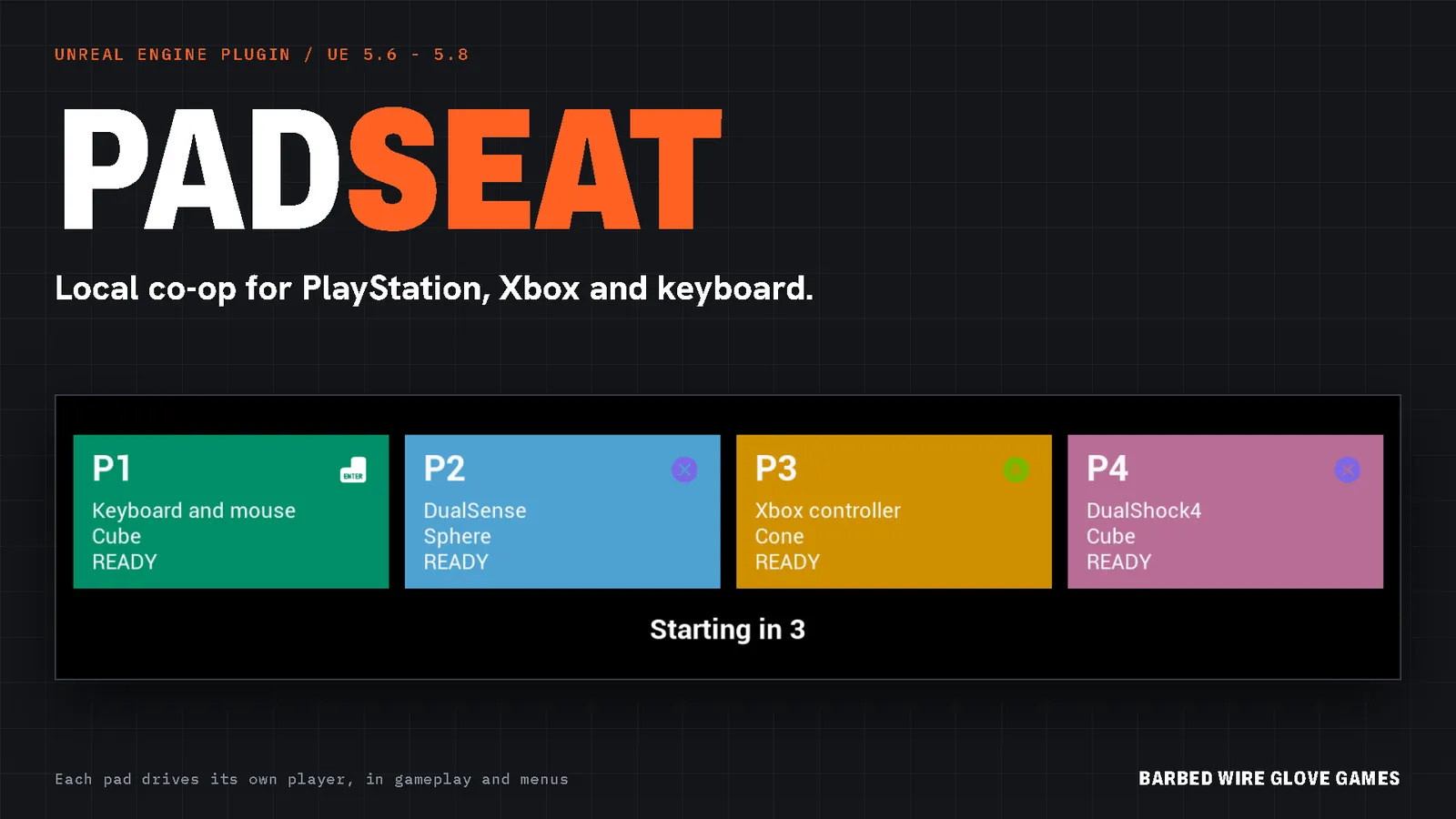
- Join, pick a color and a character, ready up, countdown, open the level. One widget, every player on it at once.
- Split screen
- One dropdown per player count, a one-node switch at run time, your own screen rects, and every joined player gets a pawn and a view.
- Make it your own
- A UI Theme asset for fonts, colors, corners, the hold ring and sounds. Your own Widget Blueprint for any piece. Every sentence translatable and replaceable. Or turn the built-in UI off and build from the events.
- Per-player settings
- Each player's saved vibration, look, volume, color and character, plus per-player key rebinding on Enhanced Input.
- Rumble and volume
- Rumble only one player's pad, scaled by their settings. UI sounds at each player's own volume.
- Debugging and dev tools
CoopKit.Dump, an on-screen routing overlay, and developer virtual controllers to play players 2 to 4 from the keyboard (off in Shipping).
What it looks like
Images from the plugin's sample maps. No real controllers were used.
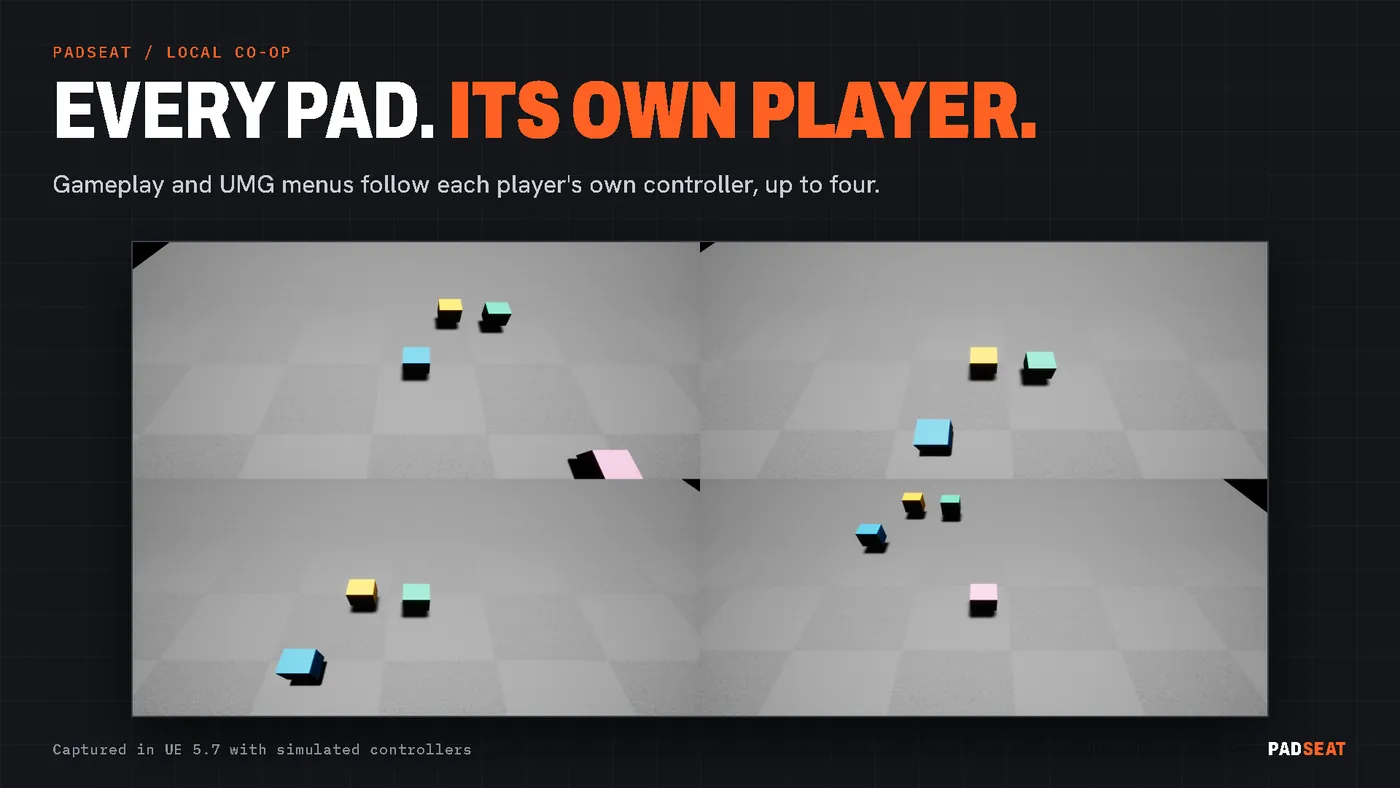
LocalCoop_SampleFour players, one view each. Every pad drives only its own player.
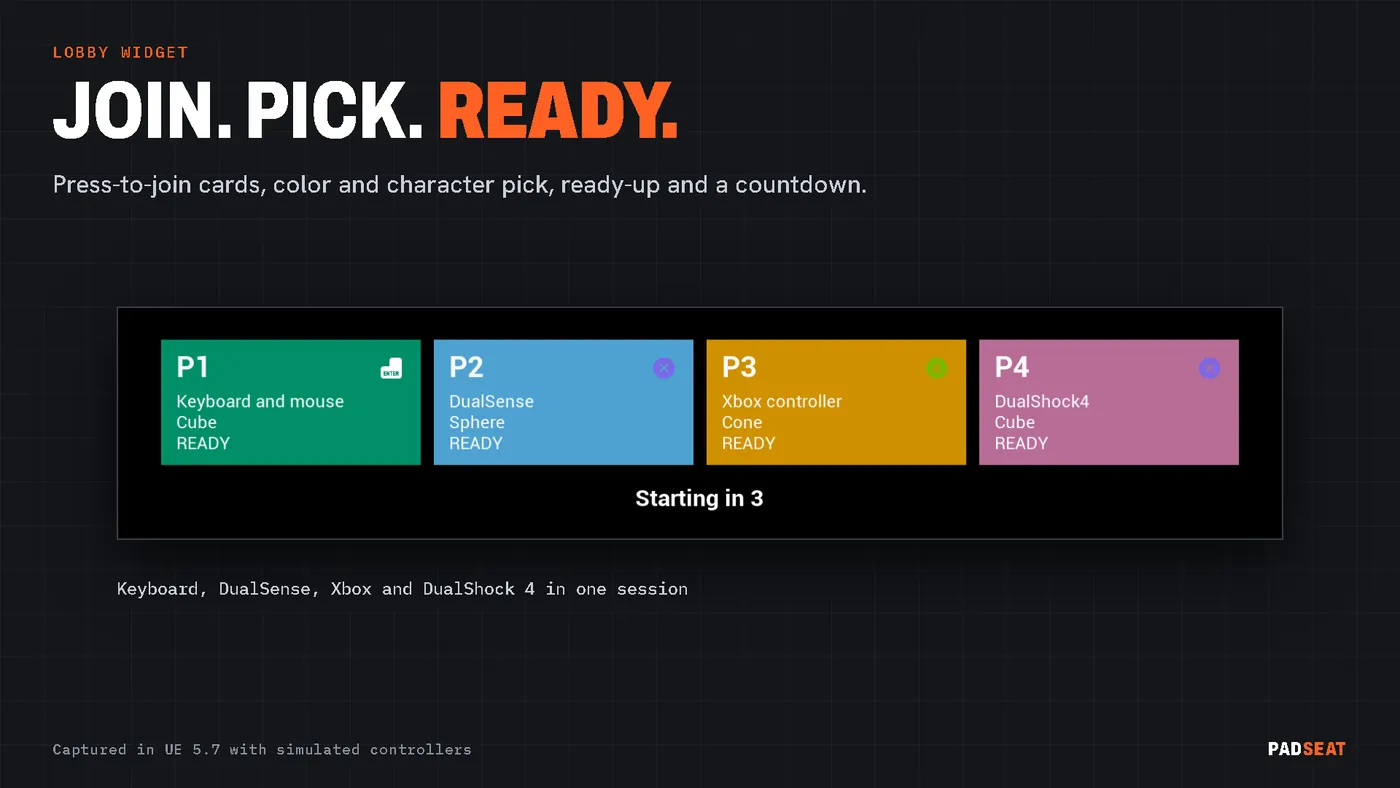
Lobby_SampleJoin, pick a color and a shape, ready up.
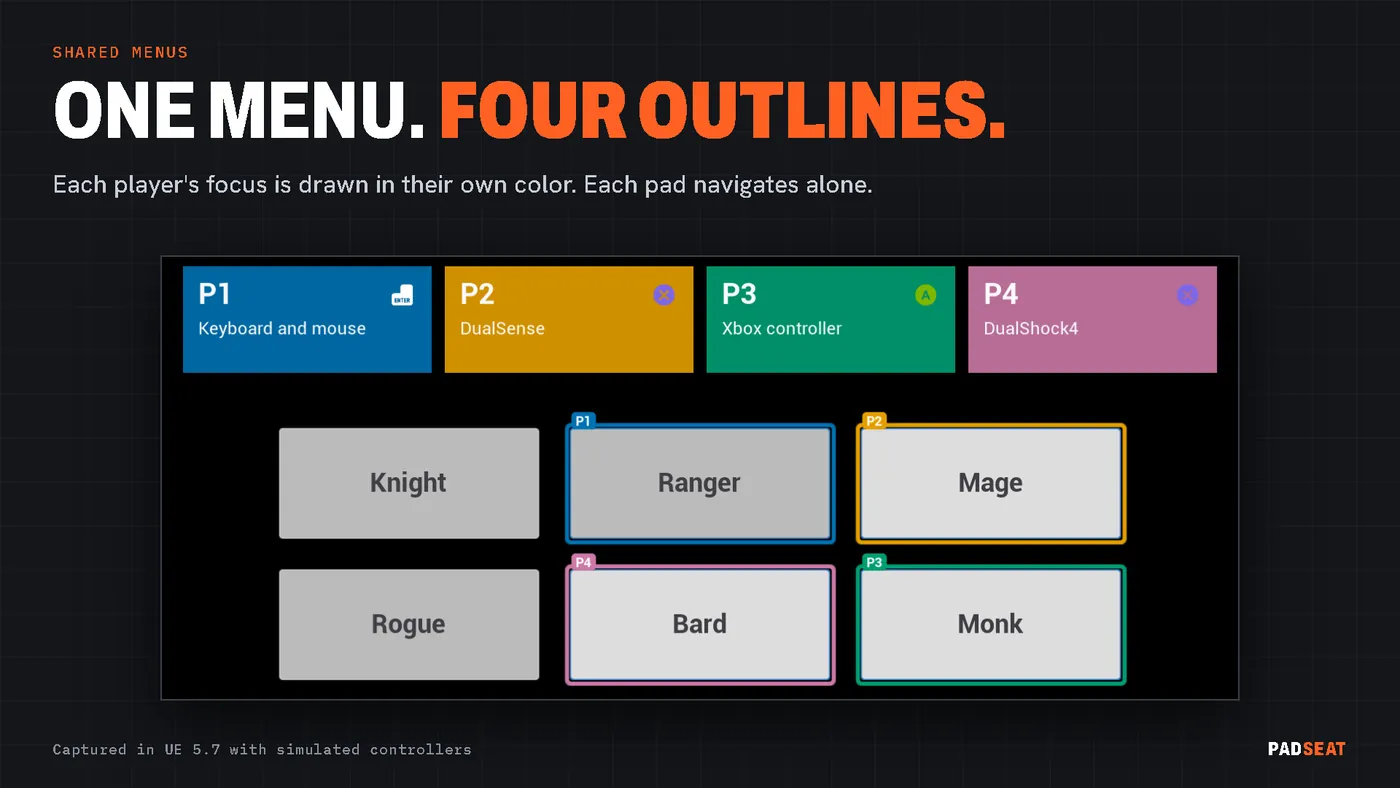
SharedMenu_SampleOne menu, a colored focus outline per player.
PlayStation pads work out of the box
Windows only reports Xbox-style pads through XInput, the engine's default. PadSeat has its own PlayStation layer, so you need no driver, DLL or Steam.
- Models: DualSense, DualSense Edge and DualShock 4, over USB and Bluetooth, through the Windows SDK's HID functions, on UE 5.6, 5.7 and 5.8. Checked on real pads: DualSense over Bluetooth. USB, DualSense Edge and DualShock 4 are protocol support, not yet checked on real pads.
- Every pad is its own device, so routing, joining, reconnect, menus and PlayStation button icons work as they do with Xbox pads. All buttons and axes are read, including L2 and R2 as buttons and analog.
- Touchpad: the click, the PS button and the mute button are keys in the Enhanced Input key picker under PadSeat (PlayStation). The touch surface gives two fingers as buttons plus X and Y axes from 0 to 1. Get Player Touchpad returns it in Blueprint.
- Light bar and LEDs: each pad's light bar shows its player's color, color-corrected so it looks like the screen color. DualSense player LEDs show the player number. A pad nobody has joined glows dim white.
- Rumble goes to that player's pad only.
- Stick drift: the rest point of each stick is measured when the pad connects and taken off every reading. Radial and outer dead zones are set per player.
- Setting: Project Settings > PadSeat > PlayStation Controllers > PlayStation Route: PadSeat native (default), GameInput or Off. Restart after changing it.
Other routes
| Route | UE 5.6 | UE 5.7 | UE 5.8 | Setup |
|---|---|---|---|---|
| Steam Input (game launched through Steam) | Yes | Yes | Yes | Nothing. Steam presents each pad as an Xbox pad, so icons show Xbox. The native layer steps aside. |
| DS4Windows or DSX (player-side tools) | Yes | Yes | Yes | Nothing in the project. Set PlayStation Route to Off. The pad appears as an Xbox pad. |
| GameInput (limited) | Not available (the launcher build's plugin is empty) | Yes | Yes | Run Set Up Local Co-op + PlayStation Controllers.... In our test with two DualSense pads over Bluetooth, GameInput passed one pad and no rumble. |
- Mixing is fine. Xbox pads use XInput, PlayStation pads use the native layer, and the keyboard is its own device.
- One route per pad. If two routes read the same pad, it shows up twice.
- Pairing: hold PS + Share on a DualShock 4, or PS + Create on a DualSense, until the light flashes, then add it in Windows Bluetooth settings.
What was checked on real pads
Checked on real pads means DualSense pads over Bluetooth: two on UE 5.6, 5.7 and 5.8 for the native layer, then three on UE 5.7 for full play-throughs. Everything else below was tested headless.
- Checked on real pads: the native PlayStation layer with two DualSense pads over Bluetooth on UE 5.6, 5.7 and 5.8 (both found and read cleanly, each its own player with PlayStation prompts, light bar, LEDs and rumble sent to the right pad; a tester felt the rumble). Then full play-through rounds with three DualSense pads over Bluetooth on UE 5.7: join, reconnect, menus, rumble, light bar colors, touchpad, switch-off detection and the keyboard as its own player, up to 8 players with the keyboard and four simulated pads.
- Headless only: the stick drift fix, covered by unit tests with captured and synthetic reports.
- Not yet checked on real pads: DualSense over USB, DualSense Edge, DualShock 4, and Xbox pads. Xbox routing is proven with simulated XInput devices, and Xbox rumble is tested as the values sent, not the motors.
- Not supported on PlayStation pads: gyro, adaptive triggers, the headset jack and the controller speaker.
- More than 4 Xbox pads: Windows XInput stops at 4. Players 5 to 8 need PlayStation pads, the keyboard or other pads.
- Under Steam Input or DS4Windows, PlayStation pads arrive as Xbox pads, so icons show Xbox.
- Steam Remote Play Together: the guide has a section written from Steam's documentation. It is not tested with PadSeat.
- Platform: Windows only. Consoles, Linux, Mac and Steam Deck are untested.
- Engines: UE 5.6, 5.7 and 5.8. UE 5.5 and older are not supported.
- RawInput plugin: not supported. It reports every device with the keyboard's id, so no kit can tell pads apart.
- Per-player audio means per-player volume and mute. There are no separate audio devices.
Test results, latest full run
Round 13, 2026-10-29 (same totals as round 12). The plugin ships its automation tests: 49 game tests, 6 editor tests and 3 map tests run in each of the 3 sample maps. Every run was headless. The routing tests simulate devices through the same engine calls XInput and GameInput make. The PlayStation report test uses reports captured from real DualSense pads.
| Engine | Game suite | Editor suite | Map tests | All checks |
|---|---|---|---|---|
| UE 5.6.1 | 564 / 564 | 29 / 29 | 80 / 80 | 673 / 673 |
| UE 5.7.4 | 564 / 564 | 30 / 30 | 80 / 80 | 674 / 674 |
| UE 5.8.3 | 564 / 564 | 30 / 30 | 80 / 80 | 674 / 674 |
Every check passed. The editor suite has one more check on 5.7 and 5.8 than on 5.6.
When something looks wrong
Run CoopKit.Dump in the console, or open Tools > PadSeat > Status, before anything else.
- PlayStation pads on UE 5.6
- Use the native layer, which is the default. It works on 5.6, 5.7 and 5.8. GameInput is not available on 5.6.
- Steam Input and double input
- Started from Steam, Steam turns PlayStation pads into Xbox pads and the native layer steps aside. If a pad shows twice, two routes read it: set PlayStation Route to the one you want.
- Only 4 Xbox pads work
- A Windows XInput limit. Use PlayStation pads or the keyboard for players 5 to 8.
- A character moves by itself
- Stick drift. Call Calibrate Sticks For Player with the sticks released, or raise the player's dead zone. The Status panel lists drifting pads.
- A PlayStation pad is not seen
- Run
PadSeat.PS. It says whether the native layer is on and why not. Check the pad is paired and on. - The keyboard player cannot join
- The keyboard joins only in co-op, when player 1 also has a pad. Check Can Keyboard Join.
The full guide
Guide, node reference, screen layouts and your own look, on one page.
Support
Questions or a bug? Write to support@barbedwireglovegames.games.
Fab listing: Fab link coming soon.
Credits
Button icons: Input Prompts by Kenney (www.kenney.nl), CC0 1.0 (public domain). The license file ships with the plugin. Credit is not required; it is given here anyway.