

Ultimate 2D Sprite Effects Bundle
150 effects for Paper2D sprites, flipbooks and UMG images. Each one is a material preset: put it on a sprite, then set its colors, mask, timing and shape.
Outlines, glows, color changes, distortions, transitions, status looks and UI effects, plus two Niagara effects that burst a sprite into its pixels or throw sparks off its outline. The controls share the same names and layout wherever they apply, and the options you leave off are compiled out. Content only: materials, Blueprints and Niagara systems, no C++.
Get it on Fab Read the guide Effect reference
Personal $29.99, Professional $59.99. Support: support@barbedwireglovegames.games
Quick start
Open L_SpriteFX_StartHere first; it lists the same steps.
- Plugins. Turn on Paper2D and Niagara in Edit > Plugins. Both come with Unreal Engine. Restart the editor if it asks.
- Pick a preset. Select a Paper2D sprite or flipbook in your level. In Details > Materials, choose a preset from
SpriteFX/Instances, for exampleMI_SpriteFX_OuterOutline. - Tune it. Make a child of the preset and change its values: Strength, Color, Mask, Speed. The names are the same wherever an effect has that control.
- Trigger it. Add
BPC_SpriteFXto the actor and call Flash, Dissolve, Freeze, Burn, Shine, Shatter or PlayEffect from your Blueprint.
Requirements
- ENGINE
- Unreal Engine 5.4, 5.5, 5.6, 5.7 or 5.8.
- PLUGINS
- Paper2D and Niagara. Both come with the engine.
- SETTING
- Custom Depth-Stencil Pass = Enabled with Stencil, for Group Outline and Behind-Wall Silhouette only.
- PACKAGE
- Content only: materials, material functions, Blueprints, Niagara systems and demo maps. No C++.
- TESTED ON
- Windows editor (D3D12, Shader Model 6) in all five engines. Shaders also compiled for Android (OpenGL ES 3.1 and Vulkan).
Group Outline and Behind-Wall Silhouette also need Custom Depth-Stencil Pass = Enabled with Stencil in Project Settings > Rendering. Add to Project copies the pack but not project settings, so turn it on in your project. The guide covers sprite setup and padding.
What's in the pack
One folder, SpriteFX, in a UE 5.4 project. Counts from the build that ships.
- 150effects
- 146 sprite materials, 2 post-process materials and 2 Niagara systems.
- 314presets
- 148 for sprites, 141 for UMG images and 25 lit ones for 3D scenes.
- 41master materials
- 20 for sprites, 9 for UMG, 10 lit and 2 for particles.
- 158material functions
- One per effect plus shared helpers. Most take a color in and give a color out, so you can stack them in your own materials.
- 11Blueprints
- 7 actor and component Blueprints and 4 Widget Blueprints, including the effect helper for sprites and one for UMG.
- 5maps
- Start Here, an overview of every effect, and demos for Blueprints, UMG and 2.5D.
- 2parameter collections
- One for 2D point lights, one for the day and night cycle.
- 2,026parameters
- Each listed with its default and range in the effect reference.
150 effects in eight groups
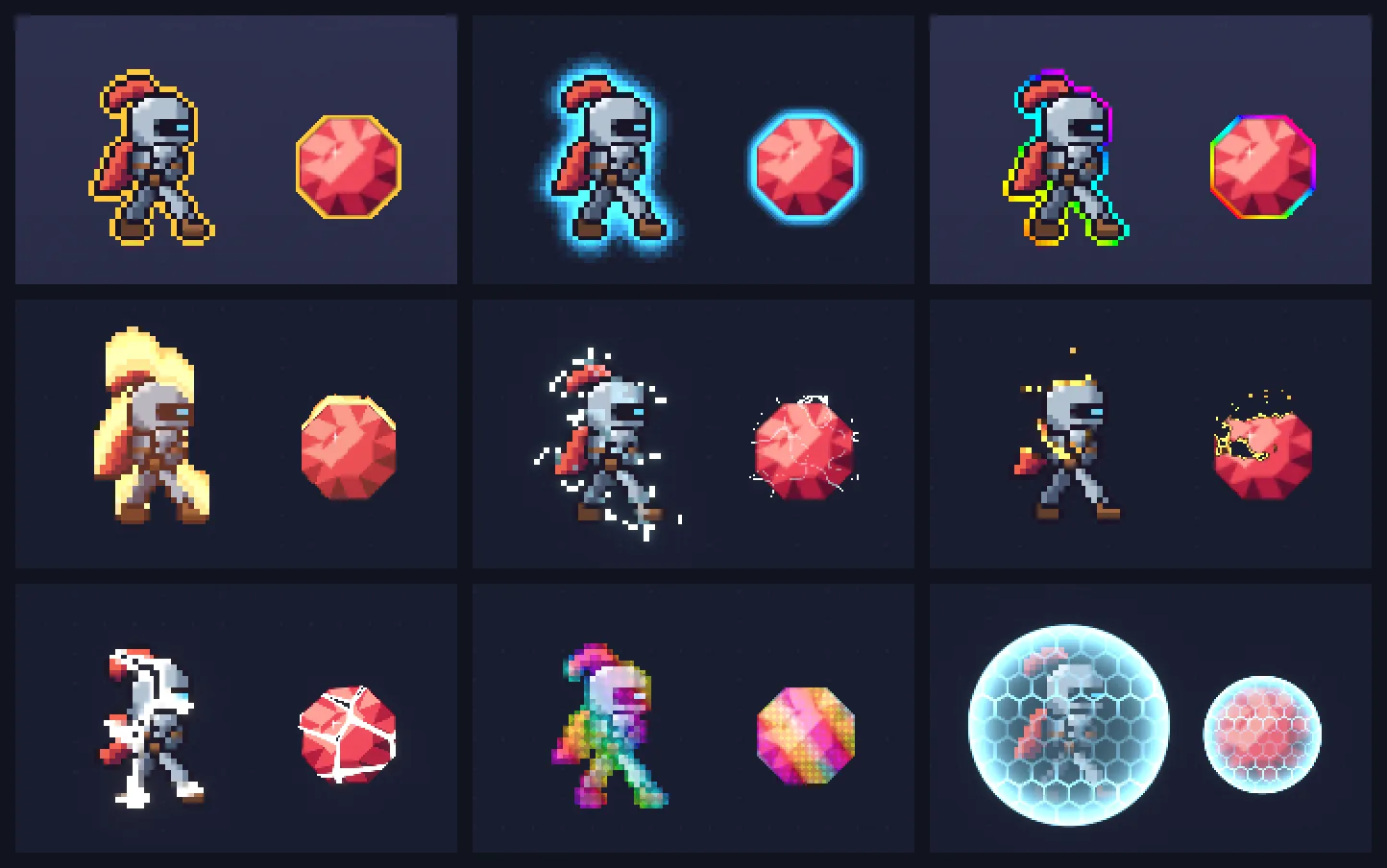
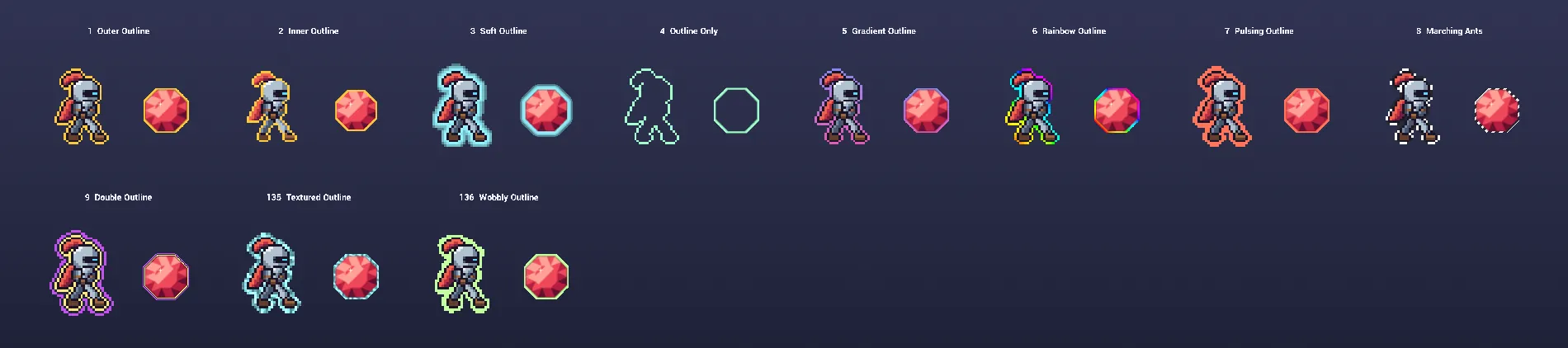
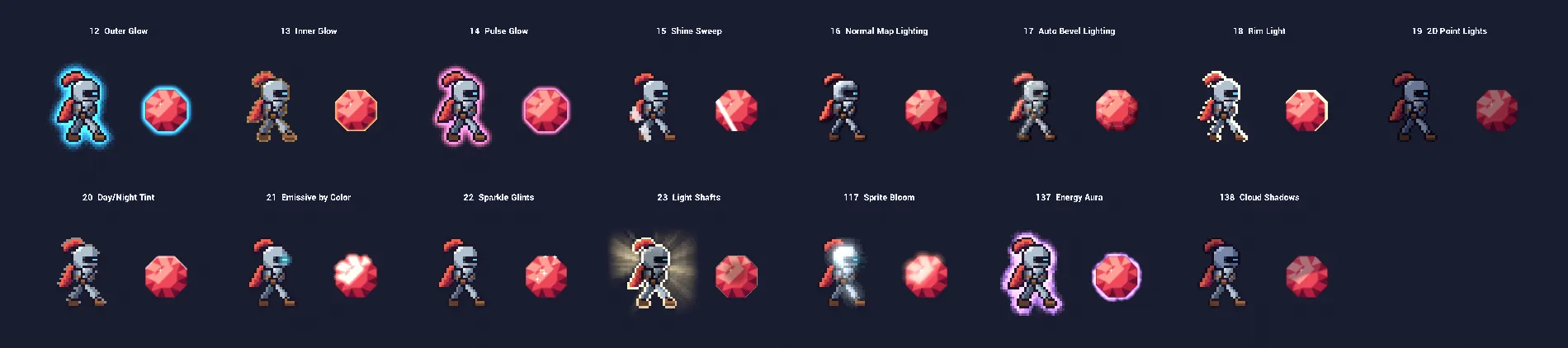
Rendered on the pack's overview map: a pixel-art knight on the left of each cell, an HD gem on the right. Click a name for its parameters.
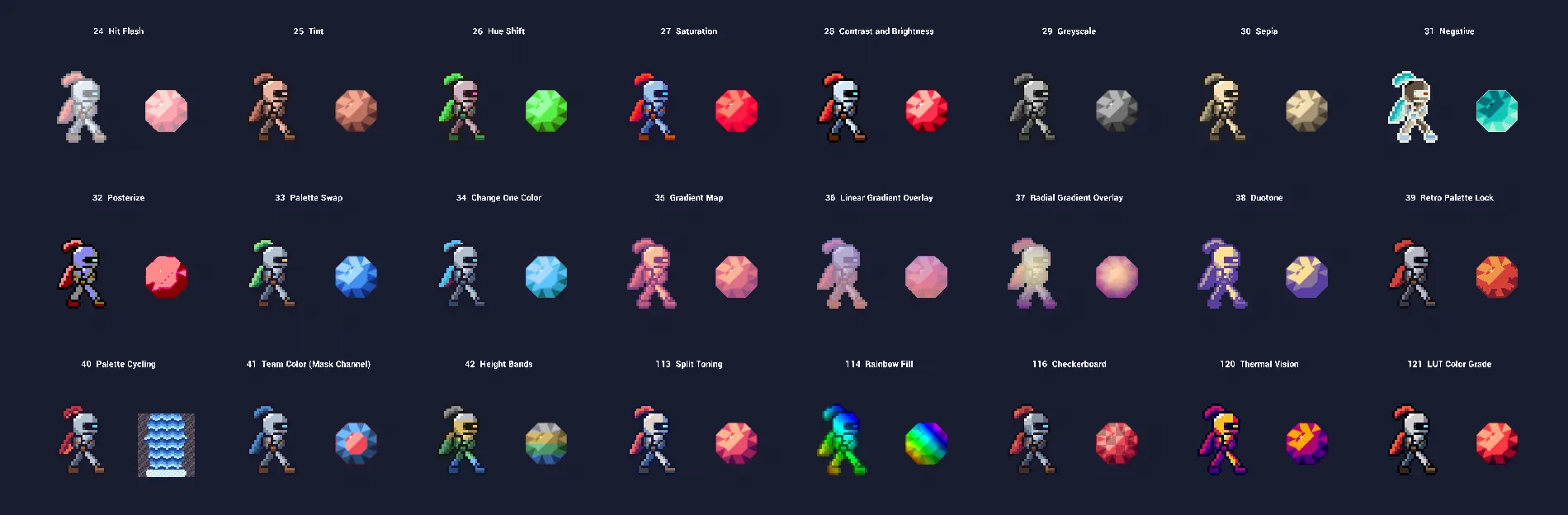
- 24Hit Flash
- 25Tint
- 26Hue Shift
- 27Saturation
- 28Contrast and Brightness
- 29Greyscale
- 30Sepia
- 31Negative
- 32Posterize
- 33Palette Swap
- 34Change One Color
- 35Gradient Map
- 36Linear Gradient Overlay
- 37Radial Gradient Overlay
- 38Duotone
- 39Retro Palette Lock
- 40Palette Cycling
- 41Team Color (Mask Channel)
- 42Height Bands
- 113Split Toning
- 114Rainbow Fill
- 116Checkerboard
- 120Thermal Vision
- 121LUT Color Grade
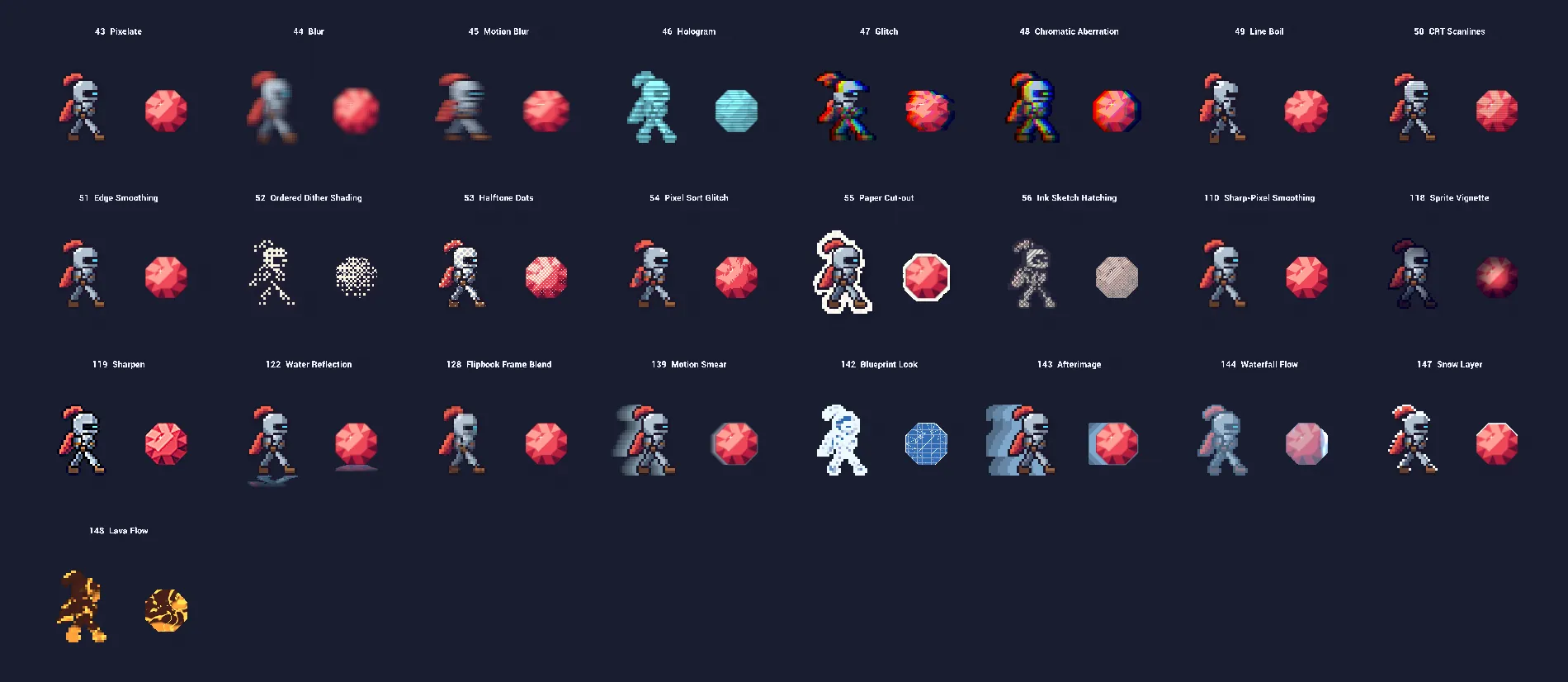
- 43Pixelate
- 44Blur
- 45Motion Blur
- 46Hologram
- 47Glitch
- 48Chromatic Aberration
- 49Line Boil
- 50CRT Scanlines
- 51Edge Smoothing
- 52Ordered Dither Shading
- 53Halftone Dots
- 54Pixel Sort Glitch
- 55Paper Cut-out
- 56Ink Sketch Hatching
- 110Sharp-Pixel Smoothing
- 118Sprite Vignette
- 119Sharpen
- 122Water Reflection
- 128Flipbook Frame Blend
- 139Motion Smear
- 142Blueprint Look
- 143Afterimage
- 144Waterfall Flow
- 147Snow Layer
- 148Lava Flow
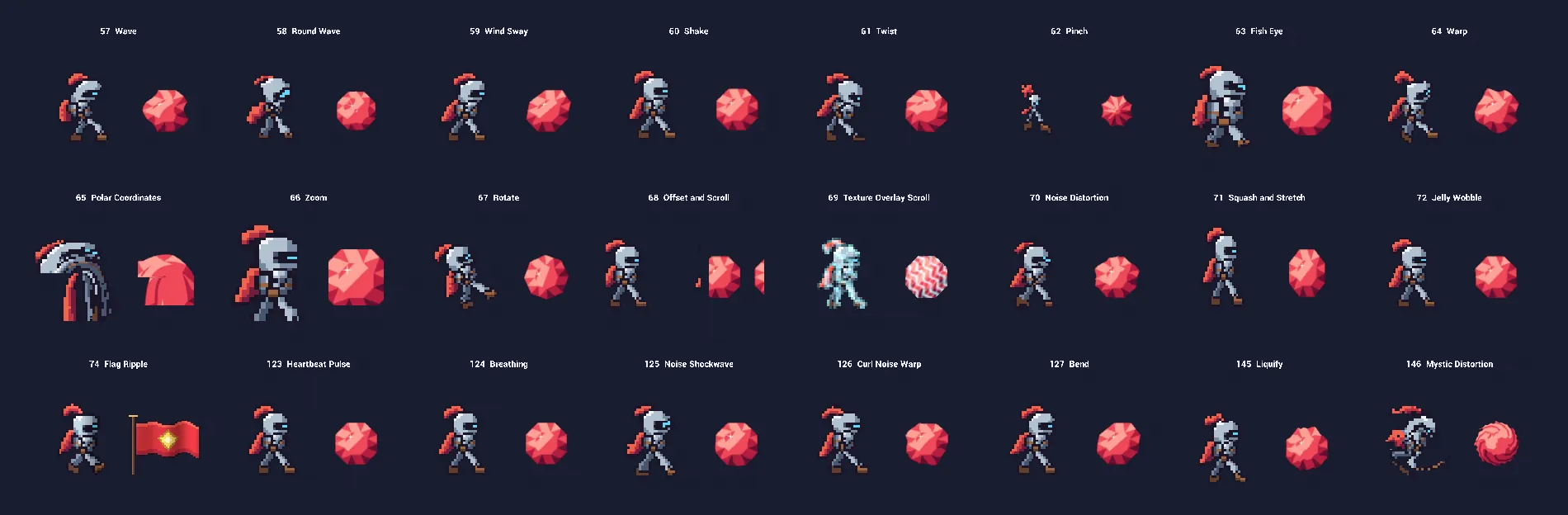
- 57Wave
- 58Round Wave
- 59Wind Sway
- 60Shake
- 61Twist
- 62Pinch
- 63Fish Eye
- 64Warp
- 65Polar Coordinates
- 66Zoom
- 67Rotate
- 68Offset and Scroll
- 69Texture Overlay Scroll
- 70Noise Distortion
- 71Squash and Stretch
- 72Jelly Wobble
- 73Heat Shimmer
- 74Flag Ripple
- 123Heartbeat Pulse
- 124Breathing
- 125Noise Shockwave
- 126Curl Noise Warp
- 127Bend
- 145Liquify
- 146Mystic Distortion
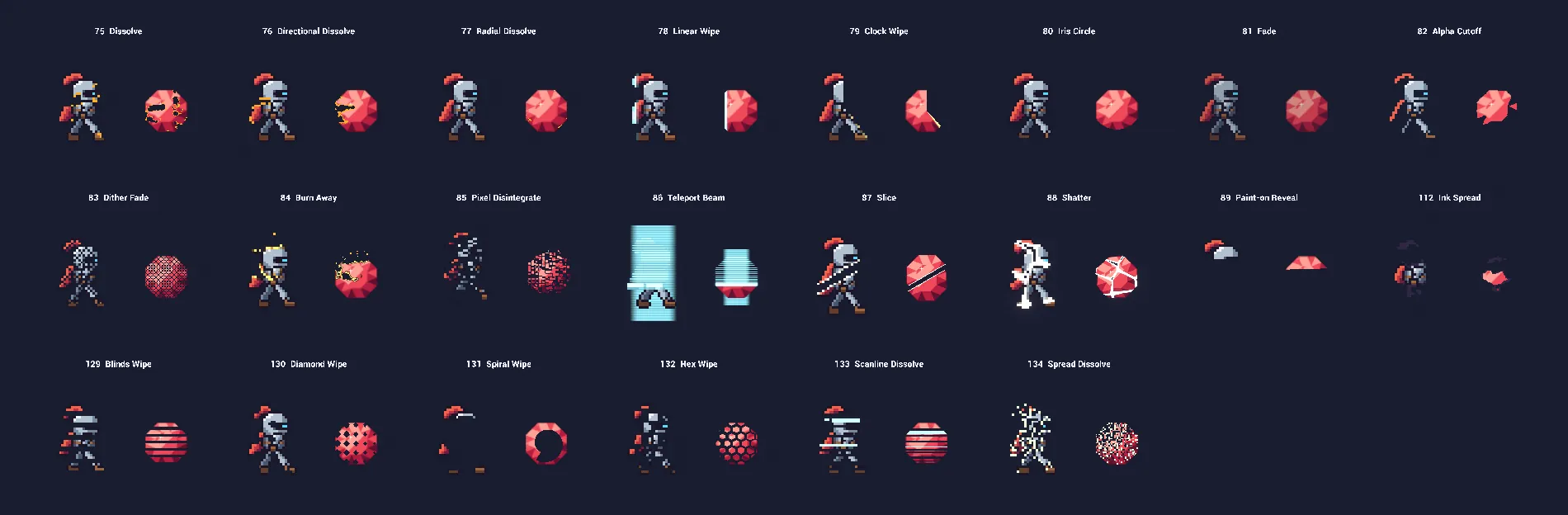
- 75Dissolve
- 76Directional Dissolve
- 77Radial Dissolve
- 78Linear Wipe
- 79Clock Wipe
- 80Iris Circle
- 81Fade
- 82Alpha Cutoff
- 83Dither Fade
- 84Burn Away
- 85Pixel Disintegrate
- 86Teleport Beam
- 87Slice
- 88Shatter
- 89Paint-on Reveal
- 112Ink Spread
- 129Blinds Wipe
- 130Diamond Wipe
- 131Spiral Wipe
- 132Hex Wipe
- 133Scanline Dissolve
- 134Spread Dissolve
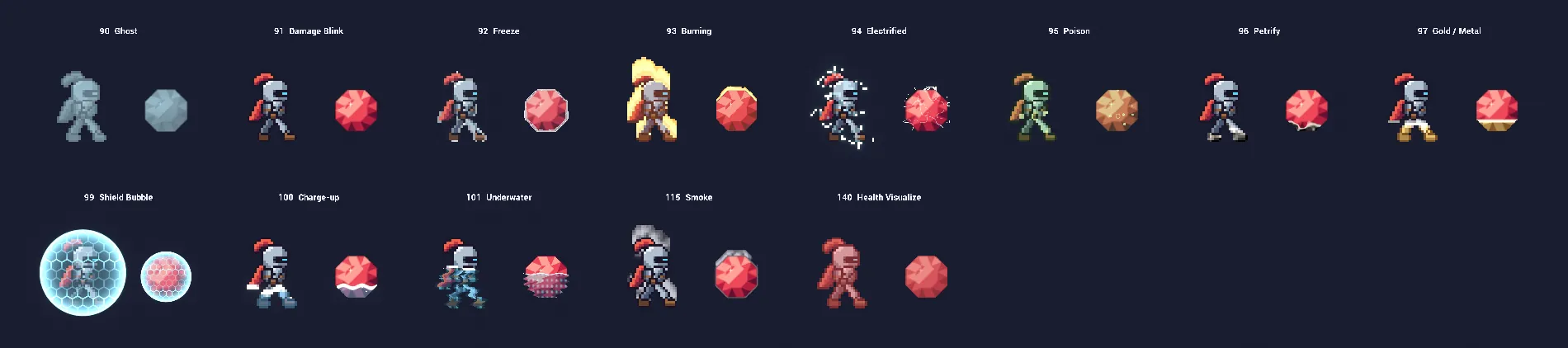
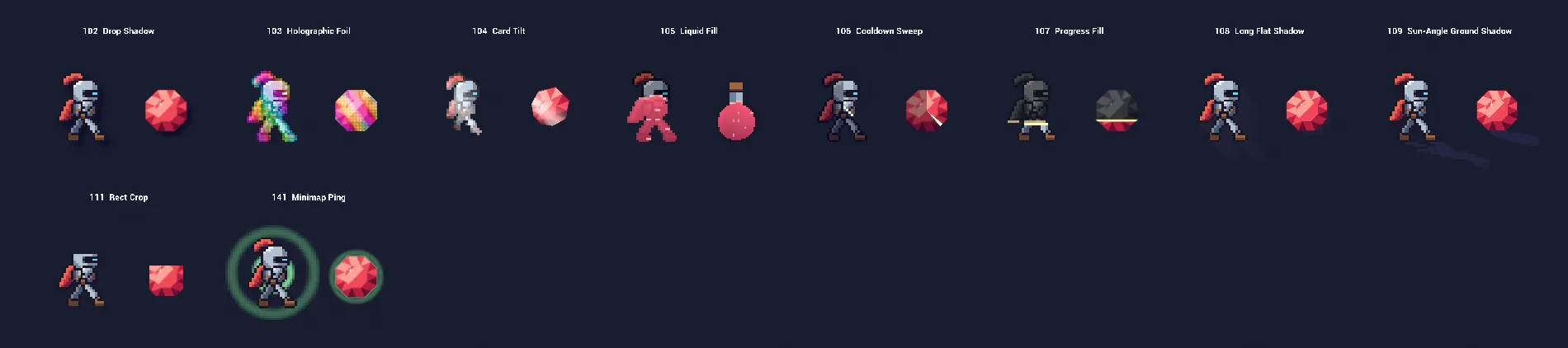
Six effects up close
Each one is a preset you can put on a sprite and drive from Blueprint. Click a name in the reference for its parameters.
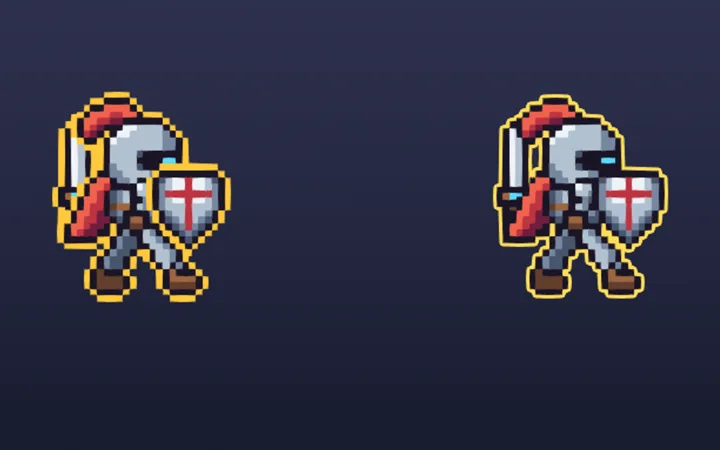
One outline around a character made of several sprites, with no lines between the parts. Left: Outer Outline on each part. Right: Group Outline. Stencil values 1 to 4 can each get their own color, for teams.
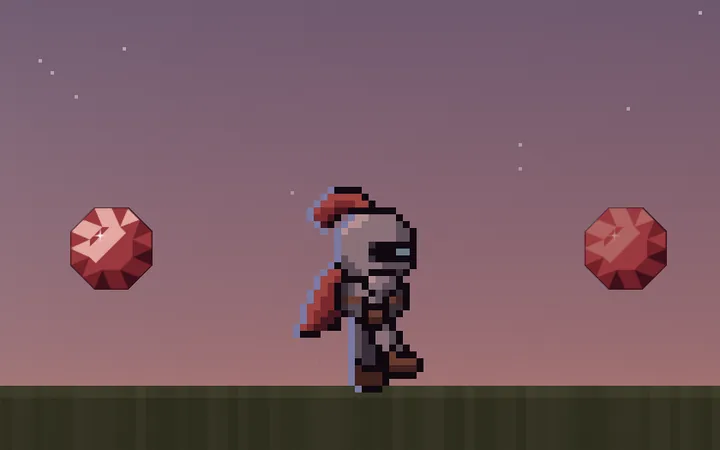
One parameter collection tints every sprite that uses this effect through the day. Colors fade toward grey at night, the sun or moon lights the edges that face it, and bright pixels such as windows can stay lit. BP_SpriteFX_DayNight runs the clock.
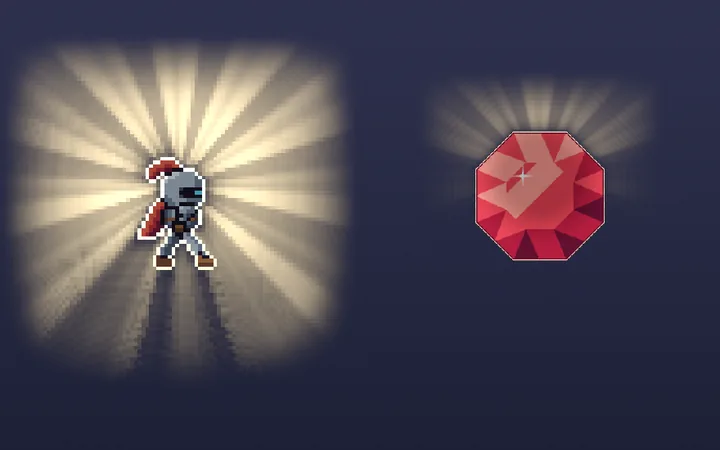
Rays from a light behind the sprite stream past its outline and through its gaps, and the sprite becomes a backlit silhouette with a glowing rim.
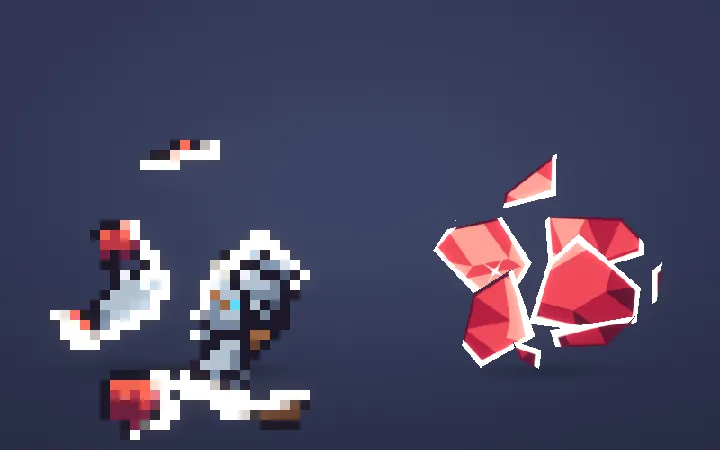
Cracks spread over the sprite, then it breaks into pieces that fall, spin and fade, top pieces first. Each piece keeps the sprite's own pixels.
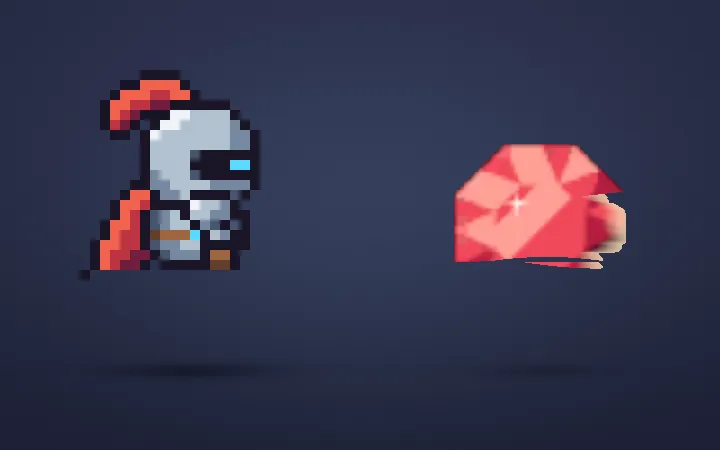
The sprite is painted on with brush strokes, row by row, with a round brush tip, bristle streaks and wet paint at the tip. Strokes can run in any direction.
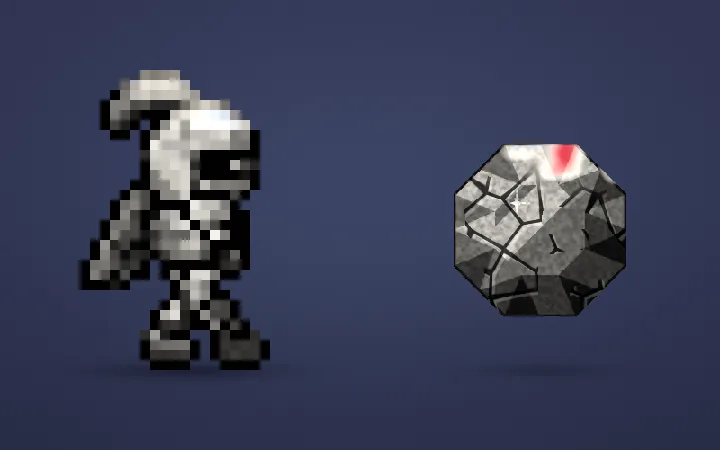
Stone spreads from one side behind a dusty front, with granite grain and carved cracks that open behind the front.
On sprites, in your UI and in 3D scenes
The same effect functions run in every version, so a preset looks and tunes the same way in each.
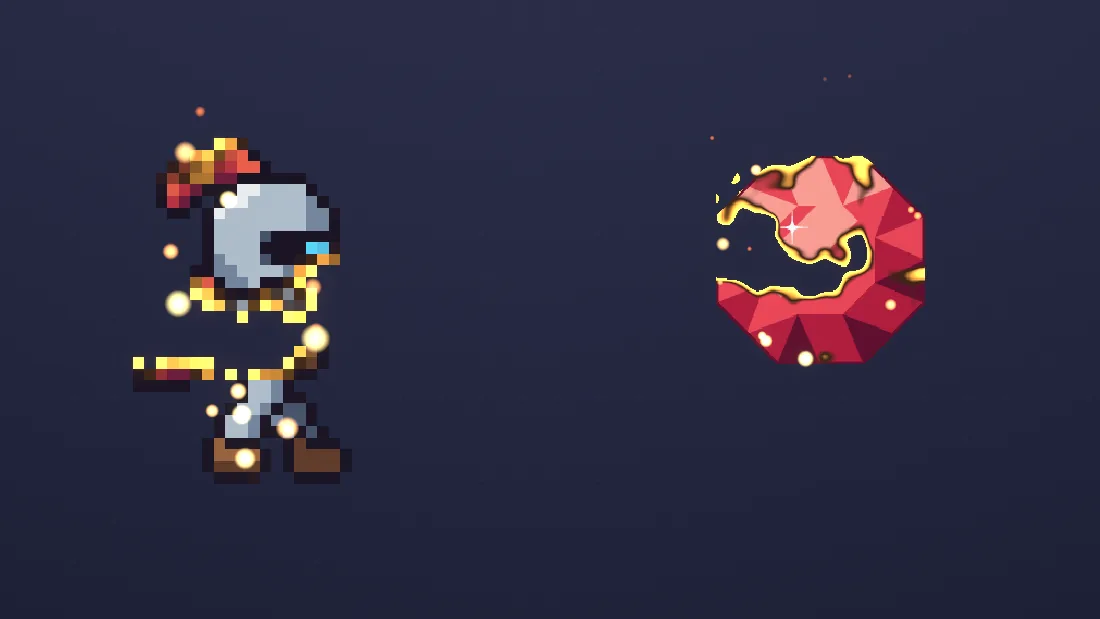
BPC_SpriteFX in Play: the burn edge plus Edge Sparks on a pixel-art knight and an HD gem.Sprites, flipbooks and Blueprints
Put a preset on a Paper2D sprite or flipbook component. The effects work in the sprite's own space, so a dissolve pattern or a shine stays on the art while the flipbook changes frames.
BPC_SpriteFX plays effects from Blueprint: Flash, Dissolve, Freeze, Burn, Shine and Shatter, or PlayEffect on any parameter, once, looping or back and forth, with an optional curve. It fires OnEffectFinished when a one-shot effect ends.
- Pixel Burst: a Niagara system bursts the sprite into one particle per pixel, each with that pixel's color. HD art is grouped into bigger cells.
- Edge Sparks: sparks rise off the outline and follow the sprite as it moves. Burn and Dissolve add them on their own.
- More helpers: an afterimage trail, 2D point lights from tagged Point Lights, and the day and night clock.
UMG images
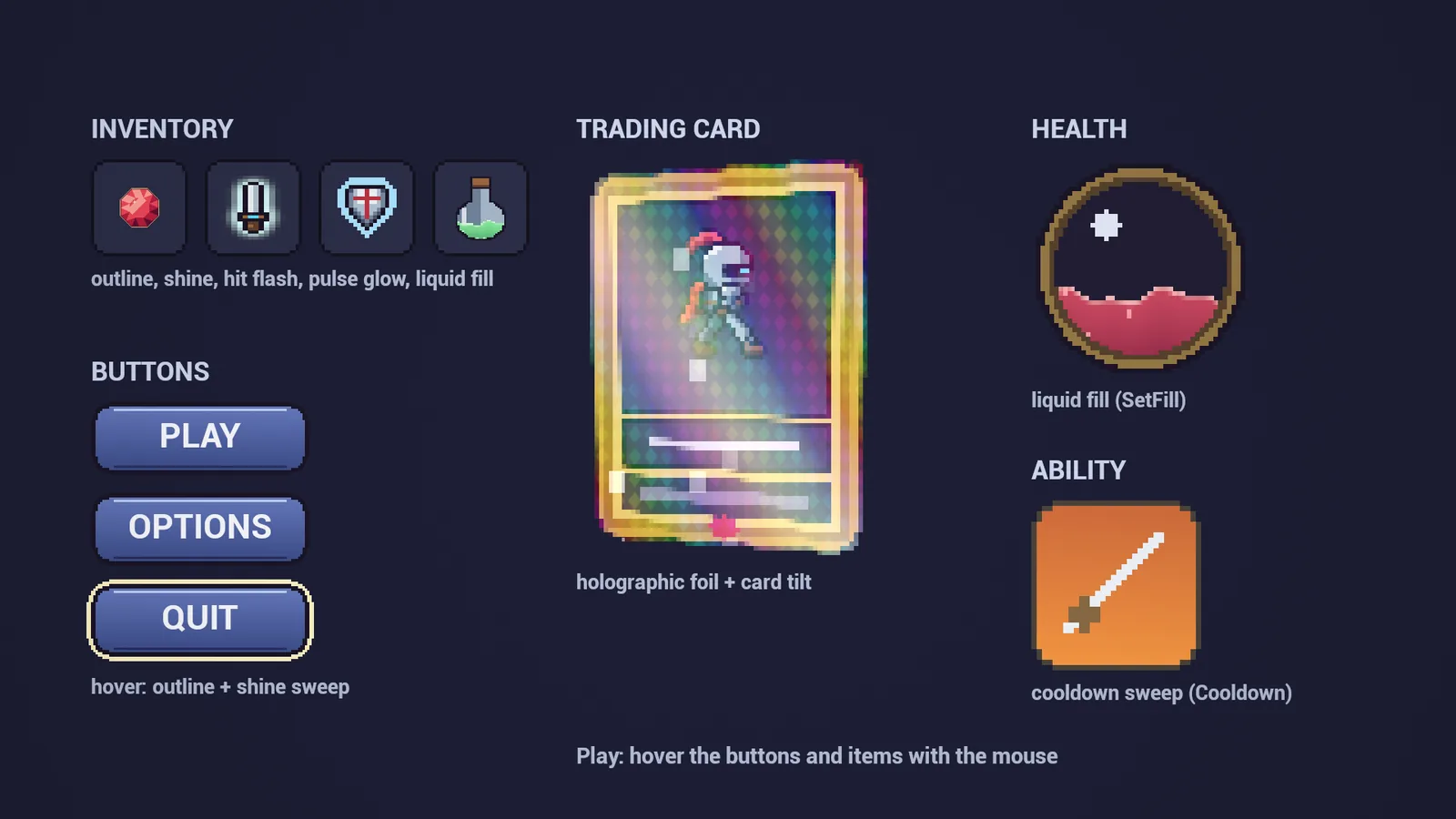
141 of the effects also come as User Interface materials, each with its own preset in Instances/UI. WBP_SpriteFXImage wraps an Image: set the texture and a preset, then call the same functions as on sprites, plus Appear, Cooldown, SetFill and SetHover.
Seven of the 148 material effects have no UMG version, because they need the scene or a world: the two post-process effects, 2D Point Lights, Squash and Stretch, Jelly Wobble, Heat Shimmer and Invisibility Cloak. For Squash and Stretch and Jelly Wobble, scale or move the widget with its Render Transform instead. The two Niagara effects are for sprites in the level.
Lit sprites and 2.5D
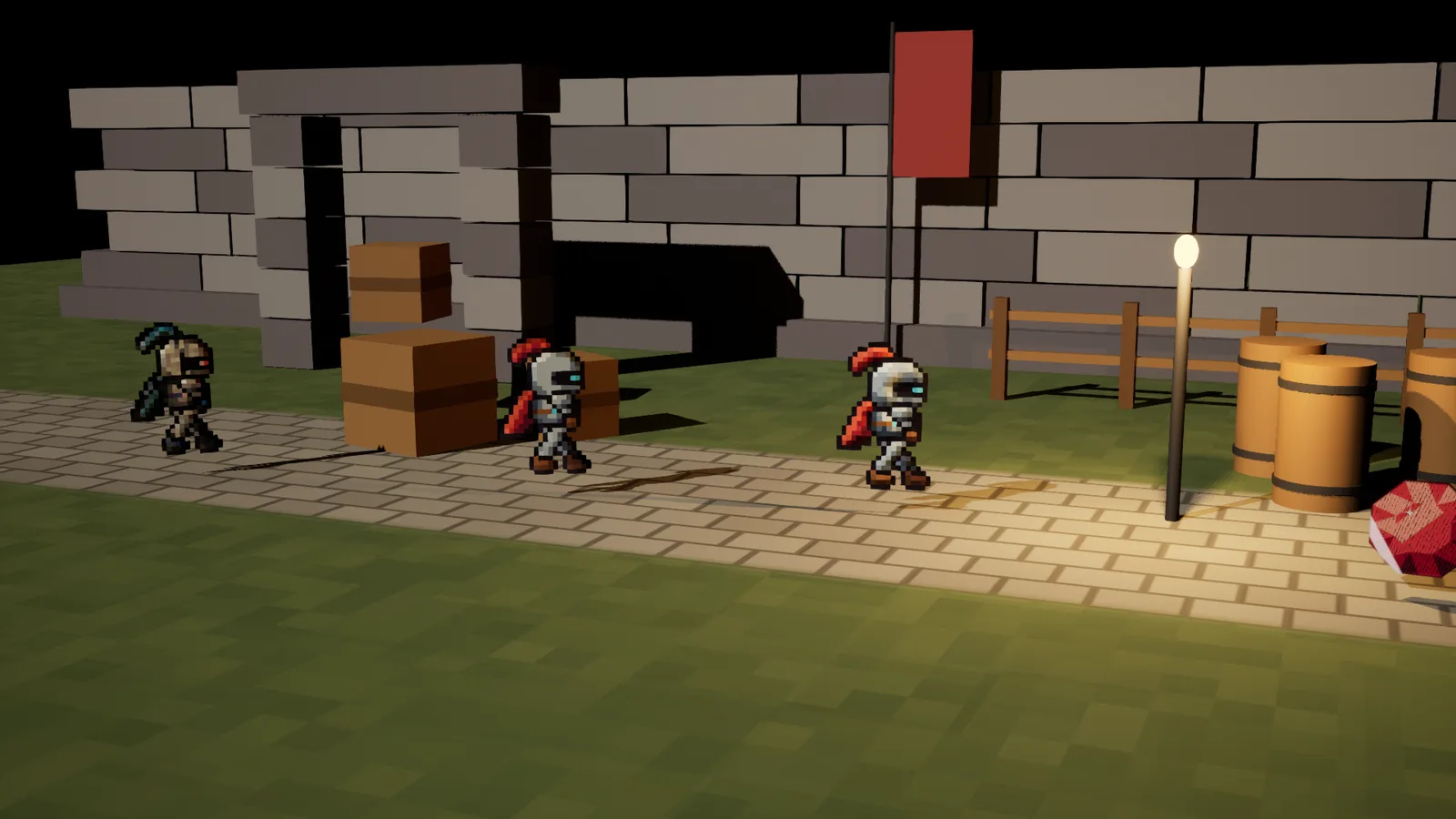
Ten lit master materials let sprites take light and cast shadows in a 3D scene. Normals come from the sprite's own alpha, so a bevel appears without a hand-made normal map, or you can add one. What an effect adds on top, such as a glow, a flame or an outline, stays bright.
25 presets are ready in Instances/Lit. 88 of the effects can use a lit master. BPC_SpriteFX_Billboard turns a sprite toward the camera around its vertical axis, so it keeps facing you, and its shadow matches the way it really faces.
Checked in five engine versions
Each check opened the shipping project off screen, loaded every asset, compiled every material and checked every map.
Shipping build, version 1.0.0
On Windows, in each engine: all 919 assets load, all 676 materials and material instances compile for Shader Model 6, and the map check of all 5 maps reports 0 errors and 0 warnings. No warning or error in the logs came from the pack.
| Engine | Assets loaded | Materials compiled | Clean maps |
|---|---|---|---|
| UE 5.4.4 | 919/919 | 676 | 5/5 |
| UE 5.5.4 | 919/919 | 676 | 5/5 |
| UE 5.6.1 | 919/919 | 676 | 5/5 |
| UE 5.7.4 | 919/919 | 676 | 5/5 |
| UE 5.8.3 | 919/919 | 676 | 5/5 |
Other checks
- Packaged game: a Windows build (Development) of the project cooked with 0 errors and 0 warnings, and ran the Overview and Blueprints demo maps for 30 seconds each.
- Added to new projects: the content alone, copied into a new blank project and a new Third Person project in UE 5.4 with Custom Depth off: all 919 assets load, all 676 compile, and the maps pass the map check.
- Blueprints: a recorded test in those projects called the helper functions on a flipbook knight and an HD gem, 4,327 calls over 1,770 frames, with 0 failed calls.
- Android shaders: every material compiled for OpenGL ES 3.1 and Vulkan on Android (UE 5.7) with 0 errors.
- 2.5D: a 270-frame test in Play with a moving sun and an orbiting camera, 0 failures.
Not tested: Mac, Linux, iOS and Android devices.
Limits in version 1.0.0
What each effect needs, and what no test covers yet.
- Padding: an effect draws only inside the sprite's own rectangle. 60 of the 144 sprite effects reach past the art, such as outlines, glows, flames and shadows, and need transparent pixels around it. Set the sprite's Render Geometry to Source Bounding Box; tight shapes cut that border off. The guide lists how much each effect needs.
- Custom Depth: Group Outline and Behind-Wall Silhouette need Custom Depth-Stencil Pass = Enabled with Stencil, a stencil value on each sprite, and the material in a Post Process Volume.
- UMG: 7 of the 148 material effects have no UMG version (listed above), and the two Niagara effects work on sprites, not on widgets.
- Mobile: shaders compile for Android, but no phone has run them yet. Heat Shimmer and Invisibility Cloak read the scene behind the sprite; on mobile, Heat Shimmer shows no haze and the cloak only fades. These two and the post-process effects need Mobile HDR.
- Lit translucent: the lit translucent masters light every pixel, which costs about 1,900 pixel shader instructions. Use the lit masked masters where you can.
- Small sprites: Card Tilt on sprites under about 48 pixels looks smeared at a strong tilt. It is made for cards and UI.
- Pixel Burst and Edge Sparks: they read the sprite's texture and its rectangle in it, which Paper2D does not hand to Blueprints. Set SpriteTexture and SpriteRect on
BPC_SpriteFX, and the sheet's columns and rows for flipbooks. - Platforms: tested in the Windows editor and in a packaged Windows build. Mac, Linux, iOS and Android devices are not tested.
The guide and the effect reference
Setup, every Blueprint function, the shared controls, mobile notes, and all 150 effects with their parameters.
Support
Questions or a bug? Write to support@barbedwireglovegames.games. Include your engine version, the effect's number and name, and a screenshot.
Fab listing: Sprite Effects on Fab.
Version
1.0.0, the first release. The changes are in the changelog.