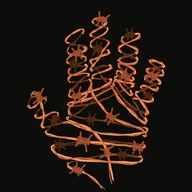
Each effect lists its preset (in SpriteFX/Instances) and the master it is built on, then whether it has a UMG version (Instances/UI) and a lit version, how much transparent padding the sprite needs (any effect that draws past the art, such as an outline, glow or shadow, needs some: see guide, section 1.4), mobile notes, and the pixel shader instruction count of its preset on Windows (Shader Model 6, UE 5.7). Open Parameters for the full list. Parameter names in the editor start with the effect's short name, for example Outline Thickness. Every sprite effect also has the shared settings of its master (group 01 Global), described in the guide, section 6.
No effect matches. Clear the search or a filter.
Outline 13 effects
1 Outer Outline
Pixel-perfect outline outside the sprite, thickness in texels.
UMGLitPaddingMobile Quality
- Preset
MI_SpriteFX_OuterOutline on M_SpriteFX_Core_Masked- UMG
- Yes:
MI_SpriteFX_OuterOutline_UI (master M_SpriteFX_Core_UI) - Lit
- Yes:
MI_SpriteFX_OuterOutline_Lit (master M_SpriteFX_Core_Lit_Masked) - Padding
- At least Thickness (texels) of transparent padding around the art. Measured on the overview map's 64-pixel knight: left 1, right 1, top 1, bottom 1 texels.
- Mobile
- Cheaper path when Mobile Quality = 1 (fewer samples)
- Cost
- 225 pixel shader instructions (preset, Win64 SM6)
Parameters (9)
| Parameter | Type | Default | Range | What it does |
|---|
| Effect parameters |
|---|
| Outline Thickness | scalar (texels) | 1 | 0 to 8 | Texels; keep this much transparent padding. |
| Outline Square Corners | scalar | 0 | 0 to 1 | 0 round (thickness 1 = 4-neighbour), 1 square. |
| Outline Color | color | (1, 0.58, 0.045) | | Outline color (HDR glows). |
| Standard controls (the same names wherever they apply) |
|---|
| Outline Strength | scalar | 1 | 0 to 1 | How much of the effect is applied. |
| Outline Mask | scalar | 0 | 0 to 4 | 0 whole sprite, 1 Mask A, 2 Mask B, 3 A and B, 4 A or B (enable the slots in 01 Global). |
| Outline Mask Invert | scalar | 0 | 0 to 1 | 1 applies the effect outside the mask. |
| Outline Color 2 | color | (1, 1, 1) | | Second color (gradient / pulse modes). |
| Outline Color Mode | scalar | 0 | 0 to 4 | 0 flat, 1 gradient across the sprite, 2 pulse over time, 3 ramp texture across, 4 ramp over time. |
| Outline Color Angle | scalar | 90 | -180 to 180 | Gradient direction (degrees). |
2 Inner Outline
Outline drawn on the sprite's own edge pixels (inside the silhouette).
UMGMobile Quality
- Preset
MI_SpriteFX_InnerOutline on M_SpriteFX_Outline_Masked- UMG
- Yes:
MI_SpriteFX_InnerOutline_UI (master M_SpriteFX_Outline_UI) - Lit
- No: Unlit by design: glow, outline, distort and UI looks
- Padding
- None: draws only inside the art (measured)
- Mobile
- Cheaper path when Mobile Quality = 1 (fewer samples)
- Cost
- 201 pixel shader instructions (preset, Win64 SM6)
Parameters (8)
| Parameter | Type | Default | Range | What it does |
|---|
| Effect parameters |
|---|
| Inner Outline Thickness | scalar (texels) | 1 | 0 to 8 | |
| Inner Outline Color | color | (1, 0.85, 0.3) | | |
| Standard controls (the same names wherever they apply) |
|---|
| Inner Outline Strength | scalar | 1 | 0 to 1 | How much of the effect is applied. |
| Inner Outline Mask | scalar | 0 | 0 to 4 | 0 whole sprite, 1 Mask A, 2 Mask B, 3 A and B, 4 A or B (enable the slots in 01 Global). |
| Inner Outline Mask Invert | scalar | 0 | 0 to 1 | 1 applies the effect outside the mask. |
| Inner Outline Color 2 | color | (1, 1, 1) | | Second color (gradient / pulse modes). |
| Inner Outline Color Mode | scalar | 0 | 0 to 4 | 0 flat, 1 gradient across the sprite, 2 pulse over time, 3 ramp texture across, 4 ramp over time. |
| Inner Outline Color Angle | scalar | 90 | -180 to 180 | Gradient direction (degrees). |
3 Soft Outline
Smooth, round outline with a soft falloff (best on HD art, translucent master).
UMGPaddingMobile Quality
- Preset
MI_SpriteFX_SoftOutline on M_SpriteFX_Outline_Translucent- UMG
- Yes:
MI_SpriteFX_SoftOutline_UI (master M_SpriteFX_Outline_UI) - Lit
- No: Unlit by design: glow, outline, distort and UI looks
- Padding
- Measured on the overview map's 64-pixel knight: left 3, right 2, top 3, bottom 2 texels.
- Mobile
- Cheaper path when Mobile Quality = 1 (fewer samples)
- Cost
- 263 pixel shader instructions (preset, Win64 SM6)
Parameters (9)
| Parameter | Type | Default | Range | What it does |
|---|
| Effect parameters |
|---|
| Soft Outline Thickness | scalar (texels) | 2.5 | 0 to 16 | |
| Soft Outline Softness | scalar | 0.7 | 0 to 1 | |
| Soft Outline Color | color | (0.3, 0.9, 1) | | |
| Standard controls (the same names wherever they apply) |
|---|
| Soft Outline Strength | scalar | 1 | 0 to 1 | How much of the effect is applied. |
| Soft Outline Mask | scalar | 0 | 0 to 4 | 0 whole sprite, 1 Mask A, 2 Mask B, 3 A and B, 4 A or B (enable the slots in 01 Global). |
| Soft Outline Mask Invert | scalar | 0 | 0 to 1 | 1 applies the effect outside the mask. |
| Soft Outline Color 2 | color | (1, 1, 1) | | Second color (gradient / pulse modes). |
| Soft Outline Color Mode | scalar | 0 | 0 to 4 | 0 flat, 1 gradient across the sprite, 2 pulse over time, 3 ramp texture across, 4 ramp over time. |
| Soft Outline Color Angle | scalar | 90 | -180 to 180 | Gradient direction (degrees). |
4 Outline Only
Shows only the silhouette line; the sprite itself is hidden (or faded by Fill Opacity).
UMGPaddingMobile Quality
- Preset
MI_SpriteFX_OutlineOnly on M_SpriteFX_Outline_Translucent- UMG
- Yes:
MI_SpriteFX_OutlineOnly_UI (master M_SpriteFX_Outline_UI) - Lit
- No: Unlit by design: glow, outline, distort and UI looks
- Padding
- Measured on the overview map's 64-pixel knight: left 1, right 1, top 1, bottom 1 texels.
- Mobile
- Cheaper path when Mobile Quality = 1 (fewer samples)
- Cost
- 264 pixel shader instructions (preset, Win64 SM6)
Parameters (9)
| Parameter | Type | Default | Range | What it does |
|---|
| Effect parameters |
|---|
| Outline Only Thickness | scalar (texels) | 1 | 0 to 8 | |
| Outline Only Color | color | (1, 1, 1) | | |
| Outline Only Fill Opacity | scalar | 0 | 0 to 1 | How much of the sprite still shows inside the line. |
| Standard controls (the same names wherever they apply) |
|---|
| Outline Only Strength | scalar | 1 | 0 to 1 | How much of the effect is applied. |
| Outline Only Mask | scalar | 0 | 0 to 4 | 0 whole sprite, 1 Mask A, 2 Mask B, 3 A and B, 4 A or B (enable the slots in 01 Global). |
| Outline Only Mask Invert | scalar | 0 | 0 to 1 | 1 applies the effect outside the mask. |
| Outline Only Color 2 | color | (1, 1, 1) | | Second color (gradient / pulse modes). |
| Outline Only Color Mode | scalar | 0 | 0 to 4 | 0 flat, 1 gradient across the sprite, 2 pulse over time, 3 ramp texture across, 4 ramp over time. |
| Outline Only Color Angle | scalar | 90 | -180 to 180 | Gradient direction (degrees). |
5 Gradient Outline
Outline whose color blends between two colors along an angle (can spin).
UMGPaddingMobile Quality
- Preset
MI_SpriteFX_GradientOutline on M_SpriteFX_Outline_Masked- UMG
- Yes:
MI_SpriteFX_GradientOutline_UI (master M_SpriteFX_Outline_UI) - Lit
- No: Unlit by design: glow, outline, distort and UI looks
- Padding
- Measured on the overview map's 64-pixel knight: left 1, right 1, top 1, bottom 1 texels.
- Mobile
- Cheaper path when Mobile Quality = 1 (fewer samples)
- Cost
- 219 pixel shader instructions (preset, Win64 SM6)
Parameters (13)
| Parameter | Type | Default | Range | What it does |
|---|
| Effect parameters |
|---|
| Gradient Outline Thickness | scalar (texels) | 1 | 0 to 8 | |
| Gradient Outline Color A | color | (1, 0.04, 0.3) | | |
| Gradient Outline Color B | color | (0.03, 0.3, 1) | | |
| Gradient Outline Angle | scalar | 90 | -180 to 180 | Gradient direction in degrees; it spins with Speed. |
| Standard controls (the same names wherever they apply) |
|---|
| Gradient Outline Strength | scalar | 1 | 0 to 1 | How much of the effect is applied. |
| Gradient Outline Mask | scalar | 0 | 0 to 4 | 0 whole sprite, 1 Mask A, 2 Mask B, 3 A and B, 4 A or B (enable the slots in 01 Global). |
| Gradient Outline Mask Invert | scalar | 0 | 0 to 1 | 1 applies the effect outside the mask. |
| Gradient Outline Animate | scalar | 0 | 0 to 3 | 0 loop, 1 ping-pong, 2 once (from Time Offset), 3 manual. |
| Gradient Outline Speed | scalar | 0 | -10 to 10 | Animation speed. |
| Gradient Outline Time Offset | scalar | 0 | -100 to 100 | Shifts this effect's animation in time. |
| Gradient Outline Duration | scalar | 2 | 0.01 to 60 | Length of one cycle (ping-pong / once / manual). |
| Gradient Outline Progress | scalar | 0 | 0 to 1 | Manual mode: 0-1 through one cycle. |
| Gradient Outline Space | scalar | 0 | 0 to 2 | Pattern space: 0 sprite, 1 world, 2 screen. |
6 Rainbow Outline
Outline that cycles through the rainbow along the sprite and over time.
UMGPaddingMobile Quality
- Preset
MI_SpriteFX_RainbowOutline on M_SpriteFX_Outline_Masked- UMG
- Yes:
MI_SpriteFX_RainbowOutline_UI (master M_SpriteFX_Outline_UI) - Lit
- No: Unlit by design: glow, outline, distort and UI looks
- Padding
- Measured on the overview map's 64-pixel knight: left 1, right 1, top 1, bottom 1 texels.
- Mobile
- Cheaper path when Mobile Quality = 1 (fewer samples)
- Cost
- 225 pixel shader instructions (preset, Win64 SM6)
Parameters (14)
| Parameter | Type | Default | Range | What it does |
|---|
| Effect parameters |
|---|
| Rainbow Outline Thickness | scalar (texels) | 1 | 0 to 8 | |
| Rainbow Outline Frequency | scalar | 1.2 | 0 to 8 | Rainbow repeats across the sprite. |
| Rainbow Outline Angle | scalar | 45 | -180 to 180 | |
| Rainbow Outline Saturation | scalar | 1 | 0 to 1 | |
| Rainbow Outline Brightness | scalar | 1.2 | 0 to 10 | |
| Standard controls (the same names wherever they apply) |
|---|
| Rainbow Outline Strength | scalar | 1 | 0 to 1 | How much of the effect is applied. |
| Rainbow Outline Mask | scalar | 0 | 0 to 4 | 0 whole sprite, 1 Mask A, 2 Mask B, 3 A and B, 4 A or B (enable the slots in 01 Global). |
| Rainbow Outline Mask Invert | scalar | 0 | 0 to 1 | 1 applies the effect outside the mask. |
| Rainbow Outline Animate | scalar | 0 | 0 to 3 | 0 loop, 1 ping-pong, 2 once (from Time Offset), 3 manual. |
| Rainbow Outline Speed | scalar | 1 | -10 to 10 | Animation speed. |
| Rainbow Outline Time Offset | scalar | 0 | -100 to 100 | Shifts this effect's animation in time. |
| Rainbow Outline Duration | scalar | 2 | 0.01 to 60 | Length of one cycle (ping-pong / once / manual). |
| Rainbow Outline Progress | scalar | 0 | 0 to 1 | Manual mode: 0-1 through one cycle. |
| Rainbow Outline Space | scalar | 0 | 0 to 2 | Pattern space: 0 sprite, 1 world, 2 screen. |
7 Pulsing Outline
Outline whose thickness and brightness pulse.
UMGPaddingMobile Quality
- Preset
MI_SpriteFX_PulsingOutline on M_SpriteFX_Outline_Masked- UMG
- Yes:
MI_SpriteFX_PulsingOutline_UI (master M_SpriteFX_Outline_UI) - Lit
- No: Unlit by design: glow, outline, distort and UI looks
- Padding
- Measured on the overview map's 64-pixel knight: left 2, right 2, top 2, bottom 2 texels.
- Mobile
- Cheaper path when Mobile Quality = 1 (fewer samples)
- Cost
- 228 pixel shader instructions (preset, Win64 SM6)
Parameters (15)
| Parameter | Type | Default | Range | What it does |
|---|
| Effect parameters |
|---|
| Pulsing Outline Thickness Min | scalar (texels) | 1 | 0 to 8 | |
| Pulsing Outline Thickness Max | scalar (texels) | 2 | 0 to 8 | |
| Pulsing Outline Color | color | (1, 0.1, 0.06) | | |
| Pulsing Outline Pulse Brightness | scalar | 1.8 | 0 to 10 | |
| Standard controls (the same names wherever they apply) |
|---|
| Pulsing Outline Strength | scalar | 1 | 0 to 1 | How much of the effect is applied. |
| Pulsing Outline Mask | scalar | 0 | 0 to 4 | 0 whole sprite, 1 Mask A, 2 Mask B, 3 A and B, 4 A or B (enable the slots in 01 Global). |
| Pulsing Outline Mask Invert | scalar | 0 | 0 to 1 | 1 applies the effect outside the mask. |
| Pulsing Outline Animate | scalar | 0 | 0 to 3 | 0 loop, 1 ping-pong, 2 once (from Time Offset), 3 manual. |
| Pulsing Outline Speed | scalar | 1 | -10 to 10 | Animation speed. |
| Pulsing Outline Time Offset | scalar | 0 | -100 to 100 | Shifts this effect's animation in time. |
| Pulsing Outline Duration | scalar | 2 | 0.01 to 60 | Length of one cycle (ping-pong / once / manual). |
| Pulsing Outline Progress | scalar | 0 | 0 to 1 | Manual mode: 0-1 through one cycle. |
| Pulsing Outline Color 2 | color | (1, 1, 1) | | Second color (gradient / pulse modes). |
| Pulsing Outline Color Mode | scalar | 0 | 0 to 4 | 0 flat, 1 gradient across the sprite, 2 pulse over time, 3 ramp texture across, 4 ramp over time. |
| Pulsing Outline Color Angle | scalar | 90 | -180 to 180 | Gradient direction (degrees). |
8 Marching Ants
Animated dashed selection outline (RTS / editor style), outside the sprite or on its edge.
UMGPaddingMobile Quality
- Preset
MI_SpriteFX_MarchingAnts on M_SpriteFX_Outline_Masked- UMG
- Yes:
MI_SpriteFX_MarchingAnts_UI (master M_SpriteFX_Outline_UI) - Lit
- No: Unlit by design: glow, outline, distort and UI looks
- Padding
- Measured on the overview map's 64-pixel knight: left 1, right 1, top 1, bottom 1 texels.
- Mobile
- Cheaper path when Mobile Quality = 1 (fewer samples)
- Cost
- 253 pixel shader instructions (preset, Win64 SM6)
Parameters (18)
| Parameter | Type | Default | Range | What it does |
|---|
| Effect parameters |
|---|
| Ants Thickness | scalar (texels) | 1 | 0 to 8 | |
| Ants Dash Length | scalar | 3 | 1 to 32 | Texels per dash. |
| Ants Duty | scalar | 0.5 | 0.05 to 0.95 | Share of each period drawn in Color. |
| Ants Color | color | (1, 1, 1) | | Dash color. |
| Ants Gap Color | color | (0.02, 0.02, 0.03) | | |
| Ants Gap Opacity | scalar | 1 | 0 to 1 | 0 = the gaps are see-through (dashes only). |
| Ants Inside | scalar | 0 | 0 to 1 | 1 = on the sprite's own edge pixels instead of outside. |
| Standard controls (the same names wherever they apply) |
|---|
| Ants Strength | scalar | 1 | 0 to 1 | How much of the effect is applied. |
| Ants Mask | scalar | 0 | 0 to 4 | 0 whole sprite, 1 Mask A, 2 Mask B, 3 A and B, 4 A or B (enable the slots in 01 Global). |
| Ants Mask Invert | scalar | 0 | 0 to 1 | 1 applies the effect outside the mask. |
| Ants Animate | scalar | 0 | 0 to 3 | 0 loop, 1 ping-pong, 2 once (from Time Offset), 3 manual. |
| Ants Speed | scalar | 1.5 | -10 to 10 | Animation speed. |
| Ants Time Offset | scalar | 0 | -100 to 100 | Shifts this effect's animation in time. |
| Ants Duration | scalar | 2 | 0.01 to 60 | Length of one cycle (ping-pong / once / manual). |
| Ants Progress | scalar | 0 | 0 to 1 | Manual mode: 0-1 through one cycle. |
| Ants Color 2 | color | (1, 1, 1) | | Second color (gradient / pulse modes). |
| Ants Color Mode | scalar | 0 | 0 to 4 | 0 flat, 1 gradient across the sprite, 2 pulse over time, 3 ramp texture across, 4 ramp over time. |
| Ants Color Angle | scalar | 90 | -180 to 180 | Gradient direction (degrees). |
9 Double Outline
Two outline rings in two colors with a gap between them (rarity frames, selection).
UMGPaddingMobile Quality
- Preset
MI_SpriteFX_DoubleOutline on M_SpriteFX_Outline_Masked- UMG
- Yes:
MI_SpriteFX_DoubleOutline_UI (master M_SpriteFX_Outline_UI) - Lit
- No: Unlit by design: glow, outline, distort and UI looks
- Padding
- Measured on the overview map's 64-pixel knight: left 3, right 3, top 3, bottom 3 texels.
- Mobile
- Cheaper path when Mobile Quality = 1 (fewer samples)
- Cost
- 231 pixel shader instructions (preset, Win64 SM6)
Parameters (14)
| Parameter | Type | Default | Range | What it does |
|---|
| Effect parameters |
|---|
| Double Outline Inner Thickness | scalar (texels) | 1 | 0 to 6 | |
| Double Outline Gap | scalar (texels) | 1 | 0 to 6 | Texels between the two rings. |
| Double Outline Outer Thickness | scalar (texels) | 1 | 0 to 6 | |
| Double Outline Inner Color | color | (1, 0.8, 0.2) | | |
| Double Outline Outer Color | color | (0.55, 0.08, 0.85) | | |
| Double Outline Gap Opacity | scalar | 0 | 0 to 1 | Fills the gap with Gap Color. |
| Double Outline Gap Color | color | (0.02, 0.02, 0.05) | | |
| Double Outline Square Corners | scalar | 0 | 0 to 1 | |
| Standard controls (the same names wherever they apply) |
|---|
| Double Outline Strength | scalar | 1 | 0 to 1 | How much of the effect is applied. |
| Double Outline Mask | scalar | 0 | 0 to 4 | 0 whole sprite, 1 Mask A, 2 Mask B, 3 A and B, 4 A or B (enable the slots in 01 Global). |
| Double Outline Mask Invert | scalar | 0 | 0 to 1 | 1 applies the effect outside the mask. |
| Double Outline Inner Color 2 | color | (1, 1, 1) | | Second color (gradient / pulse modes). |
| Double Outline Inner Color Mode | scalar | 0 | 0 to 4 | 0 flat, 1 gradient across the sprite, 2 pulse over time, 3 ramp texture across, 4 ramp over time. |
| Double Outline Inner Color Angle | scalar | 90 | -180 to 180 | Gradient direction (degrees). |
10 Group Outline
One outline around a whole group of sprites (a character made of several sprites or flipbooks) as one silhouette: post process on the custom stencil. Setup: Project Settings > Custom Depth-Stencil Pass = Enabled with Stencil; on each part: Render CustomDepth Pass on, CustomDepth Stencil Value = the group's number; add MI_SpriteFX_GroupOutline to a Post Process Volume's Materials.
Mobile Quality
- Preset
MI_SpriteFX_GroupOutline on M_SpriteFX_PostProcess (Post Process Volume blendable)- UMG
- No: Post process (screen effect, not a widget material
- Lit
- No
- Padding
- Not needed: a post-process effect draws on the screen, not in the sprite's frame
- Mobile
- Cheaper path when Mobile Quality = 1 (fewer samples); needs Custom Depth-Stencil Pass = Enabled with Stencil (
r.CustomDepth=3); mobile: enable Mobile HDR - Cost
- 155 pixel shader instructions (preset, Win64 SM6)
Parameters (15)
| Parameter | Type | Default | Range | What it does |
|---|
| Effect parameters |
|---|
| Group Outline Thickness | scalar | 3 | 0 to 16 | Screen pixels (match the art: texels x screen pixels per texel). |
| Group Outline Softness | scalar | 0 | 0 to 1 | |
| Group Outline Color | color | (1, 0.72, 0.1) | | |
| Group Outline Intensity | scalar | 1 | 0 to 20 | |
| Group Outline Occluded Opacity | scalar | 0.4 | 0 to 1 | Outline strength where something stands in front of the group. |
| Group Outline Fill Opacity | scalar | 0 | 0 to 1 | Tints the whole group (selection highlight). |
| Group Outline Fill Color | color | (1, 0.72, 0.1) | | |
| Group Outline Stencil Value | scalar | 0 | 0 to 255 | 0 = every sprite with a stencil value; 1-255 = only that group. |
| Group Outline Per Stencil Colors | scalar | 0 | 0 to 1 | 1 = stencil 1-4 pick Color / Color 2-4 (teams). |
| Group Outline Color 2 | color | (0.2, 0.62, 1) | | |
| Group Outline Color 3 | color | (0.35, 1, 0.45) | | |
| Group Outline Color 4 | color | (1, 0.35, 0.9) | | |
| Group Outline Depth Bias | scalar | 1 | 0 to 100 | World units; raise if the sprite flickers against itself. |
| Group Outline Pulse Amount | scalar | 0 | 0 to 1 | |
| Group Outline Pulse Speed | scalar | 1 | 0 to 10 | Pulses per second. |
11 Behind-Wall Silhouette
X-ray silhouette where a sprite is hidden behind a wall or a foreground object (2.5D and top-down games): post process comparing custom depth with scene depth. Same setup as Group Outline; the occluder must write depth (opaque or masked).
Mobile Quality
- Preset
MI_SpriteFX_BehindWall on M_SpriteFX_PostProcess (Post Process Volume blendable)- UMG
- No: Post process (screen effect, not a widget material
- Lit
- No
- Padding
- Not needed: a post-process effect draws on the screen, not in the sprite's frame
- Mobile
- Cheaper path when Mobile Quality = 1 (fewer samples); needs Custom Depth-Stencil Pass = Enabled with Stencil (
r.CustomDepth=3); mobile: enable Mobile HDR - Cost
- 128 pixel shader instructions (preset, Win64 SM6)
Parameters (17)
| Parameter | Type | Default | Range | What it does |
|---|
| Effect parameters |
|---|
| Behind Wall Color | color | (0.25, 0.75, 1) | | |
| Behind Wall Intensity | scalar | 1.2 | 0 to 20 | |
| Behind Wall Fill Opacity | scalar | 0.35 | 0 to 1 | Inside of the hidden part. |
| Behind Wall Edge Opacity | scalar | 1 | 0 to 1 | |
| Behind Wall Edge Width | scalar | 3 | 0 to 8 | Screen pixels. |
| Behind Wall Pattern Amount | scalar | 0 | 0 to 1 | 0 solid fill, 1 stripes. |
| Behind Wall Pattern Scale | scalar | 8 | 2 to 64 | Stripe spacing in screen pixels. |
| Behind Wall Pattern Angle | scalar | 45 | -180 to 180 | |
| Behind Wall Pattern Speed | scalar | 1 | -10 to 10 | Stripe scroll (repeats per second). |
| Behind Wall Stencil Value | scalar | 0 | 0 to 255 | 0 = every sprite with a stencil value; 1-255 = only that group. |
| Behind Wall Per Stencil Colors | scalar | 0 | 0 to 1 | 1 = stencil 1-4 pick Color / Color 2-4 (teams). |
| Behind Wall Color 2 | color | (0.2, 0.62, 1) | | |
| Behind Wall Color 3 | color | (0.35, 1, 0.45) | | |
| Behind Wall Color 4 | color | (1, 0.35, 0.9) | | |
| Behind Wall Depth Bias | scalar | 1 | 0 to 100 | World units; raise if the sprite flickers against itself. |
| Behind Wall Pulse Amount | scalar | 0 | 0 to 1 | |
| Behind Wall Pulse Speed | scalar | 1 | 0 to 10 | Pulses per second. |
135 Textured Outline
Outline filled with a scrolling texture (energy, stripes, stars).
UMGPaddingMobile Quality
- Preset
MI_SpriteFX_TexturedOutline on M_SpriteFX_Outline_Masked- UMG
- Yes:
MI_SpriteFX_TexturedOutline_UI (master M_SpriteFX_Outline_UI) - Lit
- No: Unlit by design: glow, outline, distort and UI looks
- Padding
- Measured on the overview map's 64-pixel knight: left 2, right 2, top 2, bottom 2 texels.
- Mobile
- Cheaper path when Mobile Quality = 1 (fewer samples)
- Cost
- 243 pixel shader instructions (preset, Win64 SM6)
Parameters (17)
| Parameter | Type | Default | Range | What it does |
|---|
| Effect parameters |
|---|
| Tex Outline Thickness | scalar (texels) | 2 | 0 to 8 | |
| Tex Outline Color | color | (0.3, 0.9, 1) | | |
| Tex Outline Tiling | scalar | 3 | 0.1 to 40 | |
| Tex Outline Direction | scalar | 90 | -180 to 180 | Texture scroll direction. |
| Tex Outline Brightness | scalar | 2.2 | 0 to 10 | |
| Standard controls (the same names wherever they apply) |
|---|
| Tex Outline Strength | scalar | 1 | 0 to 1 | How much of the effect is applied. |
| Tex Outline Mask | scalar | 0 | 0 to 4 | 0 whole sprite, 1 Mask A, 2 Mask B, 3 A and B, 4 A or B (enable the slots in 01 Global). |
| Tex Outline Mask Invert | scalar | 0 | 0 to 1 | 1 applies the effect outside the mask. |
| Tex Outline Animate | scalar | 0 | 0 to 3 | 0 loop, 1 ping-pong, 2 once (from Time Offset), 3 manual. |
| Tex Outline Speed | scalar | 1 | -10 to 10 | Animation speed. |
| Tex Outline Time Offset | scalar | 0 | -100 to 100 | Shifts this effect's animation in time. |
| Tex Outline Duration | scalar | 2 | 0.01 to 60 | Length of one cycle (ping-pong / once / manual). |
| Tex Outline Progress | scalar | 0 | 0 to 1 | Manual mode: 0-1 through one cycle. |
| Tex Outline Space | scalar | 0 | 0 to 2 | Pattern space: 0 sprite, 1 world, 2 screen. |
| Tex Outline Color 2 | color | (1, 1, 1) | | Second color (gradient / pulse modes). |
| Tex Outline Color Mode | scalar | 0 | 0 to 4 | 0 flat, 1 gradient across the sprite, 2 pulse over time, 3 ramp texture across, 4 ramp over time. |
| Tex Outline Color Angle | scalar | 90 | -180 to 180 | Gradient direction (degrees). |
136 Wobbly Outline
Outline whose thickness boils along the silhouette (cartoon energy).
UMGPaddingMobile Quality
- Preset
MI_SpriteFX_WobblyOutline on M_SpriteFX_Outline_Masked- UMG
- Yes:
MI_SpriteFX_WobblyOutline_UI (master M_SpriteFX_Outline_UI) - Lit
- No: Unlit by design: glow, outline, distort and UI looks
- Padding
- Measured on the overview map's 64-pixel knight: left 2, right 2, top 2, bottom 2 texels.
- Mobile
- Cheaper path when Mobile Quality = 1 (fewer samples)
- Cost
- 321 pixel shader instructions (preset, Win64 SM6)
Parameters (16)
| Parameter | Type | Default | Range | What it does |
|---|
| Effect parameters |
|---|
| Wobbly Thickness | scalar (texels) | 1.5 | 0 to 8 | |
| Wobbly Wobble | scalar (texels) | 1 | 0 to 6 | |
| Wobbly Scale | scalar | 5 | 0.1 to 40 | |
| Wobbly Color | color | (0.55, 1, 0.35) | | |
| Wobbly Seed | scalar | 0 | 0 to 100 | |
| Standard controls (the same names wherever they apply) |
|---|
| Wobbly Strength | scalar | 1 | 0 to 1 | How much of the effect is applied. |
| Wobbly Mask | scalar | 0 | 0 to 4 | 0 whole sprite, 1 Mask A, 2 Mask B, 3 A and B, 4 A or B (enable the slots in 01 Global). |
| Wobbly Mask Invert | scalar | 0 | 0 to 1 | 1 applies the effect outside the mask. |
| Wobbly Animate | scalar | 0 | 0 to 3 | 0 loop, 1 ping-pong, 2 once (from Time Offset), 3 manual. |
| Wobbly Speed | scalar | 1 | -10 to 10 | Animation speed. |
| Wobbly Time Offset | scalar | 0 | -100 to 100 | Shifts this effect's animation in time. |
| Wobbly Duration | scalar | 2 | 0.01 to 60 | Length of one cycle (ping-pong / once / manual). |
| Wobbly Progress | scalar | 0 | 0 to 1 | Manual mode: 0-1 through one cycle. |
| Wobbly Color 2 | color | (1, 1, 1) | | Second color (gradient / pulse modes). |
| Wobbly Color Mode | scalar | 0 | 0 to 4 | 0 flat, 1 gradient across the sprite, 2 pulse over time, 3 ramp texture across, 4 ramp over time. |
| Wobbly Color Angle | scalar | 90 | -180 to 180 | Gradient direction (degrees). |
Glow and light 15 effects
12 Outer Glow
Soft glow outside the sprite, emissive so bloom catches it.
UMGLitPaddingMobile Quality
- Preset
MI_SpriteFX_OuterGlow on M_SpriteFX_Core_Translucent- UMG
- Yes:
MI_SpriteFX_OuterGlow_UI (master M_SpriteFX_Core_UI) - Lit
- Yes:
MI_SpriteFX_OuterGlow_Lit (master M_SpriteFX_Core_Lit_Translucent) - Padding
- At least Radius (texels) of transparent padding around the art. Measured on the overview map's 64-pixel knight: left 4, right 3, top 4, bottom 4 texels.
- Mobile
- Cheaper path when Mobile Quality = 1 (fewer samples)
- Cost
- 281 pixel shader instructions (preset, Win64 SM6)
Parameters (10)
| Parameter | Type | Default | Range | What it does |
|---|
| Effect parameters |
|---|
| Glow Radius | scalar (texels) | 4 | 0 to 32 | Texels; keep this much transparent padding. |
| Glow Color | color | (0.04, 0.45, 1) | | |
| Glow Intensity | scalar | 2.6 | 0 to 20 | |
| Glow Spread | scalar | 2 | 0.5 to 4 | |
| Standard controls (the same names wherever they apply) |
|---|
| Glow Strength | scalar | 1 | 0 to 1 | How much of the effect is applied. |
| Glow Mask | scalar | 0 | 0 to 4 | 0 whole sprite, 1 Mask A, 2 Mask B, 3 A and B, 4 A or B (enable the slots in 01 Global). |
| Glow Mask Invert | scalar | 0 | 0 to 1 | 1 applies the effect outside the mask. |
| Glow Color 2 | color | (1, 1, 1) | | Second color (gradient / pulse modes). |
| Glow Color Mode | scalar | 0 | 0 to 4 | 0 flat, 1 gradient across the sprite, 2 pulse over time, 3 ramp texture across, 4 ramp over time. |
| Glow Color Angle | scalar | 90 | -180 to 180 | Gradient direction (degrees). |
13 Inner Glow
Glow along the inside of the silhouette.
UMGMobile Quality
- Preset
MI_SpriteFX_InnerGlow on M_SpriteFX_Light_Masked- UMG
- Yes:
MI_SpriteFX_InnerGlow_UI (master M_SpriteFX_Light_UI) - Lit
- No: Unlit by design: glow, outline, distort and UI looks
- Padding
- None: draws only inside the art (measured)
- Mobile
- Cheaper path when Mobile Quality = 1 (fewer samples)
- Cost
- 263 pixel shader instructions (preset, Win64 SM6)
Parameters (13)
| Parameter | Type | Default | Range | What it does |
|---|
| Effect parameters |
|---|
| Inner Glow Radius | scalar (texels) | 3 | 0 to 32 | |
| Inner Glow Color | color | (1, 0.55, 0.15) | | |
| Inner Glow Intensity | scalar | 1.5 | 0 to 20 | |
| Inner Glow Spread | scalar | 1.6 | 0.5 to 4 | |
| Inner Glow Blend Mode | scalar | 1 | 0 to 4 | 0 normal, 1 add, 2 multiply, 3 screen, 4 overlay. |
| Inner Glow Pixel Mode | scalar | 0 | 0 to 1 | 1 = pixel-art mode: lights whole edge texels instead of a soft blur. |
| Inner Glow Pixel Width | scalar | 1 | 1 to 2 | Pixel mode: 1 or 2 texels (the second ring at half strength). |
| Standard controls (the same names wherever they apply) |
|---|
| Inner Glow Strength | scalar | 1 | 0 to 1 | How much of the effect is applied. |
| Inner Glow Mask | scalar | 0 | 0 to 4 | 0 whole sprite, 1 Mask A, 2 Mask B, 3 A and B, 4 A or B (enable the slots in 01 Global). |
| Inner Glow Mask Invert | scalar | 0 | 0 to 1 | 1 applies the effect outside the mask. |
| Inner Glow Color 2 | color | (1, 1, 1) | | Second color (gradient / pulse modes). |
| Inner Glow Color Mode | scalar | 0 | 0 to 4 | 0 flat, 1 gradient across the sprite, 2 pulse over time, 3 ramp texture across, 4 ramp over time. |
| Inner Glow Color Angle | scalar | 90 | -180 to 180 | Gradient direction (degrees). |
14 Pulse Glow
Outer glow whose size and brightness breathe.
UMGPaddingMobile Quality
- Preset
MI_SpriteFX_PulseGlow on M_SpriteFX_Light_Translucent- UMG
- Yes:
MI_SpriteFX_PulseGlow_UI (master M_SpriteFX_Light_UI) - Lit
- No: Unlit by design: glow, outline, distort and UI looks
- Padding
- Measured on the overview map's 64-pixel knight: left 5, right 5, top 5, bottom 5 texels.
- Mobile
- Cheaper path when Mobile Quality = 1 (fewer samples)
- Cost
- 284 pixel shader instructions (preset, Win64 SM6)
Parameters (16)
| Parameter | Type | Default | Range | What it does |
|---|
| Effect parameters |
|---|
| Pulse Glow Radius Min | scalar (texels) | 2 | 0 to 32 | |
| Pulse Glow Radius Max | scalar (texels) | 5 | 0 to 32 | |
| Pulse Glow Color | color | (1, 0.25, 0.65) | | |
| Pulse Glow Intensity Min | scalar | 1 | 0 to 20 | |
| Pulse Glow Intensity Max | scalar | 3.5 | 0 to 20 | |
| Standard controls (the same names wherever they apply) |
|---|
| Pulse Glow Strength | scalar | 1 | 0 to 1 | How much of the effect is applied. |
| Pulse Glow Mask | scalar | 0 | 0 to 4 | 0 whole sprite, 1 Mask A, 2 Mask B, 3 A and B, 4 A or B (enable the slots in 01 Global). |
| Pulse Glow Mask Invert | scalar | 0 | 0 to 1 | 1 applies the effect outside the mask. |
| Pulse Glow Animate | scalar | 0 | 0 to 3 | 0 loop, 1 ping-pong, 2 once (from Time Offset), 3 manual. |
| Pulse Glow Speed | scalar | 1 | -10 to 10 | Animation speed. |
| Pulse Glow Time Offset | scalar | 0 | -100 to 100 | Shifts this effect's animation in time. |
| Pulse Glow Duration | scalar | 2 | 0.01 to 60 | Length of one cycle (ping-pong / once / manual). |
| Pulse Glow Progress | scalar | 0 | 0 to 1 | Manual mode: 0-1 through one cycle. |
| Pulse Glow Color 2 | color | (1, 1, 1) | | Second color (gradient / pulse modes). |
| Pulse Glow Color Mode | scalar | 0 | 0 to 4 | 0 flat, 1 gradient across the sprite, 2 pulse over time, 3 ramp texture across, 4 ramp over time. |
| Pulse Glow Color Angle | scalar | 90 | -180 to 180 | Gradient direction (degrees). |
15 Shine Sweep
A light band that sweeps across the sprite.
UMGLit
- Preset
MI_SpriteFX_ShineSweep on M_SpriteFX_Core_Masked- UMG
- Yes:
MI_SpriteFX_ShineSweep_UI (master M_SpriteFX_Core_UI) - Lit
- Yes:
MI_SpriteFX_ShineSweep_Lit (master M_SpriteFX_Core_Lit_Masked) - Padding
- None: draws only inside the art (measured)
- Mobile
- Same shader on mobile (ES3.1 / Vulkan compiled)
- Cost
- 274 pixel shader instructions (preset, Win64 SM6)
Parameters (22)
| Parameter | Type | Default | Range | What it does |
|---|
| Effect parameters |
|---|
| Shine Position | scalar | 0.5 | 0 to 1 | 0 before the sprite, 1 past it; animate it or use Animate. |
| Shine Width | scalar | 0.1 | 0 to 1 | |
| Shine Angle | scalar | 30 | -90 to 90 | Band tilt. |
| Shine Color | color | (1, 1, 1) | | |
| Shine Intensity | scalar | 0.8 | 0 to 10 | |
| Shine Softness | scalar | 0.35 | 0 to 1 | |
| Shine Blend Mode | scalar | 1 | 0 to 4 | 0 normal, 1 add, 2 multiply, 3 screen, 4 overlay. |
| Shine Pixel Mode | scalar | 0 | 0 to 1 | 1 = pixel-art band: a hard band Band Texels wide. |
| Shine Band Texels | scalar | 2 | 0.5 to 8 | Pixel mode: band width in texels (measured automatically). |
| Shine Bright Only | scalar | 0 | 0 to 1 | 1 = only bright pixels catch the shine (gloss on metal). |
| Shine Bright Threshold | scalar | 0.55 | 0 to 1 | |
| Standard controls (the same names wherever they apply) |
|---|
| Shine Strength | scalar | 1 | 0 to 1 | How much of the effect is applied. |
| Shine Mask | scalar | 0 | 0 to 4 | 0 whole sprite, 1 Mask A, 2 Mask B, 3 A and B, 4 A or B (enable the slots in 01 Global). |
| Shine Mask Invert | scalar | 0 | 0 to 1 | 1 applies the effect outside the mask. |
| Shine Animate | scalar | 3 | 0 to 3 | 0 loop, 1 ping-pong, 2 once (from Time Offset), 3 manual. |
| Shine Speed | scalar | 1 | -10 to 10 | Animation speed. |
| Shine Time Offset | scalar | 0 | -100 to 100 | Shifts this effect's animation in time. |
| Shine Duration | scalar | 1.5 | 0.01 to 60 | Length of one cycle (ping-pong / once / manual). |
| Shine Space | scalar | 0 | 0 to 2 | Pattern space: 0 sprite, 1 world, 2 screen. |
| Shine Color 2 | color | (1, 1, 1) | | Second color (gradient / pulse modes). |
| Shine Color Mode | scalar | 0 | 0 to 4 | 0 flat, 1 gradient across the sprite, 2 pulse over time, 3 ramp texture across, 4 ramp over time. |
| Shine Color Angle | scalar | 90 | -180 to 180 | Gradient direction (degrees). |
16 Normal Map Lighting
Lights an unlit sprite from a 2D light direction using its normal map (Paper2D: sprite Additional Textures slot 0).
UMG
- Preset
MI_SpriteFX_NormalLit on M_SpriteFX_Light_Masked- UMG
- Yes:
MI_SpriteFX_NormalLit_UI (master M_SpriteFX_Light_UI) - Lit
- No: Unlit by design: glow, outline, distort and UI looks
- Padding
- None: draws only inside the art (measured)
- Mobile
- Same shader on mobile (ES3.1 / Vulkan compiled)
- Cost
- 213 pixel shader instructions (preset, Win64 SM6)
Parameters (17)
| Parameter | Type | Default | Range | What it does |
|---|
| Effect parameters |
|---|
| Lit Light Angle | scalar | 135 | -180 to 180 | Direction the light comes from; spins with Speed. |
| Lit Light Height | scalar | 0.35 | 0 to 1 | 0 grazing, 1 straight on. |
| Lit Color | color | (1, 0.93, 0.8) | | |
| Lit Intensity | scalar | 1.4 | 0 to 10 | |
| Lit Ambient Color | color | (0.22, 0.25, 0.38) | | |
| Lit Flip Green | scalar | 0 | 0 to 1 | 1 for OpenGL-style normal maps. |
| Standard controls (the same names wherever they apply) |
|---|
| Lit Strength | scalar | 1 | 0 to 1 | How much of the effect is applied. |
| Lit Mask | scalar | 0 | 0 to 4 | 0 whole sprite, 1 Mask A, 2 Mask B, 3 A and B, 4 A or B (enable the slots in 01 Global). |
| Lit Mask Invert | scalar | 0 | 0 to 1 | 1 applies the effect outside the mask. |
| Lit Animate | scalar | 0 | 0 to 3 | 0 loop, 1 ping-pong, 2 once (from Time Offset), 3 manual. |
| Lit Speed | scalar | 0 | -10 to 10 | Animation speed. |
| Lit Time Offset | scalar | 0 | -100 to 100 | Shifts this effect's animation in time. |
| Lit Duration | scalar | 2 | 0.01 to 60 | Length of one cycle (ping-pong / once / manual). |
| Lit Progress | scalar | 0 | 0 to 1 | Manual mode: 0-1 through one cycle. |
| Lit Color 2 | color | (1, 1, 1) | | Second color (gradient / pulse modes). |
| Lit Color Mode | scalar | 0 | 0 to 4 | 0 flat, 1 gradient across the sprite, 2 pulse over time, 3 ramp texture across, 4 ramp over time. |
| Lit Color Angle | scalar | 90 | -180 to 180 | Gradient direction (degrees). |
17 Auto Bevel Lighting
Lights an unlit sprite with a bevel made from its own alpha (and brightness): no hand-made normal map.
UMGMobile Quality
- Preset
MI_SpriteFX_AutoBevel on M_SpriteFX_Light_Masked- UMG
- Yes:
MI_SpriteFX_AutoBevel_UI (master M_SpriteFX_Light_UI) - Lit
- No: Unlit by design: glow, outline, distort and UI looks
- Padding
- None: draws only inside the art (measured)
- Mobile
- Cheaper path when Mobile Quality = 1 (fewer samples)
- Cost
- 259 pixel shader instructions (preset, Win64 SM6)
Parameters (21)
| Parameter | Type | Default | Range | What it does |
|---|
| Effect parameters |
|---|
| Bevel Width | scalar (texels) | 3 | 0.5 to 12 | Texels of bevel along the silhouette. |
| Bevel Depth | scalar | 1.6 | 0 to 4 | How steep the bevel is. |
| Bevel Detail | scalar | 0.4 | 0 to 3 | Bumps from the sprite's own brightness (inner details). |
| Bevel Light Angle | scalar | 135 | -180 to 180 | Direction the light comes from; spins with Speed. |
| Bevel Light Height | scalar | 0.45 | 0.05 to 1 | |
| Bevel Light Color | color | (1, 0.95, 0.85) | | |
| Bevel Intensity | scalar | 1.2 | 0 to 5 | |
| Bevel Shadow Floor | scalar | 0.35 | 0 to 1 | Light level on the side facing away. |
| Bevel Specular | scalar | 0.25 | 0 to 3 | |
| Bevel Shininess | scalar | 12 | 1 to 128 | |
| Standard controls (the same names wherever they apply) |
|---|
| Bevel Strength | scalar | 1 | 0 to 1 | How much of the effect is applied. |
| Bevel Mask | scalar | 0 | 0 to 4 | 0 whole sprite, 1 Mask A, 2 Mask B, 3 A and B, 4 A or B (enable the slots in 01 Global). |
| Bevel Mask Invert | scalar | 0 | 0 to 1 | 1 applies the effect outside the mask. |
| Bevel Animate | scalar | 0 | 0 to 3 | 0 loop, 1 ping-pong, 2 once (from Time Offset), 3 manual. |
| Bevel Speed | scalar | 0 | -10 to 10 | Animation speed. |
| Bevel Time Offset | scalar | 0 | -100 to 100 | Shifts this effect's animation in time. |
| Bevel Duration | scalar | 2 | 0.01 to 60 | Length of one cycle (ping-pong / once / manual). |
| Bevel Progress | scalar | 0 | 0 to 1 | Manual mode: 0-1 through one cycle. |
| Bevel Light Color 2 | color | (1, 1, 1) | | Second color (gradient / pulse modes). |
| Bevel Light Color Mode | scalar | 0 | 0 to 4 | 0 flat, 1 gradient across the sprite, 2 pulse over time, 3 ramp texture across, 4 ramp over time. |
| Bevel Light Color Angle | scalar | 90 | -180 to 180 | Gradient direction (degrees). |
18 Rim Light
Light catching the edges that face a 2D light direction (wraps around corners, can spin).
UMGMobile Quality
- Preset
MI_SpriteFX_RimLight on M_SpriteFX_Light_Masked- UMG
- Yes:
MI_SpriteFX_RimLight_UI (master M_SpriteFX_Light_UI) - Lit
- No: Unlit by design: glow, outline, distort and UI looks
- Padding
- None: draws only inside the art (measured)
- Mobile
- Cheaper path when Mobile Quality = 1 (fewer samples)
- Cost
- 245 pixel shader instructions (preset, Win64 SM6)
Parameters (18)
| Parameter | Type | Default | Range | What it does |
|---|
| Effect parameters |
|---|
| Rim Light Angle | scalar | 45 | -180 to 180 | Direction the light comes from (0 right, 90 top); spins with Speed. |
| Rim Width | scalar (texels) | 1.5 | 0 to 8 | |
| Rim Softness | scalar | 0.4 | 0 to 1 | |
| Rim Wrap | scalar | 50 | 0 to 180 | Degrees the rim wraps around corners. |
| Rim Color | color | (1, 0.82, 0.5) | | |
| Rim Intensity | scalar | 1.6 | 0 to 20 | |
| Rim Blend Mode | scalar | 1 | 0 to 4 | 0 normal, 1 add, 2 multiply, 3 screen, 4 overlay. |
| Standard controls (the same names wherever they apply) |
|---|
| Rim Strength | scalar | 1 | 0 to 1 | How much of the effect is applied. |
| Rim Mask | scalar | 0 | 0 to 4 | 0 whole sprite, 1 Mask A, 2 Mask B, 3 A and B, 4 A or B (enable the slots in 01 Global). |
| Rim Mask Invert | scalar | 0 | 0 to 1 | 1 applies the effect outside the mask. |
| Rim Animate | scalar | 0 | 0 to 3 | 0 loop, 1 ping-pong, 2 once (from Time Offset), 3 manual. |
| Rim Speed | scalar | 0 | -10 to 10 | Animation speed. |
| Rim Time Offset | scalar | 0 | -100 to 100 | Shifts this effect's animation in time. |
| Rim Duration | scalar | 2 | 0.01 to 60 | Length of one cycle (ping-pong / once / manual). |
| Rim Progress | scalar | 0 | 0 to 1 | Manual mode: 0-1 through one cycle. |
| Rim Color 2 | color | (1, 1, 1) | | Second color (gradient / pulse modes). |
| Rim Color Mode | scalar | 0 | 0 to 4 | 0 flat, 1 gradient across the sprite, 2 pulse over time, 3 ramp texture across, 4 ramp over time. |
| Rim Color Angle | scalar | 90 | -180 to 180 | Gradient direction (degrees). |
19 2D Point Lights
Up to 8 colored point lights for unlit sprites, no engine lights or Lumen: positions, radii and colors come from MPC_SpriteFX_Lights2D (Light N = xyz position + radius in w, Light N Color = rgb + intensity in a); normal map or auto bevel shading.
Mobile Quality
- Preset
MI_SpriteFX_Lights2D on M_SpriteFX_Light_Masked- UMG
- No: Needs the world positions of lights; UMG has no world
- Lit
- No: Unlit by design: glow, outline, distort and UI looks
- Padding
- None: draws only inside the art (measured)
- Mobile
- Cheaper path when Mobile Quality = 1 (fewer samples); reads
MPC_SpriteFX_Lights2D - Cost
- 281 pixel shader instructions (preset, Win64 SM6)
Parameters (12)
| Parameter | Type | Default | Range | What it does |
|---|
| Effect parameters |
|---|
| Lights 2D Ambient | color | (0.32, 0.34, 0.45) | | Light level with no light nearby (white = sprite unchanged). |
| Lights 2D Intensity | scalar | 1 | 0 to 10 | Multiplies every light. |
| Lights 2D Falloff | scalar | 1.6 | 0.25 to 8 | Fade curve toward each light's radius. |
| Lights 2D Normal Source | scalar | 1 | 0 to 2 | 0 flat, 1 normal map (Additional Texture 0), 2 auto bevel from the alpha. |
| Lights 2D Normal Amount | scalar | 0.8 | 0 to 1 | |
| Lights 2D Light Height | scalar | 30 | 0.01 to 1000 | World units the lights sit in front of the sprite plane (lower = more relief). |
| Lights 2D Bevel Width | scalar (texels) | 2 | 0.5 to 8 | Normal Source 2: bevel width. |
| Lights 2D Additive | scalar | 0.1 | 0 to 2 | Adds light color on top (glow look). |
| Lights 2D Bands | scalar | 0 | 0 to 12 | 0 smooth; 2-8 steps the light for a banded retro look. |
| Standard controls (the same names wherever they apply) |
|---|
| Lights 2D Strength | scalar | 1 | 0 to 1 | How much of the effect is applied. |
| Lights 2D Mask | scalar | 0 | 0 to 4 | 0 whole sprite, 1 Mask A, 2 Mask B, 3 A and B, 4 A or B (enable the slots in 01 Global). |
| Lights 2D Mask Invert | scalar | 0 | 0 to 1 | 1 applies the effect outside the mask. |
20 Day/Night Tint
One Material Parameter Collection (MPC_SpriteFX_DayNight: Time Of Day 0-1, sunrise, sunset, 4 key colors, lightning flash) tints every sprite through the day: night desaturation, sun/moon rim light, bright pixels can stay lit.
UMG
- Preset
MI_SpriteFX_DayNight on M_SpriteFX_Light_Masked- UMG
- Yes:
MI_SpriteFX_DayNight_UI (master M_SpriteFX_Light_UI) - Lit
- No: Unlit by design: glow, outline, distort and UI looks
- Padding
- None: draws only inside the art (measured)
- Mobile
- Reads
MPC_SpriteFX_DayNight - Cost
- 203 pixel shader instructions (preset, Win64 SM6)
Parameters (10)
| Parameter | Type | Default | Range | What it does |
|---|
| Effect parameters |
|---|
| Day Night Fixed Time | scalar | -1 | -1 to 1 | -1 follows MPC_SpriteFX_DayNight; 0-1 pins this material to one time (interiors, UI). |
| Day Night Night Desaturate | scalar | 0.45 | 0 to 1 | Colors fade toward grey in the dark. |
| Day Night Glow Threshold | scalar | 1.5 | 0 to 1.5 | Pixels brighter than this stay lit at night (windows, eyes); 1.5 = off. |
| Day Night Glow Softness | scalar | 0.08 | 0.001 to 0.5 | |
| Day Night Rim Amount | scalar | 0.8 | 0 to 4 | Sun or moon light on the edges facing it, strongest at dawn and dusk. |
| Day Night Rim Width | scalar (texels) | 1 | 0 to 6 | |
| Day Night Sun Rises Left | scalar | 1 | 0 to 1 | 0 = the sun crosses right to left. |
| Standard controls (the same names wherever they apply) |
|---|
| Day Night Strength | scalar | 1 | 0 to 1 | How much of the effect is applied. |
| Day Night Mask | scalar | 0 | 0 to 4 | 0 whole sprite, 1 Mask A, 2 Mask B, 3 A and B, 4 A or B (enable the slots in 01 Global). |
| Day Night Mask Invert | scalar | 0 | 0 to 1 | 1 applies the effect outside the mask. |
21 Emissive by Color
Makes one chosen color (or every bright pixel) glow with an HDR boost and a soft halo: eyes, lava, windows, magic runes.
UMGMobile Quality
- Preset
MI_SpriteFX_EmissiveColor on M_SpriteFX_Light_Translucent- UMG
- Yes:
MI_SpriteFX_EmissiveColor_UI (master M_SpriteFX_Light_UI) - Lit
- No: Unlit by design: glow, outline, distort and UI looks
- Padding
- None: draws only inside the art (measured)
- Mobile
- Cheaper path when Mobile Quality = 1 (fewer samples)
- Cost
- 341 pixel shader instructions (preset, Win64 SM6)
Parameters (20)
| Parameter | Type | Default | Range | What it does |
|---|
| Effect parameters |
|---|
| Emissive Source Color | color | (0.10224, 0.7011, 1) | | Texture color that glows (here: the knight's eye and chest gem). |
| Emissive Tolerance | scalar | 0.12 | 0 to 1 | |
| Emissive Mode | scalar | 0 | 0 to 1 | 0 by color, 1 every pixel brighter than Threshold. |
| Emissive Threshold | scalar | 0.8 | 0 to 1 | |
| Emissive Glow Tint | color | (1, 1, 1) | | Multiplies the glowing pixels (white keeps their color). |
| Emissive Intensity | scalar | 3 | 0 to 50 | HDR boost; bloom catches values above 1. |
| Emissive Halo Radius | scalar (texels) | 2 | 0 to 16 | |
| Emissive Halo Intensity | scalar | 1.2 | 0 to 20 | |
| Emissive Flicker | scalar | 0 | 0 to 1 | 0 steady, 1 strong flicker (torches, lava). |
| Standard controls (the same names wherever they apply) |
|---|
| Emissive Strength | scalar | 1 | 0 to 1 | How much of the effect is applied. |
| Emissive Mask | scalar | 0 | 0 to 4 | 0 whole sprite, 1 Mask A, 2 Mask B, 3 A and B, 4 A or B (enable the slots in 01 Global). |
| Emissive Mask Invert | scalar | 0 | 0 to 1 | 1 applies the effect outside the mask. |
| Emissive Animate | scalar | 0 | 0 to 3 | 0 loop, 1 ping-pong, 2 once (from Time Offset), 3 manual. |
| Emissive Speed | scalar | 1 | -10 to 10 | Animation speed. |
| Emissive Time Offset | scalar | 0 | -100 to 100 | Shifts this effect's animation in time. |
| Emissive Duration | scalar | 2 | 0.01 to 60 | Length of one cycle (ping-pong / once / manual). |
| Emissive Progress | scalar | 0 | 0 to 1 | Manual mode: 0-1 through one cycle. |
| Emissive Glow Tint 2 | color | (1, 1, 1) | | Second color (gradient / pulse modes). |
| Emissive Glow Tint Mode | scalar | 0 | 0 to 4 | 0 flat, 1 gradient across the sprite, 2 pulse over time, 3 ramp texture across, 4 ramp over time. |
| Emissive Glow Tint Angle | scalar | 90 | -180 to 180 | Gradient direction (degrees). |
22 Sparkle Glints
Star-shaped glints twinkle on the bright pixels (gold, gems, ice, loot).
UMGMobile Quality
- Preset
MI_SpriteFX_Sparkle on M_SpriteFX_Light_Masked- UMG
- Yes:
MI_SpriteFX_Sparkle_UI (master M_SpriteFX_Light_UI) - Lit
- No: Unlit by design: glow, outline, distort and UI looks
- Padding
- None: draws only inside the art (measured)
- Mobile
- Cheaper path when Mobile Quality = 1 (fewer samples)
- Cost
- 581 pixel shader instructions (preset, Win64 SM6)
Parameters (20)
| Parameter | Type | Default | Range | What it does |
|---|
| Effect parameters |
|---|
| Sparkle Cell Size | scalar (texels) | 7 | 2 to 64 | Texels between possible glints. |
| Sparkle Density | scalar | 0.75 | 0 to 1 | Share of cells that glint. |
| Sparkle Threshold | scalar | 0.55 | 0 to 1 | Only pixels at least this bright sparkle. |
| Sparkle Size | scalar (texels) | 4 | 0.5 to 16 | Arm length. |
| Sparkle Arm Width | scalar (texels) | 0.5 | 0.5 to 4 | Half width of the arms. |
| Sparkle Diagonal | scalar | 0.5 | 0 to 1 | Short diagonal arms. |
| Sparkle Color | color | (1, 1, 1) | | |
| Sparkle Intensity | scalar | 2.5 | 0 to 20 | |
| Sparkle Seed | scalar | 0 | 0 to 100 | |
| Standard controls (the same names wherever they apply) |
|---|
| Sparkle Strength | scalar | 1 | 0 to 1 | How much of the effect is applied. |
| Sparkle Mask | scalar | 0 | 0 to 4 | 0 whole sprite, 1 Mask A, 2 Mask B, 3 A and B, 4 A or B (enable the slots in 01 Global). |
| Sparkle Mask Invert | scalar | 0 | 0 to 1 | 1 applies the effect outside the mask. |
| Sparkle Animate | scalar | 0 | 0 to 3 | 0 loop, 1 ping-pong, 2 once (from Time Offset), 3 manual. |
| Sparkle Speed | scalar | 1 | -10 to 10 | Animation speed. |
| Sparkle Time Offset | scalar | 0 | -100 to 100 | Shifts this effect's animation in time. |
| Sparkle Duration | scalar | 2 | 0.01 to 60 | Length of one cycle (ping-pong / once / manual). |
| Sparkle Progress | scalar | 0 | 0 to 1 | Manual mode: 0-1 through one cycle. |
| Sparkle Color 2 | color | (1, 1, 1) | | Second color (gradient / pulse modes). |
| Sparkle Color Mode | scalar | 0 | 0 to 4 | 0 flat, 1 gradient across the sprite, 2 pulse over time, 3 ramp texture across, 4 ramp over time. |
| Sparkle Color Angle | scalar | 90 | -180 to 180 | Gradient direction (degrees). |
23 Light Shafts
God rays from a light behind the sprite stream past its silhouette and through its gaps; the sprite turns into a backlit silhouette with a glowing rim. Draws inside the sprite's quad: give the sprite transparent padding.
UMGPaddingMobile Quality
- Preset
MI_SpriteFX_LightShafts on M_SpriteFX_Light_Translucent- UMG
- Yes:
MI_SpriteFX_LightShafts_UI (master M_SpriteFX_Light_UI) - Lit
- No: Unlit by design: glow, outline, distort and UI looks
- Padding
- Measured on the overview map's 64-pixel knight: left 20, right 21, top 16, bottom 14 texels.
- Mobile
- Cheaper path when Mobile Quality = 1 (fewer samples)
- Cost
- 365 pixel shader instructions (preset, Win64 SM6)
Parameters (25)
| Parameter | Type | Default | Range | What it does |
|---|
| Effect parameters |
|---|
| Shafts Light X | scalar | 0.5 | -2 to 3 | Light position in sprite space (0-1 = inside the quad; outside works too). |
| Shafts Light Y | scalar | 0.58 | -2 to 3 | |
| Shafts Light Size | scalar | 0.3 | 0.01 to 3 | Radius of the light disc behind the sprite. |
| Shafts Softness | scalar | 0.6 | 0 to 1 | |
| Shafts Ray Length | scalar | 0.4 | 0 to 3 | How far the shafts reach past the light disc (sprite widths). |
| Shafts Samples | scalar | 24 | 4 to 64 | |
| Shafts Decay | scalar | 0.96 | 0.5 to 1 | |
| Shafts Breakup | scalar | 0.55 | 0 to 1 | Splits the glow into separate shafts. |
| Shafts Shaft Count | scalar | 11 | 1 to 60 | |
| Shafts Color | color | (1, 0.82, 0.5) | | |
| Shafts Intensity | scalar | 1.8 | 0 to 20 | |
| Shafts Backlight | scalar | 0.55 | 0 to 1 | Darkens the sprite where the light is behind it. |
| Shafts Rim | scalar | 1.2 | 0 to 10 | Light wrapping the sprite's edges near the light. |
| Shafts Edge Fade | scalar | 0.2 | 0.001 to 0.5 | Shafts fade out this far (sprite units) before the quad's edge. |
| Standard controls (the same names wherever they apply) |
|---|
| Shafts Strength | scalar | 1 | 0 to 1 | How much of the effect is applied. |
| Shafts Mask | scalar | 0 | 0 to 4 | 0 whole sprite, 1 Mask A, 2 Mask B, 3 A and B, 4 A or B (enable the slots in 01 Global). |
| Shafts Mask Invert | scalar | 0 | 0 to 1 | 1 applies the effect outside the mask. |
| Shafts Animate | scalar | 0 | 0 to 3 | 0 loop, 1 ping-pong, 2 once (from Time Offset), 3 manual. |
| Shafts Speed | scalar | 1 | -10 to 10 | Animation speed. |
| Shafts Time Offset | scalar | 0 | -100 to 100 | Shifts this effect's animation in time. |
| Shafts Duration | scalar | 2 | 0.01 to 60 | Length of one cycle (ping-pong / once / manual). |
| Shafts Progress | scalar | 0 | 0 to 1 | Manual mode: 0-1 through one cycle. |
| Shafts Color 2 | color | (1, 1, 1) | | Second color (gradient / pulse modes). |
| Shafts Color Mode | scalar | 0 | 0 to 4 | 0 flat, 1 gradient across the sprite, 2 pulse over time, 3 ramp texture across, 4 ramp over time. |
| Shafts Color Angle | scalar | 90 | -180 to 180 | Gradient direction (degrees). |
117 Sprite Bloom
Bright parts of the sprite bleed light over and around it (its own bloom, no post process).
UMGMobile Quality
- Preset
MI_SpriteFX_SpriteBloom on M_SpriteFX_Light_Translucent- UMG
- Yes:
MI_SpriteFX_SpriteBloom_UI (master M_SpriteFX_Light_UI) - Lit
- No: Unlit by design: glow, outline, distort and UI looks
- Padding
- None: draws only inside the art (measured)
- Mobile
- Cheaper path when Mobile Quality = 1 (fewer samples)
- Cost
- 279 pixel shader instructions (preset, Win64 SM6)
Parameters (10)
| Parameter | Type | Default | Range | What it does |
|---|
| Effect parameters |
|---|
| Bloom Threshold | scalar | 0.55 | 0 to 1 | Brightness where pixels start to bloom. |
| Bloom Radius | scalar (texels) | 4 | 0 to 32 | |
| Bloom Intensity | scalar | 1.6 | 0 to 10 | |
| Bloom Color | color | (1, 1, 1) | | |
| Standard controls (the same names wherever they apply) |
|---|
| Bloom Strength | scalar | 1 | 0 to 1 | How much of the effect is applied. |
| Bloom Mask | scalar | 0 | 0 to 4 | 0 whole sprite, 1 Mask A, 2 Mask B, 3 A and B, 4 A or B (enable the slots in 01 Global). |
| Bloom Mask Invert | scalar | 0 | 0 to 1 | 1 applies the effect outside the mask. |
| Bloom Color 2 | color | (1, 1, 1) | | Second color (gradient / pulse modes). |
| Bloom Color Mode | scalar | 0 | 0 to 4 | 0 flat, 1 gradient across the sprite, 2 pulse over time, 3 ramp texture across, 4 ramp over time. |
| Bloom Color Angle | scalar | 90 | -180 to 180 | Gradient direction (degrees). |
137 Energy Aura
Flickering flame-like aura rising around the sprite (power-up).
UMGPaddingMobile Quality
- Preset
MI_SpriteFX_EnergyAura on M_SpriteFX_Light_Translucent- UMG
- Yes:
MI_SpriteFX_EnergyAura_UI (master M_SpriteFX_Light_UI) - Lit
- No: Unlit by design: glow, outline, distort and UI looks
- Padding
- Measured on the overview map's 64-pixel knight: left 3, right 3, top 4, bottom 3 texels.
- Mobile
- Cheaper path when Mobile Quality = 1 (fewer samples)
- Cost
- 380 pixel shader instructions (preset, Win64 SM6)
Parameters (16)
| Parameter | Type | Default | Range | What it does |
|---|
| Effect parameters |
|---|
| Aura Radius | scalar (texels) | 5 | 0 to 32 | |
| Aura Color | color | (0.55, 0.25, 1) | | |
| Aura Intensity | scalar | 2.6 | 0 to 20 | |
| Aura Noise Scale | scalar | 7 | 0.5 to 40 | |
| Aura Seed | scalar | 0 | 0 to 100 | |
| Standard controls (the same names wherever they apply) |
|---|
| Aura Strength | scalar | 1 | 0 to 1 | How much of the effect is applied. |
| Aura Mask | scalar | 0 | 0 to 4 | 0 whole sprite, 1 Mask A, 2 Mask B, 3 A and B, 4 A or B (enable the slots in 01 Global). |
| Aura Mask Invert | scalar | 0 | 0 to 1 | 1 applies the effect outside the mask. |
| Aura Animate | scalar | 0 | 0 to 3 | 0 loop, 1 ping-pong, 2 once (from Time Offset), 3 manual. |
| Aura Speed | scalar | 1 | -10 to 10 | Animation speed. |
| Aura Time Offset | scalar | 0 | -100 to 100 | Shifts this effect's animation in time. |
| Aura Duration | scalar | 2 | 0.01 to 60 | Length of one cycle (ping-pong / once / manual). |
| Aura Progress | scalar | 0 | 0 to 1 | Manual mode: 0-1 through one cycle. |
| Aura Color 2 | color | (1, 1, 1) | | Second color (gradient / pulse modes). |
| Aura Color Mode | scalar | 0 | 0 to 4 | 0 flat, 1 gradient across the sprite, 2 pulse over time, 3 ramp texture across, 4 ramp over time. |
| Aura Color Angle | scalar | 90 | -180 to 180 | Gradient direction (degrees). |
138 Cloud Shadows
Soft cloud shadows drifting over the sprite; set Space = 1 (world) so one cloud layer passes over every sprite.
UMG
- Preset
MI_SpriteFX_CloudShadows on M_SpriteFX_Light_Masked- UMG
- Yes:
MI_SpriteFX_CloudShadows_UI (master M_SpriteFX_Light_UI) - Lit
- No: Unlit by design: glow, outline, distort and UI looks
- Padding
- None: draws only inside the art (measured)
- Mobile
- Same shader on mobile (ES3.1 / Vulkan compiled)
- Cost
- 282 pixel shader instructions (preset, Win64 SM6)
Parameters (19)
| Parameter | Type | Default | Range | What it does |
|---|
| Effect parameters |
|---|
| Clouds Scale | scalar | 1.6 | 0.1 to 30 | Clouds per pattern repeat (sprite width, or World Pattern Size in world space). |
| Clouds Coverage | scalar | 0.42 | 0 to 1 | |
| Clouds Softness | scalar | 0.1 | 0.01 to 0.5 | |
| Clouds Darkness | scalar | 0.75 | 0 to 1 | |
| Clouds Color | color | (0.22, 0.27, 0.52) | | |
| Clouds Direction | scalar | 20 | -180 to 180 | |
| Clouds Seed | scalar | 0 | 0 to 100 | |
| Standard controls (the same names wherever they apply) |
|---|
| Clouds Strength | scalar | 1 | 0 to 1 | How much of the effect is applied. |
| Clouds Mask | scalar | 0 | 0 to 4 | 0 whole sprite, 1 Mask A, 2 Mask B, 3 A and B, 4 A or B (enable the slots in 01 Global). |
| Clouds Mask Invert | scalar | 0 | 0 to 1 | 1 applies the effect outside the mask. |
| Clouds Animate | scalar | 0 | 0 to 3 | 0 loop, 1 ping-pong, 2 once (from Time Offset), 3 manual. |
| Clouds Speed | scalar | 0.3 | -10 to 10 | Animation speed. |
| Clouds Time Offset | scalar | 0 | -100 to 100 | Shifts this effect's animation in time. |
| Clouds Duration | scalar | 2 | 0.01 to 60 | Length of one cycle (ping-pong / once / manual). |
| Clouds Progress | scalar | 0 | 0 to 1 | Manual mode: 0-1 through one cycle. |
| Clouds Space | scalar | 0 | 0 to 2 | Pattern space: 0 sprite, 1 world, 2 screen. |
| Clouds Color 2 | color | (1, 1, 1) | | Second color (gradient / pulse modes). |
| Clouds Color Mode | scalar | 0 | 0 to 4 | 0 flat, 1 gradient across the sprite, 2 pulse over time, 3 ramp texture across, 4 ramp over time. |
| Clouds Color Angle | scalar | 90 | -180 to 180 | Gradient direction (degrees). |
Color 24 effects
24 Hit Flash
Flashes the sprite toward a color (blends in gamma space).
UMGLit
- Preset
MI_SpriteFX_HitFlash on M_SpriteFX_Core_Masked- UMG
- Yes:
MI_SpriteFX_HitFlash_UI (master M_SpriteFX_Core_UI) - Lit
- Yes:
MI_SpriteFX_HitFlash_Lit (master M_SpriteFX_Core_Lit_Masked) - Padding
- None: draws only inside the art (measured)
- Mobile
- Same shader on mobile (ES3.1 / Vulkan compiled)
- Cost
- 218 pixel shader instructions (preset, Win64 SM6)
Parameters (13)
| Parameter | Type | Default | Range | What it does |
|---|
| Effect parameters |
|---|
| Flash Color | color | (1, 1, 1) | | |
| Flash Amount | scalar | 0 | 0 to 1 | Drive 1 -> 0 on hit, or use Animate. |
| Flash Intensity | scalar | 1.5 | 0 to 10 | |
| Standard controls (the same names wherever they apply) |
|---|
| Flash Strength | scalar | 1 | 0 to 1 | How much of the effect is applied. |
| Flash Mask | scalar | 0 | 0 to 4 | 0 whole sprite, 1 Mask A, 2 Mask B, 3 A and B, 4 A or B (enable the slots in 01 Global). |
| Flash Mask Invert | scalar | 0 | 0 to 1 | 1 applies the effect outside the mask. |
| Flash Animate | scalar | 3 | 0 to 3 | 0 loop, 1 ping-pong, 2 once (from Time Offset), 3 manual. |
| Flash Speed | scalar | 1 | -10 to 10 | Animation speed. |
| Flash Time Offset | scalar | 0 | -100 to 100 | Shifts this effect's animation in time. |
| Flash Duration | scalar | 1.5 | 0.01 to 60 | Length of one cycle (ping-pong / once / manual). |
| Flash Color 2 | color | (1, 1, 1) | | Second color (gradient / pulse modes). |
| Flash Color Mode | scalar | 0 | 0 to 4 | 0 flat, 1 gradient across the sprite, 2 pulse over time, 3 ramp texture across, 4 ramp over time. |
| Flash Color Angle | scalar | 90 | -180 to 180 | Gradient direction (degrees). |
25 Tint
Tints the sprite with a color and blend mode.
UMGLit
- Preset
MI_SpriteFX_Tint on M_SpriteFX_Core_Masked- UMG
- Yes:
MI_SpriteFX_Tint_UI (master M_SpriteFX_Core_UI) - Lit
- Yes:
MI_SpriteFX_Tint_Lit (master M_SpriteFX_Core_Lit_Masked) - Padding
- None: draws only inside the art (measured)
- Mobile
- Same shader on mobile (ES3.1 / Vulkan compiled)
- Cost
- 223 pixel shader instructions (preset, Win64 SM6)
Parameters (8)
| Parameter | Type | Default | Range | What it does |
|---|
| Effect parameters |
|---|
| Tint Color | color | (1, 0.45, 0.3) | | |
| Tint Blend Mode | scalar | 5 | 0 to 5 | 0 normal, 1 add, 2 multiply, 3 screen, 4 overlay, 5 colorize (keeps shading). |
| Standard controls (the same names wherever they apply) |
|---|
| Tint Strength | scalar | 1 | 0 to 1 | How much of the effect is applied. |
| Tint Mask | scalar | 0 | 0 to 4 | 0 whole sprite, 1 Mask A, 2 Mask B, 3 A and B, 4 A or B (enable the slots in 01 Global). |
| Tint Mask Invert | scalar | 0 | 0 to 1 | 1 applies the effect outside the mask. |
| Tint Color 2 | color | (1, 1, 1) | | Second color (gradient / pulse modes). |
| Tint Color Mode | scalar | 0 | 0 to 4 | 0 flat, 1 gradient across the sprite, 2 pulse over time, 3 ramp texture across, 4 ramp over time. |
| Tint Color Angle | scalar | 90 | -180 to 180 | Gradient direction (degrees). |
26 Hue Shift
Rotates every hue by an angle; can cycle over time.
UMGLit
- Preset
MI_SpriteFX_HueShift on M_SpriteFX_Core_Masked- UMG
- Yes:
MI_SpriteFX_HueShift_UI (master M_SpriteFX_Core_UI) - Lit
- Yes:
MI_SpriteFX_HueShift_Lit (master M_SpriteFX_Core_Lit_Masked) - Padding
- None: draws only inside the art (measured)
- Mobile
- Same shader on mobile (ES3.1 / Vulkan compiled)
- Cost
- 196 pixel shader instructions (preset, Win64 SM6)
Parameters (9)
| Parameter | Type | Default | Range | What it does |
|---|
| Effect parameters |
|---|
| Hue Shift | scalar | 120 | -180 to 180 | Degrees; cycles with Speed (360 per unit of time). |
| Standard controls (the same names wherever they apply) |
|---|
| Hue Strength | scalar | 1 | 0 to 1 | How much of the effect is applied. |
| Hue Mask | scalar | 0 | 0 to 4 | 0 whole sprite, 1 Mask A, 2 Mask B, 3 A and B, 4 A or B (enable the slots in 01 Global). |
| Hue Mask Invert | scalar | 0 | 0 to 1 | 1 applies the effect outside the mask. |
| Hue Animate | scalar | 0 | 0 to 3 | 0 loop, 1 ping-pong, 2 once (from Time Offset), 3 manual. |
| Hue Speed | scalar | 0 | -10 to 10 | Animation speed. |
| Hue Time Offset | scalar | 0 | -100 to 100 | Shifts this effect's animation in time. |
| Hue Duration | scalar | 2 | 0.01 to 60 | Length of one cycle (ping-pong / once / manual). |
| Hue Progress | scalar | 0 | 0 to 1 | Manual mode: 0-1 through one cycle. |
27 Saturation
More or less color saturation, with a vibrance boost for dull colors.
UMGLit
- Preset
MI_SpriteFX_Saturation on M_SpriteFX_Color_Masked- UMG
- Yes:
MI_SpriteFX_Saturation_UI (master M_SpriteFX_Color_UI) - Lit
- Yes: master
M_SpriteFX_Color_Lit_Masked (tick Use Saturation) - Padding
- None: draws only inside the art (measured)
- Mobile
- Same shader on mobile (ES3.1 / Vulkan compiled)
- Cost
- 124 pixel shader instructions (preset, Win64 SM6)
Parameters (5)
| Parameter | Type | Default | Range | What it does |
|---|
| Effect parameters |
|---|
| Saturation Amount | scalar | 1.6 | 0 to 3 | 0 grey, 1 unchanged, 2 vivid. |
| Saturation Vibrance | scalar | 0.7 | 0 to 1 | Boosts dull colors more than already vivid ones. |
| Standard controls (the same names wherever they apply) |
|---|
| Saturation Strength | scalar | 1 | 0 to 1 | How much of the effect is applied. |
| Saturation Mask | scalar | 0 | 0 to 4 | 0 whole sprite, 1 Mask A, 2 Mask B, 3 A and B, 4 A or B (enable the slots in 01 Global). |
| Saturation Mask Invert | scalar | 0 | 0 to 1 | 1 applies the effect outside the mask. |
28 Contrast and Brightness
Contrast and brightness (in gamma space so it looks even).
UMGLit
- Preset
MI_SpriteFX_ContrastBrightness on M_SpriteFX_Color_Masked- UMG
- Yes:
MI_SpriteFX_ContrastBrightness_UI (master M_SpriteFX_Color_UI) - Lit
- Yes: master
M_SpriteFX_Color_Lit_Masked (tick Use Contrast and Brightness) - Padding
- None: draws only inside the art (measured)
- Mobile
- Same shader on mobile (ES3.1 / Vulkan compiled)
- Cost
- 120 pixel shader instructions (preset, Win64 SM6)
Parameters (5)
| Parameter | Type | Default | Range | What it does |
|---|
| Effect parameters |
|---|
| Contrast Contrast | scalar | 1.5 | 0 to 3 | |
| Contrast Brightness | scalar | 0.05 | -1 to 1 | |
| Standard controls (the same names wherever they apply) |
|---|
| Contrast Strength | scalar | 1 | 0 to 1 | How much of the effect is applied. |
| Contrast Mask | scalar | 0 | 0 to 4 | 0 whole sprite, 1 Mask A, 2 Mask B, 3 A and B, 4 A or B (enable the slots in 01 Global). |
| Contrast Mask Invert | scalar | 0 | 0 to 1 | 1 applies the effect outside the mask. |
29 Greyscale
Turns the sprite grey (or one tinted tone).
UMGLit
- Preset
MI_SpriteFX_Greyscale on M_SpriteFX_Color_Masked- UMG
- Yes:
MI_SpriteFX_Greyscale_UI (master M_SpriteFX_Color_UI) - Lit
- Yes: master
M_SpriteFX_Color_Lit_Masked (tick Use Greyscale) - Padding
- None: draws only inside the art (measured)
- Mobile
- Same shader on mobile (ES3.1 / Vulkan compiled)
- Cost
- 183 pixel shader instructions (preset, Win64 SM6)
Parameters (7)
| Parameter | Type | Default | Range | What it does |
|---|
| Effect parameters |
|---|
| Greyscale Color | color | (1, 1, 1) | | Tint of the grey (white = plain grey). |
| Standard controls (the same names wherever they apply) |
|---|
| Greyscale Strength | scalar | 1 | 0 to 1 | How much of the effect is applied. |
| Greyscale Mask | scalar | 0 | 0 to 4 | 0 whole sprite, 1 Mask A, 2 Mask B, 3 A and B, 4 A or B (enable the slots in 01 Global). |
| Greyscale Mask Invert | scalar | 0 | 0 to 1 | 1 applies the effect outside the mask. |
| Greyscale Color 2 | color | (1, 1, 1) | | Second color (gradient / pulse modes). |
| Greyscale Color Mode | scalar | 0 | 0 to 4 | 0 flat, 1 gradient across the sprite, 2 pulse over time, 3 ramp texture across, 4 ramp over time. |
| Greyscale Color Angle | scalar | 90 | -180 to 180 | Gradient direction (degrees). |
30 Sepia
Old-photo brown tone.
UMGLit
- Preset
MI_SpriteFX_Sepia on M_SpriteFX_Color_Masked- UMG
- Yes:
MI_SpriteFX_Sepia_UI (master M_SpriteFX_Color_UI) - Lit
- Yes: master
M_SpriteFX_Color_Lit_Masked (tick Use Sepia) - Padding
- None: draws only inside the art (measured)
- Mobile
- Same shader on mobile (ES3.1 / Vulkan compiled)
- Cost
- 121 pixel shader instructions (preset, Win64 SM6)
Parameters (4)
| Parameter | Type | Default | Range | What it does |
|---|
| Effect parameters |
|---|
| Sepia Warmth | scalar | 1 | 0 to 2 | Strength of the brown tone. |
| Standard controls (the same names wherever they apply) |
|---|
| Sepia Strength | scalar | 1 | 0 to 1 | How much of the effect is applied. |
| Sepia Mask | scalar | 0 | 0 to 4 | 0 whole sprite, 1 Mask A, 2 Mask B, 3 A and B, 4 A or B (enable the slots in 01 Global). |
| Sepia Mask Invert | scalar | 0 | 0 to 1 | 1 applies the effect outside the mask. |
31 Negative
Inverts the colors.
UMGLit
- Preset
MI_SpriteFX_Negative on M_SpriteFX_Color_Masked- UMG
- Yes:
MI_SpriteFX_Negative_UI (master M_SpriteFX_Color_UI) - Lit
- Yes: master
M_SpriteFX_Color_Lit_Masked (tick Use Negative) - Padding
- None: draws only inside the art (measured)
- Mobile
- Same shader on mobile (ES3.1 / Vulkan compiled)
- Cost
- 140 pixel shader instructions (preset, Win64 SM6)
Parameters (4)
| Parameter | Type | Default | Range | What it does |
|---|
| Effect parameters |
|---|
| Negative Keep Hue | scalar | 0 | 0 to 1 | 1 inverts brightness only, keeping the colors. |
| Standard controls (the same names wherever they apply) |
|---|
| Negative Strength | scalar | 1 | 0 to 1 | How much of the effect is applied. |
| Negative Mask | scalar | 0 | 0 to 4 | 0 whole sprite, 1 Mask A, 2 Mask B, 3 A and B, 4 A or B (enable the slots in 01 Global). |
| Negative Mask Invert | scalar | 0 | 0 to 1 | 1 applies the effect outside the mask. |
32 Posterize
Reduces colors to a few steps (per channel, or brightness only).
UMGLit
- Preset
MI_SpriteFX_Posterize on M_SpriteFX_Color_Masked- UMG
- Yes:
MI_SpriteFX_Posterize_UI (master M_SpriteFX_Color_UI) - Lit
- Yes: master
M_SpriteFX_Color_Lit_Masked (tick Use Posterize) - Padding
- None: draws only inside the art (measured)
- Mobile
- Same shader on mobile (ES3.1 / Vulkan compiled)
- Cost
- 144 pixel shader instructions (preset, Win64 SM6)
Parameters (5)
| Parameter | Type | Default | Range | What it does |
|---|
| Effect parameters |
|---|
| Posterize Levels | scalar | 3 | 2 to 32 | Steps per channel. |
| Posterize Keep Hue | scalar | 0 | 0 to 1 | 1 = posterize brightness only, keep each pixel's hue (better on pixel art). |
| Standard controls (the same names wherever they apply) |
|---|
| Posterize Strength | scalar | 1 | 0 to 1 | How much of the effect is applied. |
| Posterize Mask | scalar | 0 | 0 to 4 | 0 whole sprite, 1 Mask A, 2 Mask B, 3 A and B, 4 A or B (enable the slots in 01 Global). |
| Posterize Mask Invert | scalar | 0 | 0 to 1 | 1 applies the effect outside the mask. |
33 Palette Swap
Replaces up to 8 exact colors with 8 others (pixel-art palettes).
UMGLit
- Preset
MI_SpriteFX_PaletteSwap on M_SpriteFX_Core_Masked- UMG
- Yes:
MI_SpriteFX_PaletteSwap_UI (master M_SpriteFX_Core_UI) - Lit
- Yes:
MI_SpriteFX_PaletteSwap_Lit (master M_SpriteFX_Core_Lit_Masked) - Padding
- None: draws only inside the art (measured)
- Mobile
- Same shader on mobile (ES3.1 / Vulkan compiled)
- Cost
- 312 pixel shader instructions (preset, Win64 SM6)
Parameters (22)
| Parameter | Type | Default | Range | What it does |
|---|
| Effect parameters |
|---|
| Palette Source Color 1 | color | (1, 0, 1) | | Texture color to replace. |
| Palette Source Color 2 | color | (1, 0, 1) | | Texture color to replace. |
| Palette Source Color 3 | color | (1, 0, 1) | | Texture color to replace. |
| Palette Source Color 4 | color | (1, 0, 1) | | Texture color to replace. |
| Palette Source Color 5 | color | (1, 0, 1) | | Texture color to replace. |
| Palette Source Color 6 | color | (1, 0, 1) | | Texture color to replace. |
| Palette Source Color 7 | color | (1, 0, 1) | | Texture color to replace. |
| Palette Source Color 8 | color | (1, 0, 1) | | Texture color to replace. |
| Palette Target Color 1 | color | (1, 0, 1) | | Replacement color. |
| Palette Target Color 2 | color | (1, 0, 1) | | Replacement color. |
| Palette Target Color 3 | color | (1, 0, 1) | | Replacement color. |
| Palette Target Color 4 | color | (1, 0, 1) | | Replacement color. |
| Palette Target Color 5 | color | (1, 0, 1) | | Replacement color. |
| Palette Target Color 6 | color | (1, 0, 1) | | Replacement color. |
| Palette Target Color 7 | color | (1, 0, 1) | | Replacement color. |
| Palette Target Color 8 | color | (1, 0, 1) | | Replacement color. |
| Palette Size | scalar | 4 | 1 to 8 | How many slots are used. |
| Palette Tolerance | scalar | 0.1 | 0 to 0.5 | 0.1 for pixel art; higher for smooth art. |
| Palette Smooth Edges | scalar | 0 | 0 to 1 | 1 also swaps blended edge pixels between two source colors. |
| Standard controls (the same names wherever they apply) |
|---|
| Palette Strength | scalar | 1 | 0 to 1 | How much of the effect is applied. |
| Palette Mask | scalar | 0 | 0 to 4 | 0 whole sprite, 1 Mask A, 2 Mask B, 3 A and B, 4 A or B (enable the slots in 01 Global). |
| Palette Mask Invert | scalar | 0 | 0 to 1 | 1 applies the effect outside the mask. |
34 Change One Color
Recolors one hue range and keeps the shading (works on smooth art).
UMGLit
- Preset
MI_SpriteFX_ChangeColor on M_SpriteFX_Color_Masked- UMG
- Yes:
MI_SpriteFX_ChangeColor_UI (master M_SpriteFX_Color_UI) - Lit
- Yes: master
M_SpriteFX_Color_Lit_Masked (tick Use Change One Color) - Padding
- None: draws only inside the art (measured)
- Mobile
- Same shader on mobile (ES3.1 / Vulkan compiled)
- Cost
- 175 pixel shader instructions (preset, Win64 SM6)
Parameters (7)
| Parameter | Type | Default | Range | What it does |
|---|
| Effect parameters |
|---|
| Change Color Source Color | color | (0.87, 0.12, 0.08) | | The color to change (by hue). |
| Change Color Target Color | color | (0.1, 0.55, 1) | | Its new color; shading is kept. |
| Change Color Hue Tolerance | scalar | 25 | 0 to 180 | Degrees of hue around the source that change. |
| Change Color Min Saturation | scalar | 0.15 | 0 to 1 | Greys below this are left alone. |
| Standard controls (the same names wherever they apply) |
|---|
| Change Color Strength | scalar | 1 | 0 to 1 | How much of the effect is applied. |
| Change Color Mask | scalar | 0 | 0 to 4 | 0 whole sprite, 1 Mask A, 2 Mask B, 3 A and B, 4 A or B (enable the slots in 01 Global). |
| Change Color Mask Invert | scalar | 0 | 0 to 1 | 1 applies the effect outside the mask. |
35 Gradient Map
Maps brightness onto a color ramp (3 colors or a ramp texture).
UMGLit
- Preset
MI_SpriteFX_GradientMap on M_SpriteFX_Color_Masked- UMG
- Yes:
MI_SpriteFX_GradientMap_UI (master M_SpriteFX_Color_UI) - Lit
- Yes: master
M_SpriteFX_Color_Lit_Masked (tick Use Gradient Map) - Padding
- None: draws only inside the art (measured)
- Mobile
- Same shader on mobile (ES3.1 / Vulkan compiled)
- Cost
- 134 pixel shader instructions (preset, Win64 SM6)
Parameters (8)
| Parameter | Type | Default | Range | What it does |
|---|
| Effect parameters |
|---|
| Gradient Map Dark Color | color | (0.08, 0.02, 0.2) | | |
| Gradient Map Mid Color | color | (0.9, 0.2, 0.25) | | |
| Gradient Map Light Color | color | (1, 0.9, 0.45) | | |
| Gradient Map Mid Point | scalar | 0.5 | 0.05 to 0.95 | |
| Gradient Map Use Ramp Texture | scalar | 0 | 0 to 1 | 1 = read the Color Ramp texture instead of the 3 colors. |
| Standard controls (the same names wherever they apply) |
|---|
| Gradient Map Strength | scalar | 1 | 0 to 1 | How much of the effect is applied. |
| Gradient Map Mask | scalar | 0 | 0 to 4 | 0 whole sprite, 1 Mask A, 2 Mask B, 3 A and B, 4 A or B (enable the slots in 01 Global). |
| Gradient Map Mask Invert | scalar | 0 | 0 to 1 | 1 applies the effect outside the mask. |
36 Linear Gradient Overlay
Two-color gradient laid over the sprite along an angle.
UMGLit
- Preset
MI_SpriteFX_LinearGradient on M_SpriteFX_Color_Masked- UMG
- Yes:
MI_SpriteFX_LinearGradient_UI (master M_SpriteFX_Color_UI) - Lit
- Yes: master
M_SpriteFX_Color_Lit_Masked (tick Use Linear Gradient Overlay) - Padding
- None: draws only inside the art (measured)
- Mobile
- Same shader on mobile (ES3.1 / Vulkan compiled)
- Cost
- 196 pixel shader instructions (preset, Win64 SM6)
Parameters (9)
| Parameter | Type | Default | Range | What it does |
|---|
| Effect parameters |
|---|
| Linear Gradient Color A | color | (1, 0.35, 0.1) | | |
| Linear Gradient Color B | color | (0.15, 0.3, 1) | | |
| Linear Gradient Angle | scalar | 90 | -180 to 180 | |
| Linear Gradient Opacity | scalar | 0.75 | 0 to 1 | |
| Linear Gradient Blend Mode | scalar | 2 | 0 to 4 | 0 normal, 1 add, 2 multiply, 3 screen, 4 overlay. |
| Standard controls (the same names wherever they apply) |
|---|
| Linear Gradient Strength | scalar | 1 | 0 to 1 | How much of the effect is applied. |
| Linear Gradient Mask | scalar | 0 | 0 to 4 | 0 whole sprite, 1 Mask A, 2 Mask B, 3 A and B, 4 A or B (enable the slots in 01 Global). |
| Linear Gradient Mask Invert | scalar | 0 | 0 to 1 | 1 applies the effect outside the mask. |
| Linear Gradient Space | scalar | 0 | 0 to 2 | Pattern space: 0 sprite, 1 world, 2 screen. |
37 Radial Gradient Overlay
Radial two-color gradient laid over the sprite.
UMGLit
- Preset
MI_SpriteFX_RadialGradient on M_SpriteFX_Color_Masked- UMG
- Yes:
MI_SpriteFX_RadialGradient_UI (master M_SpriteFX_Color_UI) - Lit
- Yes: master
M_SpriteFX_Color_Lit_Masked (tick Use Radial Gradient Overlay) - Padding
- None: draws only inside the art (measured)
- Mobile
- Same shader on mobile (ES3.1 / Vulkan compiled)
- Cost
- 198 pixel shader instructions (preset, Win64 SM6)
Parameters (11)
| Parameter | Type | Default | Range | What it does |
|---|
| Effect parameters |
|---|
| Radial Gradient Inner Color | color | (1, 0.9, 0.5) | | |
| Radial Gradient Outer Color | color | (0.25, 0.05, 0.4) | | |
| Radial Gradient Center X | scalar | 0.5 | 0 to 1 | |
| Radial Gradient Center Y | scalar | 0.55 | 0 to 1 | |
| Radial Gradient Radius | scalar | 0.45 | 0.01 to 1.5 | |
| Radial Gradient Opacity | scalar | 0.8 | 0 to 1 | |
| Radial Gradient Blend Mode | scalar | 2 | 0 to 4 | 0 normal, 1 add, 2 multiply, 3 screen, 4 overlay. |
| Standard controls (the same names wherever they apply) |
|---|
| Radial Gradient Strength | scalar | 1 | 0 to 1 | How much of the effect is applied. |
| Radial Gradient Mask | scalar | 0 | 0 to 4 | 0 whole sprite, 1 Mask A, 2 Mask B, 3 A and B, 4 A or B (enable the slots in 01 Global). |
| Radial Gradient Mask Invert | scalar | 0 | 0 to 1 | 1 applies the effect outside the mask. |
| Radial Gradient Space | scalar | 0 | 0 to 2 | Pattern space: 0 sprite, 1 world, 2 screen. |
38 Duotone
Two-tone print look: dark parts one color, light parts another.
UMGLit
- Preset
MI_SpriteFX_Duotone on M_SpriteFX_Color_Masked- UMG
- Yes:
MI_SpriteFX_Duotone_UI (master M_SpriteFX_Color_UI) - Lit
- Yes: master
M_SpriteFX_Color_Lit_Masked (tick Use Duotone) - Padding
- None: draws only inside the art (measured)
- Mobile
- Same shader on mobile (ES3.1 / Vulkan compiled)
- Cost
- 124 pixel shader instructions (preset, Win64 SM6)
Parameters (7)
| Parameter | Type | Default | Range | What it does |
|---|
| Effect parameters |
|---|
| Duotone Shadow Color | color | (0.1, 0.05, 0.35) | | |
| Duotone Highlight Color | color | (1, 0.75, 0.3) | | |
| Duotone Threshold | scalar | 0.5 | 0 to 1 | |
| Duotone Softness | scalar | 0.2 | 0 to 1 | |
| Standard controls (the same names wherever they apply) |
|---|
| Duotone Strength | scalar | 1 | 0 to 1 | How much of the effect is applied. |
| Duotone Mask | scalar | 0 | 0 to 4 | 0 whole sprite, 1 Mask A, 2 Mask B, 3 A and B, 4 A or B (enable the slots in 01 Global). |
| Duotone Mask Invert | scalar | 0 | 0 to 1 | 1 applies the effect outside the mask. |
39 Retro Palette Lock
Snaps every pixel to a fixed retro palette (2, 4, 8, 16 built in, or any strip texture up to 64), with optional ordered dither.
UMGLit
- Preset
MI_SpriteFX_RetroPalette on M_SpriteFX_Color_Masked- UMG
- Yes:
MI_SpriteFX_RetroPalette_UI (master M_SpriteFX_Color_UI) - Lit
- Yes: master
M_SpriteFX_Color_Lit_Masked (tick Use Retro Palette Lock) - Padding
- None: draws only inside the art (measured)
- Mobile
- Same shader on mobile (ES3.1 / Vulkan compiled)
- Cost
- 321 pixel shader instructions (preset, Win64 SM6)
Parameters (9)
| Parameter | Type | Default | Range | What it does |
|---|
| Effect parameters |
|---|
| Retro Palette Palette | scalar | 4 | 0 to 5 | 0 Mono 2, 1 Green LCD 4, 2 Grey 4, 3 Retro 8, 4 Retro 16, 5 Palette Texture (strip, up to 64). |
| Retro Palette Palette Colors | scalar | 32 | 1 to 64 | Palette 5: colors in the strip (the strip is that many texels wide). |
| Retro Palette Dither | scalar | 0 | 0 to 1 | Ordered dither between the two nearest colors. |
| Retro Palette Dither Scale | scalar (texels) | 1 | 1 to 16 | Texels per dither cell. |
| Retro Palette Brightness | scalar | 0 | -1 to 1 | |
| Retro Palette Contrast | scalar | 1 | 0 to 4 | |
| Standard controls (the same names wherever they apply) |
|---|
| Retro Palette Strength | scalar | 1 | 0 to 1 | How much of the effect is applied. |
| Retro Palette Mask | scalar | 0 | 0 to 4 | 0 whole sprite, 1 Mask A, 2 Mask B, 3 A and B, 4 A or B (enable the slots in 01 Global). |
| Retro Palette Mask Invert | scalar | 0 | 0 to 1 | 1 applies the effect outside the mask. |
40 Palette Cycling
Classic animated color cycling: pixels in the chosen colors rotate through them (waterfalls, lava, conveyor belts, magic), or any art cycles through a ramp by brightness.
UMGLit
- Preset
MI_SpriteFX_PaletteCycle on M_SpriteFX_Color_Masked- UMG
- Yes:
MI_SpriteFX_PaletteCycle_UI (master M_SpriteFX_Color_UI) - Lit
- Yes: master
M_SpriteFX_Color_Lit_Masked (tick Use Palette Cycling) - Padding
- None: draws only inside the art (measured)
- Mobile
- Same shader on mobile (ES3.1 / Vulkan compiled)
- Cost
- 208 pixel shader instructions (preset, Win64 SM6)
Parameters (20)
| Parameter | Type | Default | Range | What it does |
|---|
| Effect parameters |
|---|
| Cycle Color 1 | color | (0.01161, 0.05127, 0.26225) | | Colors that rotate, in flow order (Color 1 -> 2 -> ...). |
| Cycle Color 2 | color | (0.03434, 0.15593, 0.57758) | | Colors that rotate, in flow order (Color 1 -> 2 -> ...). |
| Cycle Color 3 | color | (0.11697, 0.39157, 0.8388) | | Colors that rotate, in flow order (Color 1 -> 2 -> ...). |
| Cycle Color 4 | color | (0.40198, 0.73046, 1) | | Colors that rotate, in flow order (Color 1 -> 2 -> ...). |
| Cycle Color 5 | color | (1, 0, 1) | | Colors that rotate, in flow order (Color 1 -> 2 -> ...). |
| Cycle Color 6 | color | (1, 0, 1) | | Colors that rotate, in flow order (Color 1 -> 2 -> ...). |
| Cycle Count | scalar | 4 | 2 to 6 | How many colors cycle. |
| Cycle Tolerance | scalar | 0.08 | 0 to 0.5 | |
| Cycle Smooth | scalar | 0 | 0 to 1 | 0 steps (classic), 1 blends between steps. |
| Cycle Mode | scalar | 0 | 0 to 1 | 0 color list, 1 brightness through the Color Ramp (works on any art). |
| Cycle Ramp Repeat | scalar | 1.5 | 0.1 to 10 | Mode 1: ramp repeats across the brightness range. |
| Cycle Keep Shading | scalar | 0.5 | 0 to 1 | Mode 1: keeps the pixel's own brightness. |
| Standard controls (the same names wherever they apply) |
|---|
| Cycle Strength | scalar | 1 | 0 to 1 | How much of the effect is applied. |
| Cycle Mask | scalar | 0 | 0 to 4 | 0 whole sprite, 1 Mask A, 2 Mask B, 3 A and B, 4 A or B (enable the slots in 01 Global). |
| Cycle Mask Invert | scalar | 0 | 0 to 1 | 1 applies the effect outside the mask. |
| Cycle Animate | scalar | 0 | 0 to 3 | 0 loop, 1 ping-pong, 2 once (from Time Offset), 3 manual. |
| Cycle Speed | scalar | 6 | -10 to 10 | Animation speed. |
| Cycle Time Offset | scalar | 0 | -100 to 100 | Shifts this effect's animation in time. |
| Cycle Duration | scalar | 2 | 0.01 to 60 | Length of one cycle (ping-pong / once / manual). |
| Cycle Progress | scalar | 0 | 0 to 1 | Manual mode: 0-1 through one cycle. |
41 Team Color (Mask Channel)
Recolors the parts painted in one mask channel (and optionally a second) with team colors, keeping the shading (Paper2D: mask = sprite Additional Textures slot 1).
UMGLit
- Preset
MI_SpriteFX_TeamColor on M_SpriteFX_Color_Masked- UMG
- Yes:
MI_SpriteFX_TeamColor_UI (master M_SpriteFX_Color_UI) - Lit
- Yes: master
M_SpriteFX_Color_Lit_Masked (tick Use Team Color (Mask Channel)) - Padding
- None: draws only inside the art (measured)
- Mobile
- Same shader on mobile (ES3.1 / Vulkan compiled)
- Cost
- 220 pixel shader instructions (preset, Win64 SM6)
Parameters (13)
| Parameter | Type | Default | Range | What it does |
|---|
| Effect parameters |
|---|
| Team Channel | scalar | 0 | 0 to 3 | Mask texture channel for the team color: 0 R, 1 G, 2 B, 3 A. |
| Team Color | color | (0.12, 0.4, 1) | | |
| Team Reference | scalar | 0.6 | 0.05 to 1 | Brightness (0-1) that shows the exact team color. |
| Team Keep Shading | scalar | 1 | 0 to 1 | |
| Team Use Second | scalar | 0 | 0 to 1 | 1 = also recolor a second channel. |
| Team Second Channel | scalar | 1 | 0 to 3 | |
| Team Second Color | color | (1, 0.78, 0.15) | | |
| Standard controls (the same names wherever they apply) |
|---|
| Team Strength | scalar | 1 | 0 to 1 | How much of the effect is applied. |
| Team Mask | scalar | 0 | 0 to 4 | 0 whole sprite, 1 Mask A, 2 Mask B, 3 A and B, 4 A or B (enable the slots in 01 Global). |
| Team Mask Invert | scalar | 0 | 0 to 1 | 1 applies the effect outside the mask. |
| Team Color 2 | color | (1, 1, 1) | | Second color (gradient / pulse modes). |
| Team Color Mode | scalar | 0 | 0 to 4 | 0 flat, 1 gradient across the sprite, 2 pulse over time, 3 ramp texture across, 4 ramp over time. |
| Team Color Angle | scalar | 90 | -180 to 180 | Gradient direction (degrees). |
42 Height Bands
Colors the sprite by height bands (sprite or world space): water depth, altitude, heat, rarity tiers.
UMGLit
- Preset
MI_SpriteFX_HeightBands on M_SpriteFX_Color_Masked- UMG
- Yes:
MI_SpriteFX_HeightBands_UI (master M_SpriteFX_Color_UI) - Lit
- Yes: master
M_SpriteFX_Color_Lit_Masked (tick Use Height Bands) - Padding
- None: draws only inside the art (measured)
- Mobile
- Same shader on mobile (ES3.1 / Vulkan compiled)
- Cost
- 221 pixel shader instructions (preset, Win64 SM6)
Parameters (15)
| Parameter | Type | Default | Range | What it does |
|---|
| Effect parameters |
|---|
| Height Bands Color 1 | color | (0.1, 0.3, 0.9) | | Lowest band. |
| Height Bands Color 2 | color | (0.2, 0.75, 0.35) | | |
| Height Bands Color 3 | color | (1, 0.72, 0.2) | | |
| Height Bands Color 4 | color | (1, 1, 1) | | Highest band. |
| Height Bands Bands | scalar | 4 | 2 to 4 | |
| Height Bands Height 1 | scalar | 0.3 | -10 to 10 | Top of band 1 in pattern units (0-1 = the sprite; world: x World Pattern Size). |
| Height Bands Height 2 | scalar | 0.5 | -10 to 10 | |
| Height Bands Height 3 | scalar | 0.7 | -10 to 10 | |
| Height Bands Softness | scalar | 0.02 | 0 to 1 | |
| Height Bands Angle | scalar | 90 | -180 to 180 | Band direction: 90 = by height, 0 = left to right. |
| Height Bands Blend Mode | scalar | 5 | 0 to 5 | 0 normal, 1 add, 2 multiply, 3 screen, 4 overlay, 5 colorize (keeps shading). |
| Standard controls (the same names wherever they apply) |
|---|
| Height Bands Strength | scalar | 1 | 0 to 1 | How much of the effect is applied. |
| Height Bands Mask | scalar | 0 | 0 to 4 | 0 whole sprite, 1 Mask A, 2 Mask B, 3 A and B, 4 A or B (enable the slots in 01 Global). |
| Height Bands Mask Invert | scalar | 0 | 0 to 1 | 1 applies the effect outside the mask. |
| Height Bands Space | scalar | 0 | 0 to 2 | Pattern space: 0 sprite, 1 world, 2 screen. |
113 Split Toning
Tints shadows one color and highlights another (soft light), keeping detail.
UMGLit
- Preset
MI_SpriteFX_SplitToning on M_SpriteFX_Color_Masked- UMG
- Yes:
MI_SpriteFX_SplitToning_UI (master M_SpriteFX_Color_UI) - Lit
- Yes: master
M_SpriteFX_Color_Lit_Masked (tick Use Split Toning) - Padding
- None: draws only inside the art (measured)
- Mobile
- Same shader on mobile (ES3.1 / Vulkan compiled)
- Cost
- 140 pixel shader instructions (preset, Win64 SM6)
Parameters (7)
| Parameter | Type | Default | Range | What it does |
|---|
| Effect parameters |
|---|
| Split Tone Shadow Color | color | (0.05, 0.25, 0.7) | | |
| Split Tone Highlight Color | color | (1, 0.55, 0.15) | | |
| Split Tone Balance | scalar | 0.5 | 0 to 1 | Where shadows end and highlights begin. |
| Split Tone Amount | scalar | 0.85 | 0 to 1 | |
| Standard controls (the same names wherever they apply) |
|---|
| Split Tone Strength | scalar | 1 | 0 to 1 | How much of the effect is applied. |
| Split Tone Mask | scalar | 0 | 0 to 4 | 0 whole sprite, 1 Mask A, 2 Mask B, 3 A and B, 4 A or B (enable the slots in 01 Global). |
| Split Tone Mask Invert | scalar | 0 | 0 to 1 | 1 applies the effect outside the mask. |
114 Rainbow Fill
Fills the sprite with moving rainbow colors, keeping its shading.
UMGLit
- Preset
MI_SpriteFX_RainbowFill on M_SpriteFX_Color_Masked- UMG
- Yes:
MI_SpriteFX_RainbowFill_UI (master M_SpriteFX_Color_UI) - Lit
- Yes: master
M_SpriteFX_Color_Lit_Masked (tick Use Rainbow Fill) - Padding
- None: draws only inside the art (measured)
- Mobile
- Same shader on mobile (ES3.1 / Vulkan compiled)
- Cost
- 198 pixel shader instructions (preset, Win64 SM6)
Parameters (13)
| Parameter | Type | Default | Range | What it does |
|---|
| Effect parameters |
|---|
| Rainbow Frequency | scalar | 1 | 0 to 8 | |
| Rainbow Angle | scalar | 45 | -180 to 180 | |
| Rainbow Keep Shading | scalar | 0.8 | 0 to 1 | |
| Rainbow Brightness | scalar | 1.1 | 0 to 4 | |
| Standard controls (the same names wherever they apply) |
|---|
| Rainbow Strength | scalar | 1 | 0 to 1 | How much of the effect is applied. |
| Rainbow Mask | scalar | 0 | 0 to 4 | 0 whole sprite, 1 Mask A, 2 Mask B, 3 A and B, 4 A or B (enable the slots in 01 Global). |
| Rainbow Mask Invert | scalar | 0 | 0 to 1 | 1 applies the effect outside the mask. |
| Rainbow Animate | scalar | 0 | 0 to 3 | 0 loop, 1 ping-pong, 2 once (from Time Offset), 3 manual. |
| Rainbow Speed | scalar | 1 | -10 to 10 | Animation speed. |
| Rainbow Time Offset | scalar | 0 | -100 to 100 | Shifts this effect's animation in time. |
| Rainbow Duration | scalar | 2 | 0.01 to 60 | Length of one cycle (ping-pong / once / manual). |
| Rainbow Progress | scalar | 0 | 0 to 1 | Manual mode: 0-1 through one cycle. |
| Rainbow Space | scalar | 0 | 0 to 2 | Pattern space: 0 sprite, 1 world, 2 screen. |
116 Checkerboard
Checker pattern over the sprite (selection, debug, retro), can scroll.
UMGLit
- Preset
MI_SpriteFX_Checkerboard on M_SpriteFX_Color_Masked- UMG
- Yes:
MI_SpriteFX_Checkerboard_UI (master M_SpriteFX_Color_UI) - Lit
- Yes: master
M_SpriteFX_Color_Lit_Masked (tick Use Checkerboard) - Padding
- None: draws only inside the art (measured)
- Mobile
- Same shader on mobile (ES3.1 / Vulkan compiled)
- Cost
- 219 pixel shader instructions (preset, Win64 SM6)
Parameters (15)
| Parameter | Type | Default | Range | What it does |
|---|
| Effect parameters |
|---|
| Checker Cells | scalar | 6 | 1 to 64 | |
| Checker Color A | color | (1, 1, 1) | | |
| Checker Color B | color | (0.08, 0.08, 0.14) | | |
| Checker Opacity | scalar | 0.5 | 0 to 1 | |
| Checker Blend Mode | scalar | 2 | 0 to 4 | 0 normal, 1 add, 2 multiply, 3 screen, 4 overlay. |
| Checker Direction | scalar | 45 | -180 to 180 | Scroll direction (Speed scrolls it). |
| Standard controls (the same names wherever they apply) |
|---|
| Checker Strength | scalar | 1 | 0 to 1 | How much of the effect is applied. |
| Checker Mask | scalar | 0 | 0 to 4 | 0 whole sprite, 1 Mask A, 2 Mask B, 3 A and B, 4 A or B (enable the slots in 01 Global). |
| Checker Mask Invert | scalar | 0 | 0 to 1 | 1 applies the effect outside the mask. |
| Checker Animate | scalar | 0 | 0 to 3 | 0 loop, 1 ping-pong, 2 once (from Time Offset), 3 manual. |
| Checker Speed | scalar | 0.3 | -10 to 10 | Animation speed. |
| Checker Time Offset | scalar | 0 | -100 to 100 | Shifts this effect's animation in time. |
| Checker Duration | scalar | 2 | 0.01 to 60 | Length of one cycle (ping-pong / once / manual). |
| Checker Progress | scalar | 0 | 0 to 1 | Manual mode: 0-1 through one cycle. |
| Checker Space | scalar | 0 | 0 to 2 | Pattern space: 0 sprite, 1 world, 2 screen. |
120 Thermal Vision
Heat-camera look: brightness mapped to a thermal palette with sensor grain.
UMGLit
- Preset
MI_SpriteFX_ThermalVision on M_SpriteFX_Color_Masked- UMG
- Yes:
MI_SpriteFX_ThermalVision_UI (master M_SpriteFX_Color_UI) - Lit
- Yes: master
M_SpriteFX_Color_Lit_Masked (tick Use Thermal Vision) - Padding
- None: draws only inside the art (measured)
- Mobile
- Same shader on mobile (ES3.1 / Vulkan compiled)
- Cost
- 194 pixel shader instructions (preset, Win64 SM6)
Parameters (11)
| Parameter | Type | Default | Range | What it does |
|---|
| Effect parameters |
|---|
| Thermal Contrast | scalar | 1.3 | 0 to 4 | |
| Thermal Heat | scalar | 0 | -1 to 1 | Shifts everything hotter or colder. |
| Thermal Grain | scalar | 0.08 | 0 to 0.5 | |
| Standard controls (the same names wherever they apply) |
|---|
| Thermal Strength | scalar | 1 | 0 to 1 | How much of the effect is applied. |
| Thermal Mask | scalar | 0 | 0 to 4 | 0 whole sprite, 1 Mask A, 2 Mask B, 3 A and B, 4 A or B (enable the slots in 01 Global). |
| Thermal Mask Invert | scalar | 0 | 0 to 1 | 1 applies the effect outside the mask. |
| Thermal Animate | scalar | 0 | 0 to 3 | 0 loop, 1 ping-pong, 2 once (from Time Offset), 3 manual. |
| Thermal Speed | scalar | 1 | -10 to 10 | Animation speed. |
| Thermal Time Offset | scalar | 0 | -100 to 100 | Shifts this effect's animation in time. |
| Thermal Duration | scalar | 2 | 0.01 to 60 | Length of one cycle (ping-pong / once / manual). |
| Thermal Progress | scalar | 0 | 0 to 1 | Manual mode: 0-1 through one cycle. |
121 LUT Color Grade
Color grades the sprite with a lookup-table texture (strip LUT, gamma encoded).
UMGLit
- Preset
MI_SpriteFX_LUTReplace on M_SpriteFX_Color_Masked- UMG
- Yes:
MI_SpriteFX_LUTReplace_UI (master M_SpriteFX_Color_UI) - Lit
- Yes: master
M_SpriteFX_Color_Lit_Masked (tick Use LUT Color Grade) - Padding
- None: draws only inside the art (measured)
- Mobile
- Same shader on mobile (ES3.1 / Vulkan compiled)
- Cost
- 131 pixel shader instructions (preset, Win64 SM6)
Parameters (4)
| Parameter | Type | Default | Range | What it does |
|---|
| Effect parameters |
|---|
| LUT Size | scalar | 16 | 2 to 64 | Cells per side of the strip LUT (16 for a 256x16 strip). |
| Standard controls (the same names wherever they apply) |
|---|
| LUT Strength | scalar | 1 | 0 to 1 | How much of the effect is applied. |
| LUT Mask | scalar | 0 | 0 to 4 | 0 whole sprite, 1 Mask A, 2 Mask B, 3 A and B, 4 A or B (enable the slots in 01 Global). |
| LUT Mask Invert | scalar | 0 | 0 to 1 | 1 applies the effect outside the mask. |
Stylize 25 effects
43 Pixelate
Turns the sprite into big blocks.
UMGLitPadding
- Preset
MI_SpriteFX_Pixelate on M_SpriteFX_Stylize_Masked- UMG
- Yes:
MI_SpriteFX_Pixelate_UI (master M_SpriteFX_Stylize_UI) - Lit
- Yes: master
M_SpriteFX_Stylize_Lit_Masked (tick Use Pixelate) - Padding
- Measured on the overview map's 64-pixel knight: left 1, right 1, top 1, bottom 1 texels.
- Mobile
- Same shader on mobile (ES3.1 / Vulkan compiled)
- Cost
- 184 pixel shader instructions (preset, Win64 SM6)
Parameters (9)
| Parameter | Type | Default | Range | What it does |
|---|
| Effect parameters |
|---|
| Pixelate Cells | scalar | 14 | 1 to 256 | Blocks across the sprite at full Amount. |
| Pixelate Amount | scalar | 1 | 0 to 1 | 0 off, 1 full; animate for a pixelate transition. |
| Standard controls (the same names wherever they apply) |
|---|
| Pixelate Strength | scalar | 1 | 0 to 1 | How much of the effect is applied. |
| Pixelate Mask | scalar | 0 | 0 to 4 | 0 whole sprite, 1 Mask A, 2 Mask B, 3 A and B, 4 A or B (enable the slots in 01 Global). |
| Pixelate Mask Invert | scalar | 0 | 0 to 1 | 1 applies the effect outside the mask. |
| Pixelate Animate | scalar | 3 | 0 to 3 | 0 loop, 1 ping-pong, 2 once (from Time Offset), 3 manual. |
| Pixelate Speed | scalar | 1 | -10 to 10 | Animation speed. |
| Pixelate Time Offset | scalar | 0 | -100 to 100 | Shifts this effect's animation in time. |
| Pixelate Duration | scalar | 1.5 | 0.01 to 60 | Length of one cycle (ping-pong / once / manual). |
44 Blur
Gaussian blur (25 samples, mobile 5).
UMGLitPaddingMobile Quality
- Preset
MI_SpriteFX_Blur on M_SpriteFX_Stylize_Translucent- UMG
- Yes:
MI_SpriteFX_Blur_UI (master M_SpriteFX_Stylize_UI) - Lit
- Yes: master
M_SpriteFX_Stylize_Lit_Translucent (tick Use Blur) - Padding
- Measured on the overview map's 64-pixel knight: left 2, right 1, top 2, bottom 1 texels.
- Mobile
- Cheaper path when Mobile Quality = 1 (fewer samples)
- Cost
- 355 pixel shader instructions (preset, Win64 SM6)
Parameters (4)
| Parameter | Type | Default | Range | What it does |
|---|
| Effect parameters |
|---|
| Blur Radius | scalar (texels) | 1.5 | 0 to 16 | Texels. |
| Standard controls (the same names wherever they apply) |
|---|
| Blur Strength | scalar | 1 | 0 to 1 | How much of the effect is applied. |
| Blur Mask | scalar | 0 | 0 to 4 | 0 whole sprite, 1 Mask A, 2 Mask B, 3 A and B, 4 A or B (enable the slots in 01 Global). |
| Blur Mask Invert | scalar | 0 | 0 to 1 | 1 applies the effect outside the mask. |
45 Motion Blur
Directional blur that smears the sprite along a direction.
UMGLitPaddingMobile Quality
- Preset
MI_SpriteFX_MotionBlur on M_SpriteFX_Stylize_Translucent- UMG
- Yes:
MI_SpriteFX_MotionBlur_UI (master M_SpriteFX_Stylize_UI) - Lit
- Yes: master
M_SpriteFX_Stylize_Lit_Translucent (tick Use Motion Blur) - Padding
- Measured on the overview map's 64-pixel knight: left 3, right 2, top 0, bottom 0 texels.
- Mobile
- Cheaper path when Mobile Quality = 1 (fewer samples)
- Cost
- 241 pixel shader instructions (preset, Win64 SM6)
Parameters (5)
| Parameter | Type | Default | Range | What it does |
|---|
| Effect parameters |
|---|
| Motion Blur Length | scalar (texels) | 5 | 0 to 32 | Texels. |
| Motion Blur Direction | scalar | 0 | -180 to 180 | Degrees. |
| Standard controls (the same names wherever they apply) |
|---|
| Motion Blur Strength | scalar | 1 | 0 to 1 | How much of the effect is applied. |
| Motion Blur Mask | scalar | 0 | 0 to 4 | 0 whole sprite, 1 Mask A, 2 Mask B, 3 A and B, 4 A or B (enable the slots in 01 Global). |
| Motion Blur Mask Invert | scalar | 0 | 0 to 1 | 1 applies the effect outside the mask. |
46 Hologram
Sci-fi hologram: tinted, scanlines rolling, flicker, see-through.
UMGLit
- Preset
MI_SpriteFX_Hologram on M_SpriteFX_Stylize_Translucent- UMG
- Yes:
MI_SpriteFX_Hologram_UI (master M_SpriteFX_Stylize_UI) - Lit
- Yes: master
M_SpriteFX_Stylize_Lit_Translucent (tick Use Hologram) - Padding
- None: draws only inside the art (measured)
- Mobile
- Same shader on mobile (ES3.1 / Vulkan compiled)
- Cost
- 294 pixel shader instructions (preset, Win64 SM6)
Parameters (17)
| Parameter | Type | Default | Range | What it does |
|---|
| Effect parameters |
|---|
| Hologram Color | color | (0.25, 0.85, 1) | | |
| Hologram Line Density | scalar | 22 | 1 to 200 | Scanlines across the sprite. |
| Hologram Opacity | scalar | 0.8 | 0 to 1 | |
| Hologram Flicker | scalar | 0.35 | 0 to 1 | |
| Hologram Brightness | scalar | 1.4 | 0 to 10 | |
| Standard controls (the same names wherever they apply) |
|---|
| Hologram Strength | scalar | 1 | 0 to 1 | How much of the effect is applied. |
| Hologram Mask | scalar | 0 | 0 to 4 | 0 whole sprite, 1 Mask A, 2 Mask B, 3 A and B, 4 A or B (enable the slots in 01 Global). |
| Hologram Mask Invert | scalar | 0 | 0 to 1 | 1 applies the effect outside the mask. |
| Hologram Animate | scalar | 0 | 0 to 3 | 0 loop, 1 ping-pong, 2 once (from Time Offset), 3 manual. |
| Hologram Speed | scalar | 1 | -10 to 10 | Animation speed. |
| Hologram Time Offset | scalar | 0 | -100 to 100 | Shifts this effect's animation in time. |
| Hologram Duration | scalar | 2 | 0.01 to 60 | Length of one cycle (ping-pong / once / manual). |
| Hologram Progress | scalar | 0 | 0 to 1 | Manual mode: 0-1 through one cycle. |
| Hologram Space | scalar | 0 | 0 to 2 | Pattern space: 0 sprite, 1 world, 2 screen. |
| Hologram Color 2 | color | (1, 1, 1) | | Second color (gradient / pulse modes). |
| Hologram Color Mode | scalar | 0 | 0 to 4 | 0 flat, 1 gradient across the sprite, 2 pulse over time, 3 ramp texture across, 4 ramp over time. |
| Hologram Color Angle | scalar | 90 | -180 to 180 | Gradient direction (degrees). |
47 Glitch
Digital glitch: slices jump sideways with an RGB split.
UMGLitPadding
- Preset
MI_SpriteFX_Glitch on M_SpriteFX_Stylize_Masked- UMG
- Yes:
MI_SpriteFX_Glitch_UI (master M_SpriteFX_Stylize_UI) - Lit
- Yes: master
M_SpriteFX_Stylize_Lit_Masked (tick Use Glitch) - Padding
- Measured on the overview map's 64-pixel knight: left 4, right 3, top 0, bottom 0 texels.
- Mobile
- Same shader on mobile (ES3.1 / Vulkan compiled)
- Cost
- 215 pixel shader instructions (preset, Win64 SM6)
Parameters (15)
| Parameter | Type | Default | Range | What it does |
|---|
| Effect parameters |
|---|
| Glitch Shift | scalar (texels) | 3 | 0 to 32 | Slice shift in texels. |
| Glitch Amount | scalar | 0.5 | 0 to 1 | Share of slices that glitch. |
| Glitch Slices | scalar | 14 | 1 to 100 | |
| Glitch Color Split | scalar (texels) | 1.5 | 0 to 16 | RGB split in texels. |
| Glitch Rate | scalar | 8 | 0 to 60 | New glitch pattern per second. |
| Glitch Seed | scalar | 0 | 0 to 100 | |
| Standard controls (the same names wherever they apply) |
|---|
| Glitch Strength | scalar | 1 | 0 to 1 | How much of the effect is applied. |
| Glitch Mask | scalar | 0 | 0 to 4 | 0 whole sprite, 1 Mask A, 2 Mask B, 3 A and B, 4 A or B (enable the slots in 01 Global). |
| Glitch Mask Invert | scalar | 0 | 0 to 1 | 1 applies the effect outside the mask. |
| Glitch Animate | scalar | 0 | 0 to 3 | 0 loop, 1 ping-pong, 2 once (from Time Offset), 3 manual. |
| Glitch Speed | scalar | 1 | -10 to 10 | Animation speed. |
| Glitch Time Offset | scalar | 0 | -100 to 100 | Shifts this effect's animation in time. |
| Glitch Duration | scalar | 2 | 0.01 to 60 | Length of one cycle (ping-pong / once / manual). |
| Glitch Progress | scalar | 0 | 0 to 1 | Manual mode: 0-1 through one cycle. |
| Glitch Space | scalar | 0 | 0 to 2 | Pattern space: 0 sprite, 1 world, 2 screen. |
48 Chromatic Aberration
Red and blue channels pulled apart like a cheap lens.
UMGLitPadding
- Preset
MI_SpriteFX_ChromaticAberration on M_SpriteFX_Stylize_Masked- UMG
- Yes:
MI_SpriteFX_ChromaticAberration_UI (master M_SpriteFX_Stylize_UI) - Lit
- Yes: master
M_SpriteFX_Stylize_Lit_Masked (tick Use Chromatic Aberration) - Padding
- Measured on the overview map's 64-pixel knight: left 2, right 1, top 0, bottom 0 texels.
- Mobile
- Same shader on mobile (ES3.1 / Vulkan compiled)
- Cost
- 180 pixel shader instructions (preset, Win64 SM6)
Parameters (5)
| Parameter | Type | Default | Range | What it does |
|---|
| Effect parameters |
|---|
| Chromatic Offset | scalar (texels) | 1.5 | 0 to 16 | Texels. |
| Chromatic Angle | scalar | 0 | -180 to 180 | |
| Standard controls (the same names wherever they apply) |
|---|
| Chromatic Strength | scalar | 1 | 0 to 1 | How much of the effect is applied. |
| Chromatic Mask | scalar | 0 | 0 to 4 | 0 whole sprite, 1 Mask A, 2 Mask B, 3 A and B, 4 A or B (enable the slots in 01 Global). |
| Chromatic Mask Invert | scalar | 0 | 0 to 1 | 1 applies the effect outside the mask. |
49 Line Boil
Hand-drawn 'boiling' line wobble that changes a few times a second.
UMGLitPadding
- Preset
MI_SpriteFX_LineBoil on M_SpriteFX_Stylize_Masked- UMG
- Yes:
MI_SpriteFX_LineBoil_UI (master M_SpriteFX_Stylize_UI) - Lit
- Yes: master
M_SpriteFX_Stylize_Lit_Masked (tick Use Line Boil) - Padding
- Measured on the overview map's 64-pixel knight: left 2, right 2, top 1, bottom 1 texels.
- Mobile
- Same shader on mobile (ES3.1 / Vulkan compiled)
- Cost
- 372 pixel shader instructions (preset, Win64 SM6)
Parameters (12)
| Parameter | Type | Default | Range | What it does |
|---|
| Effect parameters |
|---|
| Line Boil Wobble | scalar | 0.02 | 0 to 0.2 | Wobble in sprite widths. |
| Line Boil Scale | scalar | 6 | 0.1 to 50 | |
| Line Boil Frames Per Second | scalar | 8 | 1 to 30 | How often the wobble changes. |
| Line Boil Seed | scalar | 0 | 0 to 100 | |
| Standard controls (the same names wherever they apply) |
|---|
| Line Boil Strength | scalar | 1 | 0 to 1 | How much of the effect is applied. |
| Line Boil Mask | scalar | 0 | 0 to 4 | 0 whole sprite, 1 Mask A, 2 Mask B, 3 A and B, 4 A or B (enable the slots in 01 Global). |
| Line Boil Mask Invert | scalar | 0 | 0 to 1 | 1 applies the effect outside the mask. |
| Line Boil Animate | scalar | 0 | 0 to 3 | 0 loop, 1 ping-pong, 2 once (from Time Offset), 3 manual. |
| Line Boil Speed | scalar | 1 | -10 to 10 | Animation speed. |
| Line Boil Time Offset | scalar | 0 | -100 to 100 | Shifts this effect's animation in time. |
| Line Boil Duration | scalar | 2 | 0.01 to 60 | Length of one cycle (ping-pong / once / manual). |
| Line Boil Progress | scalar | 0 | 0 to 1 | Manual mode: 0-1 through one cycle. |
50 CRT Scanlines
Old CRT screen: scanlines, RGB stripe mask, rolling bar.
UMGLit
- Preset
MI_SpriteFX_CRTScanlines on M_SpriteFX_Stylize_Masked- UMG
- Yes:
MI_SpriteFX_CRTScanlines_UI (master M_SpriteFX_Stylize_UI) - Lit
- Yes: master
M_SpriteFX_Stylize_Lit_Masked (tick Use CRT Scanlines) - Padding
- None: draws only inside the art (measured)
- Mobile
- Same shader on mobile (ES3.1 / Vulkan compiled)
- Cost
- 213 pixel shader instructions (preset, Win64 SM6)
Parameters (14)
| Parameter | Type | Default | Range | What it does |
|---|
| Effect parameters |
|---|
| CRT Line Count | scalar | 40 | 1 to 600 | Scanlines across the pattern space (keep each line 3+ pixels on screen). |
| CRT Line Darkness | scalar | 0.5 | 0 to 1 | |
| CRT Mask Strength | scalar | 0.25 | 0 to 1 | RGB stripe mask (3 stripes per line height). |
| CRT Roll Strength | scalar | 0.25 | 0 to 1 | |
| CRT Brightness | scalar | 1.25 | 0 to 4 | |
| Standard controls (the same names wherever they apply) |
|---|
| CRT Strength | scalar | 1 | 0 to 1 | How much of the effect is applied. |
| CRT Mask | scalar | 0 | 0 to 4 | 0 whole sprite, 1 Mask A, 2 Mask B, 3 A and B, 4 A or B (enable the slots in 01 Global). |
| CRT Mask Invert | scalar | 0 | 0 to 1 | 1 applies the effect outside the mask. |
| CRT Animate | scalar | 0 | 0 to 3 | 0 loop, 1 ping-pong, 2 once (from Time Offset), 3 manual. |
| CRT Speed | scalar | 1 | -10 to 10 | Animation speed. |
| CRT Time Offset | scalar | 0 | -100 to 100 | Shifts this effect's animation in time. |
| CRT Duration | scalar | 2 | 0.01 to 60 | Length of one cycle (ping-pong / once / manual). |
| CRT Progress | scalar | 0 | 0 to 1 | Manual mode: 0-1 through one cycle. |
| CRT Space | scalar | 0 | 0 to 2 | Pattern space: 0 sprite, 1 world, 2 screen. |
51 Edge Smoothing
Rounds the stair-steps of a scaled-up pixel-art silhouette.
UMGLit
- Preset
MI_SpriteFX_EdgeSmoothing on M_SpriteFX_Stylize_Masked- UMG
- Yes:
MI_SpriteFX_EdgeSmoothing_UI (master M_SpriteFX_Stylize_UI) - Lit
- Yes: master
M_SpriteFX_Stylize_Lit_Masked (tick Use Edge Smoothing) - Padding
- None: draws only inside the art (measured)
- Mobile
- Same shader on mobile (ES3.1 / Vulkan compiled)
- Cost
- 208 pixel shader instructions (preset, Win64 SM6)
Parameters (4)
| Parameter | Type | Default | Range | What it does |
|---|
| Effect parameters |
|---|
| Edge Smooth Smoothness | scalar | 0.6 | 0 to 1 | 0 hard pixels, 1 round. |
| Standard controls (the same names wherever they apply) |
|---|
| Edge Smooth Strength | scalar | 1 | 0 to 1 | How much of the effect is applied. |
| Edge Smooth Mask | scalar | 0 | 0 to 4 | 0 whole sprite, 1 Mask A, 2 Mask B, 3 A and B, 4 A or B (enable the slots in 01 Global). |
| Edge Smooth Mask Invert | scalar | 0 | 0 to 1 | 1 applies the effect outside the mask. |
52 Ordered Dither Shading
1-bit (or few-shade) look: shading turned into an ordered Bayer dither pattern on the texel grid.
UMGLit
- Preset
MI_SpriteFX_OrderedDither on M_SpriteFX_Stylize_Masked- UMG
- Yes:
MI_SpriteFX_OrderedDither_UI (master M_SpriteFX_Stylize_UI) - Lit
- Yes: master
M_SpriteFX_Stylize_Lit_Masked (tick Use Ordered Dither Shading) - Padding
- None: draws only inside the art (measured)
- Mobile
- Same shader on mobile (ES3.1 / Vulkan compiled)
- Cost
- 272 pixel shader instructions (preset, Win64 SM6)
Parameters (14)
| Parameter | Type | Default | Range | What it does |
|---|
| Effect parameters |
|---|
| Dither Shade Matrix Size | scalar | 4 | 2 to 8 | 2, 4 or 8 (Bayer). |
| Dither Shade Cell Size | scalar (texels) | 1 | 1 to 16 | Texels per dither dot. |
| Dither Shade Dark Color | color | (0.015, 0.012, 0.03) | | |
| Dither Shade Light Color | color | (0.92, 0.88, 0.75) | | |
| Dither Shade Levels | scalar | 2 | 2 to 8 | 2 = 1-bit; more = shades between dark and light. |
| Dither Shade Bias | scalar | 0 | -0.5 to 0.5 | |
| Dither Shade Contrast | scalar | 1.2 | 0 to 4 | |
| Dither Shade Keep Color | scalar | 0 | 0 to 1 | 1 = dithers the sprite's own colors per channel instead of two tones. |
| Standard controls (the same names wherever they apply) |
|---|
| Dither Shade Strength | scalar | 1 | 0 to 1 | How much of the effect is applied. |
| Dither Shade Mask | scalar | 0 | 0 to 4 | 0 whole sprite, 1 Mask A, 2 Mask B, 3 A and B, 4 A or B (enable the slots in 01 Global). |
| Dither Shade Mask Invert | scalar | 0 | 0 to 1 | 1 applies the effect outside the mask. |
| Dither Shade Light Color 2 | color | (1, 1, 1) | | Second color (gradient / pulse modes). |
| Dither Shade Light Color Mode | scalar | 0 | 0 to 4 | 0 flat, 1 gradient across the sprite, 2 pulse over time, 3 ramp texture across, 4 ramp over time. |
| Dither Shade Light Color Angle | scalar | 90 | -180 to 180 | Gradient direction (degrees). |
53 Halftone Dots
Comic / print halftone: dots that grow with darkness, at an angle, in ink or the sprite's own colors.
UMGLit
- Preset
MI_SpriteFX_Halftone on M_SpriteFX_Stylize_Masked- UMG
- Yes:
MI_SpriteFX_Halftone_UI (master M_SpriteFX_Stylize_UI) - Lit
- Yes: master
M_SpriteFX_Stylize_Lit_Masked (tick Use Halftone Dots) - Padding
- None: draws only inside the art (measured)
- Mobile
- Same shader on mobile (ES3.1 / Vulkan compiled)
- Cost
- 238 pixel shader instructions (preset, Win64 SM6)
Parameters (15)
| Parameter | Type | Default | Range | What it does |
|---|
| Effect parameters |
|---|
| Halftone Cells | scalar | 22 | 1 to 400 | Dots across the pattern (the sprite's width in sprite space). |
| Halftone Angle | scalar | 45 | -180 to 180 | |
| Halftone Dot Scale | scalar | 1 | 0 to 2 | |
| Halftone Softness | scalar | 0.06 | 0.001 to 0.5 | |
| Halftone Ink Color | color | (0.02, 0.02, 0.05) | | |
| Halftone Paper Color | color | (1, 0.95, 0.85) | | |
| Halftone Color Mode | scalar | 1 | 0 to 2 | 0 ink on paper, 1 dots in the sprite's colors on paper, 2 ink dots over the sprite. |
| Halftone Invert | scalar | 0 | 0 to 1 | 1 = dots grow in light areas. |
| Standard controls (the same names wherever they apply) |
|---|
| Halftone Strength | scalar | 1 | 0 to 1 | How much of the effect is applied. |
| Halftone Mask | scalar | 0 | 0 to 4 | 0 whole sprite, 1 Mask A, 2 Mask B, 3 A and B, 4 A or B (enable the slots in 01 Global). |
| Halftone Mask Invert | scalar | 0 | 0 to 1 | 1 applies the effect outside the mask. |
| Halftone Space | scalar | 0 | 0 to 2 | Pattern space: 0 sprite, 1 world, 2 screen. |
| Halftone Ink Color 2 | color | (1, 1, 1) | | Second color (gradient / pulse modes). |
| Halftone Ink Color Mode | scalar | 0 | 0 to 4 | 0 flat, 1 gradient across the sprite, 2 pulse over time, 3 ramp texture across, 4 ramp over time. |
| Halftone Ink Color Angle | scalar | 90 | -180 to 180 | Gradient direction (degrees). |
54 Pixel Sort Glitch
Glitch bands where runs of pixels are sorted by brightness (datamosh / corrupted-signal look).
UMGLitMobile Quality
- Preset
MI_SpriteFX_PixelSort on M_SpriteFX_Stylize_Masked- UMG
- Yes:
MI_SpriteFX_PixelSort_UI (master M_SpriteFX_Stylize_UI) - Lit
- Yes: master
M_SpriteFX_Stylize_Lit_Masked (tick Use Pixel Sort Glitch) - Padding
- None: draws only inside the art (measured)
- Mobile
- Cheaper path when Mobile Quality = 1 (fewer samples)
- Cost
- 575 pixel shader instructions (preset, Win64 SM6)
Parameters (15)
| Parameter | Type | Default | Range | What it does |
|---|
| Effect parameters |
|---|
| Pixel Sort Segment Texels | scalar | 12 | 2 to 16 | Length of each sorted run. |
| Pixel Sort Threshold | scalar | 0.2 | 0 to 1 | Pixels darker than this stay put; the rest of the run is sorted by brightness. |
| Pixel Sort Amount | scalar | 0.6 | 0 to 1 | Share of bands that glitch. |
| Pixel Sort Band Height | scalar (texels) | 2 | 1 to 32 | Rows per band. |
| Pixel Sort Vertical | scalar | 0 | 0 to 1 | 1 sorts along columns. |
| Pixel Sort Descending | scalar | 0 | 0 to 1 | |
| Pixel Sort Seed | scalar | 0 | 0 to 100 | |
| Standard controls (the same names wherever they apply) |
|---|
| Pixel Sort Strength | scalar | 1 | 0 to 1 | How much of the effect is applied. |
| Pixel Sort Mask | scalar | 0 | 0 to 4 | 0 whole sprite, 1 Mask A, 2 Mask B, 3 A and B, 4 A or B (enable the slots in 01 Global). |
| Pixel Sort Mask Invert | scalar | 0 | 0 to 1 | 1 applies the effect outside the mask. |
| Pixel Sort Animate | scalar | 0 | 0 to 3 | 0 loop, 1 ping-pong, 2 once (from Time Offset), 3 manual. |
| Pixel Sort Speed | scalar | 3 | -10 to 10 | Animation speed. |
| Pixel Sort Time Offset | scalar | 0 | -100 to 100 | Shifts this effect's animation in time. |
| Pixel Sort Duration | scalar | 2 | 0.01 to 60 | Length of one cycle (ping-pong / once / manual). |
| Pixel Sort Progress | scalar | 0 | 0 to 1 | Manual mode: 0-1 through one cycle. |
55 Paper Cut-out
The sprite looks cut out of paper: rough white border, soft drop shadow, paper grain; optional stop-motion boil.
UMGLitPaddingMobile Quality
- Preset
MI_SpriteFX_PaperCutout on M_SpriteFX_Stylize_Translucent- UMG
- Yes:
MI_SpriteFX_PaperCutout_UI (master M_SpriteFX_Stylize_UI) - Lit
- Yes: master
M_SpriteFX_Stylize_Lit_Translucent (tick Use Paper Cut-out) - Padding
- Measured on the overview map's 64-pixel knight: left 2, right 3, top 2, bottom 3 texels.
- Mobile
- Cheaper path when Mobile Quality = 1 (fewer samples)
- Cost
- 424 pixel shader instructions (preset, Win64 SM6)
Parameters (21)
| Parameter | Type | Default | Range | What it does |
|---|
| Effect parameters |
|---|
| Paper Border Width | scalar (texels) | 2 | 0 to 10 | Texels of paper around the sprite. |
| Paper Paper Color | color | (0.96, 0.94, 0.88) | | |
| Paper Roughness | scalar | 0.5 | 0 to 1 | Irregular scissor cut. |
| Paper Noise Scale | scalar | 9 | 0.5 to 60 | |
| Paper Shadow X | scalar (texels) | 1.5 | -16 to 16 | |
| Paper Shadow Y | scalar (texels) | -1.5 | -16 to 16 | |
| Paper Shadow Opacity | scalar | 0.45 | 0 to 1 | |
| Paper Shadow Softness | scalar (texels) | 1.5 | 0 to 12 | |
| Paper Grain | scalar | 0.12 | 0 to 1 | Paper fibre texture over everything. |
| Paper Boil | scalar | 0 | 0 to 1 | 1 = the cut jitters like stop motion (8 times a second x Speed). |
| Standard controls (the same names wherever they apply) |
|---|
| Paper Strength | scalar | 1 | 0 to 1 | How much of the effect is applied. |
| Paper Mask | scalar | 0 | 0 to 4 | 0 whole sprite, 1 Mask A, 2 Mask B, 3 A and B, 4 A or B (enable the slots in 01 Global). |
| Paper Mask Invert | scalar | 0 | 0 to 1 | 1 applies the effect outside the mask. |
| Paper Animate | scalar | 0 | 0 to 3 | 0 loop, 1 ping-pong, 2 once (from Time Offset), 3 manual. |
| Paper Speed | scalar | 1 | -10 to 10 | Animation speed. |
| Paper Time Offset | scalar | 0 | -100 to 100 | Shifts this effect's animation in time. |
| Paper Duration | scalar | 2 | 0.01 to 60 | Length of one cycle (ping-pong / once / manual). |
| Paper Progress | scalar | 0 | 0 to 1 | Manual mode: 0-1 through one cycle. |
| Paper Paper Color 2 | color | (1, 1, 1) | | Second color (gradient / pulse modes). |
| Paper Paper Color Mode | scalar | 0 | 0 to 4 | 0 flat, 1 gradient across the sprite, 2 pulse over time, 3 ramp texture across, 4 ramp over time. |
| Paper Paper Color Angle | scalar | 90 | -180 to 180 | Gradient direction (degrees). |
56 Ink Sketch Hatching
Pen-and-ink look: shading becomes cross-hatched strokes, with an ink contour and optional boil.
UMGLit
- Preset
MI_SpriteFX_InkHatch on M_SpriteFX_Stylize_Masked- UMG
- Yes:
MI_SpriteFX_InkHatch_UI (master M_SpriteFX_Stylize_UI) - Lit
- Yes: master
M_SpriteFX_Stylize_Lit_Masked (tick Use Ink Sketch Hatching) - Padding
- None: draws only inside the art (measured)
- Mobile
- Same shader on mobile (ES3.1 / Vulkan compiled)
- Cost
- 342 pixel shader instructions (preset, Win64 SM6)
Parameters (23)
| Parameter | Type | Default | Range | What it does |
|---|
| Effect parameters |
|---|
| Ink Hatch Line Density | scalar | 28 | 1 to 400 | Hatch lines across the pattern. |
| Ink Hatch Line Width | scalar | 0.35 | 0.02 to 0.95 | |
| Ink Hatch Angle | scalar | 45 | -180 to 180 | |
| Ink Hatch Layers | scalar | 3 | 1 to 4 | Cross-hatch layers for darker tones. |
| Ink Hatch Darkness | scalar | 1 | 0 to 2 | Raises or lowers where hatching starts. |
| Ink Hatch Ink Color | color | (0.03, 0.025, 0.05) | | |
| Ink Hatch Paper Color | color | (0.95, 0.92, 0.84) | | |
| Ink Hatch Keep Color | scalar | 0.3 | 0 to 1 | 0 ink on paper, 1 hatching over the sprite's colors. |
| Ink Hatch Wobble | scalar | 0.3 | 0 to 2 | Hand-drawn waviness. |
| Ink Hatch Outline | scalar | 1 | 0 to 1 | Ink contour on the silhouette and color edges. |
| Ink Hatch Boil | scalar | 0 | 0 to 1 | 1 = strokes redraw 6 times a second x Speed. |
| Standard controls (the same names wherever they apply) |
|---|
| Ink Hatch Strength | scalar | 1 | 0 to 1 | How much of the effect is applied. |
| Ink Hatch Mask | scalar | 0 | 0 to 4 | 0 whole sprite, 1 Mask A, 2 Mask B, 3 A and B, 4 A or B (enable the slots in 01 Global). |
| Ink Hatch Mask Invert | scalar | 0 | 0 to 1 | 1 applies the effect outside the mask. |
| Ink Hatch Animate | scalar | 0 | 0 to 3 | 0 loop, 1 ping-pong, 2 once (from Time Offset), 3 manual. |
| Ink Hatch Speed | scalar | 1 | -10 to 10 | Animation speed. |
| Ink Hatch Time Offset | scalar | 0 | -100 to 100 | Shifts this effect's animation in time. |
| Ink Hatch Duration | scalar | 2 | 0.01 to 60 | Length of one cycle (ping-pong / once / manual). |
| Ink Hatch Progress | scalar | 0 | 0 to 1 | Manual mode: 0-1 through one cycle. |
| Ink Hatch Space | scalar | 0 | 0 to 2 | Pattern space: 0 sprite, 1 world, 2 screen. |
| Ink Hatch Ink Color 2 | color | (1, 1, 1) | | Second color (gradient / pulse modes). |
| Ink Hatch Ink Color Mode | scalar | 0 | 0 to 4 | 0 flat, 1 gradient across the sprite, 2 pulse over time, 3 ramp texture across, 4 ramp over time. |
| Ink Hatch Ink Color Angle | scalar | 90 | -180 to 180 | Gradient direction (degrees). |
110 Sharp-Pixel Smoothing
Pixel art that moves, scales and rotates by fractions of a pixel without blur or shimmer: each texel stays sharp with a one-screen-pixel blend at its edges (turn Pixel Snap off on this material; distortions are not applied).
UMGLit
- Preset
MI_SpriteFX_SharpPixels on M_SpriteFX_Stylize_Masked- UMG
- Yes:
MI_SpriteFX_SharpPixels_UI (master M_SpriteFX_Stylize_UI) - Lit
- Yes: master
M_SpriteFX_Stylize_Lit_Masked (tick Use Sharp-Pixel Smoothing) - Padding
- None: draws only inside the art (measured)
- Mobile
- Same shader on mobile (ES3.1 / Vulkan compiled)
- Cost
- 185 pixel shader instructions (preset, Win64 SM6)
Parameters (4)
| Parameter | Type | Default | Range | What it does |
|---|
| Effect parameters |
|---|
| Sharp Pixels Edge Width | scalar | 1 | 0.25 to 4 | Screen pixels of blend at each texel edge (1 = clean, higher = softer). |
| Standard controls (the same names wherever they apply) |
|---|
| Sharp Pixels Strength | scalar | 1 | 0 to 1 | How much of the effect is applied. |
| Sharp Pixels Mask | scalar | 0 | 0 to 4 | 0 whole sprite, 1 Mask A, 2 Mask B, 3 A and B, 4 A or B (enable the slots in 01 Global). |
| Sharp Pixels Mask Invert | scalar | 0 | 0 to 1 | 1 applies the effect outside the mask. |
118 Sprite Vignette
Darkens the sprite toward its edges (photo vignette in sprite space; close to a radial overlay, kept for parity).
UMGLitPadding
- Preset
MI_SpriteFX_SpriteVignette on M_SpriteFX_Stylize_Masked- UMG
- Yes:
MI_SpriteFX_SpriteVignette_UI (master M_SpriteFX_Stylize_UI) - Lit
- Yes: master
M_SpriteFX_Stylize_Lit_Masked (tick Use Sprite Vignette) - Padding
- At least Falloff (texels) of transparent padding around the art.
- Mobile
- Same shader on mobile (ES3.1 / Vulkan compiled)
- Cost
- 209 pixel shader instructions (preset, Win64 SM6)
Parameters (14)
| Parameter | Type | Default | Range | What it does |
|---|
| Effect parameters |
|---|
| Vignette Radius | scalar | 0.12 | 0 to 1.5 | Where darkening starts (0 = center, 1 = sprite edge). |
| Vignette Softness | scalar | 0.55 | 0.01 to 1.5 | Width of the fade. |
| Vignette Roundness | scalar | 2 | 1 to 8 | 2 round, higher = squarer. |
| Vignette Intensity | scalar | 0.9 | 0 to 1 | |
| Vignette Color | color | (0, 0, 0.02) | | |
| Vignette Center X | scalar | 0.5 | 0 to 1 | |
| Vignette Center Y | scalar | 0.5 | 0 to 1 | |
| Vignette Falloff | scalar | 0.6 | 0.1 to 4 | Fade curve: below 1 darkens sooner (strong on sprites with padding), above 1 later. |
| Standard controls (the same names wherever they apply) |
|---|
| Vignette Strength | scalar | 1 | 0 to 1 | How much of the effect is applied. |
| Vignette Mask | scalar | 0 | 0 to 4 | 0 whole sprite, 1 Mask A, 2 Mask B, 3 A and B, 4 A or B (enable the slots in 01 Global). |
| Vignette Mask Invert | scalar | 0 | 0 to 1 | 1 applies the effect outside the mask. |
| Vignette Color 2 | color | (1, 1, 1) | | Second color (gradient / pulse modes). |
| Vignette Color Mode | scalar | 0 | 0 to 4 | 0 flat, 1 gradient across the sprite, 2 pulse over time, 3 ramp texture across, 4 ramp over time. |
| Vignette Color Angle | scalar | 90 | -180 to 180 | Gradient direction (degrees). |
119 Sharpen
Unsharp mask: crisper detail (on pixel art it adds contour halos).
UMGLit
- Preset
MI_SpriteFX_Sharpen on M_SpriteFX_Stylize_Masked- UMG
- Yes:
MI_SpriteFX_Sharpen_UI (master M_SpriteFX_Stylize_UI) - Lit
- Yes: master
M_SpriteFX_Stylize_Lit_Masked (tick Use Sharpen) - Padding
- None: draws only inside the art (measured)
- Mobile
- Same shader on mobile (ES3.1 / Vulkan compiled)
- Cost
- 187 pixel shader instructions (preset, Win64 SM6)
Parameters (5)
| Parameter | Type | Default | Range | What it does |
|---|
| Effect parameters |
|---|
| Sharpen Amount | scalar | 1.2 | 0 to 5 | |
| Sharpen Radius | scalar (texels) | 1 | 0.5 to 8 | |
| Standard controls (the same names wherever they apply) |
|---|
| Sharpen Strength | scalar | 1 | 0 to 1 | How much of the effect is applied. |
| Sharpen Mask | scalar | 0 | 0 to 4 | 0 whole sprite, 1 Mask A, 2 Mask B, 3 A and B, 4 A or B (enable the slots in 01 Global). |
| Sharpen Mask Invert | scalar | 0 | 0 to 1 | 1 applies the effect outside the mask. |
122 Water Reflection
Mirrored, rippling reflection below a waterline inside the sprite's frame.
UMGLitPadding
- Preset
MI_SpriteFX_WaterReflection on M_SpriteFX_Stylize_Translucent- UMG
- Yes:
MI_SpriteFX_WaterReflection_UI (master M_SpriteFX_Stylize_UI) - Lit
- Yes: master
M_SpriteFX_Stylize_Lit_Translucent (tick Use Water Reflection) - Padding
- Measured on the overview map's 64-pixel knight: left 0.8, right 0.8, top 0, bottom 16.8 texels (filled the test frame, so it uses as much as you give it).
- Mobile
- Same shader on mobile (ES3.1 / Vulkan compiled)
- Cost
- 298 pixel shader instructions (preset, Win64 SM6)
Parameters (19)
| Parameter | Type | Default | Range | What it does |
|---|
| Effect parameters |
|---|
| Reflection Waterline | scalar | 0.13 | 0 to 1 | Height of the water surface (sprite space). |
| Reflection Squash | scalar | 0.35 | 0.05 to 1 | |
| Reflection Ripple | scalar | 0.012 | 0 to 0.1 | |
| Reflection Ripple Frequency | scalar | 14 | 0 to 60 | |
| Reflection Color | color | (0.15, 0.4, 0.75) | | |
| Reflection Tint | scalar | 0.4 | 0 to 1 | |
| Reflection Opacity | scalar | 0.65 | 0 to 1 | |
| Reflection Fade Depth | scalar | 0.13 | 0.01 to 1 | |
| Standard controls (the same names wherever they apply) |
|---|
| Reflection Strength | scalar | 1 | 0 to 1 | How much of the effect is applied. |
| Reflection Mask | scalar | 0 | 0 to 4 | 0 whole sprite, 1 Mask A, 2 Mask B, 3 A and B, 4 A or B (enable the slots in 01 Global). |
| Reflection Mask Invert | scalar | 0 | 0 to 1 | 1 applies the effect outside the mask. |
| Reflection Animate | scalar | 0 | 0 to 3 | 0 loop, 1 ping-pong, 2 once (from Time Offset), 3 manual. |
| Reflection Speed | scalar | 1 | -10 to 10 | Animation speed. |
| Reflection Time Offset | scalar | 0 | -100 to 100 | Shifts this effect's animation in time. |
| Reflection Duration | scalar | 2 | 0.01 to 60 | Length of one cycle (ping-pong / once / manual). |
| Reflection Progress | scalar | 0 | 0 to 1 | Manual mode: 0-1 through one cycle. |
| Reflection Color 2 | color | (1, 1, 1) | | Second color (gradient / pulse modes). |
| Reflection Color Mode | scalar | 0 | 0 to 4 | 0 flat, 1 gradient across the sprite, 2 pulse over time, 3 ramp texture across, 4 ramp over time. |
| Reflection Color Angle | scalar | 90 | -180 to 180 | Gradient direction (degrees). |
128 Flipbook Frame Blend
Cross-fades to the next frame of a regular sprite sheet for smoother slow animation.
UMGLit
- Preset
MI_SpriteFX_FlipbookBlend on M_SpriteFX_Stylize_Masked- UMG
- Yes:
MI_SpriteFX_FlipbookBlend_UI (master M_SpriteFX_Stylize_UI) - Lit
- Yes: master
M_SpriteFX_Stylize_Lit_Masked (tick Use Flipbook Frame Blend) - Padding
- None: draws only inside the art (measured)
- Mobile
- Same shader on mobile (ES3.1 / Vulkan compiled)
- Cost
- 198 pixel shader instructions (preset, Win64 SM6)
Parameters (10)
| Parameter | Type | Default | Range | What it does |
|---|
| Effect parameters |
|---|
| Frame Blend Frame Step X | scalar | 40 | -4096 to 4096 | Texels from one frame to the next in the sheet. |
| Frame Blend Frame Step Y | scalar | 0 | -4096 to 4096 | |
| Frame Blend Blend | scalar | 0.5 | 0 to 1 | Set from the flipbook playback fraction (Blueprint helper). |
| Standard controls (the same names wherever they apply) |
|---|
| Frame Blend Strength | scalar | 1 | 0 to 1 | How much of the effect is applied. |
| Frame Blend Mask | scalar | 0 | 0 to 4 | 0 whole sprite, 1 Mask A, 2 Mask B, 3 A and B, 4 A or B (enable the slots in 01 Global). |
| Frame Blend Mask Invert | scalar | 0 | 0 to 1 | 1 applies the effect outside the mask. |
| Frame Blend Animate | scalar | 3 | 0 to 3 | 0 loop, 1 ping-pong, 2 once (from Time Offset), 3 manual. |
| Frame Blend Speed | scalar | 1 | -10 to 10 | Animation speed. |
| Frame Blend Time Offset | scalar | 0 | -100 to 100 | Shifts this effect's animation in time. |
| Frame Blend Duration | scalar | 1.5 | 0.01 to 60 | Length of one cycle (ping-pong / once / manual). |
139 Motion Smear
Speed streak trailing behind the sprite; the sprite itself stays crisp.
UMGLitPaddingMobile Quality
- Preset
MI_SpriteFX_MotionSmear on M_SpriteFX_Stylize_Translucent- UMG
- Yes:
MI_SpriteFX_MotionSmear_UI (master M_SpriteFX_Stylize_UI) - Lit
- Yes: master
M_SpriteFX_Stylize_Lit_Translucent (tick Use Motion Smear) - Padding
- Measured on the overview map's 64-pixel knight: left 7, right 0, top 0, bottom 0 texels.
- Mobile
- Cheaper path when Mobile Quality = 1 (fewer samples)
- Cost
- 300 pixel shader instructions (preset, Win64 SM6)
Parameters (12)
| Parameter | Type | Default | Range | What it does |
|---|
| Effect parameters |
|---|
| Smear Length | scalar (texels) | 8 | 0 to 64 | Trail length in texels. |
| Smear Direction | scalar | 0 | -180 to 180 | Direction of travel. |
| Smear Falloff | scalar | 1.5 | 0.2 to 6 | |
| Smear Opacity | scalar | 0.85 | 0 to 1 | |
| Smear Color | color | (0.55, 0.8, 1) | | |
| Smear Tint | scalar | 0.5 | 0 to 1 | |
| Standard controls (the same names wherever they apply) |
|---|
| Smear Strength | scalar | 1 | 0 to 1 | How much of the effect is applied. |
| Smear Mask | scalar | 0 | 0 to 4 | 0 whole sprite, 1 Mask A, 2 Mask B, 3 A and B, 4 A or B (enable the slots in 01 Global). |
| Smear Mask Invert | scalar | 0 | 0 to 1 | 1 applies the effect outside the mask. |
| Smear Color 2 | color | (1, 1, 1) | | Second color (gradient / pulse modes). |
| Smear Color Mode | scalar | 0 | 0 to 4 | 0 flat, 1 gradient across the sprite, 2 pulse over time, 3 ramp texture across, 4 ramp over time. |
| Smear Color Angle | scalar | 90 | -180 to 180 | Gradient direction (degrees). |
142 Blueprint Look
Technical-drawing look: blue paper, white edge lines, faint grid.
UMGLit
- Preset
MI_SpriteFX_Blueprint on M_SpriteFX_Stylize_Masked- UMG
- Yes:
MI_SpriteFX_Blueprint_UI (master M_SpriteFX_Stylize_UI) - Lit
- Yes: master
M_SpriteFX_Stylize_Lit_Masked (tick Use Blueprint Look) - Padding
- None: draws only inside the art (measured)
- Mobile
- Same shader on mobile (ES3.1 / Vulkan compiled)
- Cost
- 203 pixel shader instructions (preset, Win64 SM6)
Parameters (9)
| Parameter | Type | Default | Range | What it does |
|---|
| Effect parameters |
|---|
| Blueprint Paper Color | color | (0.03, 0.15, 0.45) | | |
| Blueprint Line Color | color | (0.85, 0.95, 1) | | |
| Blueprint Grid Cells | scalar | 12 | 1 to 100 | |
| Blueprint Edge Strength | scalar | 3 | 0 to 10 | |
| Blueprint Grid Opacity | scalar | 0.3 | 0 to 1 | |
| Blueprint Edge Threshold | scalar | 0.12 | 0 to 1 | Color edges weaker than this are ignored (raise to ~0.2 on pixel art). |
| Standard controls (the same names wherever they apply) |
|---|
| Blueprint Strength | scalar | 1 | 0 to 1 | How much of the effect is applied. |
| Blueprint Mask | scalar | 0 | 0 to 4 | 0 whole sprite, 1 Mask A, 2 Mask B, 3 A and B, 4 A or B (enable the slots in 01 Global). |
| Blueprint Mask Invert | scalar | 0 | 0 to 1 | 1 applies the effect outside the mask. |
143 Afterimage
Fading ghost copies of the silhouette trailing behind (dash, speed). Needs transparent padding of Copies x Spacing texels in the direction of the trail (Paper2D: widen the sprite's source region); copies stop at the frame edge.
UMGLitPaddingMobile Quality
- Preset
MI_SpriteFX_Afterimage on M_SpriteFX_Stylize_Translucent- UMG
- Yes:
MI_SpriteFX_Afterimage_UI (master M_SpriteFX_Stylize_UI) - Lit
- Yes: master
M_SpriteFX_Stylize_Lit_Translucent (tick Use Afterimage) - Padding
- At least Spacing (texels) of transparent padding around the art. Measured on the overview map's 64-pixel knight: left 12, right 0, top 0, bottom 0 texels.
- Mobile
- Cheaper path when Mobile Quality = 1 (fewer samples)
- Cost
- 297 pixel shader instructions (preset, Win64 SM6)
Parameters (12)
| Parameter | Type | Default | Range | What it does |
|---|
| Effect parameters |
|---|
| Afterimage Copies | scalar | 3 | 1 to 6 | |
| Afterimage Spacing | scalar (texels) | 4 | 0 to 64 | Texels between copies. Copies draw only inside the sprite's quad: give the sprite Copies x Spacing texels of padding. |
| Afterimage Direction | scalar | 0 | -180 to 180 | Direction of travel (copies trail behind). |
| Afterimage Color | color | (0.35, 0.65, 1) | | |
| Afterimage Fade | scalar | 0.6 | 0 to 1 | Each copy is this much as opaque as the last. |
| Afterimage Ghost Only | scalar | 0 | 0 to 1 | 1 hides the sprite itself (for spawned trail copies, batch 3 helper). |
| Standard controls (the same names wherever they apply) |
|---|
| Afterimage Strength | scalar | 1 | 0 to 1 | How much of the effect is applied. |
| Afterimage Mask | scalar | 0 | 0 to 4 | 0 whole sprite, 1 Mask A, 2 Mask B, 3 A and B, 4 A or B (enable the slots in 01 Global). |
| Afterimage Mask Invert | scalar | 0 | 0 to 1 | 1 applies the effect outside the mask. |
| Afterimage Color 2 | color | (1, 1, 1) | | Second color (gradient / pulse modes). |
| Afterimage Color Mode | scalar | 0 | 0 to 4 | 0 flat, 1 gradient across the sprite, 2 pulse over time, 3 ramp texture across, 4 ramp over time. |
| Afterimage Color Angle | scalar | 90 | -180 to 180 | Gradient direction (degrees). |
144 Waterfall Flow
Downward-streaming water with foam (waterfalls, wet sprites, force fields).
UMGLit
- Preset
MI_SpriteFX_WaterfallFlow on M_SpriteFX_Stylize_Masked- UMG
- Yes:
MI_SpriteFX_WaterfallFlow_UI (master M_SpriteFX_Stylize_UI) - Lit
- Yes: master
M_SpriteFX_Stylize_Lit_Masked (tick Use Waterfall Flow) - Padding
- None: draws only inside the art (measured)
- Mobile
- Same shader on mobile (ES3.1 / Vulkan compiled)
- Cost
- 327 pixel shader instructions (preset, Win64 SM6)
Parameters (18)
| Parameter | Type | Default | Range | What it does |
|---|
| Effect parameters |
|---|
| Waterfall Color | color | (0.3, 0.62, 1) | | |
| Waterfall Columns | scalar | 6 | 0.5 to 60 | |
| Waterfall Stretch | scalar | 5 | 1 to 30 | |
| Waterfall Opacity | scalar | 0.75 | 0 to 1 | |
| Waterfall Foam | scalar | 1.2 | 0 to 4 | |
| Waterfall Seed | scalar | 0 | 0 to 100 | |
| Standard controls (the same names wherever they apply) |
|---|
| Waterfall Strength | scalar | 1 | 0 to 1 | How much of the effect is applied. |
| Waterfall Mask | scalar | 0 | 0 to 4 | 0 whole sprite, 1 Mask A, 2 Mask B, 3 A and B, 4 A or B (enable the slots in 01 Global). |
| Waterfall Mask Invert | scalar | 0 | 0 to 1 | 1 applies the effect outside the mask. |
| Waterfall Animate | scalar | 0 | 0 to 3 | 0 loop, 1 ping-pong, 2 once (from Time Offset), 3 manual. |
| Waterfall Speed | scalar | 1 | -10 to 10 | Animation speed. |
| Waterfall Time Offset | scalar | 0 | -100 to 100 | Shifts this effect's animation in time. |
| Waterfall Duration | scalar | 2 | 0.01 to 60 | Length of one cycle (ping-pong / once / manual). |
| Waterfall Progress | scalar | 0 | 0 to 1 | Manual mode: 0-1 through one cycle. |
| Waterfall Space | scalar | 0 | 0 to 2 | Pattern space: 0 sprite, 1 world, 2 screen. |
| Waterfall Color 2 | color | (1, 1, 1) | | Second color (gradient / pulse modes). |
| Waterfall Color Mode | scalar | 0 | 0 to 4 | 0 flat, 1 gradient across the sprite, 2 pulse over time, 3 ramp texture across, 4 ramp over time. |
| Waterfall Color Angle | scalar | 90 | -180 to 180 | Gradient direction (degrees). |
147 Snow Layer
Snow settles on every top-facing edge.
UMGLit
- Preset
MI_SpriteFX_SnowLayer on M_SpriteFX_Stylize_Masked- UMG
- Yes:
MI_SpriteFX_SnowLayer_UI (master M_SpriteFX_Stylize_UI) - Lit
- Yes: master
M_SpriteFX_Stylize_Lit_Masked (tick Use Snow Layer) - Padding
- None: draws only inside the art (measured)
- Mobile
- Same shader on mobile (ES3.1 / Vulkan compiled)
- Cost
- 272 pixel shader instructions (preset, Win64 SM6)
Parameters (14)
| Parameter | Type | Default | Range | What it does |
|---|
| Effect parameters |
|---|
| Snow Amount | scalar | 1 | 0 to 1 | Grows the snow (animate for snowfall). |
| Snow Depth | scalar (texels) | 2 | 0 to 8 | Texels of snow at full Amount. |
| Snow Noise Scale | scalar | 8 | 0 to 60 | |
| Snow Color | color | (0.92, 0.96, 1) | | |
| Standard controls (the same names wherever they apply) |
|---|
| Snow Strength | scalar | 1 | 0 to 1 | How much of the effect is applied. |
| Snow Mask | scalar | 0 | 0 to 4 | 0 whole sprite, 1 Mask A, 2 Mask B, 3 A and B, 4 A or B (enable the slots in 01 Global). |
| Snow Mask Invert | scalar | 0 | 0 to 1 | 1 applies the effect outside the mask. |
| Snow Animate | scalar | 3 | 0 to 3 | 0 loop, 1 ping-pong, 2 once (from Time Offset), 3 manual. |
| Snow Speed | scalar | 1 | -10 to 10 | Animation speed. |
| Snow Time Offset | scalar | 0 | -100 to 100 | Shifts this effect's animation in time. |
| Snow Duration | scalar | 1.5 | 0.01 to 60 | Length of one cycle (ping-pong / once / manual). |
| Snow Color 2 | color | (1, 1, 1) | | Second color (gradient / pulse modes). |
| Snow Color Mode | scalar | 0 | 0 to 4 | 0 flat, 1 gradient across the sprite, 2 pulse over time, 3 ramp texture across, 4 ramp over time. |
| Snow Color Angle | scalar | 90 | -180 to 180 | Gradient direction (degrees). |
148 Lava Flow
Molten rock: dark crust with glowing, flowing cracks.
UMGLit
- Preset
MI_SpriteFX_LavaFlow on M_SpriteFX_Stylize_Masked- UMG
- Yes:
MI_SpriteFX_LavaFlow_UI (master M_SpriteFX_Stylize_UI) - Lit
- Yes: master
M_SpriteFX_Stylize_Lit_Masked (tick Use Lava Flow) - Padding
- None: draws only inside the art (measured)
- Mobile
- Same shader on mobile (ES3.1 / Vulkan compiled)
- Cost
- 370 pixel shader instructions (preset, Win64 SM6)
Parameters (18)
| Parameter | Type | Default | Range | What it does |
|---|
| Effect parameters |
|---|
| Lava Scale | scalar | 4 | 0.1 to 40 | |
| Lava Direction | scalar | -90 | -180 to 180 | Flow direction. |
| Lava Color | color | (1, 0.35, 0.04) | | |
| Lava Crust Color | color | (0.06, 0.015, 0.01) | | |
| Lava Intensity | scalar | 2.5 | 0 to 20 | |
| Lava Keep Shading | scalar | 0.3 | 0 to 1 | |
| Standard controls (the same names wherever they apply) |
|---|
| Lava Strength | scalar | 1 | 0 to 1 | How much of the effect is applied. |
| Lava Mask | scalar | 0 | 0 to 4 | 0 whole sprite, 1 Mask A, 2 Mask B, 3 A and B, 4 A or B (enable the slots in 01 Global). |
| Lava Mask Invert | scalar | 0 | 0 to 1 | 1 applies the effect outside the mask. |
| Lava Animate | scalar | 0 | 0 to 3 | 0 loop, 1 ping-pong, 2 once (from Time Offset), 3 manual. |
| Lava Speed | scalar | 1 | -10 to 10 | Animation speed. |
| Lava Time Offset | scalar | 0 | -100 to 100 | Shifts this effect's animation in time. |
| Lava Duration | scalar | 2 | 0.01 to 60 | Length of one cycle (ping-pong / once / manual). |
| Lava Progress | scalar | 0 | 0 to 1 | Manual mode: 0-1 through one cycle. |
| Lava Space | scalar | 0 | 0 to 2 | Pattern space: 0 sprite, 1 world, 2 screen. |
| Lava Color 2 | color | (1, 1, 1) | | Second color (gradient / pulse modes). |
| Lava Color Mode | scalar | 0 | 0 to 4 | 0 flat, 1 gradient across the sprite, 2 pulse over time, 3 ramp texture across, 4 ramp over time. |
| Lava Color Angle | scalar | 90 | -180 to 180 | Gradient direction (degrees). |
Distort and motion 25 effects
57 Wave
Sine wave that ripples the sprite.
UMGLitPadding
- Preset
MI_SpriteFX_Wave on M_SpriteFX_Core_Masked- UMG
- Yes:
MI_SpriteFX_Wave_UI (master M_SpriteFX_Core_UI) - Lit
- Yes:
MI_SpriteFX_Wave_Lit (master M_SpriteFX_Core_Lit_Masked) - Padding
- Measured on the overview map's 64-pixel knight: left 3, right 3, top 0, bottom 0 texels.
- Mobile
- Same shader on mobile (ES3.1 / Vulkan compiled)
- Cost
- 182 pixel shader instructions (preset, Win64 SM6)
Parameters (11)
| Parameter | Type | Default | Range | What it does |
|---|
| Effect parameters |
|---|
| Wave Amplitude | scalar | 0.03 | 0 to 0.5 | Sprite widths. |
| Wave Frequency | scalar | 2 | 0 to 20 | Waves along the sprite. |
| Wave Direction | scalar | 0 | -180 to 180 | 0 = rows shift sideways, 90 = columns shift up/down. |
| Standard controls (the same names wherever they apply) |
|---|
| Wave Strength | scalar | 1 | 0 to 1 | How much of the effect is applied. |
| Wave Mask | scalar | 0 | 0 to 4 | 0 whole sprite, 1 Mask A, 2 Mask B, 3 A and B, 4 A or B (enable the slots in 01 Global). |
| Wave Mask Invert | scalar | 0 | 0 to 1 | 1 applies the effect outside the mask. |
| Wave Animate | scalar | 0 | 0 to 3 | 0 loop, 1 ping-pong, 2 once (from Time Offset), 3 manual. |
| Wave Speed | scalar | 1 | -10 to 10 | Animation speed. |
| Wave Time Offset | scalar | 0 | -100 to 100 | Shifts this effect's animation in time. |
| Wave Duration | scalar | 2 | 0.01 to 60 | Length of one cycle (ping-pong / once / manual). |
| Wave Progress | scalar | 0 | 0 to 1 | Manual mode: 0-1 through one cycle. |
58 Round Wave
Ripples spreading out from a point.
UMGPadding
- Preset
MI_SpriteFX_RoundWave on M_SpriteFX_Distort_Masked- UMG
- Yes:
MI_SpriteFX_RoundWave_UI (master M_SpriteFX_Distort_UI) - Lit
- No: Unlit by design: glow, outline, distort and UI looks
- Padding
- Measured on the overview map's 64-pixel knight: left 2, right 1, top 2, bottom 2 texels.
- Mobile
- Same shader on mobile (ES3.1 / Vulkan compiled)
- Cost
- 185 pixel shader instructions (preset, Win64 SM6)
Parameters (12)
| Parameter | Type | Default | Range | What it does |
|---|
| Effect parameters |
|---|
| Round Wave Amplitude | scalar | 0.02 | 0 to 0.3 | |
| Round Wave Frequency | scalar | 4 | 0 to 30 | |
| Round Wave Center X | scalar | 0.5 | 0 to 1 | |
| Round Wave Center Y | scalar | 0.5 | 0 to 1 | |
| Standard controls (the same names wherever they apply) |
|---|
| Round Wave Strength | scalar | 1 | 0 to 1 | How much of the effect is applied. |
| Round Wave Mask | scalar | 0 | 0 to 4 | 0 whole sprite, 1 Mask A, 2 Mask B, 3 A and B, 4 A or B (enable the slots in 01 Global). |
| Round Wave Mask Invert | scalar | 0 | 0 to 1 | 1 applies the effect outside the mask. |
| Round Wave Animate | scalar | 0 | 0 to 3 | 0 loop, 1 ping-pong, 2 once (from Time Offset), 3 manual. |
| Round Wave Speed | scalar | 1 | -10 to 10 | Animation speed. |
| Round Wave Time Offset | scalar | 0 | -100 to 100 | Shifts this effect's animation in time. |
| Round Wave Duration | scalar | 2 | 0.01 to 60 | Length of one cycle (ping-pong / once / manual). |
| Round Wave Progress | scalar | 0 | 0 to 1 | Manual mode: 0-1 through one cycle. |
59 Wind Sway
Top sways like a plant in wind; the base stays put.
UMGPadding
- Preset
MI_SpriteFX_WindSway on M_SpriteFX_Distort_Masked- UMG
- Yes:
MI_SpriteFX_WindSway_UI (master M_SpriteFX_Distort_UI) - Lit
- No: Unlit by design: glow, outline, distort and UI looks
- Padding
- Measured on the overview map's 64-pixel knight: left 1, right 1, top 0, bottom 0 texels.
- Mobile
- Same shader on mobile (ES3.1 / Vulkan compiled)
- Cost
- 187 pixel shader instructions (preset, Win64 SM6)
Parameters (12)
| Parameter | Type | Default | Range | What it does |
|---|
| Effect parameters |
|---|
| Wind Sway | scalar | 0.08 | 0 to 0.5 | |
| Wind Pivot Height | scalar | 0.12 | 0 to 1 | Below this height nothing moves. |
| Wind Gust | scalar | 0.35 | 0 to 2 | |
| Wind Direction | scalar | 0 | -180 to 180 | Sway direction. |
| Standard controls (the same names wherever they apply) |
|---|
| Wind Strength | scalar | 1 | 0 to 1 | How much of the effect is applied. |
| Wind Mask | scalar | 0 | 0 to 4 | 0 whole sprite, 1 Mask A, 2 Mask B, 3 A and B, 4 A or B (enable the slots in 01 Global). |
| Wind Mask Invert | scalar | 0 | 0 to 1 | 1 applies the effect outside the mask. |
| Wind Animate | scalar | 0 | 0 to 3 | 0 loop, 1 ping-pong, 2 once (from Time Offset), 3 manual. |
| Wind Speed | scalar | 1 | -10 to 10 | Animation speed. |
| Wind Time Offset | scalar | 0 | -100 to 100 | Shifts this effect's animation in time. |
| Wind Duration | scalar | 2 | 0.01 to 60 | Length of one cycle (ping-pong / once / manual). |
| Wind Progress | scalar | 0 | 0 to 1 | Manual mode: 0-1 through one cycle. |
60 Shake
Random jitter (hits, rumble).
UMGPadding
- Preset
MI_SpriteFX_Shake on M_SpriteFX_Distort_Masked- UMG
- Yes:
MI_SpriteFX_Shake_UI (master M_SpriteFX_Distort_UI) - Lit
- No: Unlit by design: glow, outline, distort and UI looks
- Padding
- Measured on the overview map's 64-pixel knight: left 3, right 3, top 4, bottom 3 texels.
- Mobile
- Same shader on mobile (ES3.1 / Vulkan compiled)
- Cost
- 187 pixel shader instructions (preset, Win64 SM6)
Parameters (13)
| Parameter | Type | Default | Range | What it does |
|---|
| Effect parameters |
|---|
| Shake Distance | scalar | 0.03 | 0 to 0.3 | |
| Shake Rate | scalar | 20 | 1 to 60 | Jumps per second. |
| Shake Direction X | scalar | 1 | 0 to 1 | Shake amount sideways. |
| Shake Direction Y | scalar | 1 | 0 to 1 | Shake amount up/down. |
| Shake Seed | scalar | 0 | 0 to 100 | |
| Standard controls (the same names wherever they apply) |
|---|
| Shake Strength | scalar | 1 | 0 to 1 | How much of the effect is applied. |
| Shake Mask | scalar | 0 | 0 to 4 | 0 whole sprite, 1 Mask A, 2 Mask B, 3 A and B, 4 A or B (enable the slots in 01 Global). |
| Shake Mask Invert | scalar | 0 | 0 to 1 | 1 applies the effect outside the mask. |
| Shake Animate | scalar | 0 | 0 to 3 | 0 loop, 1 ping-pong, 2 once (from Time Offset), 3 manual. |
| Shake Speed | scalar | 1 | -10 to 10 | Animation speed. |
| Shake Time Offset | scalar | 0 | -100 to 100 | Shifts this effect's animation in time. |
| Shake Duration | scalar | 2 | 0.01 to 60 | Length of one cycle (ping-pong / once / manual). |
| Shake Progress | scalar | 0 | 0 to 1 | Manual mode: 0-1 through one cycle. |
61 Twist
Swirls the sprite around its center.
UMGPadding
- Preset
MI_SpriteFX_Twist on M_SpriteFX_Distort_Masked- UMG
- Yes:
MI_SpriteFX_Twist_UI (master M_SpriteFX_Distort_UI) - Lit
- No: Unlit by design: glow, outline, distort and UI looks
- Padding
- Measured on the overview map's 64-pixel knight: left 3, right 2, top 1, bottom 2 texels.
- Mobile
- Same shader on mobile (ES3.1 / Vulkan compiled)
- Cost
- 187 pixel shader instructions (preset, Win64 SM6)
Parameters (10)
| Parameter | Type | Default | Range | What it does |
|---|
| Effect parameters |
|---|
| Twist Angle | scalar | 140 | -720 to 720 | Degrees at the center. |
| Twist Radius | scalar | 0.5 | 0.01 to 1 | |
| Twist Amount | scalar | 1 | 0 to 1 | Animate for a twist-in/out. |
| Standard controls (the same names wherever they apply) |
|---|
| Twist Strength | scalar | 1 | 0 to 1 | How much of the effect is applied. |
| Twist Mask | scalar | 0 | 0 to 4 | 0 whole sprite, 1 Mask A, 2 Mask B, 3 A and B, 4 A or B (enable the slots in 01 Global). |
| Twist Mask Invert | scalar | 0 | 0 to 1 | 1 applies the effect outside the mask. |
| Twist Animate | scalar | 3 | 0 to 3 | 0 loop, 1 ping-pong, 2 once (from Time Offset), 3 manual. |
| Twist Speed | scalar | 1 | -10 to 10 | Animation speed. |
| Twist Time Offset | scalar | 0 | -100 to 100 | Shifts this effect's animation in time. |
| Twist Duration | scalar | 1.5 | 0.01 to 60 | Length of one cycle (ping-pong / once / manual). |
62 Pinch
Pinches the sprite toward a point (or pushes it out).
UMG
- Preset
MI_SpriteFX_Pinch on M_SpriteFX_Distort_Masked- UMG
- Yes:
MI_SpriteFX_Pinch_UI (master M_SpriteFX_Distort_UI) - Lit
- No: Unlit by design: glow, outline, distort and UI looks
- Padding
- None: draws only inside the art (measured)
- Mobile
- Same shader on mobile (ES3.1 / Vulkan compiled)
- Cost
- 170 pixel shader instructions (preset, Win64 SM6)
Parameters (7)
| Parameter | Type | Default | Range | What it does |
|---|
| Effect parameters |
|---|
| Pinch Amount | scalar | 0.7 | -1 to 1 | Positive pulls toward the center, negative pushes out. |
| Pinch Radius | scalar | 0.5 | 0.01 to 1 | |
| Pinch Center X | scalar | 0.5 | 0 to 1 | |
| Pinch Center Y | scalar | 0.5 | 0 to 1 | |
| Standard controls (the same names wherever they apply) |
|---|
| Pinch Strength | scalar | 1 | 0 to 1 | How much of the effect is applied. |
| Pinch Mask | scalar | 0 | 0 to 4 | 0 whole sprite, 1 Mask A, 2 Mask B, 3 A and B, 4 A or B (enable the slots in 01 Global). |
| Pinch Mask Invert | scalar | 0 | 0 to 1 | 1 applies the effect outside the mask. |
63 Fish Eye
Lens bulge that magnifies the middle of the sprite.
UMGPadding
- Preset
MI_SpriteFX_FishEye on M_SpriteFX_Distort_Masked- UMG
- Yes:
MI_SpriteFX_FishEye_UI (master M_SpriteFX_Distort_UI) - Lit
- No: Unlit by design: glow, outline, distort and UI looks
- Padding
- Measured on the overview map's 64-pixel knight: left 6, right 4, top 6, bottom 6 texels.
- Mobile
- Same shader on mobile (ES3.1 / Vulkan compiled)
- Cost
- 167 pixel shader instructions (preset, Win64 SM6)
Parameters (5)
| Parameter | Type | Default | Range | What it does |
|---|
| Effect parameters |
|---|
| Fish Eye Bulge | scalar | 0.45 | -0.9 to 0.9 | Positive magnifies the middle. |
| Fish Eye Radius | scalar | 0.55 | 0.01 to 1 | |
| Standard controls (the same names wherever they apply) |
|---|
| Fish Eye Strength | scalar | 1 | 0 to 1 | How much of the effect is applied. |
| Fish Eye Mask | scalar | 0 | 0 to 4 | 0 whole sprite, 1 Mask A, 2 Mask B, 3 A and B, 4 A or B (enable the slots in 01 Global). |
| Fish Eye Mask Invert | scalar | 0 | 0 to 1 | 1 applies the effect outside the mask. |
64 Warp
Wobbly 2D warp in both directions.
UMGPadding
- Preset
MI_SpriteFX_Warp on M_SpriteFX_Distort_Masked- UMG
- Yes:
MI_SpriteFX_Warp_UI (master M_SpriteFX_Distort_UI) - Lit
- No: Unlit by design: glow, outline, distort and UI looks
- Padding
- Measured on the overview map's 64-pixel knight: left 2, right 2, top 2, bottom 2 texels.
- Mobile
- Same shader on mobile (ES3.1 / Vulkan compiled)
- Cost
- 182 pixel shader instructions (preset, Win64 SM6)
Parameters (10)
| Parameter | Type | Default | Range | What it does |
|---|
| Effect parameters |
|---|
| Warp Warp Amount | scalar | 0.03 | 0 to 0.3 | |
| Warp Frequency | scalar | 2 | 0 to 20 | |
| Standard controls (the same names wherever they apply) |
|---|
| Warp Strength | scalar | 1 | 0 to 1 | How much of the effect is applied. |
| Warp Mask | scalar | 0 | 0 to 4 | 0 whole sprite, 1 Mask A, 2 Mask B, 3 A and B, 4 A or B (enable the slots in 01 Global). |
| Warp Mask Invert | scalar | 0 | 0 to 1 | 1 applies the effect outside the mask. |
| Warp Animate | scalar | 0 | 0 to 3 | 0 loop, 1 ping-pong, 2 once (from Time Offset), 3 manual. |
| Warp Speed | scalar | 1 | -10 to 10 | Animation speed. |
| Warp Time Offset | scalar | 0 | -100 to 100 | Shifts this effect's animation in time. |
| Warp Duration | scalar | 2 | 0.01 to 60 | Length of one cycle (ping-pong / once / manual). |
| Warp Progress | scalar | 0 | 0 to 1 | Manual mode: 0-1 through one cycle. |
65 Polar Coordinates
Wraps the sprite around its center into a ring.
UMGPadding
- Preset
MI_SpriteFX_PolarCoords on M_SpriteFX_Distort_Masked- UMG
- Yes:
MI_SpriteFX_PolarCoords_UI (master M_SpriteFX_Distort_UI) - Lit
- No: Unlit by design: glow, outline, distort and UI looks
- Padding
- Measured on the overview map's 64-pixel knight: left 18, right 21, top 2, bottom 17 texels (filled the test frame, so it uses as much as you give it).
- Mobile
- Same shader on mobile (ES3.1 / Vulkan compiled)
- Cost
- 189 pixel shader instructions (preset, Win64 SM6)
Parameters (9)
| Parameter | Type | Default | Range | What it does |
|---|
| Effect parameters |
|---|
| Polar Amount | scalar | 1 | 0 to 1 | Blend from normal to fully wrapped. |
| Polar Rotation | scalar | 0 | 0 to 1 | Turns of rotation. |
| Standard controls (the same names wherever they apply) |
|---|
| Polar Strength | scalar | 1 | 0 to 1 | How much of the effect is applied. |
| Polar Mask | scalar | 0 | 0 to 4 | 0 whole sprite, 1 Mask A, 2 Mask B, 3 A and B, 4 A or B (enable the slots in 01 Global). |
| Polar Mask Invert | scalar | 0 | 0 to 1 | 1 applies the effect outside the mask. |
| Polar Animate | scalar | 3 | 0 to 3 | 0 loop, 1 ping-pong, 2 once (from Time Offset), 3 manual. |
| Polar Speed | scalar | 1 | -10 to 10 | Animation speed. |
| Polar Time Offset | scalar | 0 | -100 to 100 | Shifts this effect's animation in time. |
| Polar Duration | scalar | 1.5 | 0.01 to 60 | Length of one cycle (ping-pong / once / manual). |
66 Zoom
Zooms the image inside the sprite's frame.
UMGPadding
- Preset
MI_SpriteFX_Zoom on M_SpriteFX_Distort_Masked- UMG
- Yes:
MI_SpriteFX_Zoom_UI (master M_SpriteFX_Distort_UI) - Lit
- No: Unlit by design: glow, outline, distort and UI looks
- Padding
- Measured on the overview map's 64-pixel knight: left 7, right 6, top 5, bottom 13 texels.
- Mobile
- Same shader on mobile (ES3.1 / Vulkan compiled)
- Cost
- 160 pixel shader instructions (preset, Win64 SM6)
Parameters (6)
| Parameter | Type | Default | Range | What it does |
|---|
| Effect parameters |
|---|
| Zoom Zoom | scalar | 1.6 | 0.05 to 10 | Above 1 zooms in. |
| Zoom Center X | scalar | 0.5 | 0 to 1 | |
| Zoom Center Y | scalar | 0.6 | 0 to 1 | |
| Standard controls (the same names wherever they apply) |
|---|
| Zoom Strength | scalar | 1 | 0 to 1 | How much of the effect is applied. |
| Zoom Mask | scalar | 0 | 0 to 4 | 0 whole sprite, 1 Mask A, 2 Mask B, 3 A and B, 4 A or B (enable the slots in 01 Global). |
| Zoom Mask Invert | scalar | 0 | 0 to 1 | 1 applies the effect outside the mask. |
67 Rotate
Rotates the image inside the sprite's frame.
UMGPadding
- Preset
MI_SpriteFX_Rotate on M_SpriteFX_Distort_Masked- UMG
- Yes:
MI_SpriteFX_Rotate_UI (master M_SpriteFX_Distort_UI) - Lit
- No: Unlit by design: glow, outline, distort and UI looks
- Padding
- Measured on the overview map's 64-pixel knight: left 2, right 5, top 0, bottom 1 texels.
- Mobile
- Same shader on mobile (ES3.1 / Vulkan compiled)
- Cost
- 185 pixel shader instructions (preset, Win64 SM6)
Parameters (11)
| Parameter | Type | Default | Range | What it does |
|---|
| Effect parameters |
|---|
| Rotate Angle | scalar | 25 | -360 to 360 | Degrees; spins with Speed (360 per unit of time). |
| Rotate Center X | scalar | 0.5 | 0 to 1 | |
| Rotate Center Y | scalar | 0.5 | 0 to 1 | |
| Standard controls (the same names wherever they apply) |
|---|
| Rotate Strength | scalar | 1 | 0 to 1 | How much of the effect is applied. |
| Rotate Mask | scalar | 0 | 0 to 4 | 0 whole sprite, 1 Mask A, 2 Mask B, 3 A and B, 4 A or B (enable the slots in 01 Global). |
| Rotate Mask Invert | scalar | 0 | 0 to 1 | 1 applies the effect outside the mask. |
| Rotate Animate | scalar | 0 | 0 to 3 | 0 loop, 1 ping-pong, 2 once (from Time Offset), 3 manual. |
| Rotate Speed | scalar | 0 | -10 to 10 | Animation speed. |
| Rotate Time Offset | scalar | 0 | -100 to 100 | Shifts this effect's animation in time. |
| Rotate Duration | scalar | 2 | 0.01 to 60 | Length of one cycle (ping-pong / once / manual). |
| Rotate Progress | scalar | 0 | 0 to 1 | Manual mode: 0-1 through one cycle. |
68 Offset and Scroll
Offsets the image and wraps it around; scrolls with Speed.
UMGPadding
- Preset
MI_SpriteFX_OffsetScroll on M_SpriteFX_Distort_Masked- UMG
- Yes:
MI_SpriteFX_OffsetScroll_UI (master M_SpriteFX_Distort_UI) - Lit
- No: Unlit by design: glow, outline, distort and UI looks
- Padding
- Measured on the overview map's 64-pixel knight: left 19, right 0, top 0, bottom 0 texels.
- Mobile
- Same shader on mobile (ES3.1 / Vulkan compiled)
- Cost
- 183 pixel shader instructions (preset, Win64 SM6)
Parameters (11)
| Parameter | Type | Default | Range | What it does |
|---|
| Effect parameters |
|---|
| Scroll Offset X | scalar | 0.3 | -1 to 1 | |
| Scroll Offset Y | scalar | 0 | -1 to 1 | |
| Scroll Direction | scalar | 0 | -180 to 180 | Scroll direction in degrees (Speed = sprite widths per unit of time). |
| Standard controls (the same names wherever they apply) |
|---|
| Scroll Strength | scalar | 1 | 0 to 1 | How much of the effect is applied. |
| Scroll Mask | scalar | 0 | 0 to 4 | 0 whole sprite, 1 Mask A, 2 Mask B, 3 A and B, 4 A or B (enable the slots in 01 Global). |
| Scroll Mask Invert | scalar | 0 | 0 to 1 | 1 applies the effect outside the mask. |
| Scroll Animate | scalar | 0 | 0 to 3 | 0 loop, 1 ping-pong, 2 once (from Time Offset), 3 manual. |
| Scroll Speed | scalar | 0 | -10 to 10 | Animation speed. |
| Scroll Time Offset | scalar | 0 | -100 to 100 | Shifts this effect's animation in time. |
| Scroll Duration | scalar | 2 | 0.01 to 60 | Length of one cycle (ping-pong / once / manual). |
| Scroll Progress | scalar | 0 | 0 to 1 | Manual mode: 0-1 through one cycle. |
69 Texture Overlay Scroll
A tiling texture (energy, water, stars) scrolls over the sprite.
UMG
- Preset
MI_SpriteFX_TextureOverlay on M_SpriteFX_Distort_Masked- UMG
- Yes:
MI_SpriteFX_TextureOverlay_UI (master M_SpriteFX_Distort_UI) - Lit
- No: Unlit by design: glow, outline, distort and UI looks
- Padding
- None: draws only inside the art (measured)
- Mobile
- Same shader on mobile (ES3.1 / Vulkan compiled)
- Cost
- 253 pixel shader instructions (preset, Win64 SM6)
Parameters (17)
| Parameter | Type | Default | Range | What it does |
|---|
| Effect parameters |
|---|
| Overlay Tiling | scalar | 2 | 0.01 to 50 | |
| Overlay Direction | scalar | 30 | -180 to 180 | Scroll direction in degrees. |
| Overlay Color | color | (0.35, 0.9, 1) | | |
| Overlay Opacity | scalar | 0.9 | 0 to 1 | |
| Overlay Blend Mode | scalar | 1 | 0 to 4 | 0 normal, 1 add, 2 multiply, 3 screen, 4 overlay. |
| Standard controls (the same names wherever they apply) |
|---|
| Overlay Strength | scalar | 1 | 0 to 1 | How much of the effect is applied. |
| Overlay Mask | scalar | 0 | 0 to 4 | 0 whole sprite, 1 Mask A, 2 Mask B, 3 A and B, 4 A or B (enable the slots in 01 Global). |
| Overlay Mask Invert | scalar | 0 | 0 to 1 | 1 applies the effect outside the mask. |
| Overlay Animate | scalar | 0 | 0 to 3 | 0 loop, 1 ping-pong, 2 once (from Time Offset), 3 manual. |
| Overlay Speed | scalar | 1 | -10 to 10 | Animation speed. |
| Overlay Time Offset | scalar | 0 | -100 to 100 | Shifts this effect's animation in time. |
| Overlay Duration | scalar | 2 | 0.01 to 60 | Length of one cycle (ping-pong / once / manual). |
| Overlay Progress | scalar | 0 | 0 to 1 | Manual mode: 0-1 through one cycle. |
| Overlay Space | scalar | 0 | 0 to 2 | Pattern space: 0 sprite, 1 world, 2 screen. |
| Overlay Color 2 | color | (1, 1, 1) | | Second color (gradient / pulse modes). |
| Overlay Color Mode | scalar | 0 | 0 to 4 | 0 flat, 1 gradient across the sprite, 2 pulse over time, 3 ramp texture across, 4 ramp over time. |
| Overlay Color Angle | scalar | 90 | -180 to 180 | Gradient direction (degrees). |
70 Noise Distortion
Smooth noise wobble (heat, water, magic).
UMGPadding
- Preset
MI_SpriteFX_NoiseDistortion on M_SpriteFX_Distort_Masked- UMG
- Yes:
MI_SpriteFX_NoiseDistortion_UI (master M_SpriteFX_Distort_UI) - Lit
- No: Unlit by design: glow, outline, distort and UI looks
- Padding
- Measured on the overview map's 64-pixel knight: left 2, right 0, top 1, bottom 2 texels.
- Mobile
- Same shader on mobile (ES3.1 / Vulkan compiled)
- Cost
- 371 pixel shader instructions (preset, Win64 SM6)
Parameters (11)
| Parameter | Type | Default | Range | What it does |
|---|
| Effect parameters |
|---|
| Noise Distort Distortion | scalar | 0.03 | 0 to 0.3 | |
| Noise Distort Scale | scalar | 5 | 0.1 to 50 | |
| Noise Distort Seed | scalar | 0 | 0 to 100 | |
| Standard controls (the same names wherever they apply) |
|---|
| Noise Distort Strength | scalar | 1 | 0 to 1 | How much of the effect is applied. |
| Noise Distort Mask | scalar | 0 | 0 to 4 | 0 whole sprite, 1 Mask A, 2 Mask B, 3 A and B, 4 A or B (enable the slots in 01 Global). |
| Noise Distort Mask Invert | scalar | 0 | 0 to 1 | 1 applies the effect outside the mask. |
| Noise Distort Animate | scalar | 0 | 0 to 3 | 0 loop, 1 ping-pong, 2 once (from Time Offset), 3 manual. |
| Noise Distort Speed | scalar | 1 | -10 to 10 | Animation speed. |
| Noise Distort Time Offset | scalar | 0 | -100 to 100 | Shifts this effect's animation in time. |
| Noise Distort Duration | scalar | 2 | 0.01 to 60 | Length of one cycle (ping-pong / once / manual). |
| Noise Distort Progress | scalar | 0 | 0 to 1 | Manual mode: 0-1 through one cycle. |
71 Squash and Stretch
Squashes and stretches the whole sprite around an anchor (feet by default) with the area kept: jumps, landings, hits. Moves the vertices (World Position Offset), so it never clips at the quad edge.
Sprite only
- Preset
MI_SpriteFX_SquashStretch on M_SpriteFX_Distort_Masked- UMG
- No: Vertex offset; on UMG use the widget's Render Transform
- Lit
- No: Unlit by design: glow, outline, distort and UI looks
- Padding
- None: moves the sprite's corners instead
- Mobile
- Same shader on mobile (ES3.1 / Vulkan compiled)
- Cost
- 151 pixel shader instructions (preset, Win64 SM6)
Parameters (11)
| Parameter | Type | Default | Range | What it does |
|---|
| Effect parameters |
|---|
| Squash Squash | scalar | 0 | -0.9 to 2 | + stretches tall, - squashes flat (drive it on jumps and landings). |
| Squash Bounce | scalar | 0.25 | 0 to 1 | Automatic squash/stretch amplitude (0 = manual only). |
| Squash Anchor X | scalar | 0.5 | 0 to 1 | |
| Squash Anchor Y | scalar | 0 | 0 to 1 | 0 = scales from the bottom (feet), 0.5 = from the center. |
| Squash Keep Volume | scalar | 1 | 0 to 1 | 1 = gets thinner as it stretches (area stays the same). |
| Standard controls (the same names wherever they apply) |
|---|
| Squash Strength | scalar | 1 | 0 to 1 | How much of the effect is applied. |
| Squash Animate | scalar | 0 | 0 to 3 | 0 loop, 1 ping-pong, 2 once (from Time Offset), 3 manual. |
| Squash Speed | scalar | 1.5 | -10 to 10 | Animation speed. |
| Squash Time Offset | scalar | 0 | -100 to 100 | Shifts this effect's animation in time. |
| Squash Duration | scalar | 2 | 0.01 to 60 | Length of one cycle (ping-pong / once / manual). |
| Squash Progress | scalar | 0 | 0 to 1 | Manual mode: 0-1 through one cycle. |
72 Jelly Wobble
Springy jelly wobble after a hit (or forever, for slimes): squash, stretch and sway that die out. Moves the vertices.
Sprite only
- Preset
MI_SpriteFX_JellyWobble on M_SpriteFX_Distort_Masked- UMG
- No: Vertex offset; on UMG use the widget's Render Transform
- Lit
- No: Unlit by design: glow, outline, distort and UI looks
- Padding
- None: moves the sprite's corners instead
- Mobile
- Same shader on mobile (ES3.1 / Vulkan compiled)
- Cost
- 151 pixel shader instructions (preset, Win64 SM6)
Parameters (14)
| Parameter | Type | Default | Range | What it does |
|---|
| Effect parameters |
|---|
| Jelly Impact | scalar | 1 | 0 to 1 | 0 = just hit, 1 = settled (drive 0 -> 1 after a hit, or use Animate). |
| Jelly Amount | scalar | 0.3 | 0 to 1 | |
| Jelly Wobbles | scalar | 4 | 1 to 12 | Wobbles before it settles. |
| Jelly Damping | scalar | 3 | 0 to 10 | |
| Jelly Sway | scalar | 0.15 | 0 to 1 | Side lean of the top while wobbling. |
| Jelly Bend | scalar | 0.3 | 0 to 1 | Curved bend (needs more than 4 vertices: Tight or Diced sprite geometry). |
| Jelly Continuous | scalar | 0 | 0 to 1 | 1 = wobbles forever (idle slime) instead of settling. |
| Jelly Frequency | scalar | 2 | 0 to 10 | Continuous mode: wobbles per second x Speed. |
| Jelly Anchor Y | scalar | 0 | 0 to 1 | |
| Standard controls (the same names wherever they apply) |
|---|
| Jelly Strength | scalar | 1 | 0 to 1 | How much of the effect is applied. |
| Jelly Animate | scalar | 3 | 0 to 3 | 0 loop, 1 ping-pong, 2 once (from Time Offset), 3 manual. |
| Jelly Speed | scalar | 1 | -10 to 10 | Animation speed. |
| Jelly Time Offset | scalar | 0 | -100 to 100 | Shifts this effect's animation in time. |
| Jelly Duration | scalar | 1.5 | 0.01 to 60 | Length of one cycle (ping-pong / once / manual). |
73 Heat Shimmer
Rising heat haze that bends what is behind and around the sprite (reads the scene color behind it: translucent M_SpriteFX_Refract_Translucent; needs Width texels of padding).
PaddingMobile Quality
- Preset
MI_SpriteFX_HeatShimmer on M_SpriteFX_Refract_Translucent- UMG
- No: Reads the scene behind the sprite; a UI material has no scene color
- Lit
- No
- Padding
- Width texels on every side (default 6).
- Mobile
- Cheaper path when Mobile Quality = 1 (fewer samples); reads scene color (translucent refraction); on mobile needs Mobile HDR
- Cost
- 385 pixel shader instructions (preset, Win64 SM6)
Parameters (12)
| Parameter | Type | Default | Range | What it does |
|---|
| Effect parameters |
|---|
| Heat Width | scalar (texels) | 6 | 0 to 32 | Texels of haze around the sprite. |
| Heat Amount | scalar | 0.004 | 0 to 0.05 | Screen offset (fraction of the view). |
| Heat Noise Scale | scalar | 6 | 0.1 to 60 | |
| Heat Height | scalar | 1 | 0 to 3 | Extra haze above the sprite (heat rises). |
| Standard controls (the same names wherever they apply) |
|---|
| Heat Strength | scalar | 1 | 0 to 1 | How much of the effect is applied. |
| Heat Mask | scalar | 0 | 0 to 4 | 0 whole sprite, 1 Mask A, 2 Mask B, 3 A and B, 4 A or B (enable the slots in 01 Global). |
| Heat Mask Invert | scalar | 0 | 0 to 1 | 1 applies the effect outside the mask. |
| Heat Animate | scalar | 0 | 0 to 3 | 0 loop, 1 ping-pong, 2 once (from Time Offset), 3 manual. |
| Heat Speed | scalar | 1 | -10 to 10 | Animation speed. |
| Heat Time Offset | scalar | 0 | -100 to 100 | Shifts this effect's animation in time. |
| Heat Duration | scalar | 2 | 0.01 to 60 | Length of one cycle (ping-pong / once / manual). |
| Heat Progress | scalar | 0 | 0 to 1 | Manual mode: 0-1 through one cycle. |
74 Flag Ripple
Cloth/flag ripple: waves travel away from the pinned edge with light and dark folds.
UMGPadding
- Preset
MI_SpriteFX_FlagRipple on M_SpriteFX_Distort_Masked- UMG
- Yes:
MI_SpriteFX_FlagRipple_UI (master M_SpriteFX_Distort_UI) - Lit
- No: Unlit by design: glow, outline, distort and UI looks
- Padding
- Amplitude x sprite height above and below (about 2-3 texels). Measured on the overview map's 64-pixel knight: left 0, right 0, top 2, bottom 2 texels.
- Mobile
- Same shader on mobile (ES3.1 / Vulkan compiled)
- Cost
- 223 pixel shader instructions (preset, Win64 SM6)
Parameters (13)
| Parameter | Type | Default | Range | What it does |
|---|
| Effect parameters |
|---|
| Flag Amplitude | scalar | 0.05 | 0 to 0.3 | Wave height (sprite units) at the free end. |
| Flag Waves | scalar | 2.5 | 0.2 to 10 | |
| Flag Pin Side | scalar | 0 | 0 to 1 | 0 = pinned on the left (flag on a pole), 1 = pinned on top (banner). |
| Flag Shading | scalar | 0.6 | 0 to 2 | Light and dark folds. |
| Flag Gust | scalar | 0.3 | 0 to 1 | Wind strength varies over time. |
| Standard controls (the same names wherever they apply) |
|---|
| Flag Strength | scalar | 1 | 0 to 1 | How much of the effect is applied. |
| Flag Mask | scalar | 0 | 0 to 4 | 0 whole sprite, 1 Mask A, 2 Mask B, 3 A and B, 4 A or B (enable the slots in 01 Global). |
| Flag Mask Invert | scalar | 0 | 0 to 1 | 1 applies the effect outside the mask. |
| Flag Animate | scalar | 0 | 0 to 3 | 0 loop, 1 ping-pong, 2 once (from Time Offset), 3 manual. |
| Flag Speed | scalar | 1 | -10 to 10 | Animation speed. |
| Flag Time Offset | scalar | 0 | -100 to 100 | Shifts this effect's animation in time. |
| Flag Duration | scalar | 2 | 0.01 to 60 | Length of one cycle (ping-pong / once / manual). |
| Flag Progress | scalar | 0 | 0 to 1 | Manual mode: 0-1 through one cycle. |
123 Heartbeat Pulse
Double 'lub-dub' size thump (Speed = beats per unit of time).
UMGPadding
- Preset
MI_SpriteFX_Heartbeat on M_SpriteFX_Distort_Masked- UMG
- Yes:
MI_SpriteFX_Heartbeat_UI (master M_SpriteFX_Distort_UI) - Lit
- No: Unlit by design: glow, outline, distort and UI looks
- Padding
- Measured on the overview map's 64-pixel knight: left 1, right 1, top 2, bottom 1 texels.
- Mobile
- Same shader on mobile (ES3.1 / Vulkan compiled)
- Cost
- 186 pixel shader instructions (preset, Win64 SM6)
Parameters (11)
| Parameter | Type | Default | Range | What it does |
|---|
| Effect parameters |
|---|
| Heartbeat Amplitude | scalar | 0.1 | 0 to 0.5 | |
| Heartbeat Center X | scalar | 0.5 | 0 to 1 | |
| Heartbeat Center Y | scalar | 0.45 | 0 to 1 | |
| Standard controls (the same names wherever they apply) |
|---|
| Heartbeat Strength | scalar | 1 | 0 to 1 | How much of the effect is applied. |
| Heartbeat Mask | scalar | 0 | 0 to 4 | 0 whole sprite, 1 Mask A, 2 Mask B, 3 A and B, 4 A or B (enable the slots in 01 Global). |
| Heartbeat Mask Invert | scalar | 0 | 0 to 1 | 1 applies the effect outside the mask. |
| Heartbeat Animate | scalar | 0 | 0 to 3 | 0 loop, 1 ping-pong, 2 once (from Time Offset), 3 manual. |
| Heartbeat Speed | scalar | 1 | -10 to 10 | Animation speed. |
| Heartbeat Time Offset | scalar | 0 | -100 to 100 | Shifts this effect's animation in time. |
| Heartbeat Duration | scalar | 2 | 0.01 to 60 | Length of one cycle (ping-pong / once / manual). |
| Heartbeat Progress | scalar | 0 | 0 to 1 | Manual mode: 0-1 through one cycle. |
124 Breathing
Slow idle stretch up and squash in, anchored at the feet.
UMGPadding
- Preset
MI_SpriteFX_Breathing on M_SpriteFX_Distort_Masked- UMG
- Yes:
MI_SpriteFX_Breathing_UI (master M_SpriteFX_Distort_UI) - Lit
- No: Unlit by design: glow, outline, distort and UI looks
- Padding
- Measured on the overview map's 64-pixel knight: left 0, right 0, top 2, bottom 0 texels.
- Mobile
- Same shader on mobile (ES3.1 / Vulkan compiled)
- Cost
- 185 pixel shader instructions (preset, Win64 SM6)
Parameters (11)
| Parameter | Type | Default | Range | What it does |
|---|
| Effect parameters |
|---|
| Breathing Amplitude | scalar | 0.06 | 0 to 0.3 | |
| Breathing Squash | scalar | 0.5 | 0 to 2 | Sideways squash per stretch. |
| Breathing Pivot Height | scalar | 0.12 | 0 to 1 | |
| Standard controls (the same names wherever they apply) |
|---|
| Breathing Strength | scalar | 1 | 0 to 1 | How much of the effect is applied. |
| Breathing Mask | scalar | 0 | 0 to 4 | 0 whole sprite, 1 Mask A, 2 Mask B, 3 A and B, 4 A or B (enable the slots in 01 Global). |
| Breathing Mask Invert | scalar | 0 | 0 to 1 | 1 applies the effect outside the mask. |
| Breathing Animate | scalar | 0 | 0 to 3 | 0 loop, 1 ping-pong, 2 once (from Time Offset), 3 manual. |
| Breathing Speed | scalar | 0.4 | -10 to 10 | Animation speed. |
| Breathing Time Offset | scalar | 0 | -100 to 100 | Shifts this effect's animation in time. |
| Breathing Duration | scalar | 2 | 0.01 to 60 | Length of one cycle (ping-pong / once / manual). |
| Breathing Progress | scalar | 0 | 0 to 1 | Manual mode: 0-1 through one cycle. |
125 Noise Shockwave
A ragged ring of distortion expands from a point.
UMGPadding
- Preset
MI_SpriteFX_NoiseShockwave on M_SpriteFX_Distort_Masked- UMG
- Yes:
MI_SpriteFX_NoiseShockwave_UI (master M_SpriteFX_Distort_UI) - Lit
- No: Unlit by design: glow, outline, distort and UI looks
- Padding
- Measured on the overview map's 64-pixel knight: left 2, right 2, top 2, bottom 3 texels.
- Mobile
- Same shader on mobile (ES3.1 / Vulkan compiled)
- Cost
- 284 pixel shader instructions (preset, Win64 SM6)
Parameters (15)
| Parameter | Type | Default | Range | What it does |
|---|
| Effect parameters |
|---|
| Shockwave Amount | scalar | 0 | 0 to 1 | 0 start, 1 fully expanded. |
| Shockwave Center X | scalar | 0.5 | 0 to 1 | |
| Shockwave Center Y | scalar | 0.45 | 0 to 1 | |
| Shockwave Max Radius | scalar | 0.8 | 0.05 to 2 | |
| Shockwave Width | scalar | 0.07 | 0.005 to 0.5 | |
| Shockwave Strength Push | scalar | 0.06 | 0 to 0.3 | |
| Shockwave Noise Scale | scalar | 3 | 0 to 20 | |
| Shockwave Seed | scalar | 0 | 0 to 100 | |
| Standard controls (the same names wherever they apply) |
|---|
| Shockwave Strength | scalar | 1 | 0 to 1 | How much of the effect is applied. |
| Shockwave Mask | scalar | 0 | 0 to 4 | 0 whole sprite, 1 Mask A, 2 Mask B, 3 A and B, 4 A or B (enable the slots in 01 Global). |
| Shockwave Mask Invert | scalar | 0 | 0 to 1 | 1 applies the effect outside the mask. |
| Shockwave Animate | scalar | 3 | 0 to 3 | 0 loop, 1 ping-pong, 2 once (from Time Offset), 3 manual. |
| Shockwave Speed | scalar | 1 | -10 to 10 | Animation speed. |
| Shockwave Time Offset | scalar | 0 | -100 to 100 | Shifts this effect's animation in time. |
| Shockwave Duration | scalar | 1.5 | 0.01 to 60 | Length of one cycle (ping-pong / once / manual). |
126 Curl Noise Warp
Swirling, flowing warp (curl of fractal noise: no stretching, only swirls).
UMGPadding
- Preset
MI_SpriteFX_CurlWarp on M_SpriteFX_Distort_Masked- UMG
- Yes:
MI_SpriteFX_CurlWarp_UI (master M_SpriteFX_Distort_UI) - Lit
- No: Unlit by design: glow, outline, distort and UI looks
- Padding
- Measured on the overview map's 64-pixel knight: left 2, right 0, top 1, bottom 1 texels.
- Mobile
- Same shader on mobile (ES3.1 / Vulkan compiled)
- Cost
- 411 pixel shader instructions (preset, Win64 SM6)
Parameters (11)
| Parameter | Type | Default | Range | What it does |
|---|
| Effect parameters |
|---|
| Curl Warp Swirl | scalar | 0.08 | 0 to 0.3 | Warp amount (0.08 reads clearly; 0.02-0.04 for a subtle heat haze). |
| Curl Warp Scale | scalar | 3 | 0.1 to 20 | |
| Curl Warp Seed | scalar | 0 | 0 to 100 | |
| Standard controls (the same names wherever they apply) |
|---|
| Curl Warp Strength | scalar | 1 | 0 to 1 | How much of the effect is applied. |
| Curl Warp Mask | scalar | 0 | 0 to 4 | 0 whole sprite, 1 Mask A, 2 Mask B, 3 A and B, 4 A or B (enable the slots in 01 Global). |
| Curl Warp Mask Invert | scalar | 0 | 0 to 1 | 1 applies the effect outside the mask. |
| Curl Warp Animate | scalar | 0 | 0 to 3 | 0 loop, 1 ping-pong, 2 once (from Time Offset), 3 manual. |
| Curl Warp Speed | scalar | 1 | -10 to 10 | Animation speed. |
| Curl Warp Time Offset | scalar | 0 | -100 to 100 | Shifts this effect's animation in time. |
| Curl Warp Duration | scalar | 2 | 0.01 to 60 | Length of one cycle (ping-pong / once / manual). |
| Curl Warp Progress | scalar | 0 | 0 to 1 | Manual mode: 0-1 through one cycle. |
127 Bend
Bends the sprite above a pivot height (leaning, recoil, squash poses).
UMG
- Preset
MI_SpriteFX_Bend on M_SpriteFX_Distort_Masked- UMG
- Yes:
MI_SpriteFX_Bend_UI (master M_SpriteFX_Distort_UI) - Lit
- No: Unlit by design: glow, outline, distort and UI looks
- Padding
- None: draws only inside the art (measured)
- Mobile
- Same shader on mobile (ES3.1 / Vulkan compiled)
- Cost
- 163 pixel shader instructions (preset, Win64 SM6)
Parameters (7)
| Parameter | Type | Default | Range | What it does |
|---|
| Effect parameters |
|---|
| Bend Bend Amount | scalar | 0.15 | -0.5 to 0.5 | Sideways bend at the top. |
| Bend Pivot Height | scalar | 0.12 | 0 to 1 | |
| Bend Curve | scalar | 2 | 1 to 5 | 1 straight lean, 2+ a curve. |
| Bend Direction | scalar | 0 | -180 to 180 | |
| Standard controls (the same names wherever they apply) |
|---|
| Bend Strength | scalar | 1 | 0 to 1 | How much of the effect is applied. |
| Bend Mask | scalar | 0 | 0 to 4 | 0 whole sprite, 1 Mask A, 2 Mask B, 3 A and B, 4 A or B (enable the slots in 01 Global). |
| Bend Mask Invert | scalar | 0 | 0 to 1 | 1 applies the effect outside the mask. |
145 Liquify
Melts the sprite downward in uneven drips.
UMGPadding
- Preset
MI_SpriteFX_Liquify on M_SpriteFX_Distort_Masked- UMG
- Yes:
MI_SpriteFX_Liquify_UI (master M_SpriteFX_Distort_UI) - Lit
- No: Unlit by design: glow, outline, distort and UI looks
- Padding
- Measured on the overview map's 64-pixel knight: left 0, right 0, top 0, bottom 17 texels (filled the test frame, so it uses as much as you give it).
- Mobile
- Same shader on mobile (ES3.1 / Vulkan compiled)
- Cost
- 231 pixel shader instructions (preset, Win64 SM6)
Parameters (11)
| Parameter | Type | Default | Range | What it does |
|---|
| Effect parameters |
|---|
| Liquify Amount | scalar | 0 | 0 to 1 | 0 solid, 1 fully melted. |
| Liquify Max Drip | scalar | 0.35 | 0 to 1 | |
| Liquify Columns | scalar | 8 | 1 to 60 | |
| Liquify Seed | scalar | 0 | 0 to 100 | |
| Standard controls (the same names wherever they apply) |
|---|
| Liquify Strength | scalar | 1 | 0 to 1 | How much of the effect is applied. |
| Liquify Mask | scalar | 0 | 0 to 4 | 0 whole sprite, 1 Mask A, 2 Mask B, 3 A and B, 4 A or B (enable the slots in 01 Global). |
| Liquify Mask Invert | scalar | 0 | 0 to 1 | 1 applies the effect outside the mask. |
| Liquify Animate | scalar | 3 | 0 to 3 | 0 loop, 1 ping-pong, 2 once (from Time Offset), 3 manual. |
| Liquify Speed | scalar | 1 | -10 to 10 | Animation speed. |
| Liquify Time Offset | scalar | 0 | -100 to 100 | Shifts this effect's animation in time. |
| Liquify Duration | scalar | 1.5 | 0.01 to 60 | Length of one cycle (ping-pong / once / manual). |
146 Mystic Distortion
Trippy rippling twirl (magic, dream, confusion).
UMGPadding
- Preset
MI_SpriteFX_MysticDistortion on M_SpriteFX_Distort_Masked- UMG
- Yes:
MI_SpriteFX_MysticDistortion_UI (master M_SpriteFX_Distort_UI) - Lit
- No: Unlit by design: glow, outline, distort and UI looks
- Padding
- Measured on the overview map's 64-pixel knight: left 3, right 6, top 1, bottom 2 texels.
- Mobile
- Same shader on mobile (ES3.1 / Vulkan compiled)
- Cost
- 192 pixel shader instructions (preset, Win64 SM6)
Parameters (10)
| Parameter | Type | Default | Range | What it does |
|---|
| Effect parameters |
|---|
| Mystic Twirl | scalar | 0.6 | 0 to 3 | |
| Mystic Frequency | scalar | 2.5 | 0 to 20 | |
| Standard controls (the same names wherever they apply) |
|---|
| Mystic Strength | scalar | 1 | 0 to 1 | How much of the effect is applied. |
| Mystic Mask | scalar | 0 | 0 to 4 | 0 whole sprite, 1 Mask A, 2 Mask B, 3 A and B, 4 A or B (enable the slots in 01 Global). |
| Mystic Mask Invert | scalar | 0 | 0 to 1 | 1 applies the effect outside the mask. |
| Mystic Animate | scalar | 0 | 0 to 3 | 0 loop, 1 ping-pong, 2 once (from Time Offset), 3 manual. |
| Mystic Speed | scalar | 1 | -10 to 10 | Animation speed. |
| Mystic Time Offset | scalar | 0 | -100 to 100 | Shifts this effect's animation in time. |
| Mystic Duration | scalar | 2 | 0.01 to 60 | Length of one cycle (ping-pong / once / manual). |
| Mystic Progress | scalar | 0 | 0 to 1 | Manual mode: 0-1 through one cycle. |
Transitions 22 effects
75 Dissolve
Noise dissolve with a burning edge.
UMGLit
- Preset
MI_SpriteFX_Dissolve on M_SpriteFX_Core_Masked- UMG
- Yes:
MI_SpriteFX_Dissolve_UI (master M_SpriteFX_Core_UI) - Lit
- Yes:
MI_SpriteFX_Dissolve_Lit (master M_SpriteFX_Core_Lit_Masked) - Padding
- None: draws only inside the art (measured)
- Mobile
- Same shader on mobile (ES3.1 / Vulkan compiled)
- Cost
- 327 pixel shader instructions (preset, Win64 SM6)
Parameters (17)
| Parameter | Type | Default | Range | What it does |
|---|
| Effect parameters |
|---|
| Dissolve Amount | scalar | 0 | 0 to 1 | 0 whole, 1 gone. |
| Dissolve Scale | scalar | 9 | 1 to 60 | Noise cells across the sprite. |
| Dissolve Seed | scalar | 0 | 0 to 100 | |
| Dissolve Edge Width | scalar | 0.06 | 0 to 0.3 | |
| Dissolve Edge Color | color | (1, 0.26, 0.012) | | |
| Dissolve Edge Intensity | scalar | 1.6 | 0 to 20 | |
| Standard controls (the same names wherever they apply) |
|---|
| Dissolve Strength | scalar | 1 | 0 to 1 | How much of the effect is applied. |
| Dissolve Mask | scalar | 0 | 0 to 4 | 0 whole sprite, 1 Mask A, 2 Mask B, 3 A and B, 4 A or B (enable the slots in 01 Global). |
| Dissolve Mask Invert | scalar | 0 | 0 to 1 | 1 applies the effect outside the mask. |
| Dissolve Animate | scalar | 3 | 0 to 3 | 0 loop, 1 ping-pong, 2 once (from Time Offset), 3 manual. |
| Dissolve Speed | scalar | 1 | -10 to 10 | Animation speed. |
| Dissolve Time Offset | scalar | 0 | -100 to 100 | Shifts this effect's animation in time. |
| Dissolve Duration | scalar | 1.5 | 0.01 to 60 | Length of one cycle (ping-pong / once / manual). |
| Dissolve Space | scalar | 0 | 0 to 2 | Pattern space: 0 sprite, 1 world, 2 screen. |
| Dissolve Edge Color 2 | color | (1, 1, 1) | | Second color (gradient / pulse modes). |
| Dissolve Edge Color Mode | scalar | 0 | 0 to 4 | 0 flat, 1 gradient across the sprite, 2 pulse over time, 3 ramp texture across, 4 ramp over time. |
| Dissolve Edge Color Angle | scalar | 90 | -180 to 180 | Gradient direction (degrees). |
76 Directional Dissolve
Dissolve that sweeps from one side with a noisy burning front.
UMGLit
- Preset
MI_SpriteFX_DirectionalDissolve on M_SpriteFX_Transition_Masked- UMG
- Yes:
MI_SpriteFX_DirectionalDissolve_UI (master M_SpriteFX_Transition_UI) - Lit
- Yes: master
M_SpriteFX_Transition_Lit_Masked (tick Use Directional Dissolve) - Padding
- None: draws only inside the art (measured)
- Mobile
- Same shader on mobile (ES3.1 / Vulkan compiled)
- Cost
- 319 pixel shader instructions (preset, Win64 SM6)
Parameters (19)
| Parameter | Type | Default | Range | What it does |
|---|
| Effect parameters |
|---|
| Dir Dissolve Amount | scalar | 0 | 0 to 1 | |
| Dir Dissolve Direction | scalar | 0 | -180 to 180 | Degrees; dissolves from this side. |
| Dir Dissolve Noisiness | scalar | 0.35 | 0 to 1 | |
| Dir Dissolve Scale | scalar | 9 | 1 to 60 | |
| Dir Dissolve Seed | scalar | 0 | 0 to 100 | |
| Dir Dissolve Edge Width | scalar | 0.06 | 0 to 0.3 | |
| Dir Dissolve Edge Color | color | (1, 0.26, 0.012) | | |
| Dir Dissolve Edge Intensity | scalar | 1.6 | 0 to 20 | |
| Standard controls (the same names wherever they apply) |
|---|
| Dir Dissolve Strength | scalar | 1 | 0 to 1 | How much of the effect is applied. |
| Dir Dissolve Mask | scalar | 0 | 0 to 4 | 0 whole sprite, 1 Mask A, 2 Mask B, 3 A and B, 4 A or B (enable the slots in 01 Global). |
| Dir Dissolve Mask Invert | scalar | 0 | 0 to 1 | 1 applies the effect outside the mask. |
| Dir Dissolve Animate | scalar | 3 | 0 to 3 | 0 loop, 1 ping-pong, 2 once (from Time Offset), 3 manual. |
| Dir Dissolve Speed | scalar | 1 | -10 to 10 | Animation speed. |
| Dir Dissolve Time Offset | scalar | 0 | -100 to 100 | Shifts this effect's animation in time. |
| Dir Dissolve Duration | scalar | 1.5 | 0.01 to 60 | Length of one cycle (ping-pong / once / manual). |
| Dir Dissolve Space | scalar | 0 | 0 to 2 | Pattern space: 0 sprite, 1 world, 2 screen. |
| Dir Dissolve Edge Color 2 | color | (1, 1, 1) | | Second color (gradient / pulse modes). |
| Dir Dissolve Edge Color Mode | scalar | 0 | 0 to 4 | 0 flat, 1 gradient across the sprite, 2 pulse over time, 3 ramp texture across, 4 ramp over time. |
| Dir Dissolve Edge Color Angle | scalar | 90 | -180 to 180 | Gradient direction (degrees). |
77 Radial Dissolve
Dissolve that closes in from the edges (or opens from the center).
UMGLit
- Preset
MI_SpriteFX_RadialDissolve on M_SpriteFX_Transition_Masked- UMG
- Yes:
MI_SpriteFX_RadialDissolve_UI (master M_SpriteFX_Transition_UI) - Lit
- Yes: master
M_SpriteFX_Transition_Lit_Masked (tick Use Radial Dissolve) - Padding
- None: draws only inside the art (measured)
- Mobile
- Same shader on mobile (ES3.1 / Vulkan compiled)
- Cost
- 311 pixel shader instructions (preset, Win64 SM6)
Parameters (20)
| Parameter | Type | Default | Range | What it does |
|---|
| Effect parameters |
|---|
| Radial Dissolve Amount | scalar | 0 | 0 to 1 | |
| Radial Dissolve Center X | scalar | 0.5 | 0 to 1 | |
| Radial Dissolve Center Y | scalar | 0.5 | 0 to 1 | |
| Radial Dissolve Inside Out | scalar | 0 | 0 to 1 | 0 eats from the outside in, 1 from the center out. |
| Radial Dissolve Noisiness | scalar | 0.35 | 0 to 1 | |
| Radial Dissolve Scale | scalar | 9 | 1 to 60 | |
| Radial Dissolve Seed | scalar | 0 | 0 to 100 | |
| Radial Dissolve Edge Width | scalar | 0.06 | 0 to 0.3 | |
| Radial Dissolve Edge Color | color | (1, 0.26, 0.012) | | |
| Radial Dissolve Edge Intensity | scalar | 1.6 | 0 to 20 | |
| Standard controls (the same names wherever they apply) |
|---|
| Radial Dissolve Strength | scalar | 1 | 0 to 1 | How much of the effect is applied. |
| Radial Dissolve Mask | scalar | 0 | 0 to 4 | 0 whole sprite, 1 Mask A, 2 Mask B, 3 A and B, 4 A or B (enable the slots in 01 Global). |
| Radial Dissolve Mask Invert | scalar | 0 | 0 to 1 | 1 applies the effect outside the mask. |
| Radial Dissolve Animate | scalar | 3 | 0 to 3 | 0 loop, 1 ping-pong, 2 once (from Time Offset), 3 manual. |
| Radial Dissolve Speed | scalar | 1 | -10 to 10 | Animation speed. |
| Radial Dissolve Time Offset | scalar | 0 | -100 to 100 | Shifts this effect's animation in time. |
| Radial Dissolve Duration | scalar | 1.5 | 0.01 to 60 | Length of one cycle (ping-pong / once / manual). |
| Radial Dissolve Edge Color 2 | color | (1, 1, 1) | | Second color (gradient / pulse modes). |
| Radial Dissolve Edge Color Mode | scalar | 0 | 0 to 4 | 0 flat, 1 gradient across the sprite, 2 pulse over time, 3 ramp texture across, 4 ramp over time. |
| Radial Dissolve Edge Color Angle | scalar | 90 | -180 to 180 | Gradient direction (degrees). |
78 Linear Wipe
Straight wipe with a glowing front line.
UMGLit
- Preset
MI_SpriteFX_LinearWipe on M_SpriteFX_Transition_Masked- UMG
- Yes:
MI_SpriteFX_LinearWipe_UI (master M_SpriteFX_Transition_UI) - Lit
- Yes: master
M_SpriteFX_Transition_Lit_Masked (tick Use Linear Wipe) - Padding
- None: draws only inside the art (measured)
- Mobile
- Same shader on mobile (ES3.1 / Vulkan compiled)
- Cost
- 227 pixel shader instructions (preset, Win64 SM6)
Parameters (17)
| Parameter | Type | Default | Range | What it does |
|---|
| Effect parameters |
|---|
| Wipe Amount | scalar | 0 | 0 to 1 | |
| Wipe Direction | scalar | 0 | -180 to 180 | Degrees; wipes from this side. |
| Wipe Softness | scalar | 0.02 | 0 to 0.5 | |
| Wipe Edge Width | scalar | 0.03 | 0 to 0.3 | |
| Wipe Edge Color | color | (0.4, 0.9, 1) | | |
| Wipe Edge Intensity | scalar | 1.8 | 0 to 20 | |
| Standard controls (the same names wherever they apply) |
|---|
| Wipe Strength | scalar | 1 | 0 to 1 | How much of the effect is applied. |
| Wipe Mask | scalar | 0 | 0 to 4 | 0 whole sprite, 1 Mask A, 2 Mask B, 3 A and B, 4 A or B (enable the slots in 01 Global). |
| Wipe Mask Invert | scalar | 0 | 0 to 1 | 1 applies the effect outside the mask. |
| Wipe Animate | scalar | 3 | 0 to 3 | 0 loop, 1 ping-pong, 2 once (from Time Offset), 3 manual. |
| Wipe Speed | scalar | 1 | -10 to 10 | Animation speed. |
| Wipe Time Offset | scalar | 0 | -100 to 100 | Shifts this effect's animation in time. |
| Wipe Duration | scalar | 1.5 | 0.01 to 60 | Length of one cycle (ping-pong / once / manual). |
| Wipe Space | scalar | 0 | 0 to 2 | Pattern space: 0 sprite, 1 world, 2 screen. |
| Wipe Edge Color 2 | color | (1, 1, 1) | | Second color (gradient / pulse modes). |
| Wipe Edge Color Mode | scalar | 0 | 0 to 4 | 0 flat, 1 gradient across the sprite, 2 pulse over time, 3 ramp texture across, 4 ramp over time. |
| Wipe Edge Color Angle | scalar | 90 | -180 to 180 | Gradient direction (degrees). |
79 Clock Wipe
Wipe that sweeps around like a clock hand.
UMGLit
- Preset
MI_SpriteFX_ClockWipe on M_SpriteFX_Transition_Masked- UMG
- Yes:
MI_SpriteFX_ClockWipe_UI (master M_SpriteFX_Transition_UI) - Lit
- Yes: master
M_SpriteFX_Transition_Lit_Masked (tick Use Clock Wipe) - Padding
- None: draws only inside the art (measured)
- Mobile
- Same shader on mobile (ES3.1 / Vulkan compiled)
- Cost
- 224 pixel shader instructions (preset, Win64 SM6)
Parameters (17)
| Parameter | Type | Default | Range | What it does |
|---|
| Effect parameters |
|---|
| Clock Wipe Amount | scalar | 0 | 0 to 1 | |
| Clock Wipe Start Angle | scalar | 90 | -180 to 180 | 90 = 12 o'clock. |
| Clock Wipe Clockwise | scalar | 1 | 0 to 1 | |
| Clock Wipe Softness | scalar | 0.01 | 0 to 0.2 | |
| Clock Wipe Edge Color | color | (1, 0.85, 0.3) | | |
| Clock Wipe Edge Width | scalar | 0.02 | 0 to 0.2 | |
| Clock Wipe Edge Intensity | scalar | 1.5 | 0 to 20 | |
| Standard controls (the same names wherever they apply) |
|---|
| Clock Wipe Strength | scalar | 1 | 0 to 1 | How much of the effect is applied. |
| Clock Wipe Mask | scalar | 0 | 0 to 4 | 0 whole sprite, 1 Mask A, 2 Mask B, 3 A and B, 4 A or B (enable the slots in 01 Global). |
| Clock Wipe Mask Invert | scalar | 0 | 0 to 1 | 1 applies the effect outside the mask. |
| Clock Wipe Animate | scalar | 3 | 0 to 3 | 0 loop, 1 ping-pong, 2 once (from Time Offset), 3 manual. |
| Clock Wipe Speed | scalar | 1 | -10 to 10 | Animation speed. |
| Clock Wipe Time Offset | scalar | 0 | -100 to 100 | Shifts this effect's animation in time. |
| Clock Wipe Duration | scalar | 1.5 | 0.01 to 60 | Length of one cycle (ping-pong / once / manual). |
| Clock Wipe Edge Color 2 | color | (1, 1, 1) | | Second color (gradient / pulse modes). |
| Clock Wipe Edge Color Mode | scalar | 0 | 0 to 4 | 0 flat, 1 gradient across the sprite, 2 pulse over time, 3 ramp texture across, 4 ramp over time. |
| Clock Wipe Edge Color Angle | scalar | 90 | -180 to 180 | Gradient direction (degrees). |
80 Iris Circle
Circle that closes in on a point (classic iris out).
UMGLit
- Preset
MI_SpriteFX_IrisCircle on M_SpriteFX_Transition_Masked- UMG
- Yes:
MI_SpriteFX_IrisCircle_UI (master M_SpriteFX_Transition_UI) - Lit
- Yes: master
M_SpriteFX_Transition_Lit_Masked (tick Use Iris Circle) - Padding
- None: draws only inside the art (measured)
- Mobile
- Same shader on mobile (ES3.1 / Vulkan compiled)
- Cost
- 174 pixel shader instructions (preset, Win64 SM6)
Parameters (11)
| Parameter | Type | Default | Range | What it does |
|---|
| Effect parameters |
|---|
| Iris Amount | scalar | 0 | 0 to 1 | 0 open, 1 closed. |
| Iris Center X | scalar | 0.5 | 0 to 1 | |
| Iris Center Y | scalar | 0.5 | 0 to 1 | |
| Iris Softness | scalar | 0.03 | 0 to 0.5 | |
| Standard controls (the same names wherever they apply) |
|---|
| Iris Strength | scalar | 1 | 0 to 1 | How much of the effect is applied. |
| Iris Mask | scalar | 0 | 0 to 4 | 0 whole sprite, 1 Mask A, 2 Mask B, 3 A and B, 4 A or B (enable the slots in 01 Global). |
| Iris Mask Invert | scalar | 0 | 0 to 1 | 1 applies the effect outside the mask. |
| Iris Animate | scalar | 3 | 0 to 3 | 0 loop, 1 ping-pong, 2 once (from Time Offset), 3 manual. |
| Iris Speed | scalar | 1 | -10 to 10 | Animation speed. |
| Iris Time Offset | scalar | 0 | -100 to 100 | Shifts this effect's animation in time. |
| Iris Duration | scalar | 1.5 | 0.01 to 60 | Length of one cycle (ping-pong / once / manual). |
81 Fade
Fades the sprite out (translucent master for partial fades).
UMGLit
- Preset
MI_SpriteFX_Fade on M_SpriteFX_Core_Translucent- UMG
- Yes:
MI_SpriteFX_Fade_UI (master M_SpriteFX_Core_UI) - Lit
- Yes:
MI_SpriteFX_Fade_Lit (master M_SpriteFX_Core_Lit_Translucent) - Padding
- None: draws only inside the art (measured)
- Mobile
- Same shader on mobile (ES3.1 / Vulkan compiled)
- Cost
- 234 pixel shader instructions (preset, Win64 SM6)
Parameters (8)
| Parameter | Type | Default | Range | What it does |
|---|
| Effect parameters |
|---|
| Fade Amount | scalar | 0 | 0 to 1 | 0 visible, 1 invisible. |
| Standard controls (the same names wherever they apply) |
|---|
| Fade Strength | scalar | 1 | 0 to 1 | How much of the effect is applied. |
| Fade Mask | scalar | 0 | 0 to 4 | 0 whole sprite, 1 Mask A, 2 Mask B, 3 A and B, 4 A or B (enable the slots in 01 Global). |
| Fade Mask Invert | scalar | 0 | 0 to 1 | 1 applies the effect outside the mask. |
| Fade Animate | scalar | 3 | 0 to 3 | 0 loop, 1 ping-pong, 2 once (from Time Offset), 3 manual. |
| Fade Speed | scalar | 1 | -10 to 10 | Animation speed. |
| Fade Time Offset | scalar | 0 | -100 to 100 | Shifts this effect's animation in time. |
| Fade Duration | scalar | 1.5 | 0.01 to 60 | Length of one cycle (ping-pong / once / manual). |
82 Alpha Cutoff
Cuts away pixels below a threshold (by alpha or brightness).
UMGLit
- Preset
MI_SpriteFX_AlphaCutoff on M_SpriteFX_Transition_Masked- UMG
- Yes:
MI_SpriteFX_AlphaCutoff_UI (master M_SpriteFX_Transition_UI) - Lit
- Yes: master
M_SpriteFX_Transition_Lit_Masked (tick Use Alpha Cutoff) - Padding
- None: draws only inside the art (measured)
- Mobile
- Same shader on mobile (ES3.1 / Vulkan compiled)
- Cost
- 137 pixel shader instructions (preset, Win64 SM6)
Parameters (10)
| Parameter | Type | Default | Range | What it does |
|---|
| Effect parameters |
|---|
| Cutoff Cutoff | scalar | 0.5 | 0 to 1 | Pixels below this disappear. |
| Cutoff Softness | scalar | 0.05 | 0 to 0.5 | |
| Cutoff By Brightness | scalar | 1 | 0 to 1 | 0 cut by alpha (soft edges), 1 cut by brightness (dark parts first). |
| Standard controls (the same names wherever they apply) |
|---|
| Cutoff Strength | scalar | 1 | 0 to 1 | How much of the effect is applied. |
| Cutoff Mask | scalar | 0 | 0 to 4 | 0 whole sprite, 1 Mask A, 2 Mask B, 3 A and B, 4 A or B (enable the slots in 01 Global). |
| Cutoff Mask Invert | scalar | 0 | 0 to 1 | 1 applies the effect outside the mask. |
| Cutoff Animate | scalar | 3 | 0 to 3 | 0 loop, 1 ping-pong, 2 once (from Time Offset), 3 manual. |
| Cutoff Speed | scalar | 1 | -10 to 10 | Animation speed. |
| Cutoff Time Offset | scalar | 0 | -100 to 100 | Shifts this effect's animation in time. |
| Cutoff Duration | scalar | 1.5 | 0.01 to 60 | Length of one cycle (ping-pong / once / manual). |
83 Dither Fade
Pixel-art fade: texels vanish in an ordered dither pattern (no soft alpha, works on masked).
UMGLit
- Preset
MI_SpriteFX_DitherFade on M_SpriteFX_Transition_Masked- UMG
- Yes:
MI_SpriteFX_DitherFade_UI (master M_SpriteFX_Transition_UI) - Lit
- Yes: master
M_SpriteFX_Transition_Lit_Masked (tick Use Dither Fade) - Padding
- None: draws only inside the art (measured)
- Mobile
- Same shader on mobile (ES3.1 / Vulkan compiled)
- Cost
- 215 pixel shader instructions (preset, Win64 SM6)
Parameters (12)
| Parameter | Type | Default | Range | What it does |
|---|
| Effect parameters |
|---|
| Dither Fade Amount | scalar | 0 | 0 to 1 | 0 fully visible, 1 gone. |
| Dither Fade Matrix Size | scalar | 4 | 2 to 8 | 2, 4 or 8. |
| Dither Fade Cell Size | scalar (texels) | 1 | 1 to 16 | Texels per dither dot. |
| Dither Fade Directional | scalar | 0 | 0 to 1 | 1 = fades along Angle. |
| Dither Fade Angle | scalar | 90 | -180 to 180 | Direction the fade travels. |
| Standard controls (the same names wherever they apply) |
|---|
| Dither Fade Strength | scalar | 1 | 0 to 1 | How much of the effect is applied. |
| Dither Fade Mask | scalar | 0 | 0 to 4 | 0 whole sprite, 1 Mask A, 2 Mask B, 3 A and B, 4 A or B (enable the slots in 01 Global). |
| Dither Fade Mask Invert | scalar | 0 | 0 to 1 | 1 applies the effect outside the mask. |
| Dither Fade Animate | scalar | 3 | 0 to 3 | 0 loop, 1 ping-pong, 2 once (from Time Offset), 3 manual. |
| Dither Fade Speed | scalar | 1 | -10 to 10 | Animation speed. |
| Dither Fade Time Offset | scalar | 0 | -100 to 100 | Shifts this effect's animation in time. |
| Dither Fade Duration | scalar | 1.5 | 0.01 to 60 | Length of one cycle (ping-pong / once / manual). |
84 Burn Away
Burns away from noise with a glowing edge, a charred band and embers drifting up off the edge.
UMGLitPadding
- Preset
MI_SpriteFX_BurnAway on M_SpriteFX_Core_Masked- UMG
- Yes:
MI_SpriteFX_BurnAway_UI (master M_SpriteFX_Core_UI) - Lit
- Yes:
MI_SpriteFX_BurnAway_Lit (master M_SpriteFX_Core_Lit_Masked) - Padding
- Ember Rise x sprite height above (about 4 texels). Measured on the overview map's 64-pixel knight: left 0, right 0, top 5, bottom 0 texels.
- Mobile
- Same shader on mobile (ES3.1 / Vulkan compiled)
- Cost
- 460 pixel shader instructions (preset, Win64 SM6)
Parameters (20)
| Parameter | Type | Default | Range | What it does |
|---|
| Effect parameters |
|---|
| Burn Amount | scalar | 0 | 0 to 1 | |
| Burn Noise Scale | scalar | 6 | 0.5 to 60 | |
| Burn Edge Width | scalar | 0.08 | 0 to 0.5 | |
| Burn Char Width | scalar | 0.06 | 0 to 0.5 | Dark charred band behind the glowing edge. |
| Burn Glow Color | color | (1, 0.42, 0.06) | | |
| Burn Glow Intensity | scalar | 4 | 0 to 30 | |
| Burn Char Color | color | (0.05, 0.02, 0.01) | | |
| Burn Embers | scalar | 0.6 | 0 to 1 | Ember density. |
| Burn Ember Cells | scalar | 18 | 2 to 80 | Ember grid across the sprite (bigger = smaller embers). |
| Burn Ember Rise | scalar | 0.1 | 0 to 0.5 | How far embers float above the burned edge (sprite units). |
| Standard controls (the same names wherever they apply) |
|---|
| Burn Strength | scalar | 1 | 0 to 1 | How much of the effect is applied. |
| Burn Mask | scalar | 0 | 0 to 4 | 0 whole sprite, 1 Mask A, 2 Mask B, 3 A and B, 4 A or B (enable the slots in 01 Global). |
| Burn Mask Invert | scalar | 0 | 0 to 1 | 1 applies the effect outside the mask. |
| Burn Animate | scalar | 3 | 0 to 3 | 0 loop, 1 ping-pong, 2 once (from Time Offset), 3 manual. |
| Burn Speed | scalar | 1 | -10 to 10 | Animation speed. |
| Burn Time Offset | scalar | 0 | -100 to 100 | Shifts this effect's animation in time. |
| Burn Duration | scalar | 1.5 | 0.01 to 60 | Length of one cycle (ping-pong / once / manual). |
| Burn Glow Color 2 | color | (1, 1, 1) | | Second color (gradient / pulse modes). |
| Burn Glow Color Mode | scalar | 0 | 0 to 4 | 0 flat, 1 gradient across the sprite, 2 pulse over time, 3 ramp texture across, 4 ramp over time. |
| Burn Glow Color Angle | scalar | 90 | -180 to 180 | Gradient direction (degrees). |
85 Pixel Disintegrate
Breaks the sprite into square pixel blocks that drift away and fade, one side first.
UMGLitPaddingMobile Quality
- Preset
MI_SpriteFX_PixelDisintegrate on M_SpriteFX_Transition_Masked- UMG
- Yes:
MI_SpriteFX_PixelDisintegrate_UI (master M_SpriteFX_Transition_UI) - Lit
- Yes: master
M_SpriteFX_Transition_Lit_Masked (tick Use Pixel Disintegrate) - Padding
- Distance x sprite size in the drift direction (default 0.6 of the sprite). Measured on the overview map's 64-pixel knight: left 0, right 8, top 14, bottom 0 texels.
- Mobile
- Cheaper path when Mobile Quality = 1 (fewer samples)
- Cost
- 247 pixel shader instructions (preset, Win64 SM6)
Parameters (14)
| Parameter | Type | Default | Range | What it does |
|---|
| Effect parameters |
|---|
| Disintegrate Amount | scalar | 0 | 0 to 1 | |
| Disintegrate Block Size | scalar (texels) | 2 | 1 to 16 | |
| Disintegrate Distance | scalar | 0.6 | 0 to 3 | How far blocks drift (sprite units). |
| Disintegrate Direction | scalar | 60 | -180 to 180 | Drift direction. |
| Disintegrate Spread | scalar | 0.4 | 0 to 1 | 0 = all blocks leave together. |
| Disintegrate Order Angle | scalar | 180 | -180 to 180 | Side that breaks up first. |
| Disintegrate Turbulence | scalar | 0.3 | 0 to 1 | |
| Standard controls (the same names wherever they apply) |
|---|
| Disintegrate Strength | scalar | 1 | 0 to 1 | How much of the effect is applied. |
| Disintegrate Mask | scalar | 0 | 0 to 4 | 0 whole sprite, 1 Mask A, 2 Mask B, 3 A and B, 4 A or B (enable the slots in 01 Global). |
| Disintegrate Mask Invert | scalar | 0 | 0 to 1 | 1 applies the effect outside the mask. |
| Disintegrate Animate | scalar | 3 | 0 to 3 | 0 loop, 1 ping-pong, 2 once (from Time Offset), 3 manual. |
| Disintegrate Speed | scalar | 1 | -10 to 10 | Animation speed. |
| Disintegrate Time Offset | scalar | 0 | -100 to 100 | Shifts this effect's animation in time. |
| Disintegrate Duration | scalar | 1.5 | 0.01 to 60 | Length of one cycle (ping-pong / once / manual). |
86 Teleport Beam
Sci-fi teleport: a light beam, then the sprite builds up line by line with a glowing scan edge (reverse Amount to beam out).
UMGLitPadding
- Preset
MI_SpriteFX_TeleportBeam on M_SpriteFX_Transition_Translucent- UMG
- Yes:
MI_SpriteFX_TeleportBeam_UI (master M_SpriteFX_Transition_UI) - Lit
- Yes: master
M_SpriteFX_Transition_Lit_Translucent (tick Use Teleport Beam) - Padding
- Measured on the overview map's 64-pixel knight: left 4.8, right 5.8, top 17, bottom 17 texels (filled the test frame, so it uses as much as you give it).
- Mobile
- Same shader on mobile (ES3.1 / Vulkan compiled)
- Cost
- 291 pixel shader instructions (preset, Win64 SM6)
Parameters (17)
| Parameter | Type | Default | Range | What it does |
|---|
| Effect parameters |
|---|
| Teleport Amount | scalar | 1 | 0 to 1 | 0 = not here, 1 = fully materialized. |
| Teleport Color | color | (0.3, 0.85, 1) | | |
| Teleport Intensity | scalar | 3 | 0 to 30 | |
| Teleport Beam Width | scalar | 0.5 | 0 to 1.5 | |
| Teleport Scanlines | scalar | 40 | 2 to 200 | |
| Teleport Edge Glow | scalar | 0.05 | 0 to 0.3 | |
| Teleport Direction | scalar | 0 | 0 to 1 | 0 = builds bottom to top, 1 = top to bottom. |
| Standard controls (the same names wherever they apply) |
|---|
| Teleport Strength | scalar | 1 | 0 to 1 | How much of the effect is applied. |
| Teleport Mask | scalar | 0 | 0 to 4 | 0 whole sprite, 1 Mask A, 2 Mask B, 3 A and B, 4 A or B (enable the slots in 01 Global). |
| Teleport Mask Invert | scalar | 0 | 0 to 1 | 1 applies the effect outside the mask. |
| Teleport Animate | scalar | 3 | 0 to 3 | 0 loop, 1 ping-pong, 2 once (from Time Offset), 3 manual. |
| Teleport Speed | scalar | 1 | -10 to 10 | Animation speed. |
| Teleport Time Offset | scalar | 0 | -100 to 100 | Shifts this effect's animation in time. |
| Teleport Duration | scalar | 1.5 | 0.01 to 60 | Length of one cycle (ping-pong / once / manual). |
| Teleport Color 2 | color | (1, 1, 1) | | Second color (gradient / pulse modes). |
| Teleport Color Mode | scalar | 0 | 0 to 4 | 0 flat, 1 gradient across the sprite, 2 pulse over time, 3 ramp texture across, 4 ramp over time. |
| Teleport Color Angle | scalar | 90 | -180 to 180 | Gradient direction (degrees). |
87 Slice
Cuts the sprite in two along an angle with a glowing cut edge; the halves part, slide and fall.
UMGLitPadding
- Preset
MI_SpriteFX_Slice on M_SpriteFX_Transition_Masked- UMG
- Yes:
MI_SpriteFX_Slice_UI (master M_SpriteFX_Transition_UI) - Lit
- Yes: master
M_SpriteFX_Transition_Lit_Masked (tick Use Slice) - Padding
- Gap + Slide + Drop x sprite size below and at the sides (defaults: about 0.25 of the sprite). Measured on the overview map's 64-pixel knight: left 1, right 0, top 5, bottom 8 texels.
- Mobile
- Same shader on mobile (ES3.1 / Vulkan compiled)
- Cost
- 253 pixel shader instructions (preset, Win64 SM6)
Parameters (17)
| Parameter | Type | Default | Range | What it does |
|---|
| Effect parameters |
|---|
| Slice Amount | scalar | 0 | 0 to 1 | |
| Slice Angle | scalar | 30 | -180 to 180 | Direction of the cut. |
| Slice Offset | scalar | 0 | -0.5 to 0.5 | Moves the cut line off the center. |
| Slice Gap | scalar | 0.12 | 0 to 1 | How far the halves part. |
| Slice Slide | scalar | 0.12 | 0 to 1 | How far the halves slide along the cut. |
| Slice Drop | scalar | 0.12 | 0 to 2 | How far the lower half falls. |
| Slice Fade | scalar | 0.4 | 0 to 1 | Last share of Amount over which both halves fade. |
| Slice Edge Color | color | (1, 0.95, 0.8) | | |
| Slice Edge Intensity | scalar | 3 | 0 to 30 | |
| Slice Edge Width | scalar | 0.012 | 0 to 0.1 | |
| Standard controls (the same names wherever they apply) |
|---|
| Slice Strength | scalar | 1 | 0 to 1 | How much of the effect is applied. |
| Slice Mask | scalar | 0 | 0 to 4 | 0 whole sprite, 1 Mask A, 2 Mask B, 3 A and B, 4 A or B (enable the slots in 01 Global). |
| Slice Mask Invert | scalar | 0 | 0 to 1 | 1 applies the effect outside the mask. |
| Slice Animate | scalar | 3 | 0 to 3 | 0 loop, 1 ping-pong, 2 once (from Time Offset), 3 manual. |
| Slice Speed | scalar | 1 | -10 to 10 | Animation speed. |
| Slice Time Offset | scalar | 0 | -100 to 100 | Shifts this effect's animation in time. |
| Slice Duration | scalar | 1.5 | 0.01 to 60 | Length of one cycle (ping-pong / once / manual). |
88 Shatter
Cracks spread over the sprite, then it breaks into Voronoi pieces that fall, spin and fade (top pieces first).
UMGLitPaddingMobile Quality
- Preset
MI_SpriteFX_Shatter on M_SpriteFX_Core_Masked- UMG
- Yes:
MI_SpriteFX_Shatter_UI (master M_SpriteFX_Core_UI) - Lit
- Yes:
MI_SpriteFX_Shatter_Lit (master M_SpriteFX_Core_Lit_Masked) - Padding
- Gravity x sprite height below and Scatter to the sides (defaults: about 0.6 below, 0.25 each side). Measured on the overview map's 64-pixel knight: left 6, right 10, top 0, bottom 17 texels (filled the test frame, so it uses as much as you give it).
- Mobile
- Cheaper path when Mobile Quality = 1 (fewer samples)
- Cost
- 427 pixel shader instructions (preset, Win64 SM6)
Parameters (20)
| Parameter | Type | Default | Range | What it does |
|---|
| Effect parameters |
|---|
| Shatter Amount | scalar | 0 | 0 to 1 | |
| Shatter Pieces | scalar | 4 | 2 to 6 | Pieces per side (Voronoi cells). |
| Shatter Seed | scalar | 0 | 0 to 100 | |
| Shatter Crack Phase | scalar | 0.2 | 0.01 to 0.9 | Share of Amount spent cracking before the pieces fall. |
| Shatter Gravity | scalar | 0.6 | 0 to 3 | How far the pieces fall (sprite units). |
| Shatter Scatter | scalar | 0.25 | 0 to 2 | Sideways throw. |
| Shatter Spin | scalar | 140 | 0 to 720 | Degrees the pieces turn. |
| Shatter Stagger | scalar | 0.5 | 0 to 1 | Top pieces start first. |
| Shatter Fade | scalar | 0.35 | 0 to 1 | Last share of a piece's fall over which it fades. |
| Shatter Crack Width | scalar (texels) | 0.6 | 0 to 4 | |
| Shatter Crack Color | color | (1, 0.95, 0.85) | | |
| Shatter Crack Intensity | scalar | 2.5 | 0 to 30 | |
| Shatter Edge Light | scalar | 0.5 | 0 to 3 | Brightens piece edges while they fall. |
| Standard controls (the same names wherever they apply) |
|---|
| Shatter Strength | scalar | 1 | 0 to 1 | How much of the effect is applied. |
| Shatter Mask | scalar | 0 | 0 to 4 | 0 whole sprite, 1 Mask A, 2 Mask B, 3 A and B, 4 A or B (enable the slots in 01 Global). |
| Shatter Mask Invert | scalar | 0 | 0 to 1 | 1 applies the effect outside the mask. |
| Shatter Animate | scalar | 3 | 0 to 3 | 0 loop, 1 ping-pong, 2 once (from Time Offset), 3 manual. |
| Shatter Speed | scalar | 1 | -10 to 10 | Animation speed. |
| Shatter Time Offset | scalar | 0 | -100 to 100 | Shifts this effect's animation in time. |
| Shatter Duration | scalar | 1.5 | 0.01 to 60 | Length of one cycle (ping-pong / once / manual). |
89 Paint-on Reveal
The sprite is painted on with brush strokes (round tip, bristle streaks, wet paint at the tip), row by row.
UMGLit
- Preset
MI_SpriteFX_PaintReveal on M_SpriteFX_Transition_Masked- UMG
- Yes:
MI_SpriteFX_PaintReveal_UI (master M_SpriteFX_Transition_UI) - Lit
- Yes: master
M_SpriteFX_Transition_Lit_Masked (tick Use Paint-on Reveal) - Padding
- None: draws only inside the art (measured)
- Mobile
- Same shader on mobile (ES3.1 / Vulkan compiled)
- Cost
- 298 pixel shader instructions (preset, Win64 SM6)
Parameters (20)
| Parameter | Type | Default | Range | What it does |
|---|
| Effect parameters |
|---|
| Paint Amount | scalar | 1 | 0 to 1 | |
| Paint Strokes | scalar | 5 | 1 to 12 | Brush strokes (rows) to cover the sprite. |
| Paint Angle | scalar | 0 | -180 to 180 | Stroke direction. |
| Paint Wobble | scalar | 0.25 | 0 to 1 | Hand-painted waviness of the rows. |
| Paint Bristles | scalar | 0.6 | 0 to 2 | Streaky bristle edges. |
| Paint Bristle Scale | scalar | 40 | 1 to 200 | |
| Paint Head Size | scalar | 0.8 | 0 to 2 | Round brush tip (row heights). |
| Paint Wet Paint Color | color | (0.95, 0.82, 0.55) | | |
| Paint Wet Edge | scalar | 0.6 | 0 to 1 | Paint color left at the stroke tip. |
| Paint Wet Width | scalar | 0.08 | 0.001 to 0.5 | |
| Standard controls (the same names wherever they apply) |
|---|
| Paint Strength | scalar | 1 | 0 to 1 | How much of the effect is applied. |
| Paint Mask | scalar | 0 | 0 to 4 | 0 whole sprite, 1 Mask A, 2 Mask B, 3 A and B, 4 A or B (enable the slots in 01 Global). |
| Paint Mask Invert | scalar | 0 | 0 to 1 | 1 applies the effect outside the mask. |
| Paint Animate | scalar | 3 | 0 to 3 | 0 loop, 1 ping-pong, 2 once (from Time Offset), 3 manual. |
| Paint Speed | scalar | 1 | -10 to 10 | Animation speed. |
| Paint Time Offset | scalar | 0 | -100 to 100 | Shifts this effect's animation in time. |
| Paint Duration | scalar | 1.5 | 0.01 to 60 | Length of one cycle (ping-pong / once / manual). |
| Paint Wet Paint Color 2 | color | (1, 1, 1) | | Second color (gradient / pulse modes). |
| Paint Wet Paint Color Mode | scalar | 0 | 0 to 4 | 0 flat, 1 gradient across the sprite, 2 pulse over time, 3 ramp texture across, 4 ramp over time. |
| Paint Wet Paint Color Angle | scalar | 90 | -180 to 180 | Gradient direction (degrees). |
112 Ink Spread
Reveals the sprite like ink bleeding outward from a point.
UMGLit
- Preset
MI_SpriteFX_InkSpread on M_SpriteFX_Transition_Masked- UMG
- Yes:
MI_SpriteFX_InkSpread_UI (master M_SpriteFX_Transition_UI) - Lit
- Yes: master
M_SpriteFX_Transition_Lit_Masked (tick Use Ink Spread) - Padding
- None: draws only inside the art (measured)
- Mobile
- Same shader on mobile (ES3.1 / Vulkan compiled)
- Cost
- 310 pixel shader instructions (preset, Win64 SM6)
Parameters (18)
| Parameter | Type | Default | Range | What it does |
|---|
| Effect parameters |
|---|
| Ink Reveal | scalar | 1 | 0 to 1 | 0 hidden, 1 fully revealed. |
| Ink Center X | scalar | 0.5 | 0 to 1 | |
| Ink Center Y | scalar | 0.45 | 0 to 1 | |
| Ink Noisiness | scalar | 0.5 | 0 to 1 | |
| Ink Scale | scalar | 6 | 1 to 40 | |
| Ink Edge Width | scalar | 0.06 | 0 to 0.3 | |
| Ink Edge Color | color | (0.03, 0.02, 0.06) | | The ink at the spreading front. |
| Ink Seed | scalar | 0 | 0 to 100 | |
| Standard controls (the same names wherever they apply) |
|---|
| Ink Strength | scalar | 1 | 0 to 1 | How much of the effect is applied. |
| Ink Mask | scalar | 0 | 0 to 4 | 0 whole sprite, 1 Mask A, 2 Mask B, 3 A and B, 4 A or B (enable the slots in 01 Global). |
| Ink Mask Invert | scalar | 0 | 0 to 1 | 1 applies the effect outside the mask. |
| Ink Animate | scalar | 3 | 0 to 3 | 0 loop, 1 ping-pong, 2 once (from Time Offset), 3 manual. |
| Ink Speed | scalar | 1 | -10 to 10 | Animation speed. |
| Ink Time Offset | scalar | 0 | -100 to 100 | Shifts this effect's animation in time. |
| Ink Duration | scalar | 1.5 | 0.01 to 60 | Length of one cycle (ping-pong / once / manual). |
| Ink Edge Color 2 | color | (1, 1, 1) | | Second color (gradient / pulse modes). |
| Ink Edge Color Mode | scalar | 0 | 0 to 4 | 0 flat, 1 gradient across the sprite, 2 pulse over time, 3 ramp texture across, 4 ramp over time. |
| Ink Edge Color Angle | scalar | 90 | -180 to 180 | Gradient direction (degrees). |
129 Blinds Wipe
Venetian-blind stripes close over the sprite.
UMGLit
- Preset
MI_SpriteFX_BlindsWipe on M_SpriteFX_Transition_Masked- UMG
- Yes:
MI_SpriteFX_BlindsWipe_UI (master M_SpriteFX_Transition_UI) - Lit
- Yes: master
M_SpriteFX_Transition_Lit_Masked (tick Use Blinds Wipe) - Padding
- None: draws only inside the art (measured)
- Mobile
- Same shader on mobile (ES3.1 / Vulkan compiled)
- Cost
- 173 pixel shader instructions (preset, Win64 SM6)
Parameters (11)
| Parameter | Type | Default | Range | What it does |
|---|
| Effect parameters |
|---|
| Blinds Amount | scalar | 0 | 0 to 1 | |
| Blinds Count | scalar | 8 | 1 to 64 | |
| Blinds Direction | scalar | 90 | -180 to 180 | |
| Blinds Softness | scalar | 0.05 | 0 to 0.5 | |
| Standard controls (the same names wherever they apply) |
|---|
| Blinds Strength | scalar | 1 | 0 to 1 | How much of the effect is applied. |
| Blinds Mask | scalar | 0 | 0 to 4 | 0 whole sprite, 1 Mask A, 2 Mask B, 3 A and B, 4 A or B (enable the slots in 01 Global). |
| Blinds Mask Invert | scalar | 0 | 0 to 1 | 1 applies the effect outside the mask. |
| Blinds Animate | scalar | 3 | 0 to 3 | 0 loop, 1 ping-pong, 2 once (from Time Offset), 3 manual. |
| Blinds Speed | scalar | 1 | -10 to 10 | Animation speed. |
| Blinds Time Offset | scalar | 0 | -100 to 100 | Shifts this effect's animation in time. |
| Blinds Duration | scalar | 1.5 | 0.01 to 60 | Length of one cycle (ping-pong / once / manual). |
130 Diamond Wipe
Grid of diamonds shrinking away, staggered across the sprite.
UMGLit
- Preset
MI_SpriteFX_DiamondWipe on M_SpriteFX_Transition_Masked- UMG
- Yes:
MI_SpriteFX_DiamondWipe_UI (master M_SpriteFX_Transition_UI) - Lit
- Yes: master
M_SpriteFX_Transition_Lit_Masked (tick Use Diamond Wipe) - Padding
- None: draws only inside the art (measured)
- Mobile
- Same shader on mobile (ES3.1 / Vulkan compiled)
- Cost
- 179 pixel shader instructions (preset, Win64 SM6)
Parameters (11)
| Parameter | Type | Default | Range | What it does |
|---|
| Effect parameters |
|---|
| Diamond Amount | scalar | 0 | 0 to 1 | |
| Diamond Count | scalar | 6 | 1 to 40 | |
| Diamond Stagger | scalar | 0.6 | 0 to 3 | |
| Diamond Direction | scalar | 0 | -180 to 180 | |
| Standard controls (the same names wherever they apply) |
|---|
| Diamond Strength | scalar | 1 | 0 to 1 | How much of the effect is applied. |
| Diamond Mask | scalar | 0 | 0 to 4 | 0 whole sprite, 1 Mask A, 2 Mask B, 3 A and B, 4 A or B (enable the slots in 01 Global). |
| Diamond Mask Invert | scalar | 0 | 0 to 1 | 1 applies the effect outside the mask. |
| Diamond Animate | scalar | 3 | 0 to 3 | 0 loop, 1 ping-pong, 2 once (from Time Offset), 3 manual. |
| Diamond Speed | scalar | 1 | -10 to 10 | Animation speed. |
| Diamond Time Offset | scalar | 0 | -100 to 100 | Shifts this effect's animation in time. |
| Diamond Duration | scalar | 1.5 | 0.01 to 60 | Length of one cycle (ping-pong / once / manual). |
131 Spiral Wipe
Wipe that eats the sprite along a spiral from the center outward.
UMGLit
- Preset
MI_SpriteFX_SpiralWipe on M_SpriteFX_Transition_Masked- UMG
- Yes:
MI_SpriteFX_SpiralWipe_UI (master M_SpriteFX_Transition_UI) - Lit
- Yes: master
M_SpriteFX_Transition_Lit_Masked (tick Use Spiral Wipe) - Padding
- None: draws only inside the art (measured)
- Mobile
- Same shader on mobile (ES3.1 / Vulkan compiled)
- Cost
- 183 pixel shader instructions (preset, Win64 SM6)
Parameters (11)
| Parameter | Type | Default | Range | What it does |
|---|
| Effect parameters |
|---|
| Spiral Amount | scalar | 0 | 0 to 1 | |
| Spiral Turns | scalar | 3 | 1 to 12 | |
| Spiral Softness | scalar | 0.02 | 0 to 0.3 | |
| Spiral Clockwise | scalar | 1 | 0 to 1 | |
| Standard controls (the same names wherever they apply) |
|---|
| Spiral Strength | scalar | 1 | 0 to 1 | How much of the effect is applied. |
| Spiral Mask | scalar | 0 | 0 to 4 | 0 whole sprite, 1 Mask A, 2 Mask B, 3 A and B, 4 A or B (enable the slots in 01 Global). |
| Spiral Mask Invert | scalar | 0 | 0 to 1 | 1 applies the effect outside the mask. |
| Spiral Animate | scalar | 3 | 0 to 3 | 0 loop, 1 ping-pong, 2 once (from Time Offset), 3 manual. |
| Spiral Speed | scalar | 1 | -10 to 10 | Animation speed. |
| Spiral Time Offset | scalar | 0 | -100 to 100 | Shifts this effect's animation in time. |
| Spiral Duration | scalar | 1.5 | 0.01 to 60 | Length of one cycle (ping-pong / once / manual). |
132 Hex Wipe
Hexagon tiles shrinking away, staggered across the sprite.
UMGLit
- Preset
MI_SpriteFX_HexWipe on M_SpriteFX_Transition_Masked- UMG
- Yes:
MI_SpriteFX_HexWipe_UI (master M_SpriteFX_Transition_UI) - Lit
- Yes: master
M_SpriteFX_Transition_Lit_Masked (tick Use Hex Wipe) - Padding
- None: draws only inside the art (measured)
- Mobile
- Same shader on mobile (ES3.1 / Vulkan compiled)
- Cost
- 186 pixel shader instructions (preset, Win64 SM6)
Parameters (11)
| Parameter | Type | Default | Range | What it does |
|---|
| Effect parameters |
|---|
| Hex Amount | scalar | 0 | 0 to 1 | |
| Hex Cells | scalar | 6 | 1 to 40 | |
| Hex Stagger | scalar | 0.6 | 0 to 3 | |
| Hex Direction | scalar | 0 | -180 to 180 | |
| Standard controls (the same names wherever they apply) |
|---|
| Hex Strength | scalar | 1 | 0 to 1 | How much of the effect is applied. |
| Hex Mask | scalar | 0 | 0 to 4 | 0 whole sprite, 1 Mask A, 2 Mask B, 3 A and B, 4 A or B (enable the slots in 01 Global). |
| Hex Mask Invert | scalar | 0 | 0 to 1 | 1 applies the effect outside the mask. |
| Hex Animate | scalar | 3 | 0 to 3 | 0 loop, 1 ping-pong, 2 once (from Time Offset), 3 manual. |
| Hex Speed | scalar | 1 | -10 to 10 | Animation speed. |
| Hex Time Offset | scalar | 0 | -100 to 100 | Shifts this effect's animation in time. |
| Hex Duration | scalar | 1.5 | 0.01 to 60 | Length of one cycle (ping-pong / once / manual). |
133 Scanline Dissolve
Rows blink out in random order, each flashing before it goes.
UMGLit
- Preset
MI_SpriteFX_ScanlineDissolve on M_SpriteFX_Transition_Masked- UMG
- Yes:
MI_SpriteFX_ScanlineDissolve_UI (master M_SpriteFX_Transition_UI) - Lit
- Yes: master
M_SpriteFX_Transition_Lit_Masked (tick Use Scanline Dissolve) - Padding
- None: draws only inside the art (measured)
- Mobile
- Same shader on mobile (ES3.1 / Vulkan compiled)
- Cost
- 211 pixel shader instructions (preset, Win64 SM6)
Parameters (15)
| Parameter | Type | Default | Range | What it does |
|---|
| Effect parameters |
|---|
| Scanline Dissolve Amount | scalar | 0 | 0 to 1 | |
| Scanline Dissolve Lines | scalar | 40 | 1 to 400 | Rows (40 = one per texel on a 40-texel sprite). |
| Scanline Dissolve Edge Color | color | (0.4, 0.9, 1) | | |
| Scanline Dissolve Edge Intensity | scalar | 1.6 | 0 to 20 | |
| Scanline Dissolve Seed | scalar | 0 | 0 to 100 | |
| Standard controls (the same names wherever they apply) |
|---|
| Scanline Dissolve Strength | scalar | 1 | 0 to 1 | How much of the effect is applied. |
| Scanline Dissolve Mask | scalar | 0 | 0 to 4 | 0 whole sprite, 1 Mask A, 2 Mask B, 3 A and B, 4 A or B (enable the slots in 01 Global). |
| Scanline Dissolve Mask Invert | scalar | 0 | 0 to 1 | 1 applies the effect outside the mask. |
| Scanline Dissolve Animate | scalar | 3 | 0 to 3 | 0 loop, 1 ping-pong, 2 once (from Time Offset), 3 manual. |
| Scanline Dissolve Speed | scalar | 1 | -10 to 10 | Animation speed. |
| Scanline Dissolve Time Offset | scalar | 0 | -100 to 100 | Shifts this effect's animation in time. |
| Scanline Dissolve Duration | scalar | 1.5 | 0.01 to 60 | Length of one cycle (ping-pong / once / manual). |
| Scanline Dissolve Edge Color 2 | color | (1, 1, 1) | | Second color (gradient / pulse modes). |
| Scanline Dissolve Edge Color Mode | scalar | 0 | 0 to 4 | 0 flat, 1 gradient across the sprite, 2 pulse over time, 3 ramp texture across, 4 ramp over time. |
| Scanline Dissolve Edge Color Angle | scalar | 90 | -180 to 180 | Gradient direction (degrees). |
134 Spread Dissolve
Crumbles away grain by grain, spreading from a point.
UMGLit
- Preset
MI_SpriteFX_SpreadDissolve on M_SpriteFX_Transition_Masked- UMG
- Yes:
MI_SpriteFX_SpreadDissolve_UI (master M_SpriteFX_Transition_UI) - Lit
- Yes: master
M_SpriteFX_Transition_Lit_Masked (tick Use Spread Dissolve) - Padding
- None: draws only inside the art (measured)
- Mobile
- Same shader on mobile (ES3.1 / Vulkan compiled)
- Cost
- 217 pixel shader instructions (preset, Win64 SM6)
Parameters (19)
| Parameter | Type | Default | Range | What it does |
|---|
| Effect parameters |
|---|
| Spread Amount | scalar | 0 | 0 to 1 | |
| Spread Center X | scalar | 0.25 | 0 to 1 | |
| Spread Center Y | scalar | 0.85 | 0 to 1 | |
| Spread Grain | scalar | 40 | 2 to 400 | Crumb cells across the sprite. |
| Spread Noisiness | scalar | 0.4 | 0 to 1 | |
| Spread Edge Width | scalar | 0.08 | 0 to 0.3 | |
| Spread Edge Color | color | (0.55, 1, 0.45) | | |
| Spread Edge Intensity | scalar | 1.6 | 0 to 20 | |
| Spread Seed | scalar | 0 | 0 to 100 | |
| Standard controls (the same names wherever they apply) |
|---|
| Spread Strength | scalar | 1 | 0 to 1 | How much of the effect is applied. |
| Spread Mask | scalar | 0 | 0 to 4 | 0 whole sprite, 1 Mask A, 2 Mask B, 3 A and B, 4 A or B (enable the slots in 01 Global). |
| Spread Mask Invert | scalar | 0 | 0 to 1 | 1 applies the effect outside the mask. |
| Spread Animate | scalar | 3 | 0 to 3 | 0 loop, 1 ping-pong, 2 once (from Time Offset), 3 manual. |
| Spread Speed | scalar | 1 | -10 to 10 | Animation speed. |
| Spread Time Offset | scalar | 0 | -100 to 100 | Shifts this effect's animation in time. |
| Spread Duration | scalar | 1.5 | 0.01 to 60 | Length of one cycle (ping-pong / once / manual). |
| Spread Edge Color 2 | color | (1, 1, 1) | | Second color (gradient / pulse modes). |
| Spread Edge Color Mode | scalar | 0 | 0 to 4 | 0 flat, 1 gradient across the sprite, 2 pulse over time, 3 ramp texture across, 4 ramp over time. |
| Spread Edge Color Angle | scalar | 90 | -180 to 180 | Gradient direction (degrees). |
Status looks 16 effects
90 Ghost
Pale, see-through, flickering ghost look.
UMGLit
- Preset
MI_SpriteFX_GhostTint on M_SpriteFX_Status_Translucent- UMG
- Yes:
MI_SpriteFX_GhostTint_UI (master M_SpriteFX_Status_UI) - Lit
- Yes:
MI_SpriteFX_GhostTint_Lit (master M_SpriteFX_Status_Lit_Translucent) - Padding
- None: draws only inside the art (measured)
- Mobile
- Same shader on mobile (ES3.1 / Vulkan compiled)
- Cost
- 267 pixel shader instructions (preset, Win64 SM6)
Parameters (15)
| Parameter | Type | Default | Range | What it does |
|---|
| Effect parameters |
|---|
| Ghost Color | color | (0.55, 0.85, 1) | | |
| Ghost Opacity | scalar | 0.55 | 0 to 1 | |
| Ghost Flicker | scalar | 0.25 | 0 to 1 | |
| Ghost Waver | scalar | 0.15 | 0 to 1 | Wavy see-through bands. |
| Standard controls (the same names wherever they apply) |
|---|
| Ghost Strength | scalar | 1 | 0 to 1 | How much of the effect is applied. |
| Ghost Mask | scalar | 0 | 0 to 4 | 0 whole sprite, 1 Mask A, 2 Mask B, 3 A and B, 4 A or B (enable the slots in 01 Global). |
| Ghost Mask Invert | scalar | 0 | 0 to 1 | 1 applies the effect outside the mask. |
| Ghost Animate | scalar | 0 | 0 to 3 | 0 loop, 1 ping-pong, 2 once (from Time Offset), 3 manual. |
| Ghost Speed | scalar | 1 | -10 to 10 | Animation speed. |
| Ghost Time Offset | scalar | 0 | -100 to 100 | Shifts this effect's animation in time. |
| Ghost Duration | scalar | 2 | 0.01 to 60 | Length of one cycle (ping-pong / once / manual). |
| Ghost Progress | scalar | 0 | 0 to 1 | Manual mode: 0-1 through one cycle. |
| Ghost Color 2 | color | (1, 1, 1) | | Second color (gradient / pulse modes). |
| Ghost Color Mode | scalar | 0 | 0 to 4 | 0 flat, 1 gradient across the sprite, 2 pulse over time, 3 ramp texture across, 4 ramp over time. |
| Ghost Color Angle | scalar | 90 | -180 to 180 | Gradient direction (degrees). |
91 Damage Blink
Blinks the sprite (hide or color) for invulnerability frames.
UMGLit
- Preset
MI_SpriteFX_DamageBlink on M_SpriteFX_Core_Masked- UMG
- Yes:
MI_SpriteFX_DamageBlink_UI (master M_SpriteFX_Core_UI) - Lit
- Yes:
MI_SpriteFX_DamageBlink_Lit (master M_SpriteFX_Core_Lit_Masked) - Padding
- None: draws only inside the art (measured)
- Mobile
- Same shader on mobile (ES3.1 / Vulkan compiled)
- Cost
- 222 pixel shader instructions (preset, Win64 SM6)
Parameters (16)
| Parameter | Type | Default | Range | What it does |
|---|
| Effect parameters |
|---|
| Blink Rate | scalar | 8 | 0.1 to 60 | Blinks per unit of time. |
| Blink Duty | scalar | 0.5 | 0 to 1 | Share of each blink spent 'off'. |
| Blink Mode | scalar | 0 | 0 to 1 | 0 hide the sprite, 1 flash the color. |
| Blink Color | color | (1, 0.15, 0.15) | | |
| Blink Active | scalar | 1 | 0 to 1 | Set 0 to stop blinking. |
| Standard controls (the same names wherever they apply) |
|---|
| Blink Strength | scalar | 1 | 0 to 1 | How much of the effect is applied. |
| Blink Mask | scalar | 0 | 0 to 4 | 0 whole sprite, 1 Mask A, 2 Mask B, 3 A and B, 4 A or B (enable the slots in 01 Global). |
| Blink Mask Invert | scalar | 0 | 0 to 1 | 1 applies the effect outside the mask. |
| Blink Animate | scalar | 0 | 0 to 3 | 0 loop, 1 ping-pong, 2 once (from Time Offset), 3 manual. |
| Blink Speed | scalar | 1 | -10 to 10 | Animation speed. |
| Blink Time Offset | scalar | 0 | -100 to 100 | Shifts this effect's animation in time. |
| Blink Duration | scalar | 2 | 0.01 to 60 | Length of one cycle (ping-pong / once / manual). |
| Blink Progress | scalar | 0 | 0 to 1 | Manual mode: 0-1 through one cycle. |
| Blink Color 2 | color | (1, 1, 1) | | Second color (gradient / pulse modes). |
| Blink Color Mode | scalar | 0 | 0 to 4 | 0 flat, 1 gradient across the sprite, 2 pulse over time, 3 ramp texture across, 4 ramp over time. |
| Blink Color Angle | scalar | 90 | -180 to 180 | Gradient direction (degrees). |
92 Freeze
Frost crystals grow in from the edges with ice spikes outside, an icy tint and glints.
UMGLitPaddingMobile Quality
- Preset
MI_SpriteFX_Freeze on M_SpriteFX_Core_Masked- UMG
- Yes:
MI_SpriteFX_Freeze_UI (master M_SpriteFX_Core_UI) - Lit
- Yes:
MI_SpriteFX_Freeze_Lit (master M_SpriteFX_Core_Lit_Masked) - Padding
- Spikes texels (default 2.5). Measured on the overview map's 64-pixel knight: left 2, right 2, top 2, bottom 2 texels.
- Mobile
- Cheaper path when Mobile Quality = 1 (fewer samples)
- Cost
- 368 pixel shader instructions (preset, Win64 SM6)
Parameters (19)
| Parameter | Type | Default | Range | What it does |
|---|
| Effect parameters |
|---|
| Freeze Amount | scalar | 1 | 0 to 1 | Frost growth. |
| Freeze Depth | scalar (texels) | 2.5 | 0 to 12 | Texels the frost grows in from the edges. |
| Freeze Crystal Scale | scalar | 14 | 1 to 100 | Crystal facets across the sprite. |
| Freeze Ice Color | color | (0.5, 0.82, 1) | | |
| Freeze Frost Color | color | (0.9, 0.97, 1) | | |
| Freeze Tint | scalar | 0.35 | 0 to 1 | Icy tint over the whole sprite. |
| Freeze Frost Opacity | scalar | 0.75 | 0 to 1 | |
| Freeze Spikes | scalar (texels) | 2.5 | 0 to 8 | Ice spikes outside the silhouette. |
| Freeze Shine | scalar | 0.6 | 0 to 3 | |
| Standard controls (the same names wherever they apply) |
|---|
| Freeze Strength | scalar | 1 | 0 to 1 | How much of the effect is applied. |
| Freeze Mask | scalar | 0 | 0 to 4 | 0 whole sprite, 1 Mask A, 2 Mask B, 3 A and B, 4 A or B (enable the slots in 01 Global). |
| Freeze Mask Invert | scalar | 0 | 0 to 1 | 1 applies the effect outside the mask. |
| Freeze Animate | scalar | 3 | 0 to 3 | 0 loop, 1 ping-pong, 2 once (from Time Offset), 3 manual. |
| Freeze Speed | scalar | 1 | -10 to 10 | Animation speed. |
| Freeze Time Offset | scalar | 0 | -100 to 100 | Shifts this effect's animation in time. |
| Freeze Duration | scalar | 1.5 | 0.01 to 60 | Length of one cycle (ping-pong / once / manual). |
| Freeze Ice Color 2 | color | (1, 1, 1) | | Second color (gradient / pulse modes). |
| Freeze Ice Color Mode | scalar | 0 | 0 to 4 | 0 flat, 1 gradient across the sprite, 2 pulse over time, 3 ramp texture across, 4 ramp over time. |
| Freeze Ice Color Angle | scalar | 90 | -180 to 180 | Gradient direction (degrees). |
93 Burning
Procedural flames rise from the whole silhouette (stepped colors for pixel art) and the sprite glows ember-red.
UMGLitPaddingMobile Quality
- Preset
MI_SpriteFX_Burning on M_SpriteFX_Status_Masked- UMG
- Yes:
MI_SpriteFX_Burning_UI (master M_SpriteFX_Status_UI) - Lit
- Yes:
MI_SpriteFX_Burning_Lit (master M_SpriteFX_Status_Lit_Masked) - Padding
- Flame Height texels above (default 10). Measured on the overview map's 64-pixel knight: left 0, right 0, top 8, bottom 0 texels.
- Mobile
- Cheaper path when Mobile Quality = 1 (fewer samples)
- Cost
- 335 pixel shader instructions (preset, Win64 SM6)
Parameters (20)
| Parameter | Type | Default | Range | What it does |
|---|
| Effect parameters |
|---|
| Burning Amount | scalar | 1 | 0 to 1 | Fire strength. |
| Burning Flame Height | scalar (texels) | 10 | 0 to 32 | Texels the flames rise above the sprite. |
| Burning Noise Scale | scalar | 7 | 0.5 to 60 | |
| Burning Inner Color | color | (1, 0.82, 0.3) | | |
| Burning Outer Color | color | (1, 0.22, 0.03) | | |
| Burning Intensity | scalar | 1.6 | 0 to 30 | |
| Burning Tint | scalar | 0.35 | 0 to 1 | Sprite glows ember-red. |
| Burning Steps | scalar | 3 | 0 to 8 | Color steps for pixel-art flames (0 = smooth). |
| Burning Lick | scalar | 0.6 | 0 to 1 | Flames over the sprite itself. |
| Standard controls (the same names wherever they apply) |
|---|
| Burning Strength | scalar | 1 | 0 to 1 | How much of the effect is applied. |
| Burning Mask | scalar | 0 | 0 to 4 | 0 whole sprite, 1 Mask A, 2 Mask B, 3 A and B, 4 A or B (enable the slots in 01 Global). |
| Burning Mask Invert | scalar | 0 | 0 to 1 | 1 applies the effect outside the mask. |
| Burning Animate | scalar | 0 | 0 to 3 | 0 loop, 1 ping-pong, 2 once (from Time Offset), 3 manual. |
| Burning Speed | scalar | 1 | -10 to 10 | Animation speed. |
| Burning Time Offset | scalar | 0 | -100 to 100 | Shifts this effect's animation in time. |
| Burning Duration | scalar | 2 | 0.01 to 60 | Length of one cycle (ping-pong / once / manual). |
| Burning Progress | scalar | 0 | 0 to 1 | Manual mode: 0-1 through one cycle. |
| Burning Outer Color 2 | color | (1, 1, 1) | | Second color (gradient / pulse modes). |
| Burning Outer Color Mode | scalar | 0 | 0 to 4 | 0 flat, 1 gradient across the sprite, 2 pulse over time, 3 ramp texture across, 4 ramp over time. |
| Burning Outer Color Angle | scalar | 90 | -180 to 180 | Gradient direction (degrees). |
94 Electrified
Electric arcs crawl and jump along the outline and over the sprite, with flashes.
UMGLitPaddingMobile Quality
- Preset
MI_SpriteFX_Electrified on M_SpriteFX_Status_Masked- UMG
- Yes:
MI_SpriteFX_Electrified_UI (master M_SpriteFX_Status_UI) - Lit
- Yes:
MI_SpriteFX_Electrified_Lit (master M_SpriteFX_Status_Lit_Masked) - Padding
- Reach texels (default 3). Measured on the overview map's 64-pixel knight: left 3, right 3, top 3, bottom 3 texels.
- Mobile
- Cheaper path when Mobile Quality = 1 (fewer samples)
- Cost
- 381 pixel shader instructions (preset, Win64 SM6)
Parameters (20)
| Parameter | Type | Default | Range | What it does |
|---|
| Effect parameters |
|---|
| Electric Amount | scalar | 1 | 0 to 1 | |
| Electric Reach | scalar (texels) | 3 | 0 to 12 | Texels outside the edge where arcs crawl. |
| Electric Arc Width | scalar | 0.035 | 0.005 to 0.3 | |
| Electric Noise Scale | scalar | 5 | 0.5 to 80 | |
| Electric Rate | scalar | 12 | 0 to 60 | Arc jumps per second. |
| Electric Color | color | (0.4, 0.85, 1) | | |
| Electric Intensity | scalar | 4 | 0 to 30 | |
| Electric Flash | scalar | 0.35 | 0 to 3 | Sprite flashes on some beats. |
| Electric Inner | scalar | 0.12 | 0 to 1 | Arcs over the sprite surface. |
| Standard controls (the same names wherever they apply) |
|---|
| Electric Strength | scalar | 1 | 0 to 1 | How much of the effect is applied. |
| Electric Mask | scalar | 0 | 0 to 4 | 0 whole sprite, 1 Mask A, 2 Mask B, 3 A and B, 4 A or B (enable the slots in 01 Global). |
| Electric Mask Invert | scalar | 0 | 0 to 1 | 1 applies the effect outside the mask. |
| Electric Animate | scalar | 0 | 0 to 3 | 0 loop, 1 ping-pong, 2 once (from Time Offset), 3 manual. |
| Electric Speed | scalar | 1 | -10 to 10 | Animation speed. |
| Electric Time Offset | scalar | 0 | -100 to 100 | Shifts this effect's animation in time. |
| Electric Duration | scalar | 2 | 0.01 to 60 | Length of one cycle (ping-pong / once / manual). |
| Electric Progress | scalar | 0 | 0 to 1 | Manual mode: 0-1 through one cycle. |
| Electric Color 2 | color | (1, 1, 1) | | Second color (gradient / pulse modes). |
| Electric Color Mode | scalar | 0 | 0 to 4 | 0 flat, 1 gradient across the sprite, 2 pulse over time, 3 ramp texture across, 4 ramp over time. |
| Electric Color Angle | scalar | 90 | -180 to 180 | Gradient direction (degrees). |
95 Poison
Sickly green pulse with bubbles that rise, swell and pop inside the silhouette.
UMGLit
- Preset
MI_SpriteFX_Poison on M_SpriteFX_Status_Masked- UMG
- Yes:
MI_SpriteFX_Poison_UI (master M_SpriteFX_Status_UI) - Lit
- Yes:
MI_SpriteFX_Poison_Lit (master M_SpriteFX_Status_Lit_Masked) - Padding
- None: draws only inside the art (measured)
- Mobile
- Same shader on mobile (ES3.1 / Vulkan compiled)
- Cost
- 244 pixel shader instructions (preset, Win64 SM6)
Parameters (19)
| Parameter | Type | Default | Range | What it does |
|---|
| Effect parameters |
|---|
| Poison Color | color | (0.35, 1, 0.2) | | |
| Poison Tint | scalar | 0.55 | 0 to 1 | |
| Poison Pulse | scalar | 0.35 | 0 to 1 | Tint pulse depth. |
| Poison Bubble Cells | scalar | 7 | 1 to 40 | Bubbles across the sprite. |
| Poison Bubble Size | scalar | 0.4 | 0 to 1 | |
| Poison Bubble Color | color | (0.75, 1, 0.45) | | |
| Poison Rise | scalar | 0.35 | 0 to 3 | Bubble rise speed. |
| Poison Bubbles | scalar | 0.55 | 0 to 1 | Share of cells with a bubble. |
| Standard controls (the same names wherever they apply) |
|---|
| Poison Strength | scalar | 1 | 0 to 1 | How much of the effect is applied. |
| Poison Mask | scalar | 0 | 0 to 4 | 0 whole sprite, 1 Mask A, 2 Mask B, 3 A and B, 4 A or B (enable the slots in 01 Global). |
| Poison Mask Invert | scalar | 0 | 0 to 1 | 1 applies the effect outside the mask. |
| Poison Animate | scalar | 0 | 0 to 3 | 0 loop, 1 ping-pong, 2 once (from Time Offset), 3 manual. |
| Poison Speed | scalar | 1.2 | -10 to 10 | Animation speed. |
| Poison Time Offset | scalar | 0 | -100 to 100 | Shifts this effect's animation in time. |
| Poison Duration | scalar | 2 | 0.01 to 60 | Length of one cycle (ping-pong / once / manual). |
| Poison Progress | scalar | 0 | 0 to 1 | Manual mode: 0-1 through one cycle. |
| Poison Color 2 | color | (1, 1, 1) | | Second color (gradient / pulse modes). |
| Poison Color Mode | scalar | 0 | 0 to 4 | 0 flat, 1 gradient across the sprite, 2 pulse over time, 3 ramp texture across, 4 ramp over time. |
| Poison Color Angle | scalar | 90 | -180 to 180 | Gradient direction (degrees). |
96 Petrify
Turns the sprite to stone from one side: a dusty front, granite grain, and carved cracks that open behind the front.
UMGLit
- Preset
MI_SpriteFX_Petrify on M_SpriteFX_Status_Masked- UMG
- Yes:
MI_SpriteFX_Petrify_UI (master M_SpriteFX_Status_UI) - Lit
- Yes:
MI_SpriteFX_Petrify_Lit (master M_SpriteFX_Status_Lit_Masked) - Padding
- None: draws only inside the art (measured)
- Mobile
- Same shader on mobile (ES3.1 / Vulkan compiled)
- Cost
- 515 pixel shader instructions (preset, Win64 SM6)
Parameters (19)
| Parameter | Type | Default | Range | What it does |
|---|
| Effect parameters |
|---|
| Petrify Amount | scalar | 1 | 0 to 1 | Stone spreads with Amount. |
| Petrify Angle | scalar | 90 | -180 to 180 | Direction the stone spreads (90 = up). |
| Petrify Front Noise | scalar | 0.12 | 0 to 0.5 | |
| Petrify Stone Color | color | (0.52, 0.5, 0.46) | | |
| Petrify Contrast | scalar | 1.2 | 0 to 4 | |
| Petrify Grain | scalar | 0.35 | 0 to 1 | Granite speckle. |
| Petrify Crack Scale | scalar | 6 | 1 to 40 | Crack cells across the sprite. |
| Petrify Crack Width | scalar | 0.05 | 0 to 0.3 | Crack width (fraction of a cell). |
| Petrify Cracks | scalar | 0.7 | 0 to 1 | Share of the crack network. |
| Petrify Front Color | color | (0.95, 0.9, 0.8) | | |
| Petrify Front Glow | scalar | 0.7 | 0 to 5 | Dust line at the spreading front. |
| Petrify Chisel | scalar | 0.6 | 0 to 2 | Light edge along the cracks (carved look). |
| Standard controls (the same names wherever they apply) |
|---|
| Petrify Strength | scalar | 1 | 0 to 1 | How much of the effect is applied. |
| Petrify Mask | scalar | 0 | 0 to 4 | 0 whole sprite, 1 Mask A, 2 Mask B, 3 A and B, 4 A or B (enable the slots in 01 Global). |
| Petrify Mask Invert | scalar | 0 | 0 to 1 | 1 applies the effect outside the mask. |
| Petrify Animate | scalar | 3 | 0 to 3 | 0 loop, 1 ping-pong, 2 once (from Time Offset), 3 manual. |
| Petrify Speed | scalar | 1 | -10 to 10 | Animation speed. |
| Petrify Time Offset | scalar | 0 | -100 to 100 | Shifts this effect's animation in time. |
| Petrify Duration | scalar | 1.5 | 0.01 to 60 | Length of one cycle (ping-pong / once / manual). |
97 Gold / Metal
Transmutes the sprite into polished gold (or any metal) from one side, with a moving shine.
UMGLit
- Preset
MI_SpriteFX_GoldMetal on M_SpriteFX_Status_Masked- UMG
- Yes:
MI_SpriteFX_GoldMetal_UI (master M_SpriteFX_Status_UI) - Lit
- Yes:
MI_SpriteFX_GoldMetal_Lit (master M_SpriteFX_Status_Lit_Masked) - Padding
- None: draws only inside the art (measured)
- Mobile
- Same shader on mobile (ES3.1 / Vulkan compiled)
- Cost
- 242 pixel shader instructions (preset, Win64 SM6)
Parameters (20)
| Parameter | Type | Default | Range | What it does |
|---|
| Effect parameters |
|---|
| Metal Amount | scalar | 1 | 0 to 1 | Metal spreads with Amount. |
| Metal Angle | scalar | 90 | -180 to 180 | Spread direction. |
| Metal Metal Color | color | (1, 0.7, 0.18) | | |
| Metal Shadow Color | color | (0.22, 0.09, 0.02) | | |
| Metal Highlight Color | color | (1, 0.97, 0.82) | | |
| Metal Contrast | scalar | 1.4 | 0 to 4 | |
| Metal Shine Width | scalar | 0.12 | 0 to 1 | |
| Metal Shine Intensity | scalar | 1.5 | 0 to 10 | |
| Metal Shine Angle | scalar | 30 | -90 to 90 | |
| Metal Shine Rate | scalar | 0.5 | 0 to 5 | Shine sweeps per second. |
| Standard controls (the same names wherever they apply) |
|---|
| Metal Strength | scalar | 1 | 0 to 1 | How much of the effect is applied. |
| Metal Mask | scalar | 0 | 0 to 4 | 0 whole sprite, 1 Mask A, 2 Mask B, 3 A and B, 4 A or B (enable the slots in 01 Global). |
| Metal Mask Invert | scalar | 0 | 0 to 1 | 1 applies the effect outside the mask. |
| Metal Animate | scalar | 3 | 0 to 3 | 0 loop, 1 ping-pong, 2 once (from Time Offset), 3 manual. |
| Metal Speed | scalar | 1 | -10 to 10 | Animation speed. |
| Metal Time Offset | scalar | 0 | -100 to 100 | Shifts this effect's animation in time. |
| Metal Duration | scalar | 1.5 | 0.01 to 60 | Length of one cycle (ping-pong / once / manual). |
| Metal Metal Color 2 | color | (1, 1, 1) | | Second color (gradient / pulse modes). |
| Metal Metal Color Mode | scalar | 0 | 0 to 4 | 0 flat, 1 gradient across the sprite, 2 pulse over time, 3 ramp texture across, 4 ramp over time. |
| Metal Metal Color Angle | scalar | 90 | -180 to 180 | Gradient direction (degrees). |
98 Invisibility Cloak
Sci-fi cloak: the sprite fades to a faint rim while the background behind it bends (reads the scene color: translucent M_SpriteFX_Refract_Translucent).
Mobile Quality
- Preset
MI_SpriteFX_Cloak on M_SpriteFX_Refract_Translucent- UMG
- No: Reads the scene behind the sprite; a UI material has no scene color
- Lit
- No
- Padding
- None listed
- Mobile
- Cheaper path when Mobile Quality = 1 (fewer samples); reads scene color (translucent refraction); on mobile needs Mobile HDR
- Cost
- 418 pixel shader instructions (preset, Win64 SM6)
Parameters (18)
| Parameter | Type | Default | Range | What it does |
|---|
| Effect parameters |
|---|
| Cloak Amount | scalar | 1 | 0 to 1 | 0 visible, 1 cloaked. |
| Cloak Visibility | scalar | 0.06 | 0 to 1 | Alpha left when fully cloaked. |
| Cloak Refraction | scalar | 0.01 | 0 to 0.08 | How much the background bends (screen fraction). |
| Cloak Shimmer | scalar | 0.4 | 0 to 2 | |
| Cloak Noise Scale | scalar | 6 | 0.5 to 60 | |
| Cloak Rim Color | color | (0.6, 0.9, 1) | | |
| Cloak Rim Intensity | scalar | 1.2 | 0 to 20 | |
| Cloak Rim Width | scalar (texels) | 2 | 0.5 to 8 | |
| Standard controls (the same names wherever they apply) |
|---|
| Cloak Strength | scalar | 1 | 0 to 1 | How much of the effect is applied. |
| Cloak Mask | scalar | 0 | 0 to 4 | 0 whole sprite, 1 Mask A, 2 Mask B, 3 A and B, 4 A or B (enable the slots in 01 Global). |
| Cloak Mask Invert | scalar | 0 | 0 to 1 | 1 applies the effect outside the mask. |
| Cloak Animate | scalar | 3 | 0 to 3 | 0 loop, 1 ping-pong, 2 once (from Time Offset), 3 manual. |
| Cloak Speed | scalar | 1 | -10 to 10 | Animation speed. |
| Cloak Time Offset | scalar | 0 | -100 to 100 | Shifts this effect's animation in time. |
| Cloak Duration | scalar | 1.5 | 0.01 to 60 | Length of one cycle (ping-pong / once / manual). |
| Cloak Rim Color 2 | color | (1, 1, 1) | | Second color (gradient / pulse modes). |
| Cloak Rim Color Mode | scalar | 0 | 0 to 4 | 0 flat, 1 gradient across the sprite, 2 pulse over time, 3 ramp texture across, 4 ramp over time. |
| Cloak Rim Color Angle | scalar | 90 | -180 to 180 | Gradient direction (degrees). |
99 Shield Bubble
Energy shield around the sprite: bright rim, hexagon grid with a moving shimmer, impact ripple.
UMGLitPadding
- Preset
MI_SpriteFX_ShieldBubble on M_SpriteFX_Status_Translucent- UMG
- Yes:
MI_SpriteFX_ShieldBubble_UI (master M_SpriteFX_Status_UI) - Lit
- Yes:
MI_SpriteFX_ShieldBubble_Lit (master M_SpriteFX_Status_Lit_Translucent) - Padding
- Bubble Radius: the sprite needs to fit inside the bubble. Measured on the overview map's 64-pixel knight: left 18.5, right 19.5, top 14.5, bottom 14.5 texels.
- Mobile
- Same shader on mobile (ES3.1 / Vulkan compiled)
- Cost
- 322 pixel shader instructions (preset, Win64 SM6)
Parameters (23)
| Parameter | Type | Default | Range | What it does |
|---|
| Effect parameters |
|---|
| Shield Radius | scalar | 0.46 | 0.05 to 0.5 | Bubble radius (sprite units; 0.5 touches the quad edge). |
| Shield Center X | scalar | 0.5 | 0 to 1 | |
| Shield Center Y | scalar | 0.5 | 0 to 1 | |
| Shield Squash | scalar | 1 | 0.3 to 2 | Height / width. |
| Shield Color | color | (0.3, 0.75, 1) | | |
| Shield Rim Intensity | scalar | 2.5 | 0 to 20 | |
| Shield Fill Opacity | scalar | 0.12 | 0 to 1 | |
| Shield Hex Scale | scalar | 9 | 1 to 60 | |
| Shield Hex Line | scalar | 0.08 | 0.005 to 0.5 | |
| Shield Hex Opacity | scalar | 0.45 | 0 to 1 | |
| Shield Hit | scalar | 0 | 0 to 1 | Impact ripple (drive 0 -> 1). |
| Shield Hit Angle | scalar | 0 | -180 to 180 | Where the hit lands on the bubble. |
| Standard controls (the same names wherever they apply) |
|---|
| Shield Strength | scalar | 1 | 0 to 1 | How much of the effect is applied. |
| Shield Mask | scalar | 0 | 0 to 4 | 0 whole sprite, 1 Mask A, 2 Mask B, 3 A and B, 4 A or B (enable the slots in 01 Global). |
| Shield Mask Invert | scalar | 0 | 0 to 1 | 1 applies the effect outside the mask. |
| Shield Animate | scalar | 0 | 0 to 3 | 0 loop, 1 ping-pong, 2 once (from Time Offset), 3 manual. |
| Shield Speed | scalar | 1 | -10 to 10 | Animation speed. |
| Shield Time Offset | scalar | 0 | -100 to 100 | Shifts this effect's animation in time. |
| Shield Duration | scalar | 2 | 0.01 to 60 | Length of one cycle (ping-pong / once / manual). |
| Shield Progress | scalar | 0 | 0 to 1 | Manual mode: 0-1 through one cycle. |
| Shield Color 2 | color | (1, 1, 1) | | Second color (gradient / pulse modes). |
| Shield Color Mode | scalar | 0 | 0 to 4 | 0 flat, 1 gradient across the sprite, 2 pulse over time, 3 ramp texture across, 4 ramp over time. |
| Shield Color Angle | scalar | 90 | -180 to 180 | Gradient direction (degrees). |
100 Charge-up
Charge meter on the sprite itself: energy fills from the bottom with a glowing wavy edge, sparks, and a pulse when full.
UMGLit
- Preset
MI_SpriteFX_ChargeUp on M_SpriteFX_Status_Masked- UMG
- Yes:
MI_SpriteFX_ChargeUp_UI (master M_SpriteFX_Status_UI) - Lit
- Yes:
MI_SpriteFX_ChargeUp_Lit (master M_SpriteFX_Status_Lit_Masked) - Padding
- None: draws only inside the art (measured)
- Mobile
- Same shader on mobile (ES3.1 / Vulkan compiled)
- Cost
- 242 pixel shader instructions (preset, Win64 SM6)
Parameters (21)
| Parameter | Type | Default | Range | What it does |
|---|
| Effect parameters |
|---|
| Charge Amount | scalar | 0.6 | 0 to 1 | Charge level. |
| Charge Angle | scalar | 90 | -180 to 180 | Fill direction (90 = up). |
| Charge Fill Color | color | (0.2, 0.6, 1) | | |
| Charge Fill Strength | scalar | 0.6 | 0 to 1 | |
| Charge Edge Color | color | (0.85, 1, 1) | | |
| Charge Edge Intensity | scalar | 3 | 0 to 30 | |
| Charge Edge Width | scalar | 0.03 | 0 to 0.3 | |
| Charge Wave | scalar | 0.02 | 0 to 0.2 | Wavy fill line. |
| Charge Wave Frequency | scalar | 3 | 0 to 20 | |
| Charge Full Pulse | scalar | 1 | 0 to 3 | Pulse when fully charged. |
| Charge Sparks | scalar | 0.5 | 0 to 1 | |
| Standard controls (the same names wherever they apply) |
|---|
| Charge Strength | scalar | 1 | 0 to 1 | How much of the effect is applied. |
| Charge Mask | scalar | 0 | 0 to 4 | 0 whole sprite, 1 Mask A, 2 Mask B, 3 A and B, 4 A or B (enable the slots in 01 Global). |
| Charge Mask Invert | scalar | 0 | 0 to 1 | 1 applies the effect outside the mask. |
| Charge Animate | scalar | 3 | 0 to 3 | 0 loop, 1 ping-pong, 2 once (from Time Offset), 3 manual. |
| Charge Speed | scalar | 1 | -10 to 10 | Animation speed. |
| Charge Time Offset | scalar | 0 | -100 to 100 | Shifts this effect's animation in time. |
| Charge Duration | scalar | 1.5 | 0.01 to 60 | Length of one cycle (ping-pong / once / manual). |
| Charge Fill Color 2 | color | (1, 1, 1) | | Second color (gradient / pulse modes). |
| Charge Fill Color Mode | scalar | 0 | 0 to 4 | 0 flat, 1 gradient across the sprite, 2 pulse over time, 3 ramp texture across, 4 ramp over time. |
| Charge Fill Color Angle | scalar | 90 | -180 to 180 | Gradient direction (degrees). |
101 Underwater
Part of the sprite under water: wavy waterline, sideways ripple, blue-green tint and caustic light below it (world space: one waterline for every sprite).
UMGLitPadding
- Preset
MI_SpriteFX_Underwater on M_SpriteFX_Status_Masked- UMG
- Yes:
MI_SpriteFX_Underwater_UI (master M_SpriteFX_Status_UI) - Lit
- Yes:
MI_SpriteFX_Underwater_Lit (master M_SpriteFX_Status_Lit_Masked) - Padding
- Measured on the overview map's 64-pixel knight: left 1, right 1, top 0, bottom 0 texels.
- Mobile
- Same shader on mobile (ES3.1 / Vulkan compiled)
- Cost
- 275 pixel shader instructions (preset, Win64 SM6)
Parameters (23)
| Parameter | Type | Default | Range | What it does |
|---|
| Effect parameters |
|---|
| Underwater Water Level | scalar | 0.55 | -10 to 10 | Waterline height in pattern units (0-1 = sprite; world: x World Pattern Size). |
| Underwater Wave Height | scalar | 0.015 | 0 to 0.2 | |
| Underwater Wave Frequency | scalar | 3 | 0 to 30 | |
| Underwater Water Color | color | (0.1, 0.45, 0.62) | | |
| Underwater Tint | scalar | 0.6 | 0 to 1 | |
| Underwater Ripple | scalar (texels) | 1 | 0 to 8 | Texels of sideways sway below the line. |
| Underwater Ripple Frequency | scalar | 10 | 0 to 60 | |
| Underwater Caustics | scalar | 0.5 | 0 to 3 | |
| Underwater Caustic Scale | scalar | 6 | 0.5 to 40 | |
| Underwater Line Color | color | (0.85, 0.95, 1) | | |
| Underwater Line Width | scalar | 0.012 | 0 to 0.1 | |
| Standard controls (the same names wherever they apply) |
|---|
| Underwater Strength | scalar | 1 | 0 to 1 | How much of the effect is applied. |
| Underwater Mask | scalar | 0 | 0 to 4 | 0 whole sprite, 1 Mask A, 2 Mask B, 3 A and B, 4 A or B (enable the slots in 01 Global). |
| Underwater Mask Invert | scalar | 0 | 0 to 1 | 1 applies the effect outside the mask. |
| Underwater Animate | scalar | 0 | 0 to 3 | 0 loop, 1 ping-pong, 2 once (from Time Offset), 3 manual. |
| Underwater Speed | scalar | 1 | -10 to 10 | Animation speed. |
| Underwater Time Offset | scalar | 0 | -100 to 100 | Shifts this effect's animation in time. |
| Underwater Duration | scalar | 2 | 0.01 to 60 | Length of one cycle (ping-pong / once / manual). |
| Underwater Progress | scalar | 0 | 0 to 1 | Manual mode: 0-1 through one cycle. |
| Underwater Space | scalar | 0 | 0 to 2 | Pattern space: 0 sprite, 1 world, 2 screen. |
| Underwater Water Color 2 | color | (1, 1, 1) | | Second color (gradient / pulse modes). |
| Underwater Water Color Mode | scalar | 0 | 0 to 4 | 0 flat, 1 gradient across the sprite, 2 pulse over time, 3 ramp texture across, 4 ramp over time. |
| Underwater Water Color Angle | scalar | 90 | -180 to 180 | Gradient direction (degrees). |
115 Smoke
Wisps of smoke rising off the top of the silhouette.
UMGLitPaddingMobile Quality
- Preset
MI_SpriteFX_Smoke on M_SpriteFX_Status_Translucent- UMG
- Yes:
MI_SpriteFX_Smoke_UI (master M_SpriteFX_Status_UI) - Lit
- Yes:
MI_SpriteFX_Smoke_Lit (master M_SpriteFX_Status_Lit_Translucent) - Padding
- Measured on the overview map's 64-pixel knight: left 0, right 0, top 6, bottom 0 texels.
- Mobile
- Cheaper path when Mobile Quality = 1 (fewer samples)
- Cost
- 366 pixel shader instructions (preset, Win64 SM6)
Parameters (16)
| Parameter | Type | Default | Range | What it does |
|---|
| Effect parameters |
|---|
| Smoke Height | scalar (texels) | 6 | 0 to 32 | How far above the sprite smoke reaches (texels). |
| Smoke Density | scalar | 1.6 | 0 to 4 | |
| Smoke Scale | scalar | 6 | 0.5 to 40 | |
| Smoke Color | color | (0.55, 0.55, 0.62) | | |
| Smoke Seed | scalar | 0 | 0 to 100 | |
| Standard controls (the same names wherever they apply) |
|---|
| Smoke Strength | scalar | 1 | 0 to 1 | How much of the effect is applied. |
| Smoke Mask | scalar | 0 | 0 to 4 | 0 whole sprite, 1 Mask A, 2 Mask B, 3 A and B, 4 A or B (enable the slots in 01 Global). |
| Smoke Mask Invert | scalar | 0 | 0 to 1 | 1 applies the effect outside the mask. |
| Smoke Animate | scalar | 0 | 0 to 3 | 0 loop, 1 ping-pong, 2 once (from Time Offset), 3 manual. |
| Smoke Speed | scalar | 1 | -10 to 10 | Animation speed. |
| Smoke Time Offset | scalar | 0 | -100 to 100 | Shifts this effect's animation in time. |
| Smoke Duration | scalar | 2 | 0.01 to 60 | Length of one cycle (ping-pong / once / manual). |
| Smoke Progress | scalar | 0 | 0 to 1 | Manual mode: 0-1 through one cycle. |
| Smoke Color 2 | color | (1, 1, 1) | | Second color (gradient / pulse modes). |
| Smoke Color Mode | scalar | 0 | 0 to 4 | 0 flat, 1 gradient across the sprite, 2 pulse over time, 3 ramp texture across, 4 ramp over time. |
| Smoke Color Angle | scalar | 90 | -180 to 180 | Gradient direction (degrees). |
140 Health Visualize
Shows health on the sprite itself: drains color and pulses red when critical.
UMGLit
- Preset
MI_SpriteFX_HealthVisualize on M_SpriteFX_Status_Masked- UMG
- Yes:
MI_SpriteFX_HealthVisualize_UI (master M_SpriteFX_Status_UI) - Lit
- Yes:
MI_SpriteFX_HealthVisualize_Lit (master M_SpriteFX_Status_Lit_Masked) - Padding
- None: draws only inside the art (measured)
- Mobile
- Same shader on mobile (ES3.1 / Vulkan compiled)
- Cost
- 215 pixel shader instructions (preset, Win64 SM6)
Parameters (14)
| Parameter | Type | Default | Range | What it does |
|---|
| Effect parameters |
|---|
| Health Health | scalar | 0.3 | 0 to 1 | 1 full, 0 empty (set from gameplay). |
| Health Color | color | (1, 0.08, 0.08) | | |
| Health Critical Threshold | scalar | 0.35 | 0 to 1 | Below this the sprite pulses. |
| Standard controls (the same names wherever they apply) |
|---|
| Health Strength | scalar | 1 | 0 to 1 | How much of the effect is applied. |
| Health Mask | scalar | 0 | 0 to 4 | 0 whole sprite, 1 Mask A, 2 Mask B, 3 A and B, 4 A or B (enable the slots in 01 Global). |
| Health Mask Invert | scalar | 0 | 0 to 1 | 1 applies the effect outside the mask. |
| Health Animate | scalar | 0 | 0 to 3 | 0 loop, 1 ping-pong, 2 once (from Time Offset), 3 manual. |
| Health Speed | scalar | 1 | -10 to 10 | Animation speed. |
| Health Time Offset | scalar | 0 | -100 to 100 | Shifts this effect's animation in time. |
| Health Duration | scalar | 2 | 0.01 to 60 | Length of one cycle (ping-pong / once / manual). |
| Health Progress | scalar | 0 | 0 to 1 | Manual mode: 0-1 through one cycle. |
| Health Color 2 | color | (1, 1, 1) | | Second color (gradient / pulse modes). |
| Health Color Mode | scalar | 0 | 0 to 4 | 0 flat, 1 gradient across the sprite, 2 pulse over time, 3 ramp texture across, 4 ramp over time. |
| Health Color Angle | scalar | 90 | -180 to 180 | Gradient direction (degrees). |
149 Pixel Burst
Niagara: the sprite bursts into one particle per art pixel, each with that pixel's color (CPU sim, runs on mobile). Call PixelBurst on BPC_SpriteFX, or spawn the system and set its user parameters.
Sprite only
- Preset
- Niagara system
NS_SpriteFX_PixelBurst - UMG
- No: Niagara
- Lit
- No: Unlit particles
- Padding
- Not needed: the particles are spawned in the level
- Mobile
- CPU simulation (runs on ES3.1 / Vulkan); keep MaxGrid at 64 on low-end phones.
- Cost
- CPU particles (see Mobile)
Parameters (16)
| Parameter | Type | Default | Range | What it does |
|---|
| Niagara user parameters (set them on the component, or let BPC_SpriteFX do it) |
|---|
| User.SpriteTexture | texture | - | sprite's texture | Texture the pixels are read from. |
| User.SpriteRect | color | (0,0,1,1) | UV rect | Part of the texture the sprite uses (flipbook frame). |
| User.PixelsPerUnit | float | 1 | >0 | The sprite's Pixels Per Unit. |
| User.PixelStep | float | 1 | >=1 | Texels per particle (raise for HD art). |
| User.BurstSpeed | float | 70 | 0+ | Outward speed in art pixels per second. |
| User.UpBoost | float | 40 | any | Extra upward speed. |
| User.Gravity | float | 160 | any | Downward pull. |
| User.Wind | vec3 | (0,0,0) | any | Constant push. |
| User.Swirl | float | 0 | any | Spin around the sprite center. |
| User.Drag | float | 1 | 0+ | Slow-down. |
| User.Lifetime | float | 1.3 | >0 | Seconds. |
| User.LifetimeRandom | float | 0.5 | 0 to 1 | Random share of the lifetime. |
| User.Shrink | float | 0.5 | 0 to 1 | Shrink-out at the end of life. |
| User.Tint | color | (1,1,1,1) | | Multiplies the pixel colors. |
| User.MaxParticles | float | 20000 | | Safety cap. |
| User.MaxGrid | float | 128 | | Cells per side cap (HD art is grouped into at most this grid). |
150 Edge Sparks
Niagara: sparks and embers rise off the sprite's outline and follow the moving sprite (pixel art and HD). Call EdgeSparks on BPC_SpriteFX, or spawn the system attached and set its user parameters.
Sprite only
- Preset
- Niagara system
NS_SpriteFX_EdgeSparks - UMG
- No: Niagara
- Lit
- No: Unlit particles
- Padding
- Not needed: the particles are spawned in the level
- Mobile
- CPU simulation (runs on ES3.1 / Vulkan); about 2800 live particles at the default rate, halve SpawnRate on phones.
- Cost
- CPU particles (see Mobile)
Parameters (21)
| Parameter | Type | Default | Range | What it does |
|---|
| Niagara user parameters (set them on the component, or let BPC_SpriteFX do it) |
|---|
| User.SpriteTexture | texture | - | sprite's texture | Texture the outline is read from. |
| User.SpriteRect | color | (0,0,1,1) | UV rect | Part of the texture the sprite uses (flipbook frame). |
| User.PixelsPerUnit | float | 1 | >0 | The sprite's Pixels Per Unit. |
| User.PixelStep | float | 1 | >=1 | Minimum texels per art pixel. |
| User.ArtPixels | float | 64 | >0 | HD art is treated as at most this many art pixels across. |
| User.SpawnRate | float | 4000 | 0+ | Spawn attempts per second (about 5 % land on the outline). |
| User.Duration | float | 1.5 | >0 | Seconds the emitter runs. |
| User.Lifetime | float | 0.75 | >0 | Seconds per spark. |
| User.Rise | float | 16 | any | Upward speed (art pixels per second). |
| User.Spread | float | 14 | 0+ | Sideways speed range. |
| User.Gravity | float | -110 | any | Negative = buoyant, rising. |
| User.Drag | float | 1.2 | 0+ | Slow-down. |
| User.Wind | vec3 | (0,0,0) | any | Constant push. |
| User.Flicker | float | 0.35 | 0 to 1 | Brightness flicker. |
| User.SparkSize | float | 2.2 | >0 | Size in art pixels. |
| User.EdgeWidth | float | 1.5 | >0 | Outline band width in art pixels. |
| User.Glow | float | 5 | 0+ | HDR brightness (bloom). |
| User.BandMin | float | 0 | 0 to 1 | Lowest sprite height that sparks (0 = feet). |
| User.BandMax | float | 1 | 0 to 1 | Highest sprite height that sparks. |
| User.HotColor | color | (1,0.85,0.35,1) | | Color at birth. |
| User.CoolColor | color | (1,0.22,0.04,1) | | Color at death. |
UI and card specials 10 effects
102 Drop Shadow
Offset shadow behind the sprite (soft in the translucent master).
UMGPaddingMobile Quality
- Preset
MI_SpriteFX_DropShadow on M_SpriteFX_UI_Translucent- UMG
- Yes:
MI_SpriteFX_DropShadow_UI (master M_SpriteFX_UI_UI) - Lit
- No: Unlit by design: glow, outline, distort and UI looks
- Padding
- Measured on the overview map's 64-pixel knight: left 0, right 2, top 0, bottom 2 texels.
- Mobile
- Cheaper path when Mobile Quality = 1 (fewer samples)
- Cost
- 266 pixel shader instructions (preset, Win64 SM6)
Parameters (11)
| Parameter | Type | Default | Range | What it does |
|---|
| Effect parameters |
|---|
| Shadow Offset X | scalar (texels) | 2 | -32 to 32 | Texels, right is positive. |
| Shadow Offset Y | scalar (texels) | 2 | -32 to 32 | Texels, down is positive. |
| Shadow Color | color | (0, 0, 0.02) | | |
| Shadow Opacity | scalar | 0.6 | 0 to 1 | |
| Shadow Softness | scalar (texels) | 1 | 0 to 16 | Texels of blur. |
| Standard controls (the same names wherever they apply) |
|---|
| Shadow Strength | scalar | 1 | 0 to 1 | How much of the effect is applied. |
| Shadow Mask | scalar | 0 | 0 to 4 | 0 whole sprite, 1 Mask A, 2 Mask B, 3 A and B, 4 A or B (enable the slots in 01 Global). |
| Shadow Mask Invert | scalar | 0 | 0 to 1 | 1 applies the effect outside the mask. |
| Shadow Color 2 | color | (1, 1, 1) | | Second color (gradient / pulse modes). |
| Shadow Color Mode | scalar | 0 | 0 to 4 | 0 flat, 1 gradient across the sprite, 2 pulse over time, 3 ramp texture across, 4 ramp over time. |
| Shadow Color Angle | scalar | 90 | -180 to 180 | Gradient direction (degrees). |
103 Holographic Foil
Trading-card holographic foil: rainbow bands and diamond foil that shift with Tilt X/Y (mouse or tilt) and sparkle.
UMG
- Preset
MI_SpriteFX_HoloFoil on M_SpriteFX_UI_Masked- UMG
- Yes:
MI_SpriteFX_HoloFoil_UI (master M_SpriteFX_UI_UI) - Lit
- No: Unlit by design: glow, outline, distort and UI looks
- Padding
- None: draws only inside the art (measured)
- Mobile
- Same shader on mobile (ES3.1 / Vulkan compiled)
- Cost
- 228 pixel shader instructions (preset, Win64 SM6)
Parameters (19)
| Parameter | Type | Default | Range | What it does |
|---|
| Effect parameters |
|---|
| Foil Tilt X | scalar | 0 | -1 to 1 | Drive from the mouse or the card's tilt. |
| Foil Tilt Y | scalar | 0 | -1 to 1 | |
| Foil Intensity | scalar | 0.8 | 0 to 5 | |
| Foil Frequency | scalar | 2.5 | 0.1 to 20 | Rainbow bands across. |
| Foil Angle | scalar | 35 | -180 to 180 | |
| Foil Pattern Scale | scalar | 18 | 1 to 200 | Foil diamonds across. |
| Foil Pattern | scalar | 0.5 | 0 to 1 | Diamond foil texture. |
| Foil Bright Only | scalar | 0.4 | 0 to 1 | Stronger on light pixels. |
| Foil Sparkle | scalar | 0.5 | 0 to 3 | |
| Foil Blend Mode | scalar | 3 | 0 to 4 | 0 normal, 1 add, 2 multiply, 3 screen, 4 overlay. |
| Foil Auto Shimmer | scalar | 1 | 0 to 1 | 1 = drifts by itself when not driven. |
| Standard controls (the same names wherever they apply) |
|---|
| Foil Strength | scalar | 1 | 0 to 1 | How much of the effect is applied. |
| Foil Mask | scalar | 0 | 0 to 4 | 0 whole sprite, 1 Mask A, 2 Mask B, 3 A and B, 4 A or B (enable the slots in 01 Global). |
| Foil Mask Invert | scalar | 0 | 0 to 1 | 1 applies the effect outside the mask. |
| Foil Animate | scalar | 0 | 0 to 3 | 0 loop, 1 ping-pong, 2 once (from Time Offset), 3 manual. |
| Foil Speed | scalar | 1 | -10 to 10 | Animation speed. |
| Foil Time Offset | scalar | 0 | -100 to 100 | Shifts this effect's animation in time. |
| Foil Duration | scalar | 2 | 0.01 to 60 | Length of one cycle (ping-pong / once / manual). |
| Foil Progress | scalar | 0 | 0 to 1 | Manual mode: 0-1 through one cycle. |
104 Card Tilt
Fake 3D card tilt (perspective) with shading and a sliding glare, driven by Tilt X/Y (hover / mouse).
UMG
- Preset
MI_SpriteFX_CardTilt on M_SpriteFX_UI_Masked- UMG
- Yes:
MI_SpriteFX_CardTilt_UI (master M_SpriteFX_UI_UI) - Lit
- No: Unlit by design: glow, outline, distort and UI looks
- Padding
- None: draws only inside the art (measured)
- Mobile
- Same shader on mobile (ES3.1 / Vulkan compiled)
- Cost
- 297 pixel shader instructions (preset, Win64 SM6)
Parameters (18)
| Parameter | Type | Default | Range | What it does |
|---|
| Effect parameters |
|---|
| Tilt Tilt X | scalar | 25 | -60 to 60 | Degrees around the vertical axis (drive from the mouse). |
| Tilt Tilt Y | scalar | -15 | -60 to 60 | Degrees around the horizontal axis. |
| Tilt Perspective | scalar | 1.3 | 0 to 3 | |
| Tilt Shade | scalar | 0.6 | 0 to 2 | Darkens the side turned away. |
| Tilt Glare | scalar | 0.4 | 0 to 3 | Light glare sliding over the card. |
| Tilt Auto Tilt | scalar | 0 | 0 to 1 | 1 = gentle idle tilt. |
| Tilt Scale | scalar | 0.92 | 0.3 to 1 | Shrinks the card so the turned edge stays in the quad. |
| Tilt Sharpness | scalar | 6 | 0 to 12 | Sharp-bilinear sampling of the turned art: clean pixel edges without smearing (0 = nearest). |
| Tilt Texel Snap | scalar | 1 | 0 to 1 | 1 = the turn is evaluated per art pixel (pixel-art look; needs Pixel Snap), 0 = per screen pixel. |
| Tilt Small Size | scalar | 48 | 1 to 512 | Sprites smaller than this (pixels) get proportionally less perspective. |
| Standard controls (the same names wherever they apply) |
|---|
| Tilt Strength | scalar | 1 | 0 to 1 | How much of the effect is applied. |
| Tilt Mask | scalar | 0 | 0 to 4 | 0 whole sprite, 1 Mask A, 2 Mask B, 3 A and B, 4 A or B (enable the slots in 01 Global). |
| Tilt Mask Invert | scalar | 0 | 0 to 1 | 1 applies the effect outside the mask. |
| Tilt Animate | scalar | 0 | 0 to 3 | 0 loop, 1 ping-pong, 2 once (from Time Offset), 3 manual. |
| Tilt Speed | scalar | 1 | -10 to 10 | Animation speed. |
| Tilt Time Offset | scalar | 0 | -100 to 100 | Shifts this effect's animation in time. |
| Tilt Duration | scalar | 2 | 0.01 to 60 | Length of one cycle (ping-pong / once / manual). |
| Tilt Progress | scalar | 0 | 0 to 1 | Manual mode: 0-1 through one cycle. |
105 Liquid Fill
Liquid fill (potion, health, mana) with a wavy surface, depth color and bubbles; the empty part darkens.
UMG
- Preset
MI_SpriteFX_LiquidFill on M_SpriteFX_UI_Masked- UMG
- Yes:
MI_SpriteFX_LiquidFill_UI (master M_SpriteFX_UI_UI) - Lit
- No: Unlit by design: glow, outline, distort and UI looks
- Padding
- None: draws only inside the art (measured)
- Mobile
- Same shader on mobile (ES3.1 / Vulkan compiled)
- Cost
- 243 pixel shader instructions (preset, Win64 SM6)
Parameters (20)
| Parameter | Type | Default | Range | What it does |
|---|
| Effect parameters |
|---|
| Liquid Level | scalar | 0.6 | 0 to 1 | Fill level (health, mana, potion). |
| Liquid Color | color | (0.9, 0.1, 0.18) | | |
| Liquid Deep Color | color | (0.32, 0.02, 0.08) | | |
| Liquid Surface Color | color | (1, 0.6, 0.6) | | |
| Liquid Wave Height | scalar | 0.025 | 0 to 0.2 | |
| Liquid Wave Frequency | scalar | 2 | 0 to 20 | |
| Liquid Empty Darken | scalar | 0.6 | 0 to 1 | |
| Liquid Bubbles | scalar | 0.5 | 0 to 1 | |
| Liquid Keep Shading | scalar | 0.4 | 0 to 1 | |
| Standard controls (the same names wherever they apply) |
|---|
| Liquid Strength | scalar | 1 | 0 to 1 | How much of the effect is applied. |
| Liquid Mask | scalar | 0 | 0 to 4 | 0 whole sprite, 1 Mask A, 2 Mask B, 3 A and B, 4 A or B (enable the slots in 01 Global). |
| Liquid Mask Invert | scalar | 0 | 0 to 1 | 1 applies the effect outside the mask. |
| Liquid Animate | scalar | 0 | 0 to 3 | 0 loop, 1 ping-pong, 2 once (from Time Offset), 3 manual. |
| Liquid Speed | scalar | 1 | -10 to 10 | Animation speed. |
| Liquid Time Offset | scalar | 0 | -100 to 100 | Shifts this effect's animation in time. |
| Liquid Duration | scalar | 2 | 0.01 to 60 | Length of one cycle (ping-pong / once / manual). |
| Liquid Progress | scalar | 0 | 0 to 1 | Manual mode: 0-1 through one cycle. |
| Liquid Color 2 | color | (1, 1, 1) | | Second color (gradient / pulse modes). |
| Liquid Color Mode | scalar | 0 | 0 to 4 | 0 flat, 1 gradient across the sprite, 2 pulse over time, 3 ramp texture across, 4 ramp over time. |
| Liquid Color Angle | scalar | 90 | -180 to 180 | Gradient direction (degrees). |
106 Cooldown Sweep
Ability cooldown: the unready part is darkened, a glowing edge sweeps around, and it flashes when ready.
UMG
- Preset
MI_SpriteFX_Cooldown on M_SpriteFX_UI_Masked- UMG
- Yes:
MI_SpriteFX_Cooldown_UI (master M_SpriteFX_UI_UI) - Lit
- No: Unlit by design: glow, outline, distort and UI looks
- Padding
- None: draws only inside the art (measured)
- Mobile
- Same shader on mobile (ES3.1 / Vulkan compiled)
- Cost
- 229 pixel shader instructions (preset, Win64 SM6)
Parameters (21)
| Parameter | Type | Default | Range | What it does |
|---|
| Effect parameters |
|---|
| Cooldown Amount | scalar | 0.35 | 0 to 1 | 0 = just used, 1 = ready. |
| Cooldown Start Angle | scalar | 90 | -180 to 180 | |
| Cooldown Clockwise | scalar | 1 | 0 to 1 | |
| Cooldown Dark Color | color | (0, 0, 0.02) | | |
| Cooldown Dark Opacity | scalar | 0.65 | 0 to 1 | |
| Cooldown Edge Color | color | (1, 0.85, 0.4) | | |
| Cooldown Edge Intensity | scalar | 3 | 0 to 30 | |
| Cooldown Edge Width | scalar | 6 | 0 to 45 | Degrees. |
| Cooldown Ready Flash | scalar | 1 | 0 to 3 | Flash when the cooldown ends. |
| Cooldown Center X | scalar | 0.5 | 0 to 1 | |
| Cooldown Center Y | scalar | 0.5 | 0 to 1 | |
| Standard controls (the same names wherever they apply) |
|---|
| Cooldown Strength | scalar | 1 | 0 to 1 | How much of the effect is applied. |
| Cooldown Mask | scalar | 0 | 0 to 4 | 0 whole sprite, 1 Mask A, 2 Mask B, 3 A and B, 4 A or B (enable the slots in 01 Global). |
| Cooldown Mask Invert | scalar | 0 | 0 to 1 | 1 applies the effect outside the mask. |
| Cooldown Animate | scalar | 3 | 0 to 3 | 0 loop, 1 ping-pong, 2 once (from Time Offset), 3 manual. |
| Cooldown Speed | scalar | 1 | -10 to 10 | Animation speed. |
| Cooldown Time Offset | scalar | 0 | -100 to 100 | Shifts this effect's animation in time. |
| Cooldown Duration | scalar | 1.5 | 0.01 to 60 | Length of one cycle (ping-pong / once / manual). |
| Cooldown Edge Color 2 | color | (1, 1, 1) | | Second color (gradient / pulse modes). |
| Cooldown Edge Color Mode | scalar | 0 | 0 to 4 | 0 flat, 1 gradient across the sprite, 2 pulse over time, 3 ramp texture across, 4 ramp over time. |
| Cooldown Edge Color Angle | scalar | 90 | -180 to 180 | Gradient direction (degrees). |
107 Progress Fill
Shows the sprite filled up to an amount (health, charge, loading).
UMG
- Preset
MI_SpriteFX_ProgressFill on M_SpriteFX_UI_Translucent- UMG
- Yes:
MI_SpriteFX_ProgressFill_UI (master M_SpriteFX_UI_UI) - Lit
- No: Unlit by design: glow, outline, distort and UI looks
- Padding
- None: draws only inside the art (measured)
- Mobile
- Same shader on mobile (ES3.1 / Vulkan compiled)
- Cost
- 279 pixel shader instructions (preset, Win64 SM6)
Parameters (17)
| Parameter | Type | Default | Range | What it does |
|---|
| Effect parameters |
|---|
| Fill Amount | scalar | 0.6 | 0 to 1 | 0 empty, 1 full. |
| Fill Direction | scalar | 90 | -180 to 180 | Fills toward this direction. |
| Fill Empty Brightness | scalar | 0.3 | 0 to 1 | |
| Fill Empty Opacity | scalar | 0.6 | 0 to 1 | |
| Fill Edge Color | color | (1, 0.85, 0.3) | | |
| Fill Edge Width | scalar | 0.02 | 0 to 0.2 | |
| Fill Edge Intensity | scalar | 2 | 0 to 20 | |
| Standard controls (the same names wherever they apply) |
|---|
| Fill Strength | scalar | 1 | 0 to 1 | How much of the effect is applied. |
| Fill Mask | scalar | 0 | 0 to 4 | 0 whole sprite, 1 Mask A, 2 Mask B, 3 A and B, 4 A or B (enable the slots in 01 Global). |
| Fill Mask Invert | scalar | 0 | 0 to 1 | 1 applies the effect outside the mask. |
| Fill Animate | scalar | 3 | 0 to 3 | 0 loop, 1 ping-pong, 2 once (from Time Offset), 3 manual. |
| Fill Speed | scalar | 1 | -10 to 10 | Animation speed. |
| Fill Time Offset | scalar | 0 | -100 to 100 | Shifts this effect's animation in time. |
| Fill Duration | scalar | 1.5 | 0.01 to 60 | Length of one cycle (ping-pong / once / manual). |
| Fill Edge Color 2 | color | (1, 1, 1) | | Second color (gradient / pulse modes). |
| Fill Edge Color Mode | scalar | 0 | 0 to 4 | 0 flat, 1 gradient across the sprite, 2 pulse over time, 3 ramp texture across, 4 ramp over time. |
| Fill Edge Color Angle | scalar | 90 | -180 to 180 | Gradient direction (degrees). |
108 Long Flat Shadow
Flat-design long shadow: the silhouette extruded at an angle, fading with length.
UMGPaddingMobile Quality
- Preset
MI_SpriteFX_LongShadow on M_SpriteFX_UI_Translucent- UMG
- Yes:
MI_SpriteFX_LongShadow_UI (master M_SpriteFX_UI_UI) - Lit
- No: Unlit by design: glow, outline, distort and UI looks
- Padding
- Length texels in the shadow direction (default 12). Measured on the overview map's 64-pixel knight: left 0, right 8, top 0, bottom 8 texels.
- Mobile
- Cheaper path when Mobile Quality = 1 (fewer samples)
- Cost
- 262 pixel shader instructions (preset, Win64 SM6)
Parameters (11)
| Parameter | Type | Default | Range | What it does |
|---|
| Effect parameters |
|---|
| Long Shadow Length | scalar (texels) | 12 | 0 to 48 | Texels. |
| Long Shadow Angle | scalar | -45 | -180 to 180 | Direction the shadow falls. |
| Long Shadow Color | color | (0.02, 0.02, 0.05) | | |
| Long Shadow Opacity | scalar | 0.6 | 0 to 1 | |
| Long Shadow Fade | scalar | 0.6 | 0 to 1 | Fades along its length. |
| Standard controls (the same names wherever they apply) |
|---|
| Long Shadow Strength | scalar | 1 | 0 to 1 | How much of the effect is applied. |
| Long Shadow Mask | scalar | 0 | 0 to 4 | 0 whole sprite, 1 Mask A, 2 Mask B, 3 A and B, 4 A or B (enable the slots in 01 Global). |
| Long Shadow Mask Invert | scalar | 0 | 0 to 1 | 1 applies the effect outside the mask. |
| Long Shadow Color 2 | color | (1, 1, 1) | | Second color (gradient / pulse modes). |
| Long Shadow Color Mode | scalar | 0 | 0 to 4 | 0 flat, 1 gradient across the sprite, 2 pulse over time, 3 ramp texture across, 4 ramp over time. |
| Long Shadow Color Angle | scalar | 90 | -180 to 180 | Gradient direction (degrees). |
109 Sun-Angle Ground Shadow
Ground shadow cast by the sun: the silhouette flattened onto the ground below the feet and skewed by the sun angle (long at sunrise, short at noon).
UMGPaddingMobile Quality
- Preset
MI_SpriteFX_SunShadow on M_SpriteFX_UI_Translucent- UMG
- Yes:
MI_SpriteFX_SunShadow_UI (master M_SpriteFX_UI_UI) - Lit
- No: Unlit by design: glow, outline, distort and UI looks
- Padding
- Below the feet: Flatten x sprite height; sideways: up to the shadow length (low sun). Measured on the overview map's 64-pixel knight: left 0, right 22, top 0, bottom 11 texels (filled the test frame, so it uses as much as you give it).
- Mobile
- Cheaper path when Mobile Quality = 1 (fewer samples)
- Cost
- 305 pixel shader instructions (preset, Win64 SM6)
Parameters (15)
| Parameter | Type | Default | Range | What it does |
|---|
| Effect parameters |
|---|
| Sun Shadow Ground Y | scalar | 0.13 | 0 to 1 | Feet line (sprite units from the bottom). |
| Sun Shadow Sun Angle | scalar | 30 | 5 to 90 | Degrees above the horizon. |
| Sun Shadow Sun From Left | scalar | 1 | 0 to 1 | 0 = sun on the right. |
| Sun Shadow Flatten | scalar | 0.4 | 0.02 to 1 | Shadow height on the ground vs the sprite. |
| Sun Shadow Opacity | scalar | 0.85 | 0 to 1 | |
| Sun Shadow Color | color | (0.02, 0.02, 0.06) | | |
| Sun Shadow Softness | scalar (texels) | 1 | 0 to 8 | |
| Sun Shadow Fade | scalar | 0.3 | 0 to 1 | Fades toward the tip. |
| Sun Shadow Crisp | scalar | 1 | 0 to 1 | 1 = hard pixel shadow (snapped to the art's texels; best on small sprites), 0 = Softness blur. |
| Standard controls (the same names wherever they apply) |
|---|
| Sun Shadow Strength | scalar | 1 | 0 to 1 | How much of the effect is applied. |
| Sun Shadow Mask | scalar | 0 | 0 to 4 | 0 whole sprite, 1 Mask A, 2 Mask B, 3 A and B, 4 A or B (enable the slots in 01 Global). |
| Sun Shadow Mask Invert | scalar | 0 | 0 to 1 | 1 applies the effect outside the mask. |
| Sun Shadow Color 2 | color | (1, 1, 1) | | Second color (gradient / pulse modes). |
| Sun Shadow Color Mode | scalar | 0 | 0 to 4 | 0 flat, 1 gradient across the sprite, 2 pulse over time, 3 ramp texture across, 4 ramp over time. |
| Sun Shadow Color Angle | scalar | 90 | -180 to 180 | Gradient direction (degrees). |
111 Rect Crop
Clips the sprite to a rectangle (UI masks, health bars, reveal boxes).
UMG
- Preset
MI_SpriteFX_RectCrop on M_SpriteFX_UI_Masked- UMG
- Yes:
MI_SpriteFX_RectCrop_UI (master M_SpriteFX_UI_UI) - Lit
- No: Unlit by design: glow, outline, distort and UI looks
- Padding
- None: draws only inside the art (measured)
- Mobile
- Same shader on mobile (ES3.1 / Vulkan compiled)
- Cost
- 164 pixel shader instructions (preset, Win64 SM6)
Parameters (9)
| Parameter | Type | Default | Range | What it does |
|---|
| Effect parameters |
|---|
| Crop Left | scalar | 0.2 | 0 to 1 | |
| Crop Right | scalar | 0.8 | 0 to 1 | |
| Crop Bottom | scalar | 0.15 | 0 to 1 | |
| Crop Top | scalar | 0.7 | 0 to 1 | |
| Crop Softness | scalar | 0 | 0 to 0.3 | |
| Crop Invert | scalar | 0 | 0 to 1 | 1 hides the inside instead. |
| Standard controls (the same names wherever they apply) |
|---|
| Crop Strength | scalar | 1 | 0 to 1 | How much of the effect is applied. |
| Crop Mask | scalar | 0 | 0 to 4 | 0 whole sprite, 1 Mask A, 2 Mask B, 3 A and B, 4 A or B (enable the slots in 01 Global). |
| Crop Mask Invert | scalar | 0 | 0 to 1 | 1 applies the effect outside the mask. |
141 Minimap Ping
Radar/minimap ping: rings pulse out from the sprite.
UMGPadding
- Preset
MI_SpriteFX_MinimapPing on M_SpriteFX_UI_Translucent- UMG
- Yes:
MI_SpriteFX_MinimapPing_UI (master M_SpriteFX_UI_UI) - Lit
- No: Unlit by design: glow, outline, distort and UI looks
- Padding
- Measured on the overview map's 64-pixel knight: left 21, right 22, top 17, bottom 17 texels (filled the test frame, so it uses as much as you give it).
- Mobile
- Same shader on mobile (ES3.1 / Vulkan compiled)
- Cost
- 289 pixel shader instructions (preset, Win64 SM6)
Parameters (17)
| Parameter | Type | Default | Range | What it does |
|---|
| Effect parameters |
|---|
| Ping Color | color | (0.3, 1, 0.5) | | |
| Ping Rings | scalar | 2 | 1 to 3 | |
| Ping Ring Width | scalar | 0.06 | 0.005 to 0.3 | |
| Ping Max Radius | scalar | 0.5 | 0.05 to 1 | |
| Ping Center X | scalar | 0.5 | 0 to 1 | |
| Ping Center Y | scalar | 0.5 | 0 to 1 | |
| Standard controls (the same names wherever they apply) |
|---|
| Ping Strength | scalar | 1 | 0 to 1 | How much of the effect is applied. |
| Ping Mask | scalar | 0 | 0 to 4 | 0 whole sprite, 1 Mask A, 2 Mask B, 3 A and B, 4 A or B (enable the slots in 01 Global). |
| Ping Mask Invert | scalar | 0 | 0 to 1 | 1 applies the effect outside the mask. |
| Ping Animate | scalar | 0 | 0 to 3 | 0 loop, 1 ping-pong, 2 once (from Time Offset), 3 manual. |
| Ping Speed | scalar | 1 | -10 to 10 | Animation speed. |
| Ping Time Offset | scalar | 0 | -100 to 100 | Shifts this effect's animation in time. |
| Ping Duration | scalar | 2 | 0.01 to 60 | Length of one cycle (ping-pong / once / manual). |
| Ping Progress | scalar | 0 | 0 to 1 | Manual mode: 0-1 through one cycle. |
| Ping Color 2 | color | (1, 1, 1) | | Second color (gradient / pulse modes). |
| Ping Color Mode | scalar | 0 | 0 to 4 | 0 flat, 1 gradient across the sprite, 2 pulse over time, 3 ramp texture across, 4 ramp over time. |
| Ping Color Angle | scalar | 90 | -180 to 180 | Gradient direction (degrees). |